github.com/coctostan/pi-hashline-readmap @v0.8.16
Chat with this repoWhat it actually does AI analysis from the code graph — generated when you open this
README
pi-hashline-readmap
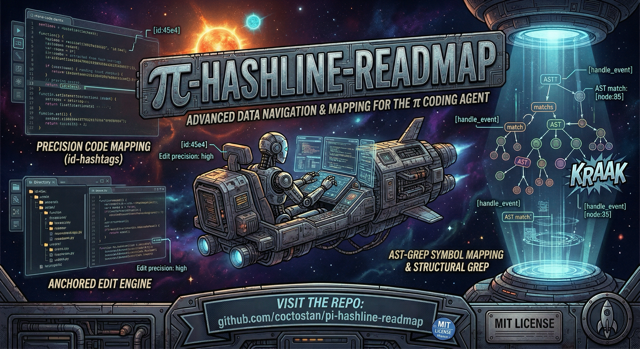


Upgrade pi's local coding workflow with hash-anchored text reads and edits, stock-pi-compatible image reads, structural file maps, symbol-aware navigation, structural search, agent-friendly file exploration, and compressed bash output.
pi-hashline-readmap is a drop-in pi extension. It replaces the stock read, edit, grep, ls, and find tools, provides an enhanced ast_search tool, registers write, adds an optional nu tool for structured exploration via Nushell, and post-processes bash output so more context budget goes to signal instead of noise.
It also reduces extension conflict risk by replacing several overlapping tool packages with one coordinated implementation.
Why use it?
- Keep edits tied to stable
LINE:HASHanchors instead of fragile line numbers. - Navigate large files with structural maps and direct symbol reads.
- Read supported images and screenshots through pi-compatible image attachments instead of ad hoc OCR/tooling.
- Turn search results into edit anchors without an extra read step.
- Search code structurally with
ast_searchwhen text search is too brittle. - Keep readmap subprocesses safe for paths containing shell metacharacters such as
"and$. - Read pending write/edit diffs without color thanks to textual
+/-/space gutter markers. - Explore files with agent-oriented
ls,find, and optionalnutools. - Compress noisy test, build, Git, Docker, linter, package-manager, HTTP, transfer, and generic command output.
- Use one extension instead of stacking overlapping
read,grep,edit, and Bash-output packages.
Installation
Requirements
- pi with extension support
- Node.js >= 20 for package installation/runtime; use a current Node LTS/current release for local development
From npm
pi install npm:pi-hashline-readmap
From GitHub
pi install git:github.com/coctostan/pi-hashline-readmap
From a local checkout
git clone https://github.com/coctostan/pi-hashline-readmap.git
cd pi-hashline-readmap
npm install
pi install .
Start a new pi session after installation. Running sessions do not hot-reload extension code or tool registrations.
CLI dependencies and optional local tools
Normal npm installs of pi-hashline-readmap include npm-managed CLI packages for the tools this extension wraps:
@ast-grep/cliprovides thesgbinary used byast_search.nushellprovides thenubinary used by the optionalnutool.
The extension resolves those bundled binaries first. If @ast-grep/cli cannot be resolved, ast_search falls back to ast-grep on PATH rather than sg, avoiding Linux util-linux sg collisions. The optional nu tool falls back to nu on PATH when the bundled nushell package or bin entry is unavailable. If troubleshooting a broken platform package, a system install can still be useful after repairing/removing the broken npm package or as a fallback in environments without the bundled binary:
brew install ast-grep          # fallback for ast_search if @ast-grep/cli cannot run
brew install nushell           # fallback for the nu tool if the npm nushell package cannot run
brew install fd                # optional, speeds up find
brew install universal-ctags   # optional, symbol maps for languages without a dedicated mapper
brew install difftastic        # optional, improves semantic edit summaries
brew install shellcheck yq scc # optional, improves some bash-output compression paths
Dedicated readmap mappers handle TypeScript, JavaScript, Python, Rust, Go, Java, C, C++, Swift, shell, SQL, Markdown, JSON/JSONL, YAML, TOML, CSV/TSV, and opt-in GDScript with the highest-quality structural maps. Rust, C++, and Java structural maps use web-tree-sitter with packaged tree-sitter-wasms grammars; C/C++ headers share the C++ mapper, and no native tree-sitter packages are installed for those mappers. For files outside that set, the read tool's structural map falls back to universal-ctags when it is installed, and to a generic regex-based extractor when it is not. Installing universal-ctags is therefore only worthwhile if you regularly read files in languages without a dedicated mapper (for example Ruby, PHP, Lua, Kotlin) and want symbol-aware maps for them.
Bash output contract
The bash tool exposes a stable, documented public contract on its result
details (notably details.rtkCompaction for RTK compaction metadata,
mirrored under details.ptcValue.rtkCompaction). Display extensions and
downstream consumers should rely on that contract rather than on internal
fields. See prompts/bash.md for the full schema.
30-second example
The core workflow is: read a file, copy a LINE:HASH anchor, and edit against that verified anchor.
read({ path: "tests/fixtures/small.ts" })

# Example output:
45:4bf|export function createDemoDirectory(): UserDirectory {
edit({
  path: "tests/fixtures/small.ts",
  edits: [
    {
      set_line: {
        anchor: "45:4bf",
        new_text: "export function buildDemoDirectory(): UserDirectory {"
      }
    }
  ]
})
Before writing, edit verifies that anchor against the current file contents. If the file changed, it reports a mismatch instead of silently editing the wrong line.
Common workflows
Safely edit a line
Use read first, then pass the copied anchor to edit.
read({ path: "src/example.ts" })
edit({
  path: "src/example.ts",
  edits: [
    { set_line: { anchor: "12:abc", new_text: "const enabled = true;" } }
  ]
})
read, grep, ast_search, and write all return hashlined output that can feed follow-up edits.
Editing notes
new_textis plain file content — never includeLINE:HASH|, hash-only (a1b|), or+diff prefixes.editstrips them defensively when they dominate the replacement, but you should omit them.- Set
new_textto""to delete the anchored line(s); use"\n"for an intentionally blank line. replaceis exact-only by default.fuzzy: trueonly normalizes whitespace and confusable Unicode after an exact match fails — it is not approximate or semantic matching.
Create a new file with write
write({ path: "src/new-module.ts", content: "export const demo = 1;\n" })
write creates parent directories automatically and returns hashlined output for immediate refinement.
Navigate a large file
read({ path: "src/hashline.ts", map: true })
read({ path: "tests/fixtures/small.ts", symbol: "createDemoDirectory" })
read({ path: "tests/fixtures/small.ts", symbol: "UserDirectory.addUser" })
Structural maps are appended automatically when large text reads are truncated. The readmap supports TypeScript, JavaScript, Python, Rust, Go, Java, Swift, Shell, C/C++, SQL, JSON/JSONL, Markdown, YAML, TOML, CSV/TSV, and opt-in GDScript. Direct symbol reads can target functions, classes, methods, interfaces, type aliases, constants, and enums when the file type is supported.
Read a symbol with local support
read({ path: "tests/fixtures/small.ts", symbol: "createDemoDirectory", bundle: "local" })
Use bundle: "local" when you want the requested symbol plus direct same-file local support.
Read an image or screenshot
read({ path: "screenshot.png" })
Supported images (jpg, jpeg, png, gif, and webp) are delegated to pi's stock image reader and return image attachments, not LINE:HASH edit anchors. Hashline also detects supported image magic bytes for extensionless or misnamed files before falling back to binary/text handling.
Search and patch
grep({ pattern: "createDemoDirectory", path: "tests/fixtures", literal: true })
grep({ pattern: "createDemoDirectory", path: "tests/fixtures", literal: true, scope: "symbol" })
grep({ pattern: "createDemoDirectory", path: "tests/fixtures", literal: true, scope: "symbol", scopeContext: 3 })
grep returns anchored matches, supports literal and regex search, can summarize matches with summary: true, and can scope output to enclosing symbols. Use scopeContext: 0 for only matching lines inside the resolved symbol block.
Replace a whole symbol
Use replace_symbol inside edit to swap an entire function, method, or class declaration by name — no anchors needed:
edit({
  path: "src/foo.ts",
  edits: [
    {
      replace_symbol: {
        symbol: "add",
        new_body: "export function add(a: number, b: number) {\n  return a + b + 1;\n}"
      }
    }
  ]
})
replace_symbol resolves the symbol with the same symbol-query syntax as read symbol:"..." for precise in-memory mappers currently registered for TypeScript, JavaScript, Rust, and Java. For files with multiple overloads of the same name, append @<line> to select the exact declaration:
replace_symbol: { symbol: "Foo.bar@42", new_body: "..." }
The new body is automatically re-indented to match the original symbol's leading indentation. After the write, the tree-sitter syntax-regression validator checks for net-new parse errors:
warn(default) — write succeeds; asyntax-regressionwarning is appended.block— write is aborted with thesyntax-regressionptc error code.off— validation skipped.
Set the mode with PI_HASHLINE_SYNTAX_VALIDATE=block|warn|off. See prompts/edit.md for the full replace_symbol contract, supported-language scope, Class.method@line disambiguation rules, and error-precedence ordering. See prompts/read.md for the broader read symbol:"..." lookup contract.
Search code structurally
ast_search({ pattern: "console.log($$$ARGS)", lang: "typescript", path: "src" })
ast_search wraps local ast-grep, returns merged anchored match blocks grouped by file, and is best for syntax-shaped queries rather than raw text matching.
Explore files
ls({ path: "src" })
find({ pattern: "*.ts", path: "src", maxDepth: 2 })
nu({ command: "open package.json | get scripts" })
ls shows one directory with directories first and dotfiles included. find performs recursive discovery, respects .gitignore, includes hidden files, and supports depth, regex, sort, mtime, and size filters. nu registers only when Nushell is installed and is useful for structured JSON, CSV, TOML, YAML, and filesystem inspection.
Handle noisy command output
The extension post-processes bash results to reduce noise while preserving useful output. Route-specific compression covers test runners, builds, compilers, Git, linters, Docker, package managers, HTTP clients, transfer tools, file-listing output, and oversized generic output.
Use PI_RTK_BYPASS=1 when route-specific compression hides something you need:
PI_RTK_BYPASS=1 npm test
PI_RTK_BYPASS=1 git log --stat
PI_RTK_BYPASS=1 does not disable the Bash context guard; very large raw output can still be replaced with a recoverable preview unless PI_HASHLINE_BASH_CONTEXT_GUARD=0 is also set. See docs/bash-output.md for the full layered behavior and recovery details.
Configuration
Most users do not need configuration. Durable Hashline options can live in JSON settings files, while existing environment variables remain supported for temporary overrides and are not deprecated.
Canonical settings files:
- Global:
~/.pi/agent/hashline-readmap/settings.json - Project:
<repo>/.pi/hashline-readmap/settings.json
Precedence is: environment variables > project JSON > global JSON > built-in defaults. Project JSON overrides global JSON field-by-field. Unsupported legacy or alias paths are intentionally not read: ~/.pi/agent/settings.json, <repo>/.pi/settings.json, ~/.pi/hashline-readmap/settings.json, and <repo>/.pi/hashline-readmap.json.
Example project settings:
{
  "grep": {
    "maxLines": 1200,
    "maxBytes": 40960
  },
  "mapCache": {
    "dir": ".cache/hashline/maps",
    "enabled": true
  },
  "bashContextGuard": {
    "enabled": true,
    "maxLines": 1500,
    "maxBytes": 40960,
    "headLines": 60,
    "tailLines": 100
  },
  "gdscript": {
    "enabled": false
  },
  "edit": {
    "diffDisplay": "collapsed"
  }
}
JSON fields:
| JSON field | Environment override | Default / ceiling behavior |
|---|---|---|
grep.maxLines |
PI_HASHLINE_GREP_MAX_LINES |
Tightens grep's final visible line budget; above-default values are clamped down to the built-in default |
grep.maxBytes |
PI_HASHLINE_GREP_MAX_BYTES |
Tightens grep's final visible byte budget; above-default values are clamped down to the built-in default |
mapCache.dir |
PI_HASHLINE_MAP_CACHE_DIR |
Overrides the persistent structural-map cache directory; otherwise falls back to $XDG_CACHE_HOME/pi-hashline-readmap/maps, then ~/.cache/pi-hashline-readmap/maps |
mapCache.enabled |
PI_HASHLINE_NO_PERSIST_MAPS=1 |
Defaults to true; the env var disables on-disk map caching regardless of JSON |
bashContextGuard.enabled |
PI_HASHLINE_BASH_CONTEXT_GUARD |
Defaults to true; exact env value 0 disables the guard, any other set value enables it |
bashContextGuard.maxLines |
PI_HASHLINE_BASH_CONTEXT_GUARD_MAX_LINES |
Tightens the post-RTK Bash guard line budget; default/ceiling 2000 |
bashContextGuard.maxBytes |
PI_HASHLINE_BASH_CONTEXT_GUARD_MAX_BYTES |
Tightens the post-RTK Bash guard byte budget; default/ceiling 51200 raw bytes |
bashContextGuard.headLines |
`PI_HASHLINE_BASH_CONTEXT_ |
Extension points exported contracts — how you extend this code
ContextHygieneTracker (Interface)Core symbols most depended-on inside this repo
logShape
Languages
Modules by API surface
For agents
$ claude mcp add pi-hashline-readmap \
  -- python -m otcore.mcp_server <graph>