github.com/cnlohr/colorchord @v2.0.2
Chat with this repoWhat it actually does AI analysis from the code graph — generated when you open this
README
ColorChord
Table of Contents
- ColorChord
- Table of Contents
- What is ColorChord?
- Background
- Current State of Affairs
- ColorChord: Embedded
- Build Instructions
- Building ColorChord Embedded
- Building with Linux
- Building with Windows
- Using
- Additional Videos
What is ColorChord?
Chromatic Sound to Light Conversion System. It's really that simple. Unlike so many of the sound responsive systems out there, ColorChord looks at the chromatic properties of the sound. It looks for notes, not ranges. If it hears an "E" it doesn't care what octave it's in, it's an E. This provides a good deal more interesting patterns between instruments and music than would be available otherwise.
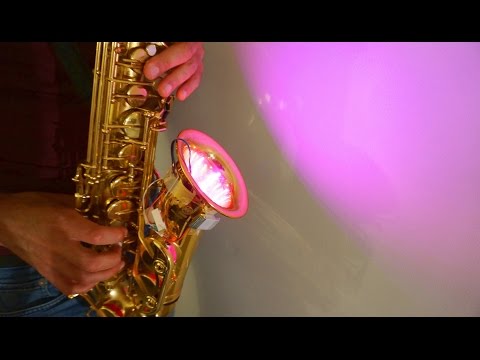
Background Video here:
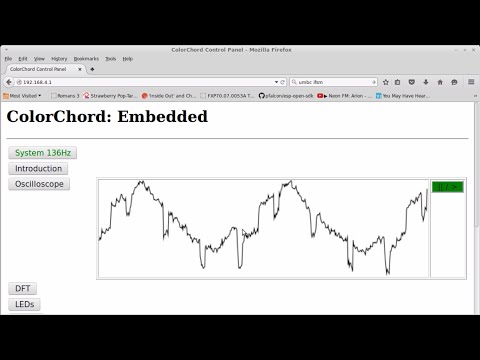
ColorChord on an ESP8266:
More videos below!
Background
Developed over many years, ColorChord 2 is now at the alpha stages. ColorChord 2 uses the same principles as ColorChord 1. A brief writeup on that can be seen here: http://cnlohr.blogspot.com/2010/11/colorchord-sound-lighting.html
The major differences in ColorChord 2 is the major rewrite to move everything back to the CPU and a multitude of algorithmic optimizations to make it possible to run on something other than the brand newest of systems.
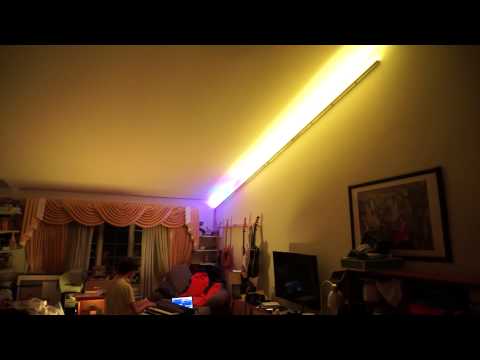
Feuge in D Minor (ColorChord 2 running a strip of WS2812 LEDs):
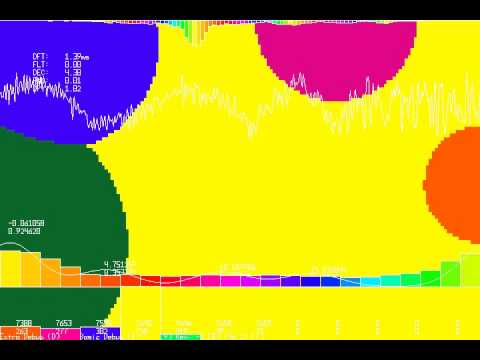
ColorChord 2 running a voronoi diagram with Mayhem's Dr. Rocker
Current State of Affairs
Currently, ColorChord 2 is designed to run on Linux or Windows. It's not particularly tied to an architecture, but does pretty much need a dedicated FPU to achieve any decent performance. Right now there aren't very many output options available for it. The most interesting one used for debugging is a voronoi-diagram-like thing called "DisplayShapeDriver."
ColorChord: Embedded
There is work on an embedded version of ColorChord, which avoids floating point operations anywhere in the output pipeline. Though I have made efforts to port it to AVRs, it doesn't seem feasable to operate on AVRs without some shifty tricks which I'd like to avoid, so I have retargeted my efforts to 32-bit systems, such as the STM32F303, STM32F407, and (somehow) the ESP8266. ColorChord Embedded uses a different codebase, located in the embeddedcommon and distributed among the various embedded* folders.
Build Instructions
Building ColorChord Embedded
The embedded version of Colorchord has a different build system than the desktop versions of Colorchord. See the build instructions for each of the supported embedded architectures in their respective folders
Building with Linux
From the linux terminal use apt-get to install the following packages for Debian/Ubuntu/Mint:
apt-get install build-essential libpulse-dev libasound2-dev libx11-dev libxext-dev libxinerama-dev libusb-1.0-0-dev libudev-dev
To get colorchord, type:
git clone --recurse-submodules https://github.com/cnlohr/colorchord
This will download the colorchord source code into the colorchord directory
You really want to be using colorchord2, so we need to move to it's build directory to compile the source code.
cd colorchord/colorchord2
To make colorchord, type:
make
Building with Windows
There are 3 options available for building on Windows, clang, or TCC, MSYS2.
clang
Start by downloading the clang compiler, and installing it.
You can also install using winget using the following command in PowerShell
winget install -e --id LLVM.LLVM
If you have the Windows SDK installed, you should not need to do any additional work.
If you do not, you'll want to either install it to get the official headers. Realistically, it's easyist to get the headers by installing Visual Studio Communitiy and selecting the C/C++ Desktop Application devlopment package and installing it from there Visual Studio.
Once the Windows headers are installed run the clang batch script, and it should output to colorchord2/colorchord.exe.
./compile-clang.bat
TCC
Start by downloading TCC, and extracting it to C:\tcc.
You can put it anywhere you like, but the compile script defaults to this location. If you install
to the default location, you can skip the next step.
Edit the batch script at colorchord2/windows/compile.bat:
- Edit line 17 (CC) to be the location where you put TCC. If there are spaces in the path, wrap the entire path in quotes.
Note that TCC is not able to use the Windows SDK, and as such using the unofficial headers is required, and automatically enabled when compiling with TCC. If you encounter issues, try the clang method above instead. TCC does not support open-gl rendering and is limited to software rendering.
MSYS2
With either 64bit or 32bit MSYS2 installed, run the MSYS2 MSYS launcher and use pacman to set up a MinGW32 toolchain, if you don't have one already:
pacman -S mingw-w64-i686-toolchain
If you see "/mingw32 exists in filesystem", you must temporarily rename or relocate the mingw32.exe file at MSYS2's root folder level and try again. Restore mingw32.exe before moving on.
Next, run the MSYS2 MinGW 32bit launcher to access the toolchain. The previously launched MSYS terminal can be closed.
To make colorchord, navigate to your working copy and type:
mingw32-make colorchord.exe
Using
To run colorchord, use the following syntax:
./colorchord [config file, by default 'default.conf'] [any additional parameters]
If you edit default.conf while the program is running and resave it, it will use the settings in the newly saved file.
Note that the colorchord executable file is located in the colorchord2 directory in the colorchord repository.
Additional Videos

Core symbols most depended-on inside this repo
RegisterValueShape
Languages
Modules by API surface
For agents
$ claude mcp add colorchord \
  -- python -m otcore.mcp_server <graph>