github.com/cloudlena/s3manager @v0.7.0
Chat with this repoWhat it actually does AI analysis from the code graph — generated when you open this
README
S3 Manager

A Web GUI written in Go to manage S3 buckets from any provider.
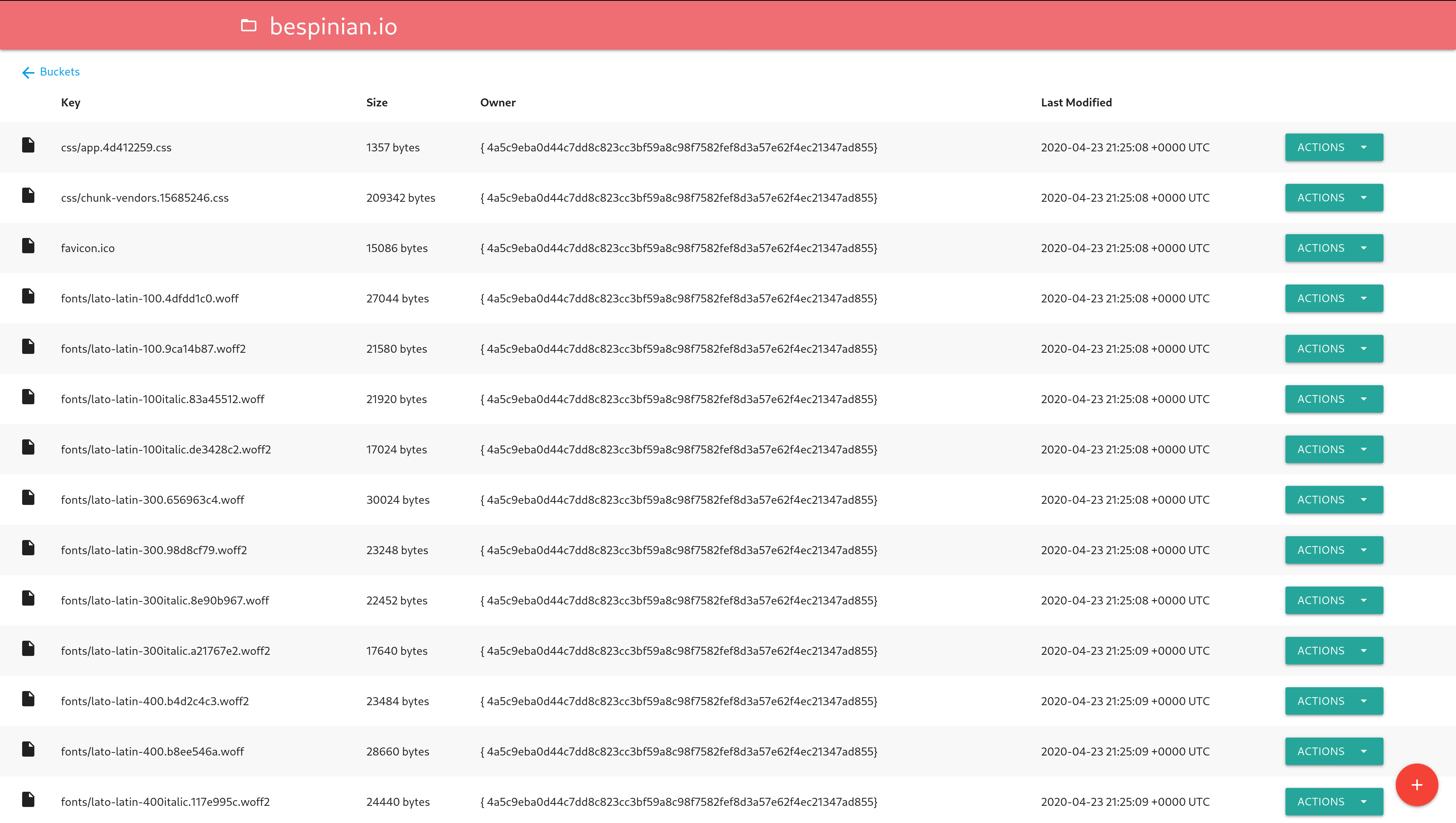
Features
- List all buckets in your account
- Create a new bucket
- List all objects in a bucket
- Upload new objects to a bucket
- Download object from a bucket
- Delete an object in a bucket
Usage
Configuration
The application can be configured with the following environment variables:
ENDPOINT: The endpoint of your S3 server (defaults tos3.amazonaws.com)REGION: The region of your S3 server (defaults to"")ACCESS_KEY_ID: Your S3 access key ID (required) (works only ifUSE_IAMisfalse)SECRET_ACCESS_KEY: Your S3 secret access key (required) (works only ifUSE_IAMisfalse)USE_SSL: Whether your S3 server uses SSL or not (defaults totrue)SKIP_SSL_VERIFICATION: Whether the HTTP client should skip SSL verification (defaults tofalse)SIGNATURE_TYPE: The signature type to be used (defaults toV4; valid values areV2, V4, V4Streaming, Anonymous)PORT: The port the app should listen on (defaults to8080)ALLOW_DELETE: Enable buttons to delete objects (defaults totrue)FORCE_DOWNLOAD: Add response headers for object downloading instead of opening in a new tab (defaults totrue)LIST_RECURSIVE: List all objects in buckets recursively (defaults tofalse)BUCKET_NAME: Restrict the buckets view to a single named bucket (defaults to unset, showing all buckets)USE_IAM: Use IAM role instead of key pair (defaults tofalse)IAM_ENDPOINT: Endpoint for IAM role retrieving (Can be blank for AWS)SSE_TYPE: Specified server side encryption (defaults blank) Valid values can beSSE,KMS,SSE-Call others values don't enable the SSESSE_KEY: The key needed for SSE method (only forKMSandSSE-C)TIMEOUT: The read and write timeout in seconds (default to600- 10 minutes)ROOT_URL: A root URL prefix if running behind a reverse proxy (defaults to unset)
Build and Run Locally
- Run
make build - Execute the created binary and visit http://localhost:8080
Run Container image
- Run
docker run -p 8080:8080 -e 'ACCESS_KEY_ID=XXX' -e 'SECRET_ACCESS_KEY=xxx' cloudlena/s3manager
Deploy to Kubernetes
You can deploy S3 Manager to a Kubernetes cluster using the Helm chart.
Running behind a reverse proxy
If there are multiple S3 users/accounts in a site then multiple instances of the S3 manager can be run in Kubernetes and expose behind a single nginx reverse proxy ingress.
The s3manager can be run with a ROOT_URL environment variable set that accounts for the reverse proxy location.
If the nginx configuration block looks like:
    location /teamx/ {
        proxy_pass http://s3manager-teamx:8080/;
        auth_basic "teamx";
        auth_basic_user_file /conf/teamx-htpasswd;
    }
    location /teamy/ {
        proxy_pass http://s3manager-teamy:8080/;
        <other nginx settings>
    }
Then the instance behind the s3manager-teamx service has ROOT_URL=teamx and the instance behind s3manager-teamy has ROOT_URL=teamy.
Other nginx settings can be applied to each location.
The nginx instance can be hosted on some reachable address and reverse proxy to the different S3 accounts.
Development
Lint Code
- Run
make lint
Run Tests
- Run
make test
Build Container Image
The image is available on Docker Hub.
- Run
make build-image
Run Locally for Testing
There is an example docker-compose.yml file that spins up an S3 service and the S3 Manager. You can try it by issuing the following command:
$ docker-compose up
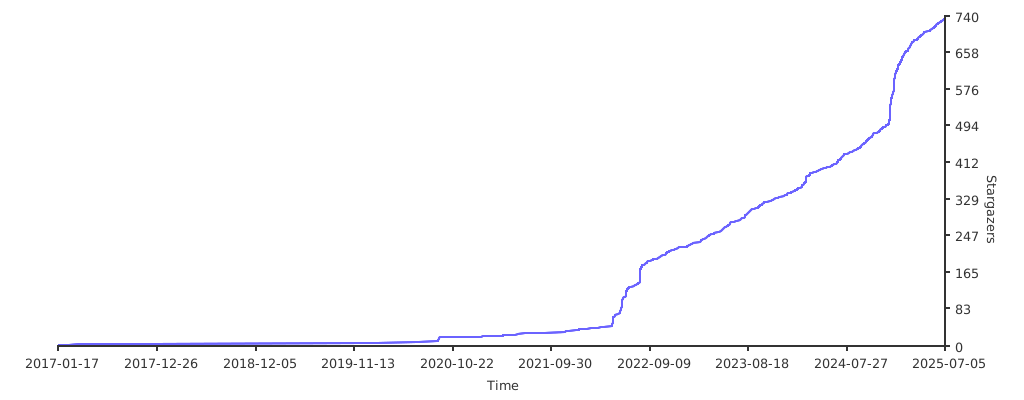
GitHub Stars
Extension points exported contracts — how you extend this code
S3 (Interface)Core symbols most depended-on inside this repo
handleHTTPErrorShape
Languages
Modules by API surface
For agents
$ claude mcp add s3manager \
  -- python -m otcore.mcp_server <graph>