github.com/chartbrew/chartbrew @v5.2.2 sqlite
README




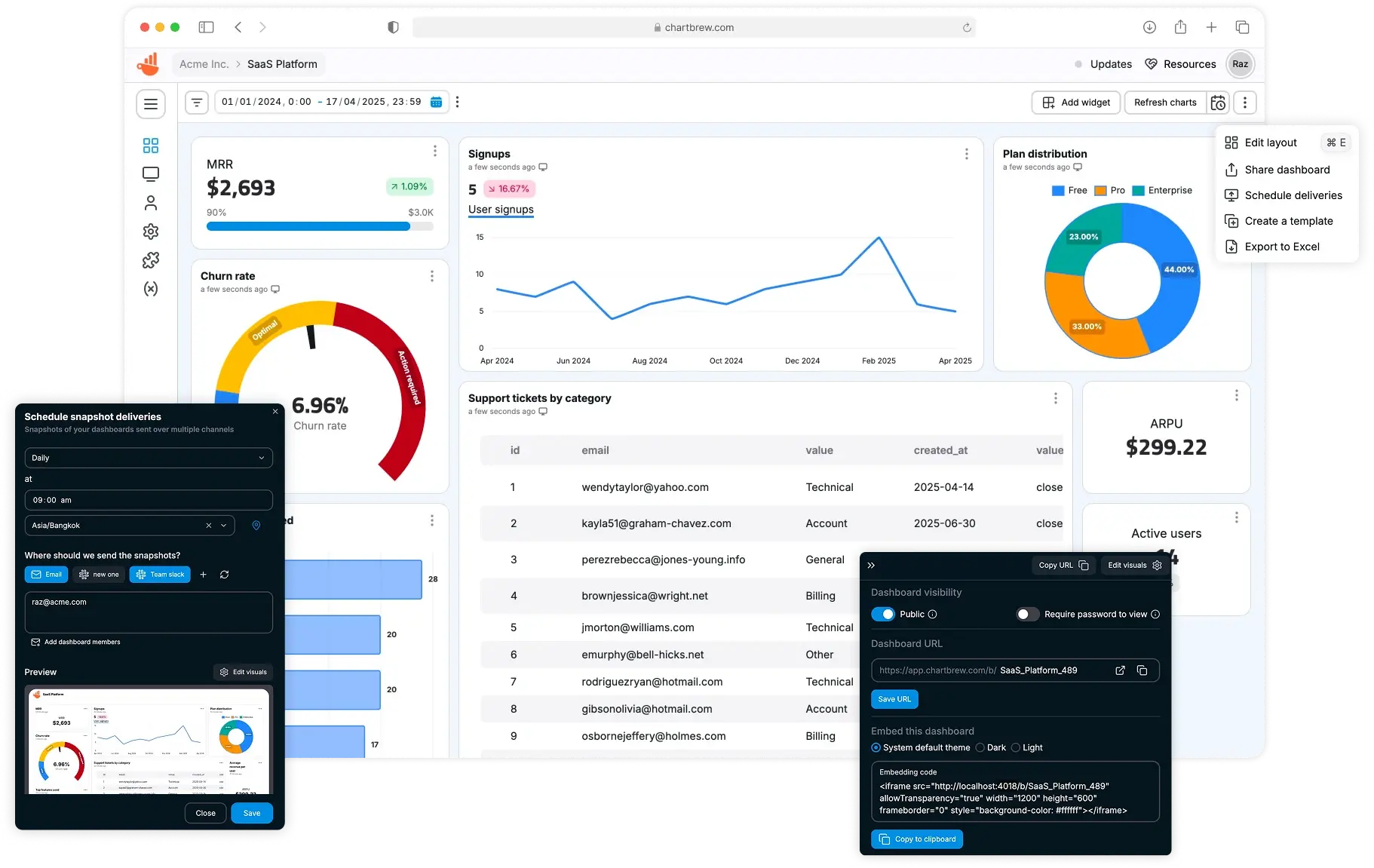
Chartbrew is an open-source web application that can connect directly to databases and APIs and use the data to create beautiful charts. It features a chart builder, editable dashboards, embedable charts, query & requests editor, and team capabilities.
Chartbrew as a service is available here
💡 Have any ideas or discussion topics?
Data sources
Check Chartbrew's website for the latest list of supported data sources
Prerequisites
- NodeJS v22+
- MySQL (5+) or PostgreSQL (12.5+)
- Redis (v6+)
Start
It is recommended you head over to the more detailed documentation to find out how to set up Chartbrew
Set up Chartbrew locally
Create a new database
Chartbrew can run on MySQL or PostgreSQL. Create an empty database that Chartbrew can use.
Clone and setup
git clone https://github.com/chartbrew/chartbrew.git
cd chartbrew && npm run setup
Complete the required environmental variables in chartbrew/.env. Check out which need to be set here.
Run the project in Development
Open two terminals, one for front-end and the other for back-end.
# frontend
cd client/
npm run start

# backend
cd server/
npm run start-dev
Head over to http://localhost:4018 to see the app running and create your first user account.
Deploy Chartbrew on DigitalOcean
Chartbrew can be deployed on DigitalOcean using the 1-click droplet from the marketplace. This allows you to quickly set up and run Chartbrew with minimal configuration.

Run with Docker
Check the full guide in the docs.
Quickstart
A Chartbrew docker image is built whenever a new version is released.
Before running the commands below, make sure you have a MySQL server already running and an empty database that Chartbrew can use. The database name should match the value of the CB_DB_NAME variable.
You will need a 32 bytes AES encryption key for the CB_ENCRYPTION_KEY variable. Run the following command to generate one:
node -e "console.log(require('crypto').randomBytes(32).toString('hex'))"
docker pull razvanilin/chartbrew

docker run -p 4019:4019 -p 4018:4018 \
  -e CB_ENCRYPTION_KEY=your_32_bytes_key \
  -e CB_API_HOST=0.0.0.0 \
  -e CB_API_PORT=4019 \
  -e CB_DB_HOST=host.docker.internal \
  -e CB_DB_PORT=3306 \
  -e CB_DB_NAME=chartbrew \
  -e CB_DB_USERNAME=root \
  -e CB_DB_PASSWORD=password \
  -e CB_REDIS_HOST=host.docker.internal \
  -e CB_REDIS_PORT=6379 \
  -e CB_REDIS_PASSWORD=password \
  -e VITE_APP_CLIENT_HOST=http://localhost:4018 \
  -e VITE_APP_CLIENT_PORT=4018 \
  -e VITE_APP_API_HOST=http://localhost:4019 \
  razvanilin/chartbrew
Acknowledgements
Many thanks to everybody that contributed to this open-source project 🙏
Core symbols most depended-on inside this repo
filterShape
Languages
Modules by API surface
Dependencies from manifests, versioned
Datastores touched
For agents
$ claude mcp add chartbrew \
  -- python -m otcore.mcp_server <graph>