github.com/cginternals/glbinding @v3.5.0
Chat with this repoBrowse by type
What it actually does AI analysis from the code graph — generated when you open this
README

glbinding is a cross-platform C++ binding for the OpenGL API.







glbinding leverages C++11 features like enum classes, lambdas, and variadic templates, instead of relying on macros; all OpenGL symbols are real functions and variables. It provides type-safe parameters, per-feature API headers, lazy function resolution, multi-context and multi-thread support, global and local function callbacks, meta information about the generated OpenGL binding and the OpenGL runtime, as well as tools and examples for quick-starting your projects. Based on the OpenGL API specification (gl.xml) glbinding is generated using python scripts and templates that can be easily adapted to fit custom needs.
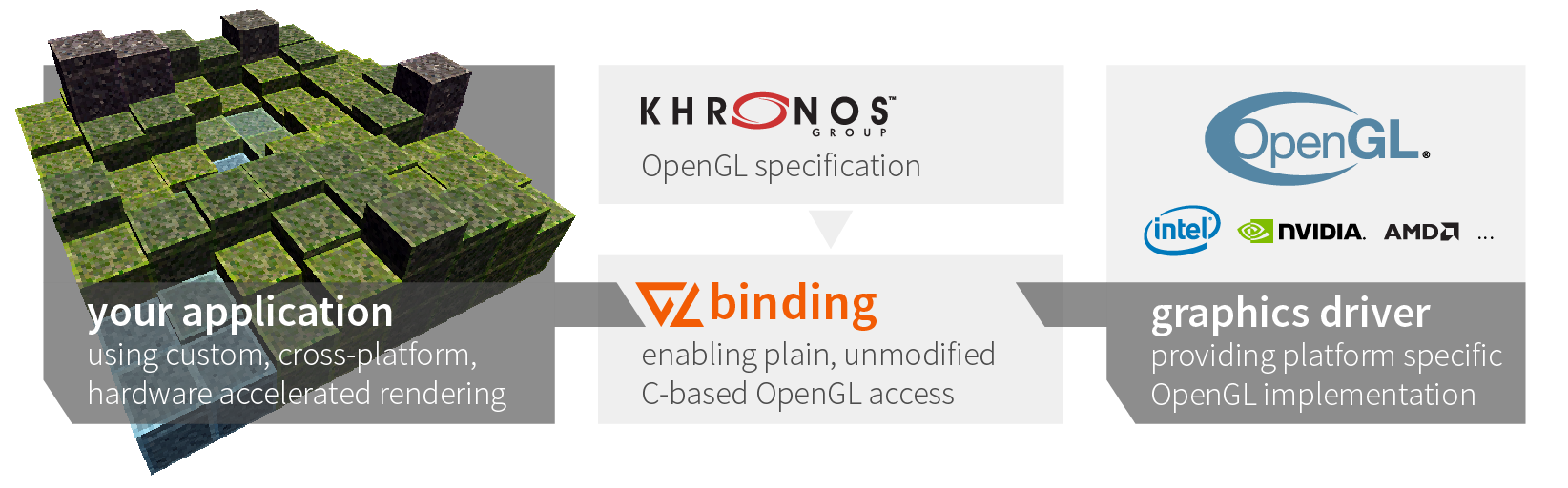
Code that is written using a typical C binding for OpenGL, e.g., GLEW, is fully compatible for the use with glbinding and causes no significant impact on runtime performance (see compare example): just replace all includes to the former binding, replace the initialization code and use the appropriate API namespace, e.g., gl for full availability of the OpenGL API.
#include <glbinding/gl/gl.h>
using namespace gl;

// ...
auto shader = glCreateShader(GL_COMPUTE_SHADER);
// ...
glbinding is compatible with OpenGL-compatible windowing toolkits and we provide example integrations for the following ones within the examples:
- GLFW OpenGL
- GTK 3 OpenGL and GTK 3 OpenGL ES (may require
GDK_GL=glesenvironment variable) - GTK 4 OpenGL and GTK 4 OpenGL ES
- Qt 5 OpenGL and Qt 5 OpenGL ES
- SDL OpenGL and SDL OpenGL ES
Resources
Installation and Development
- Install Instructions
- Build from Source
- Updating the Generated Source Code
- Tips for Linking
- Dependency on KHR Headers
- Basic Example
Feature Documentation and Code Snippets
- Type-safe Parameters
- Compilation-Centered Header Design
- Feature-Centered Header Design
- Lazy Function Resolution
- Multi-context Support
- Multi-thread Support
- Global and Local Function Callbacks
- Alternative Signatures for GLboolean and GLenum types
- Meta Information System
- Doxygen Documentations (stable, master)
Install Instructions
glbinding is available for different platforms using different distribution channels. You can either download the source and manually compile it or use one of the pre-compiled releases of this repository. For systems providing package managers, we generally strive for packages in these package managers. An overview on availability of glbinding can be found on repology.org.
Windows
The various glbinding packages can be installed either by downloading an installer, e.g., the x64 installer for glbinding v3.1.0 for Microsoft Visual Studio 2015, or downloading and extracting one of the precompiled archives, e.g. runtime, examples, dev, and tools. Since lately, glbinding is also available on vcpkg with more recent releases:
> vcpkg install glbinding
Alternatively, download the source code and commence building from source.
Ubuntu
glbinding is provided on Ubuntu using PPAs and in Ubuntu universe since Artful Aardvark. We maintain our own PPA for most recent releases. Using the current PPA as example, the following lines install glbinding including the GLFW examples:
> sudo apt-add-repository ppa:cginternals/ppa
> sudo apt-get update
> sudo apt-get install libglbinding-examples-glfw
> # start example
> /usr/share/glbinding/cubescape
To use glbinding as dependency, install the development package:
> sudo apt-get install libglbinding-dev libglbinding-dbg
Alternatively, download the source code and commence building from source.
Arch Linux
On Arch, glbinding is provided by the glbinding package in the community repository. To install glbinding execute the following line:
> sudo pacman -S glbinding
Alternatively, download the source code and commence building from source.
macOS
The package manager on macOS we depend on is homebrew. The package there is called glbinding. To install glbinding using homebrew, execute the following line:
> brew install glbinding
Alternatively, download the source code and commence building from source.
Debian-based Systems
glbinding is available for Debian 9 (Stretch), 10 (Buster), 11 (Bullseye) and Sid. Install it using apt install libglbinding-dev.
For advanced use, download the source code and commence building from source.
Cross-Platform Package Managers
As one of the cross-platform package managers, conan provides glbinding in its center index. You can use the following line to install glbinding using conan:
> conan install glbinding/3.1.0@
Build Instructions
Prerequisites and Dependencies
The only mandatory run-time dependencies of glbinding are the STL of the used compiler and an OpenGL driver library, dynamically linked with your application. Building glbinding from source has several mandatory and optional dependencies:
- CMake 3.0 or higher for building glbinding from source (mandatory for any build from source)
- git for version control and script supporting tasks
- GLFW 3.2 or higher for examples and tools
- GLEW 1.6 or higher for the comparison example (optional)
- cpplocate for the examples (optional)
- Qt5 5.0 or higher for the qt-based example (optional)
- googletest for tests (optional)
- Doxygen 1.8 or higher for generating the documentation on your system
- graphviz for generating diagrams (optional)
Compile Instructions
For compilation, a C++11 compliant compiler, e.g., GCC 4.8, Clang 3.3, MSVC 2013 Update 3, is required. First, download the source code as archive or via git:
> git clone https://github.com/cginternals/glbinding.git
> cd glbinding
Then, depending on the version of glbinding you want to build, choose the appropriate tag or branch, e.g., for the 2.1.4 release:
> git fetch --tags
> git checkout v2.1.4
The actual compilation can be done using CMake and your favorite compiler and IDE.
For building glbinding CMake via command line can be used (should work on all systems):
First, create a build directory (we do not recommend in-source builds):
> mkdir build
> cd build
Configure glbinding with your preferred or default generator, e.g., for Visual Studio 2017 in x64 use (note: some IDEs have integrated support for CMake projects, e.g., Qt Creator, and allow you to skip the manual project configuration):
> cmake .. -G "Visual Studio 17 2022" -A x64
In order to compile the project, either use you favorite Editor/IDE with the created project or use CMake as follows:
> cmake --build .
For multi-configuration projects specific configuration (e.g., on Windows using MSVC) can be built using:
> cmake --build . --config Release
> cmake --build . --config Debug
Update Generated Source Code
The generation scripts for glbinding are maintained within the khrbinding-generator project.
Assuming a directory structure with both projects such as <projects>/glbinding and <projects>/khrbinding-generator, updating the source code is started as follows:
> python3 update.py -p "profiles/gl.json"
> python3 generate.py -p "profiles/gl.json" -d "../glbinding/source"
Tips for Linking
We suggest using the build system CMake for a smooth integration.
For it, glbinding provides a configuration script that should be installed into your system or at least accessible by CMake.
In your projects' CMakeLists.txt, add one of the following lines:
find_package(glbinding QUIET) # if you want to check for existence
find_package(glbinding REQUIRED) # if it is really required in your project
Finally, just link glbinding to your own library or executable:
target_link_libraries(${target} ... PUBLIC
    glbinding::glbinding
    glbinding::glbinding-aux # for additional, auxiliary features as logging, meta information, or debugging functionality
)
Dependency on KHR Headers
As of mid 2019, the OpenGL API depends on the platform headers from the Khronos group, even on desktop systems.
This introduced a direct dependency of glbinding to the KHR/khrplatform.h header file. For most Linux systems, these headers are easily available (e.g., by installing libegl1-mesa-dev on Ubuntu), whereas on other systems, pre-existing packages are scarce. Even in the case of Ubuntu, one can argue
Core symbols most depended-on inside this repo
Shape
Languages
Modules by API surface
For agents
$ claude mcp add glbinding \
  -- python -m otcore.mcp_server <graph>