hub / github.com/cedricblondeau/world-cup-2022-cli-dashboard
github.com/cedricblondeau/world-cup-2022-cli-dashboard @v1.4.0
Chat with this repo
76 symbols
174 edges
20 files
0 documented · 0%
● updated 2y agov1.4.0 · 2022-12-20★ 449
What it actually does AI analysis from the code graph — generated when you open this
loading…
README
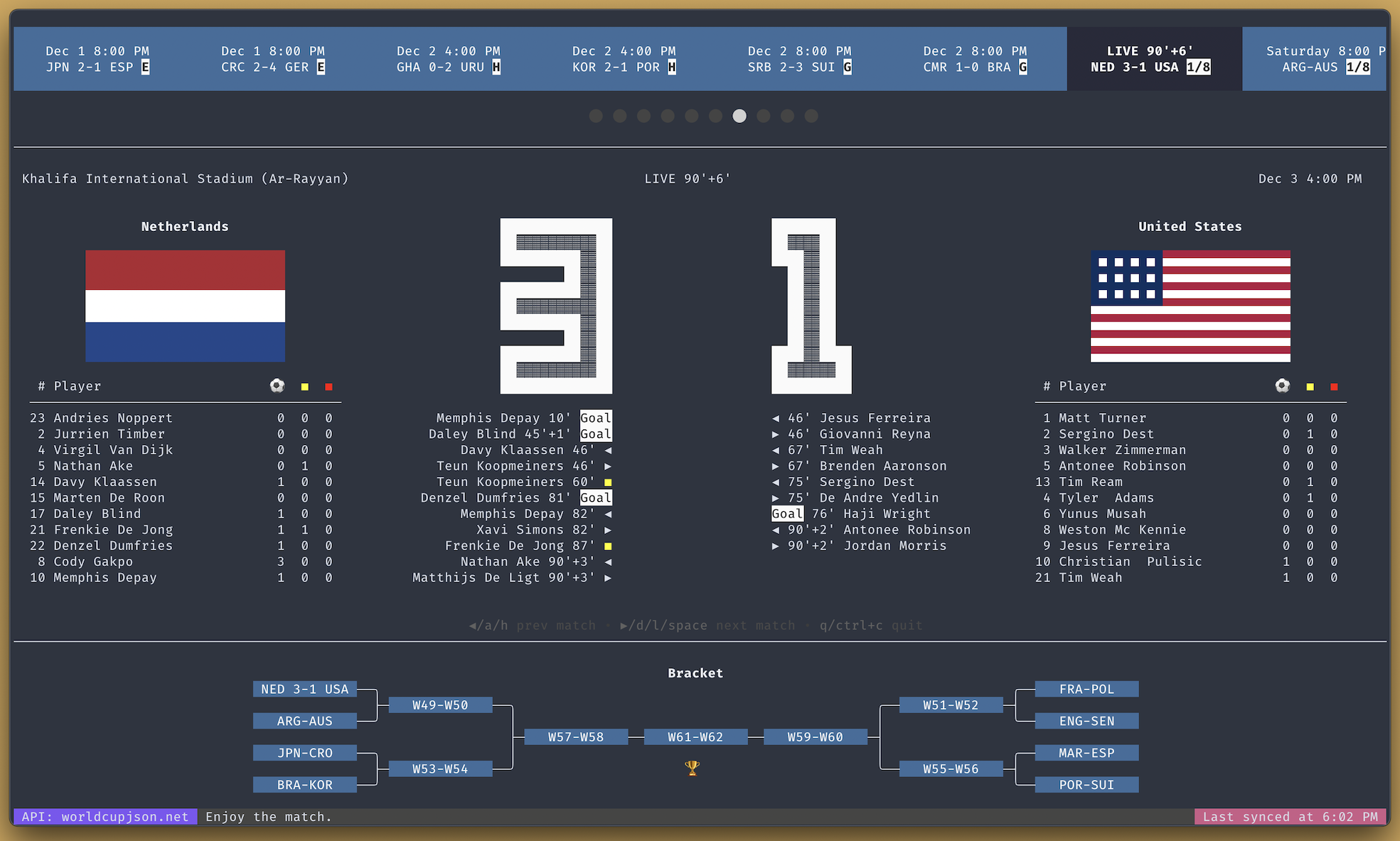
World Cup 2022 CLI Dashboard 





Features
- ⚽ Live matches (goals, bookings, substitutions)
- 🗒️ Team lineups
- 📅 Scheduled and past matches
- 📒 Standings & bracket
- 📊 Player stats (goals, yellow cards, red cards)
Install
Method 1: Homebrew 🍺
Install:
brew tap cedricblondeau/cedricblondeau
brew install world-cup-2022-cli-dashboard
Run:
world-cup-2022-cli-dashboard
Method 2: Docker 🐳
Build from the main branch:
docker build --no-cache https://github.com/cedricblondeau/world-cup-2022-cli-dashboard.git#main -t world-cup-2022-cli-dashboard
Run it:
docker run -ti -e TZ=America/Toronto world-cup-2022-cli-dashboard
Replace America/Toronto with the desired timezone.
Method 3: Go package
Requirements:
- Go 1.19+ (with $PATH properly set up)
- Git
go install github.com/cedricblondeau/world-cup-2022-cli-dashboard@latest
world-cup-2022-cli-dashboard
Method 4: Pre-compiled binaries
Pre-compiled binaries are available on the releases page.
UI
UI is powered by bubbletea and lipgloss.
For optimal results, it's recommended to use a terminal with: - True Color (24-bit) support; - at least 160 columns and 50 rows.
LICENSE
MIT
Extension points exported contracts — how you extend this code
—
Core symbols most depended-on inside this repo
match
called by 15
ui/bracket/bracket.go
renderEventType
called by 4
ui/match/match.go
min
called by 3
ui/dashboard.go
refreshCmd
called by 2
ui/dashboard.go
Name
called by 2
ui/fetch.go
dataFetchCmd
called by 2
ui/fetch.go
renderTeamCol
called by 2
ui/match/match.go
renderEvents
called by 2
ui/match/match.go
Shape
Languages
Go100%
Modules by API surface
ui/dashboard.go11 symbols
ui/bracket/bracket.go9 symbols
data/model.go9 symbols
ui/nav/nav.go8 symbols
ui/match/match.go8 symbols
ui/fetch.go7 symbols
ui/group/group.go5 symbols
data/local/local.go4 symbols
ui/statusbar/statusbar.go3 symbols
ui/playerstats/playerstats.go3 symbols
ui/keymap.go3 symbols
ui/bigtext/bigtext.go3 symbols
For agents
$ claude mcp add world-cup-2022-cli-dashboard \
  -- python -m otcore.mcp_server <graph>