github.com/cbridges1/acsys @v1.0.1
Chat with this repoWhat it actually does AI analysis from the code graph — generated when you open this
README






Acsys Live Demo
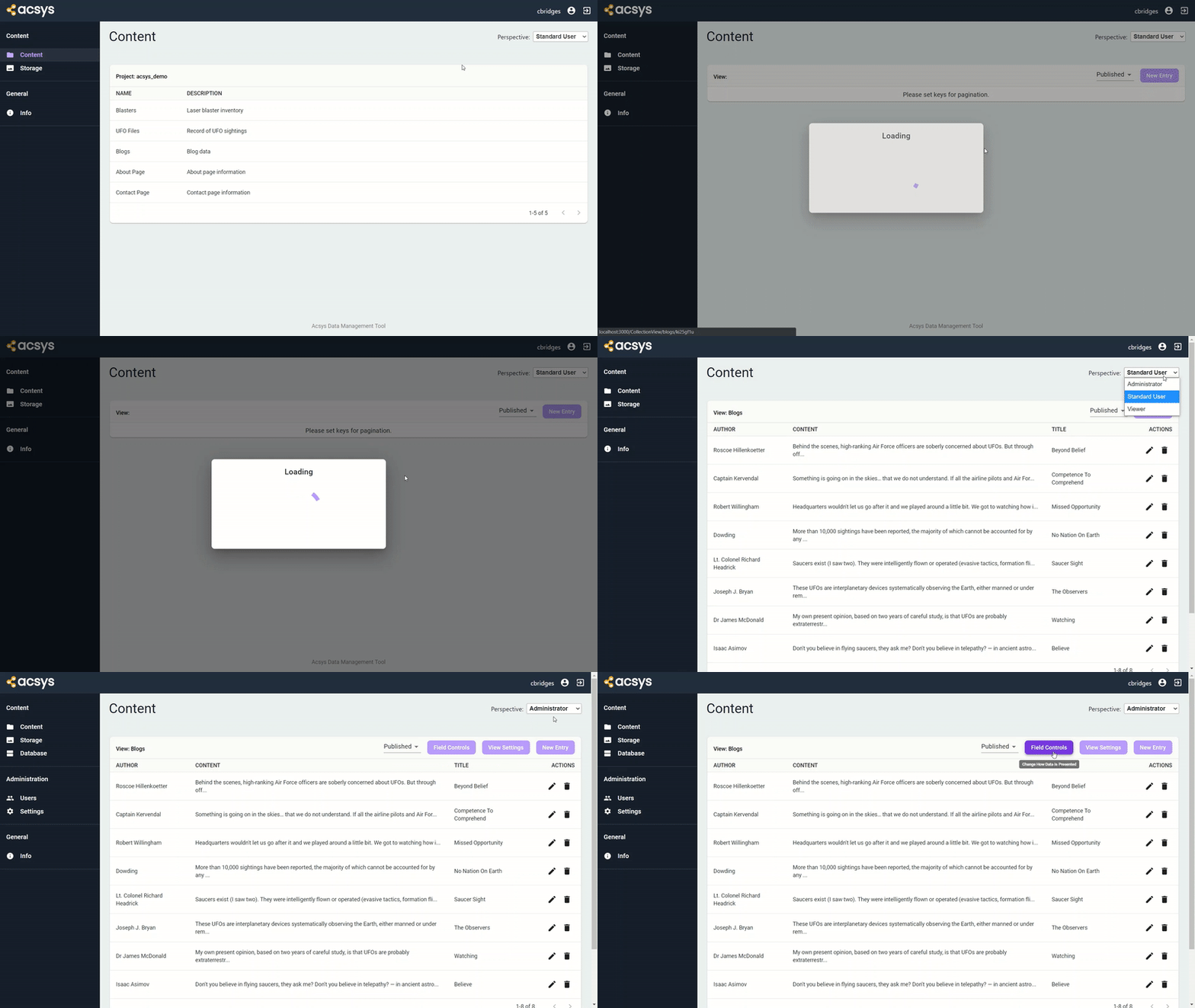
Acsys is a CMS built on NodeJS. This tool was created to fulfill the need for a frontend interface for Cloud Firestore. Acsys allows developers to configure a database through the Acsys web app. Once this is done users can use Acsys as a headless content management system that also configures RESTful APIs (no coding involved). Acsys serves as a simple interface for Firestore, MySQL and SQLite databases. Since this project is maintained and used by Aeon it will receive continuous updates.
Getting Started
These instructions will get Acsys up and running on your local machine for development and testing purposes.
Prerequisites
- NodeJS >= 10.10
- NPM >= 6.x
Currently Supported Databases
- Cloud Firestore
- MySQL
- SQLite
Currently Supported Storage Services
- Google Cloud Storage
- Internal
Installing
Start Acsys locally using these commands:
Run npm install
Start development by running npm run dev
Build project by running npm run build (npm run build-linux for Linux)
Run project in production mode by running npm run start (executing this after building will run the project at http://localhost:8080)
or
Pull the Docker image by using this command:
docker pull acsysio/acsys
Then run using:
docker run -p 8080:8080 acsysio/acsys
With environment variable file:
docker run -p 8080:8080 --env-file .env acsysio/acsys
Official Docker Image can be found here.
Configuration
Acsys can be configured in either a stateful or stateless manner. Stateful configurations are ideal for server deployments whereas stateless configurations are ideal for serverless archetectures. An Acsys configuration is considered serverless once the DATABASE_TYPE environment variable has been set.
Stateful
To configure a stateful version of Acsys for Firestore or MySQL you must first upload your service account JSON file. Instructions on how to get this file can be found here. Note that the database must be created with appropriate security rules before Acsys can be used (Default production rules are recommended).
Stateful configurations also allow you to setup a local database using SQLite. These installations only require a project name.
Connections can be changed within the web appplication. If at any point the configuration needs to be manually reset you can do so by stopping the server and deleting the dbase.db and acsys.service.config.json files.
Stateless
To configure a stateless version of Acsys you must set your database and storage credentials in environment variables. Please note that when running stateless a Firebase project must be created to configure Storage regardless of configuration.
Environment Variables
DATABASE_TYPEspecifies database to connect to: (firestore or mysql)API_SECREToverrides default key for stateless configurations (optional)DATABASE_HOSTdatabase hostDATABASE_PORTdatabase port (optional)DATABASEdatabase nameDATABASE_USERNAMEdatabase usernamePASSWORDdatabase passwordSOCKET_PATHthis may be required for MySQL configurations in a serverless environment (Is most often the connection name in Cloud SQL more info)DEFAULT_USERNAMEfor demo onlyDEFAULT_PASSWORDfor demo onlyBUCKETspecifies Cloud Storage bucket to be usedTYPETYPE value found in service account keyPROJECT_IDPROJECT_ID value found in service account keyPRIVATE_KEY_IDPRIVATE_KEY_ID value found in service account keyPRIVATE_KEYPRIVATE_KEY value found in service account keyCLIENT_EMAILCLIENT_EMAIL value found in service account keyCLIENT_IDCLIENT_ID value found in service account keyAUTH_URIAUTH_URI value found in service account keyTOKEN_URITOKEN_URI value found in service account keyAUTH_PROVIDER_X509_CERT_URLAUTH_PROVIDER_X509_CERT_URL value found in service account keyCLIENT_X509_CERT_URLCLIENT_X509_CERT_URL value found in service account key
We highly recommend placing enviroment variables in a .env file as this project is setup to read the file by default.
Firestore Example
DATABASE_TYPE=firestore
BUCKET=project-id.appspot.com
TYPE=service_account
PROJECT_ID=project-id
PRIVATE_KEY_ID=key-id
PRIVATE_KEY=-----BEGIN PRIVATE KEY-----\nprivate-key\n-----END PRIVATE KEY-----\n
CLIENT_EMAIL=service-account-email
CLIENT_ID=client-id
AUTH_URI=https://accounts.google.com/o/oauth2/auth
TOKEN_URI=https://accounts.google.com/o/oauth2/token
AUTH_PROVIDER_X509_CERT_URL=https://www.googleapis.com/oauth2/v1/certs
CLIENT_X509_CERT_URL=https://www.googleapis.com/robot/v1/metadata/x509/service-account-email
MySQL Example
DATABASE_TYPE=mysql
DATABASE_HOST=0.0.0.0
DATABASE=demo_database
DATABASE_USERNAME=app-account
PASSWORD=password
BUCKET=project-id.appspot.com
TYPE=service_account
PROJECT_ID=project-id
PRIVATE_KEY_ID=key-id
PRIVATE_KEY=-----BEGIN PRIVATE KEY-----\nprivate-key\n-----END PRIVATE KEY-----\n
CLIENT_EMAIL=service-account-email
CLIENT_ID=client-id
AUTH_URI=https://accounts.google.com/o/oauth2/auth
TOKEN_URI=https://accounts.google.com/o/oauth2/token
AUTH_PROVIDER_X509_CERT_URL=https://www.googleapis.com/oauth2/v1/certs
CLIENT_X509_CERT_URL=https://www.googleapis.com/robot/v1/metadata/x509/service-account-email
Built With
- NodeJS (https://nodejs.org/en/)
- ReactJS (https://reactjs.org/)
- ExpressJS (https://expressjs.com/)
Contributing
There are many ways in which you can participate in the project, for example:
- Submit pull requests
- Submit bugs and feature requests
- Review source code changes
- Review the documentation
We encourage you to tell us what you want out of this project! Please read CONTRIBUTING.md for details on our code of conduct, and the process for submitting pull requests to us.
License
This project is licensed under the MIT License - see the LICENSE.md file for details.
Core symbols most depended-on inside this repo
promFetchShape
Languages
Modules by API surface
For agents
$ claude mcp add acsys \
  -- python -m otcore.mcp_server <graph>