github.com/carloscuesta/gitmoji-cli @v9.7.0 sqlite
README
gitmoji-cli







A gitmoji interactive client for using gitmojis on commit messages.
About
This project provides an easy solution for using gitmoji from your command line. Gitmoji-cli solves the hassle of searching through the gitmoji list. Includes a bunch of options you can play with! :tada:
Install
npm
npm i -g gitmoji-cli
brew
brew install gitmoji
Usage
gitmoji --help
A gitmoji interactive client for using gitmojis on commit messages.

  Usage
    $ gitmoji
  Options
    --init, -i      Initialize gitmoji as a commit hook
    --remove, -r    Remove a previously initialized commit hook
    --config, -g    Setup gitmoji-cli preferences.
    --commit, -c    Interactively commit using the prompts
    --list, -l      List all the available gitmojis
    --search, -s    Search gitmojis
    --version, -v   Print gitmoji-cli installed version
    --update, -u    Sync emoji list with the repo
Commit
You can use the commit functionality in two ways, directly or via a commit-hook.
If you want to integrate gitmoji-cli in your project I would recommend going for the hook mode as it support more use cases, it's more flexible and has a better integration with other tools, whereas the client mode is more quick and easy to use.
Client
Start the interactive commit client, to auto generate your commit based on your prompts.
gitmoji -c
Options
You can pass default values to the prompts using the following flags:
title: For setting the commit title.message: For setting the commit message.scope: For setting the commit scope.
Those flags should be used like this:
gitmoji -c --title="Commit" --message="Message" --scope="Scope"
Hook
Run the init option, add your changes and commit them, after that the prompts will begin and your commit message will be built.
gitmoji -i
git add .
git commit
⚠️ The hook should not be used with the gitmoji -c command.

Search
Search using specific keywords to find the right gitmoji.
gitmoji -s "criteria"
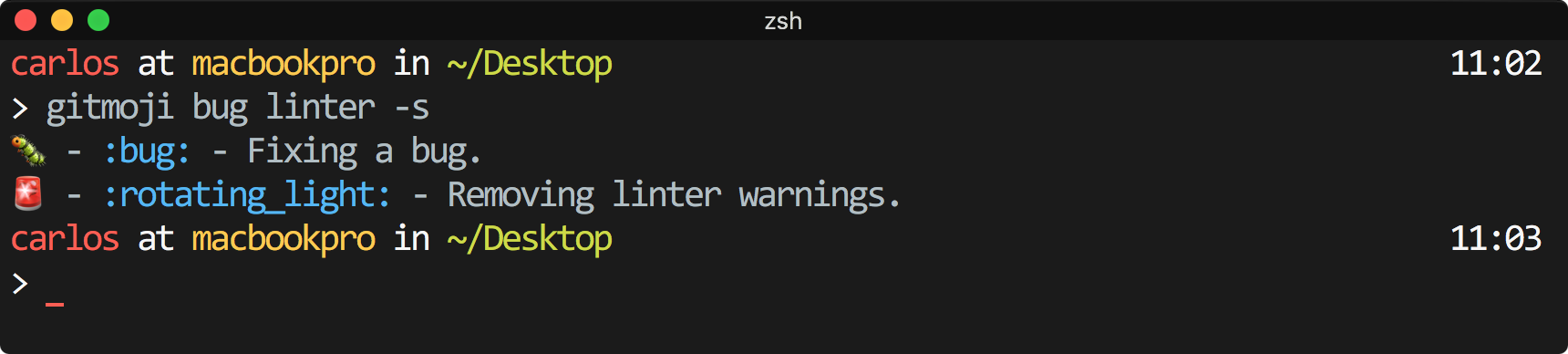
List
Pretty print all the available gitmojis.
gitmoji -l

Update
Update the gitmojis list, by default the first time you run gitmoji, the cli creates a cache to allow using this tool without internet connection.
gitmoji -u
Config
The cli has some built-in configuration options that you can tweak at your own preference:
- Automatic git add: Enable or disable the automatic
git add .every time you use the commit command. - Emoji format: Switch between the emoji format.
- Message prompt: Enable or disable the message prompt.
- Scope prompt: Enable or disable the conventional commits scope prompt, or specify your own predefined scopes in a array.
- Gitmojis api URL: Set a custom URL to use it as the library of gitmojis.
You can configure these options via (in order of precedence):
- A
gitmojikey in yourpackage.jsonfile - A
.gitmojirc.jsonfile. - A
gitmojikey in a package.json file in a parent directory (recursively) - A
.gitmojirc.jsonfile in a parent directory (recursively) - Using the global cli configuration.
If no user configuration is found, a set of default values will be used.
package.json
{
  "gitmoji": {
    "autoAdd": false,
    "emojiFormat": "code | emoji",
    "scopePrompt": false,
    "messagePrompt": false,
    "capitalizeTitle": true,
    "gitmojisUrl": "https://gitmoji.dev/api/gitmojis"
  }
}
.gitmojirc.json
{
  "autoAdd": false,
  "emojiFormat": "code | emoji" ,
  "scopePrompt": false,
  "messagePrompt": false,
  "capitalizeTitle": true,
  "gitmojisUrl": "https://gitmoji.dev/api/gitmojis"
}
Local configuration
Run gitmoji -g to setup some gitmoji-cli preferences.
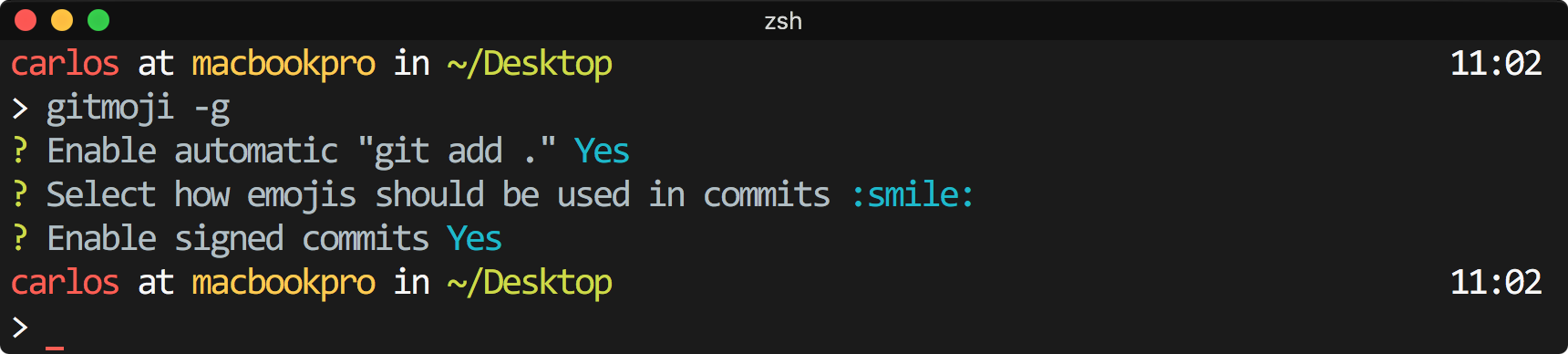
Core symbols most depended-on inside this repo
getConfigurationShape
Languages
Modules by API surface
Dependencies from manifests, versioned
For agents
$ claude mcp add gitmoji-cli \
  -- python -m otcore.mcp_server <graph>