hub / github.com/c4milo/github-release
github.com/c4milo/github-release @v1.1.0
Chat with this repo
8 symbols
19 edges
1 files
3 documented · 38%
What it actually does AI analysis from the code graph — generated when you open this
loading…
README
github-release

Yet another Github release command line tool. This one, though, is much more minimalistic and simple to use.
Github command line release tool.

Usage:
    github-release <user/repo> <tag> <branch> <description> "<files>"

Parameters:
    <user/repo>: Github user and repository
    <tag>: Used to created the release. It is also used as the release's name
    <branch>: Reference from where to create the provided <tag>, if it does not exist
    <description>: The release description
    <files>: Glob pattern describing the list of files to include in the release
    Make sure you enclose it in quotes to avoid the shell expanding the glob pattern.

Options:
    -version: Displays version
    -prerelease: Identify the release as a prerelease

Environment variables:
  DEBUG: Allows you to run github-release in debugging mode. DO NOT do this if you are attempting to upload big files.
  GITHUB_TOKEN: Must be set in order to interact with Github's API
  GITHUB_USER: Just in case you want an alternative way of providing your github user
  GITHUB_REPO: Just in case you want an alternative way of providing your github repo
  GITHUB_API: Github API endpoint. Set to https://api.github.com/repos/:github-user/:github-repo by default

Before using this tool make sure you set the environment variable GITHUB_TOKEN
with a valid Github token and correct authorization scopes to allow you to create releases
in your project. For more information about creating Github tokens please read the
official Github documentation at https://help.github.com/articles/creating-an-access-token-for-command-line-use/

Author: https://github.com/c4milo
License: http://mozilla.org/MPL/2.0/
Examples
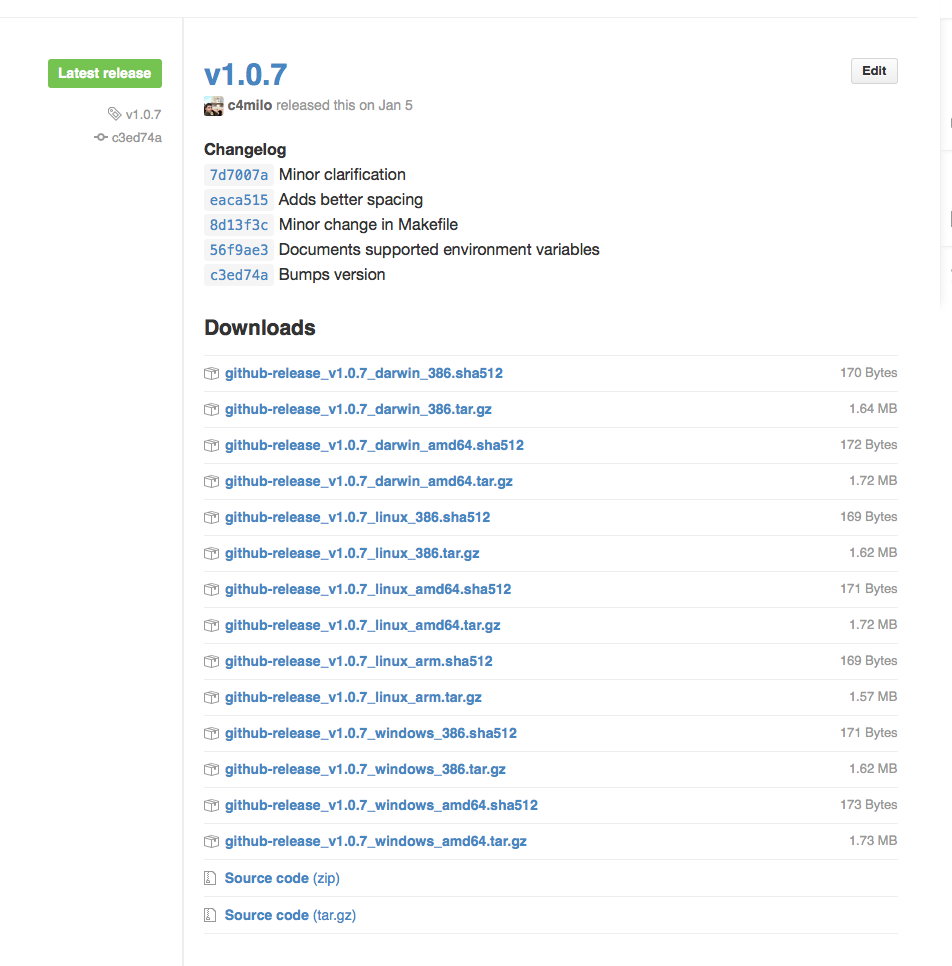
Feel free to inspect this project's Makefile for an example on how this tool can be used to create releases like this:
Core symbols most depended-on inside this repo
doRequestcalled by 3
main.go
publishRelease
called by 2
main.go
uploadFile
called by 1
main.go
fileSize
called by 1
main.go
init
called by 0
main.go
main
called by 0
main.go
CreateRelease
called by 0
main.go
Shape
Languages
Go100%
Modules by API surface
main.go8 symbols
For agents
$ claude mcp add github-release \
  -- python -m otcore.mcp_server <graph>