github.com/c3founder/Roam-Enhancement @main
Chat with this repoBrowse by type
What it actually does AI analysis from the code graph — generated when you open this
README
Table of Contents
Introduction
This repository contains a set of JavaScript plugin/extensions (and their related CSS) for Roam Research. I call them enhancements because they improve my daily interaction with Roam. I will gradually add more extensions that I develop for my needs here and update the old ones.
Here is the general installation guideline for all of the JavaScript and CSS codes.
JavaScript Installation
To install, do the same thing you do for any roam/js script.
-
Create page in Roam (if not already present) called [[roam/js]]
-
Create a block in the [[roam/js]] page and enter {{[[roam/js]]}}
-
Create a new block under the {{[[roam/js]]}} block and enter: ```
-
This ``` create a code block for which you can select a language.
-
Make sure the code language is set as JavaScript
-
Paste the JavaScript code into the code block. Usually it looks something like this:
javascript
   window.parameters = {
    //Parameters that you can customize
   };
   var s = document.createElement("script");
   s.type = "text/javascript";
   s.src = "https://c3founder.github.io/Roam-Enhancement/enhancedX.js";
   document.getElementsByTagName("head")[0].appendChild(s);
-
A red warning box shows up asking you to review the risks of using roam/js.
-
Once you have reviewed the warning and understand/accept the risk, click Yes.
-
Refresh Roam and the script should now be installed!
CSS Installation
To install the CSS put this line in a CSS code block on you [[roam/css]] page. Make sure the code language is set to CSS
@import url('https://c3founder.github.io/Roam-Enhancement/enhancedX.css');
Demo Videos
I usually make YouTube demo video(s) for each extension to explain functionalities and known issues. The main purpose of videos is to prevent confusion and ultimately reduce the number of questions I receive. So please watch them before sending in your questions!
Reporting Issues and Feature Request
You can report bugs and suggest new features through GitHub:
https://github.com/c3founder/Roam-Enhancement/issues
Each extension has its own label that you can use when reporting issues.
I'll post community wetted solutions to issues here over time.
Enhancements
Math and Multi Language OCR
This extension OCRs images that you have in roam. It supports up to two languages plus math and handwritten text. Images do not need to be uploaded into your roam graph (i.e., no CORS issue). It works on extracted area highlights of the PDF Highlighter.
JavaScript
window.ocrParams = {
    lang1: "eng", //Shift + Click
    lang2: "ara", //Alt + Click
    //Mathpix parameters
    appId: "YOUR_APP_ID",
    appKey: "YOUR_APP_KEY",
    //Cleanup Shortcut
    cleanKey: 'alt+a c',
    //Edit options
    saveRef2Img: false
};

var s = document.createElement("script");
s.type = "text/javascript";
s.src = "https://c3founder.github.io/Roam-Enhancement/enhancedOCR.js";
document.getElementsByTagName("head")[0].appendChild(s);
Functionalities
-
Parameters The extracted text will be the child block of the image. If you are only interested in the extracted text and not the original image, you can "cleanup" by pressing the
cleanKeyshortcut: It will replace the image block with the extracted text and remove the text block. If you want to save a reference to the original image (just in case, as an alias) you can setsaveRef2Img: true. -
Mathpix Support You need to set up a mathpix account and get an app id and key. Read more about mathpix great service here. And find their API here.
-
YouTube Demos
-
New tutorial:
-
Older tutorial:

-
Time and Habit Tracking
This is an ongoing effort to build a time+habit+goal tracker in roam. Timer and counter are done, stay tuned for statistics and habit tracker.
JavaScript
var s = document.createElement("script");
s.type = "text/javascript";
s.src = "https://c3founder.github.io/Roam-Enhancement/enhancedTimer.js";
document.getElementsByTagName("head")[0].appendChild(s);
CSS
@import url('https://c3founder.github.io/Roam-Enhancement/enhancedTimer.css');
Functionalities
Timer
{{[[c3-timer]]}} makes a stopwatch to track time spend on each block and its children. You can have multiple timers running but on each branch only one timer can be active. In other words, when you start a timer it will stop any other running timer on the same branch to prevent double counting.
-
Shortcuts
- Click: Start/Stop
- Shift Click: Open the timer's time entries in the right side bar
- Control Click: On a running timer will delete the current time period
-
Time Entry Format You can manually edit the time and also put in duration. Here is the notation:
- start > end
- start + duration
- end - duration An example for the duration format is: 12h 5m 3s.
-
YouTube Demo

Counter
{{[[c3-counter]]}} makes is a counter that goes up/down by click/shift-click. You can also manually enter the count as {{[[c3-counter]]:count}}.
Mixed Text Direction
This extension detects right-to-left and left-to-right characters at the beginning of each block and changes the block direction. You can infinitely nest rtl and ltr blocks with no issue. You can also have different font for each of rtl and ltr languages.
JavaScript
var s = document.createElement("script");
s.type = "text/javascript";
s.src = "https://c3founder.github.io/Roam-Enhancement/enhancedLanguage.js";
document.getElementsByTagName("head")[0].appendChild(s);
CSS
@import url('https://c3founder.github.io/Roam-Enhancement/enhancedLanguage.css');
/* More fonts here: https://fonts.google.com/?subset=arabic
For example for 'Markazi Text', import the following: */
@import url('https://fonts.googleapis.com/css?family=Markazi+Text');
@import url(//fonts.googleapis.com/earlyaccess/notonaskharabic.css);
@import url(//fonts.googleapis.com/earlyaccess/notonaskharabicui.css);

:root {
  --rm-block-sep-min-width: 0px;
  /*****RTL Variables*****/
  --rtl-margin-right: 31px;
  --rtl-margin-left: 31px;
  --rtl-bullet-margin-top: 5px;
  --rtl-control-margin-top: 4px;
  --rtl-generic-font: sans-serif;
  --rtl-font: 'Noto Naskh Arabic'; /*'Markazi Text'*/ /*Make sure you select the generic font first*/
  --rtl-font-size: 1em;
  --rtl-textarea-background-color: rgba(253,253,168,0.53);
  --rtl-textarea-font-size: 1em;
  --rtl-textarea-line-height: 1.75em;
  /*****LTR Variables*****/
  --ltr-margin-right: 31px;
  --ltr-margin-left: 31px;
  --ltr-bullet-margin-top: unset;
  --ltr-control-margin-top: unset;
  --ltr-generic-font: unset; /*san-serif;*/
  --ltr-font: unset; /*'Lato';*/ /*Make sure you select the generic font first*/
  --ltr-font-size: unset; /*1em;*/
  --ltr-textarea-background-color: rgba(253,253,168,0.53); /*unset;*/
  --ltr-textarea-font-size: unset; /*1em;*/
  --ltr-textarea-line-height: unset; /*1.5em*/
}
Functionalities

Older tutorial:
- 
PDF Highlighter
Thanks to the following roamcult members who supported the development of this extension (no specific order): - Abhay Prasanna - Owen Cyrulnik - Stian Håklev - Ryan Muller - Mridula Duggal - Joel Chan - Lester - Ekim Nazım Kaya - Tomas Baranek - Conor
JavaScript
window.pdfParams = {
  //Highlight
  ///Placement
  outputHighlighAt: 'cousin', //cousin, child
  highlightHeading: '**Highlights**', //for cousin mode only
  appendHighlight: true, //append: true, prepend: false
  ///Rest of Highlight Options
  breadCrumbAttribute: 'Title', //Title, Author, Citekey, etc.
  addColoredHighlight: true,//bring the color of highlights into your graph
  //Rerference to Highlight
  ///Block References Related
  copyBlockRef: true,//false: copy captured text
  sortBtnText: 'sort them all!',//{{sort them all!}} button will sorted highlight references.
  ///Block Reference Buttons
  aliasChar: '✳', //use '' to disable
  textChar: 'T', //use '' to disable
  //PDF Viewer
  pdfMinHeight: 900,
  //Citation
  ///Format
  ////use Citekey and page in any formating string
  ////page can be offset by `Page Offset` attribute.
  ////common usecase:
  /////Zotero imports with 'roam page title' = @Citekey and Citekey attribute
  ////examples:
  /////"[${Citekey}]([[@${Citekey}]])"
  /////"[(${Citekey}, ${page})]([[@${Citekey}]])"
  /////use '' to disable
  citationFormat: '',
  ///BlockQuote
  blockQPerfix: ''//use '' to disable. Alternatives are: > or [[>]].
};
var s = document.createElement("script");
s.type = "text/javascript";
s.src = "https://c3founder.github.io/Roam-Enhancement/enhancedPDF.js";
document.getElementsByTagName("head")[0].appendChild(s);
CSS
@import url('https://c3founder.github.io/Roam-Enhancement/enhancedPDF.css');
Functionalities
Full tutorial here:
- 
Enhanced YouTube Player
JavaScript
To install, do the same thing you do for any roam/js script.
window.ytParams = {
  //Player
  //Shortcuts
  grabTitleKey : 'alt+a t',
  grabTimeKey : 'alt+a n',
  ////Speed Controls
  normalSpeedKey : 'alt+a 0',
  speedUpKey: 'alt+a =',
  speedDownKey: 'alt+a -',
  ////Volume Controls
  muteKey: 'alt+a m',
  volUpKey: 'alt+a i',
  volDownKey: 'alt+a k',
  ////Playback Controls
  playPauseKey : 'alt+a p',
  backwardKey: 'alt+a j',
  forwardKey: 'alt+a l'
};

var s = document.createElement("script");
s.type = "text/javascript";
s.src = "https://c3founder.github.io/Roam-Enhancement/enhancedYouTube.js";
document.getElementsByTagName("head")[0].appendChild(s);
CSS
@import url('https://c3founder.github.io/Roam-Enhancement/enhancedYouTube.css');
Functionalities
Responsive/Resizable Player
You can set the original iframe size here in the code plus the border style.
- Parameters: Border style of the video and its height and width when the right sidebar is closed.
- borderStyle : border style
- border : border thickness
- borderRadius : curvature of corners
- vidHeight : height
- vidWidth : width
- YouTube Demo
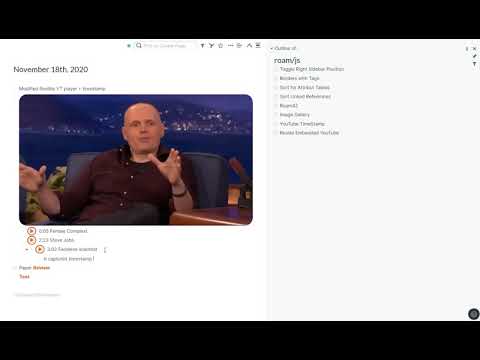
YouTube Timestamp
You can add timestamps to videos using a shortcut.
- Parameters:
- grabTitleKey: if in a DIRECT child block of the YT video, grabs the title and paste it to the beginning of the current block.
- grabTimeKey: if in ANY child blocks of the YT video, it captures the player's current time and pastes it to the beginning of the block.
- YouTube Demo

In-text Controllable Player
You can control the YT player while you are typing.
- If you have one player on the page, shortcuts will control the player, easy.
- When multi YT players are present
- If only one is playing: shortcuts will control the playing one.
- If nothing is playing, shortcuts will control the last playing video you paused by shortcut (not mouse click). For example, you can mute/unmute or -10/+10 the last video you paused or play it with
alt+a p. -
If multiple videos are playing, everything is ambiguous, so you can only control the first one (according to the order of appearance on the page). You can pause them all in order by
alt+a p, though. -
Parameters:
- playPauseKey: play/pause the most recent player or the first one
- backwardKey: go backward 10 sec
- forwardKey: go forward 10 sec
- normalSpeedKey: set the playback rate to 1
- speedUpKey: increase the rate by .25
- speedDownKey: decrease the rate by .25
- muteKey: mute the player
- volUpKey: increase volume by 10/100
- volDownKey: decrease volume by 10/100
- YouTube Demo
-

-
Known Issues with Shortcuts:
- Common installation problem: You need to have the code block as the child of {{[[roam/js]]}} so you need a tab befor the code block.
- **Shortcut
Core symbols most depended-on inside this repo
Shape
Languages
Modules by API surface
For agents
$ claude mcp add Roam-Enhancement \
  -- python -m otcore.mcp_server <graph>