github.com/blockfish/blockfish @v0.8.8
Chat with this repoWhat it actually does AI analysis from the code graph — generated when you open this
README
Blockfish
Blockfish is a bot dedicated to Cheese Race, a niche game mode where one must clear 100 lines of garbage with randomly placed gaps ("cheese"). The goal of cheese race is to clear all 100 lines using as few tetromino's as possible. Blockfish is meant to be a practice tool for evaluating placements during a cheese race, spotting mistakes, and helping the user get better at recognizing more efficient ways of utilizing every piece.
Currently, Blockfish tends to outperform even highly skilled players, and has already beaten the world record for least-pieces 100L cheese race. However, there are still improvements to be made to the underlying algorithms. We hope to see Blockfish reaching before-unheard piece counts as low as 160 or 150.
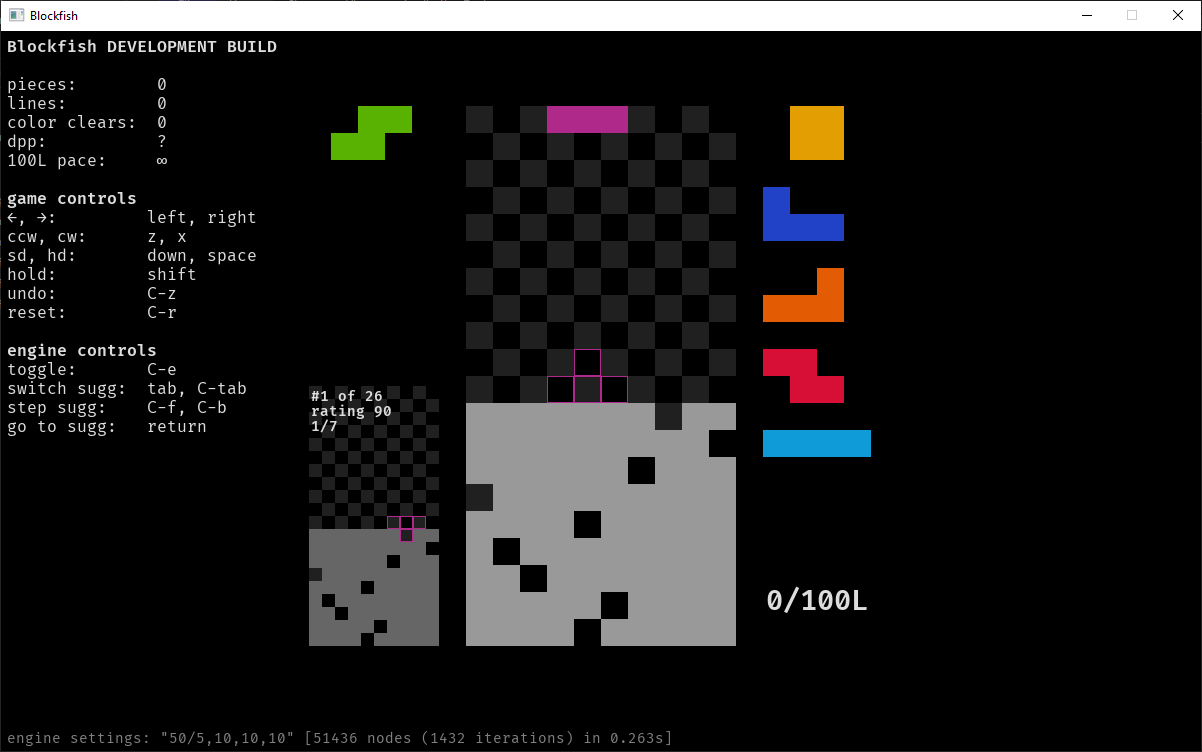
Blockfish is under development by iitalics, with lots of help from cheese race legend
mystery in designing and fine-tuning the algorithms that make it perform so well.
Getting Blockfish
Blockfish is still in early development, but latest builds of the Blockfish GUI can be downloaded from the public GitHub repository.
Controls and theme configuration
The Blockfish client looks in ./config/controls.json for your personal controls
configuration, and ./config/themes.json for the theme. The default controls file can be
found in support/default-controls.json; edit this file to specify your own controls.
There are example themes in support/themes that you may use to change the colors in the
client. See support/themes/README.md for more information.
Compiling Blockfish
Blockfish is written primarily in Rust. You can build it with the cargo tool.
- Requires:
rustversion 1.48 - Requires SDL2 and SDL2_ttf dev libraries.
The following command should be used to build the client:
cargo build --manifest-path blockfish-client/Cargo.toml --release --features msgbox
Note that on Windows you must have the .LIB files for SDL2 and SDL2_ttf placed in the
same directory that you run this command in. Running Blockfish requires the associated
.DLL files for these depencies.
Extension points exported contracts — how you extend this code
Core symbols most depended-on inside this repo
Shape
Languages
Modules by API surface
For agents
$ claude mcp add blockfish \
  -- python -m otcore.mcp_server <graph>