github.com/billchen198318/bamboobsc @v0.7.8
Chat with this repoWhat it actually does AI analysis from the code graph — generated when you open this
README
bambooBSC is an opensource Balanced Scorecard (BSC) Business Intelligence

Features:
-
BSC's Vision, Perspectives, Objectives of strategy, Key Performance Indicators (KPIs). and Maintain measure-data.
-
KPI report, Personal and organization BSC report. can custom workspace's layout
-
Strategy Map, and BSC SWOT.
-
Provides SQL client query results show as Chart ( PIE, BAR, LINE, AREA ).
-
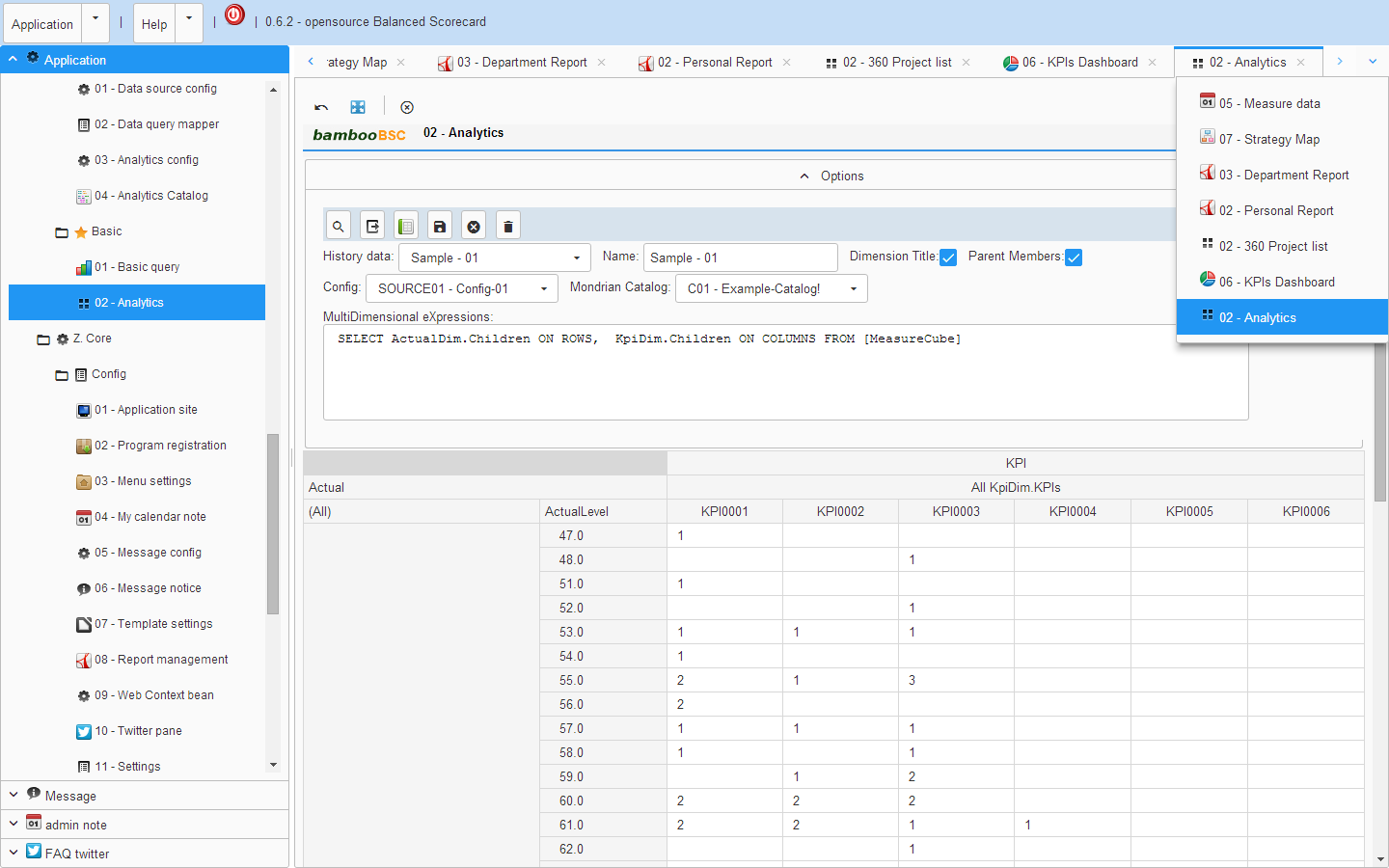
Provides a simple OLAP client query.
-
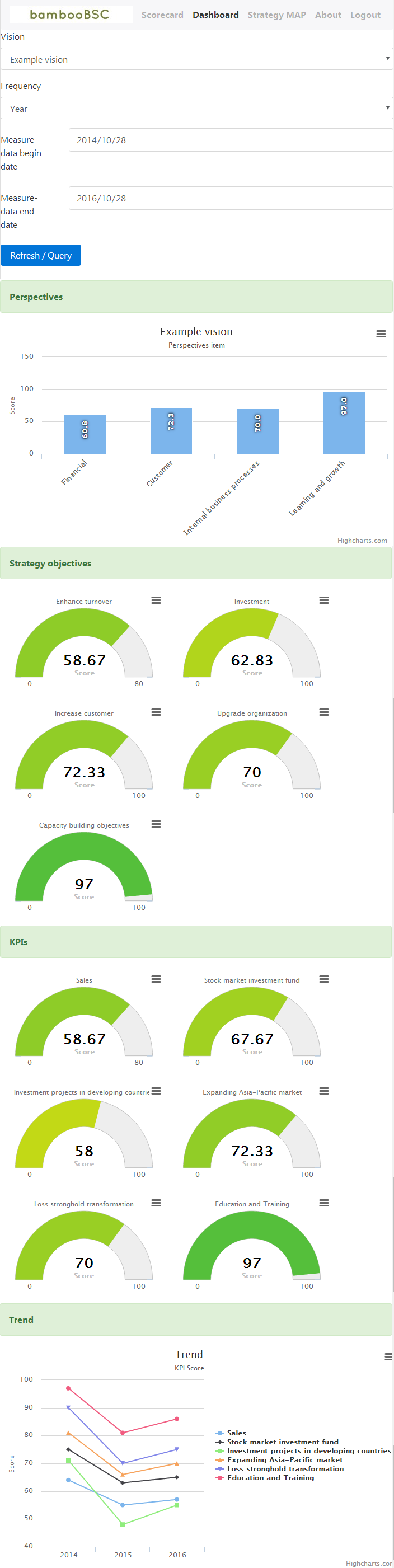
Provides Sourcecard query for mobile-device browser.
-
PDCA & PDCA report.
bambooBSC demo video
Who use bambooBSC
bambooBSC architecture

License
bambooBSC is released under version 2.0 of the Apache Version 2.0
VM version install document:
manual install document:
manual document:
Download:
VM version( need with VirtualBox ): https://github.com/billchen198318/bamboobsc/releases/download/v0.7.7/bamboobsc-0.7.7-RELEASE-VM.7z
Manual install version: https://github.com/billchen198318/bamboobsc/releases/download/v0.7.7/bamboobsc-0.7.7-RELEASE.7z
contact: chen.xin.nien@gmail.com
Screenshot
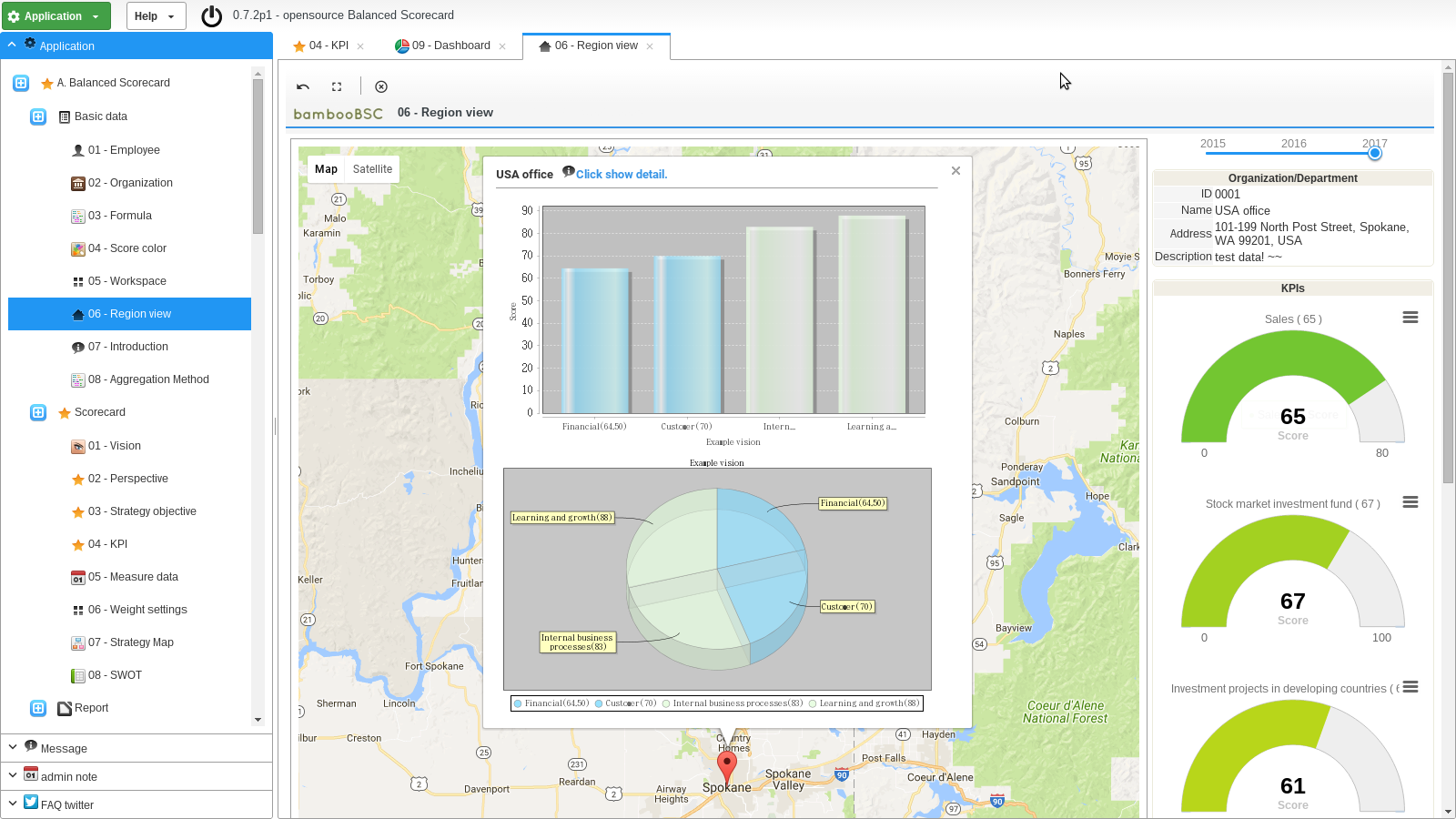
1 Region view.
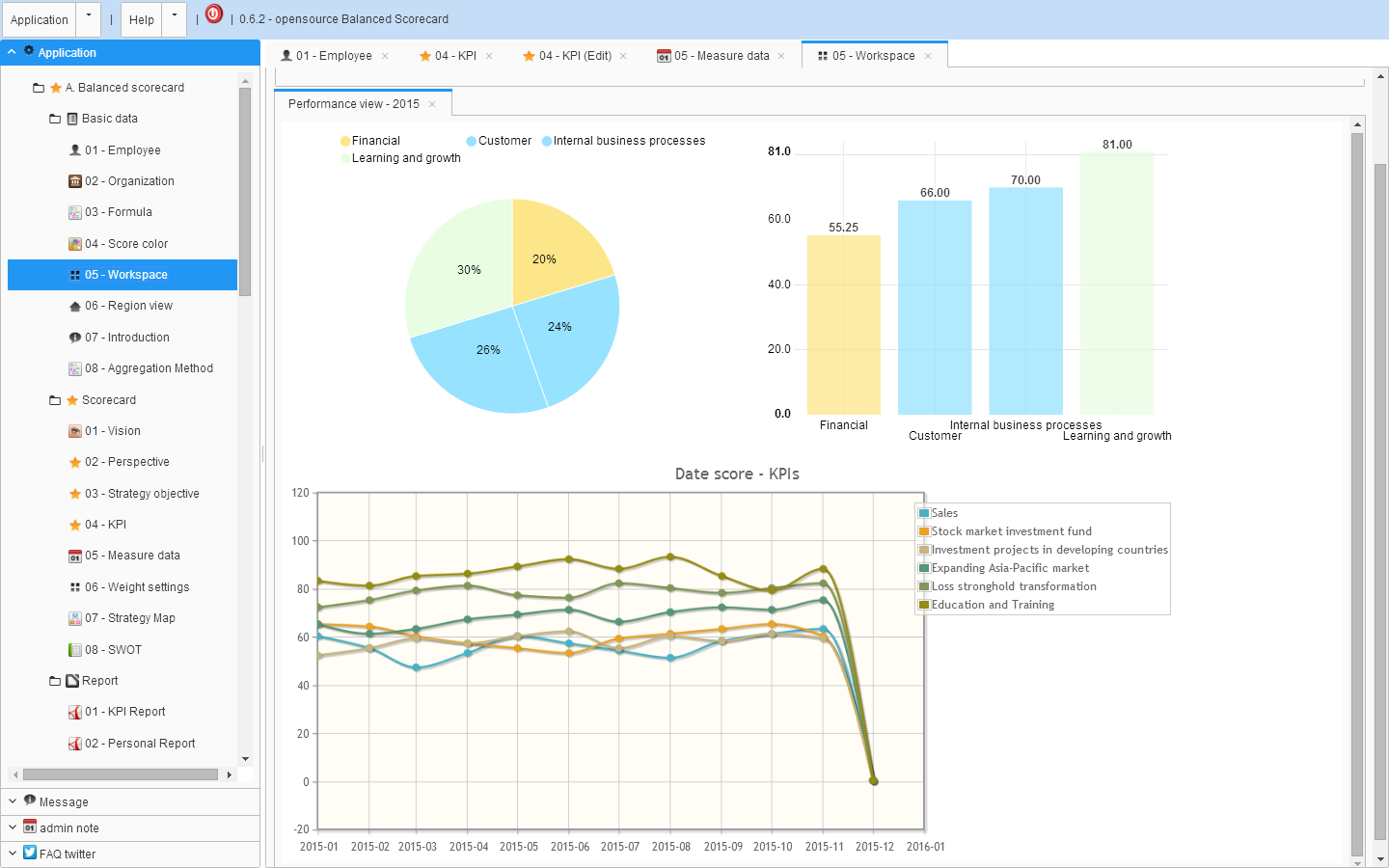
2 Workspace.
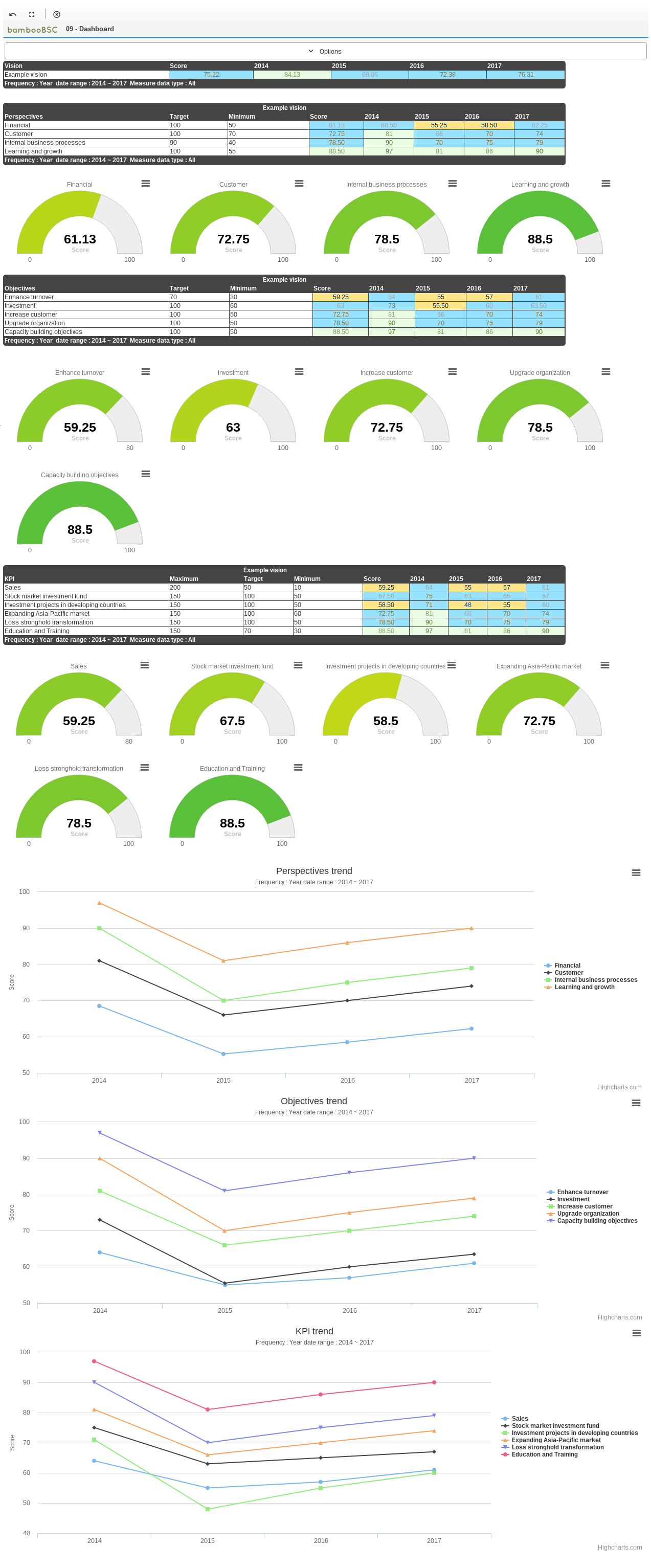
3 KPIs dashboard.
4 Employee/Personal BSC report.

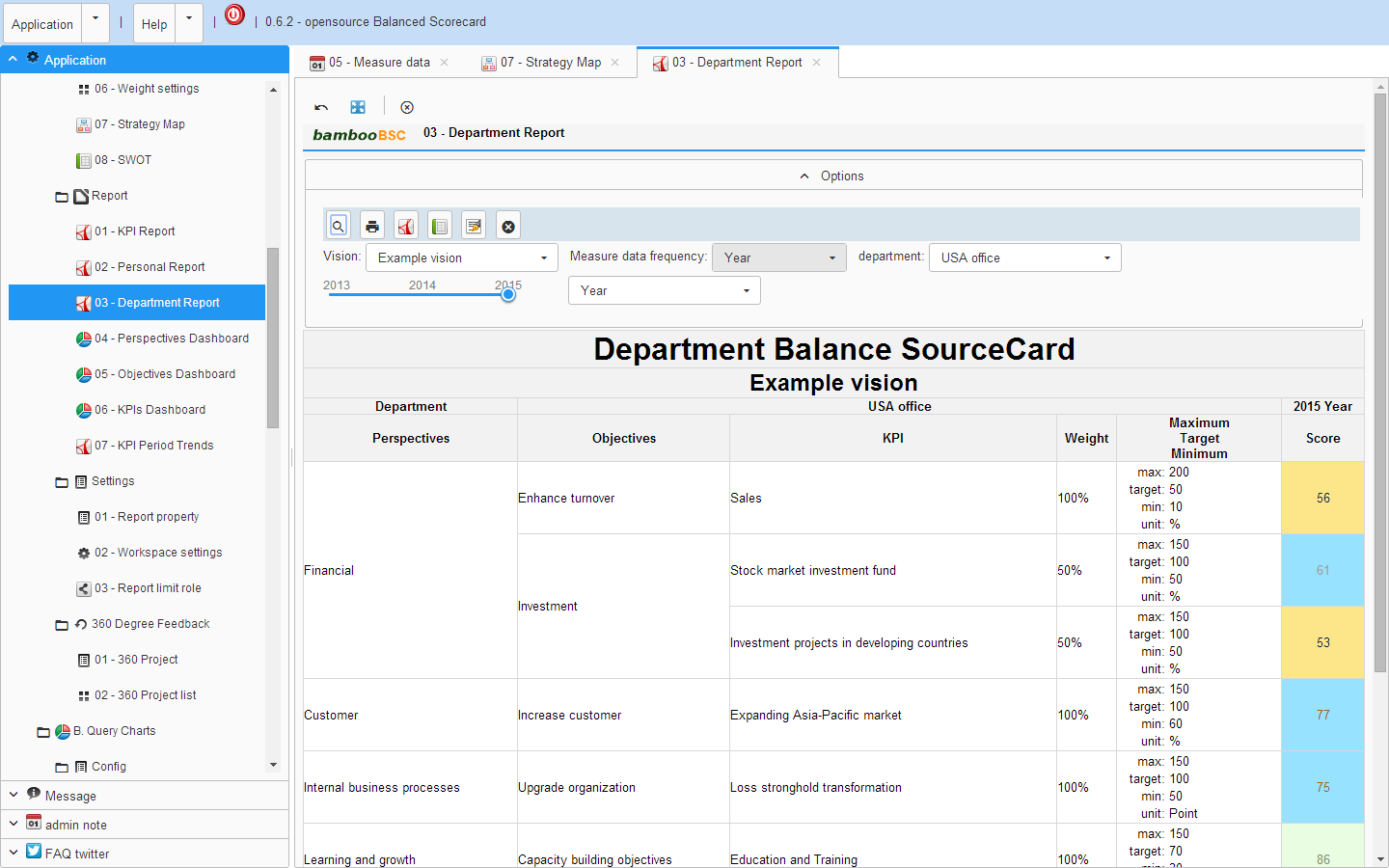
5 Department BSC report.
6 Employee 360 Degree feedback score view.

7 KPI BSC report.
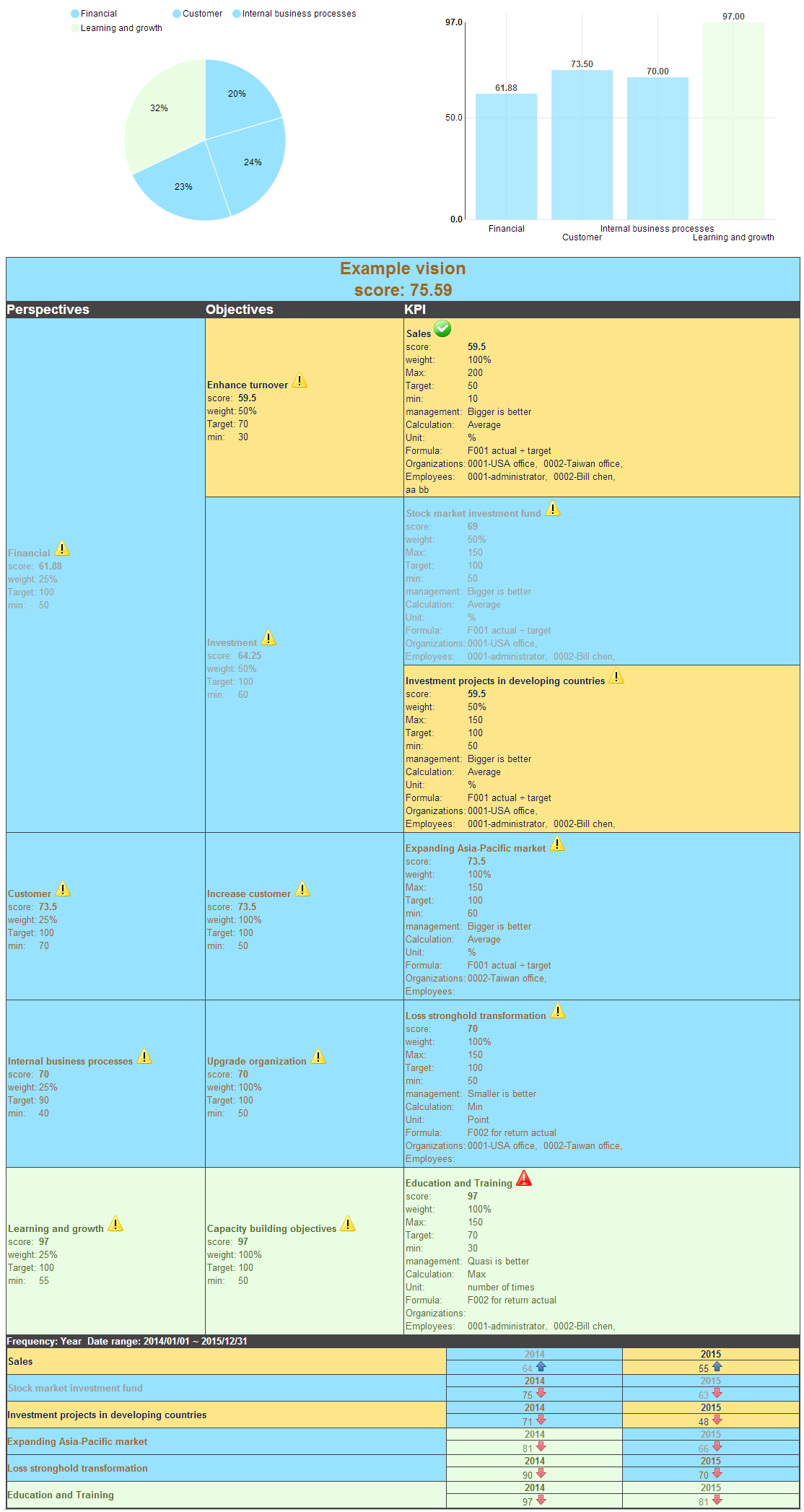
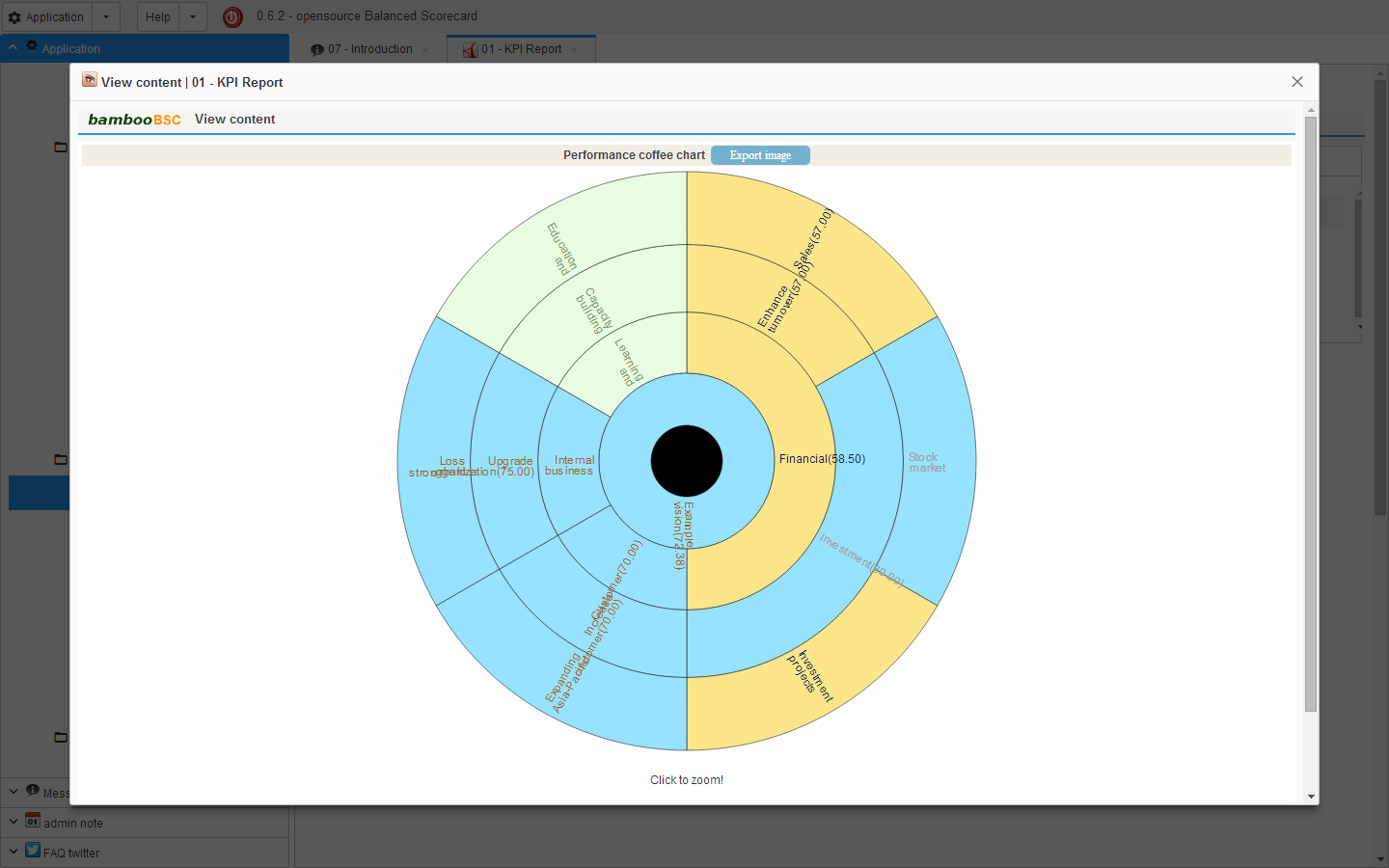
7 KPI BSC report (coffee chart).
8 OLAP Client report.
9 Mobile version dashboard view.
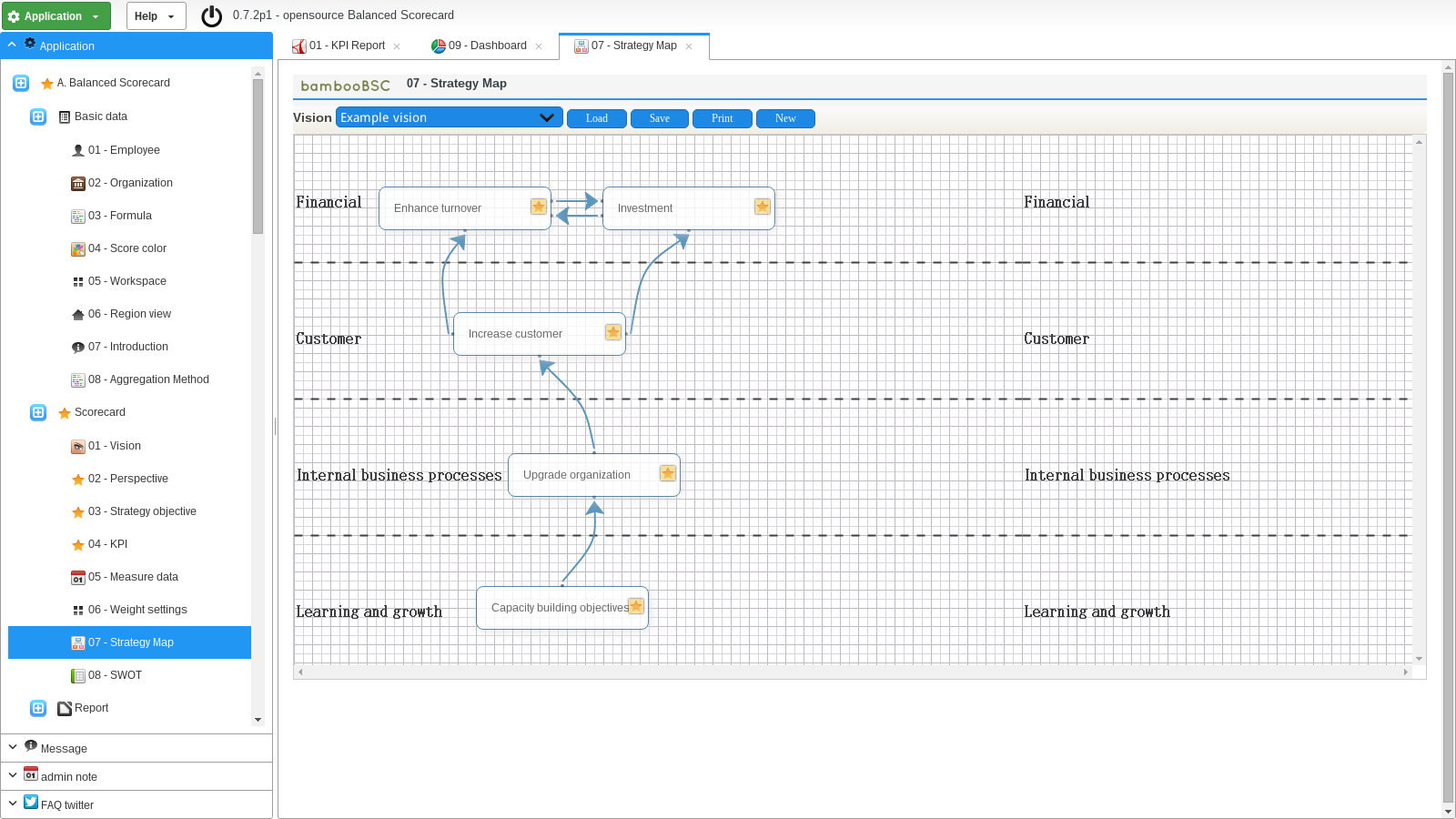
10 BSC strategy-map.
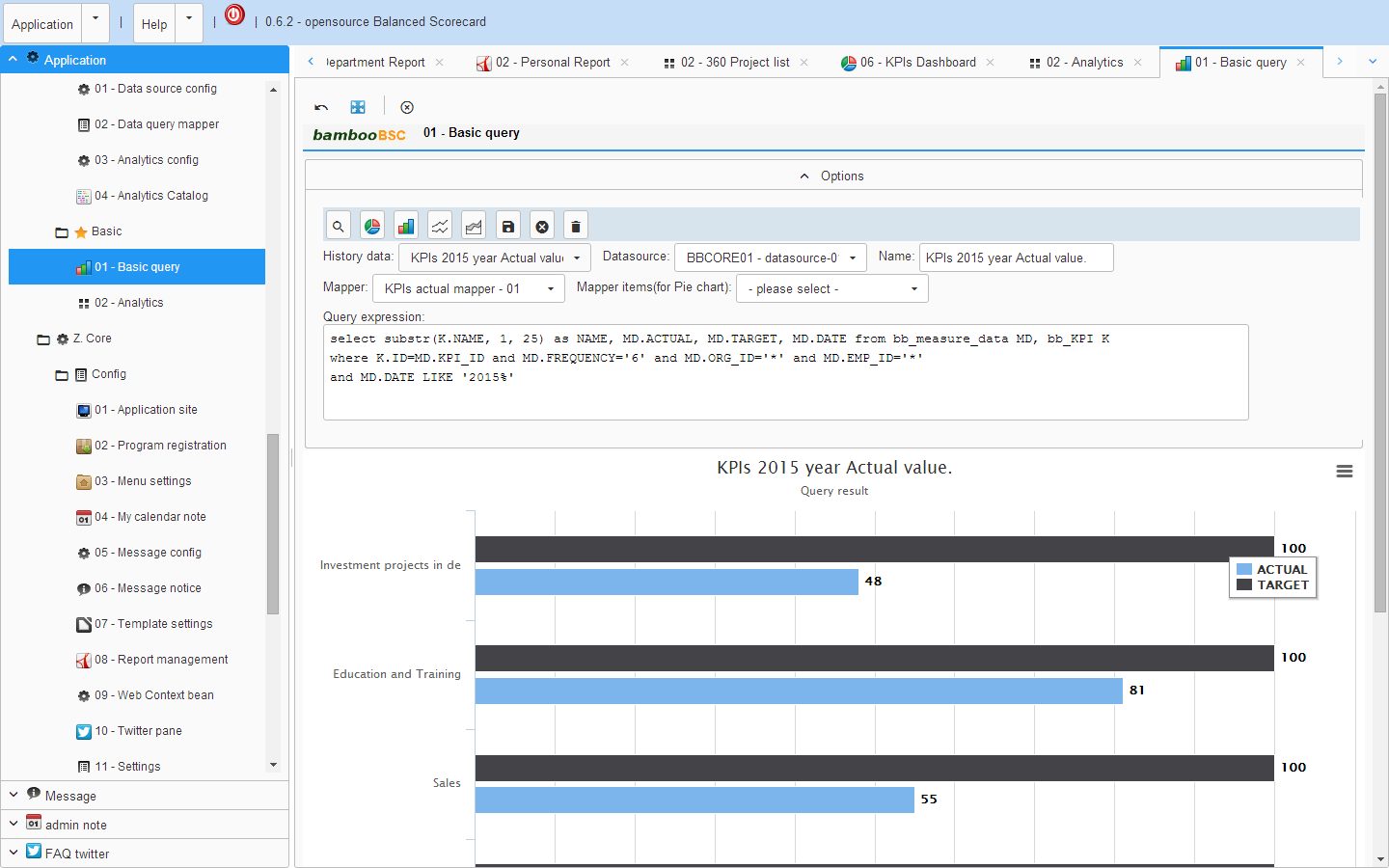
11 SQL-Client query result as chart.
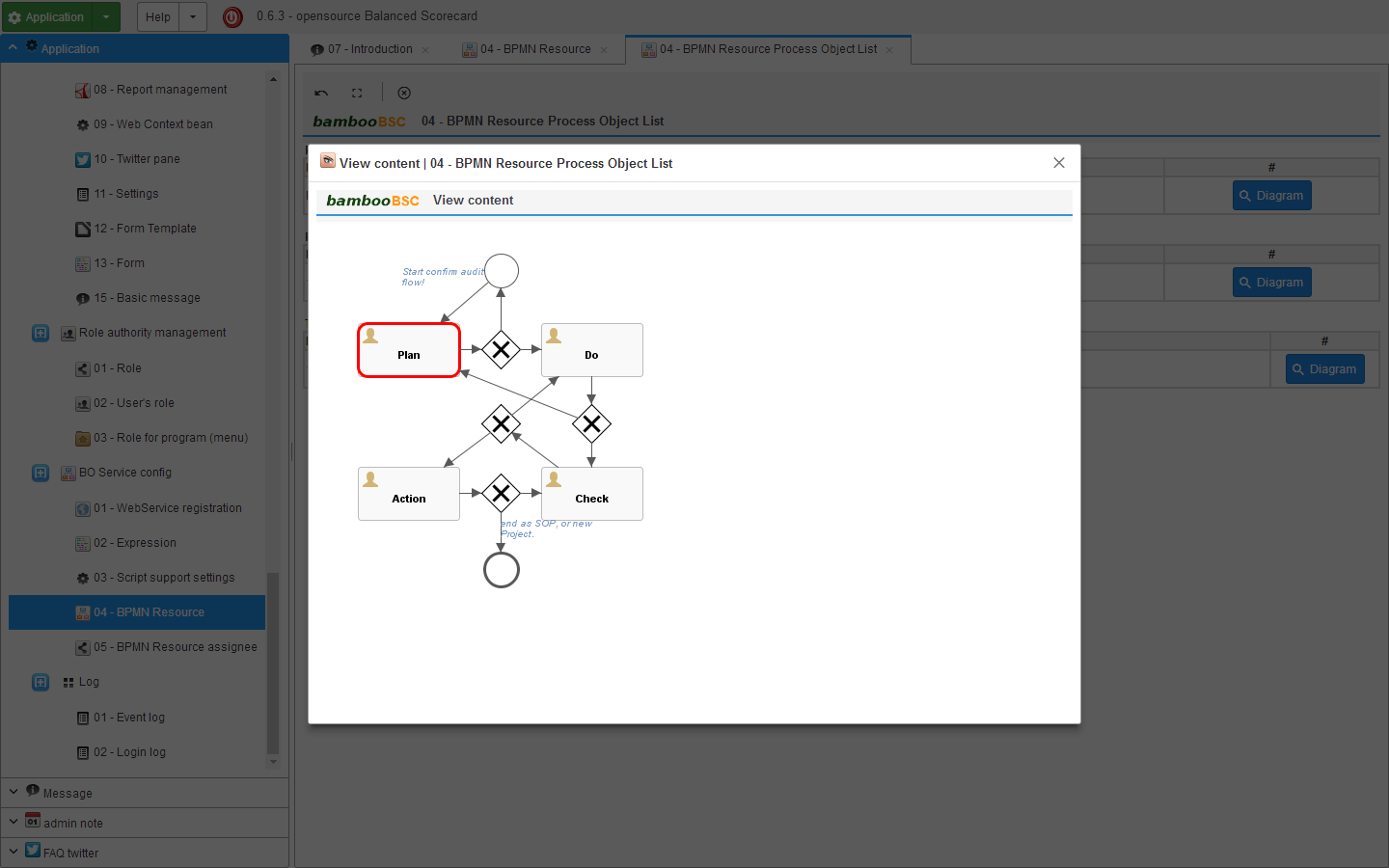
12 Support the development of integration processes flow.
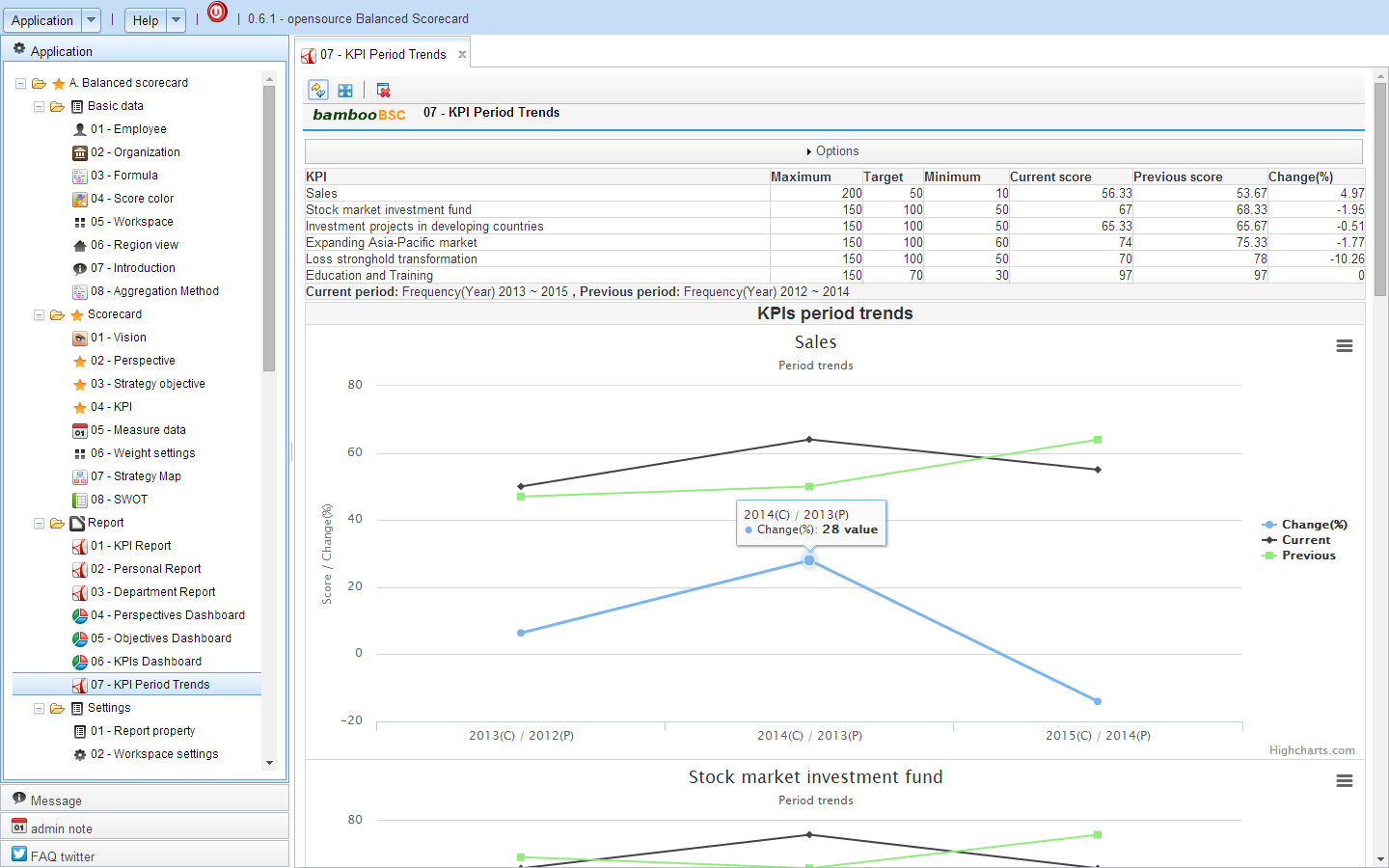
13 KPI period trends / change(%).
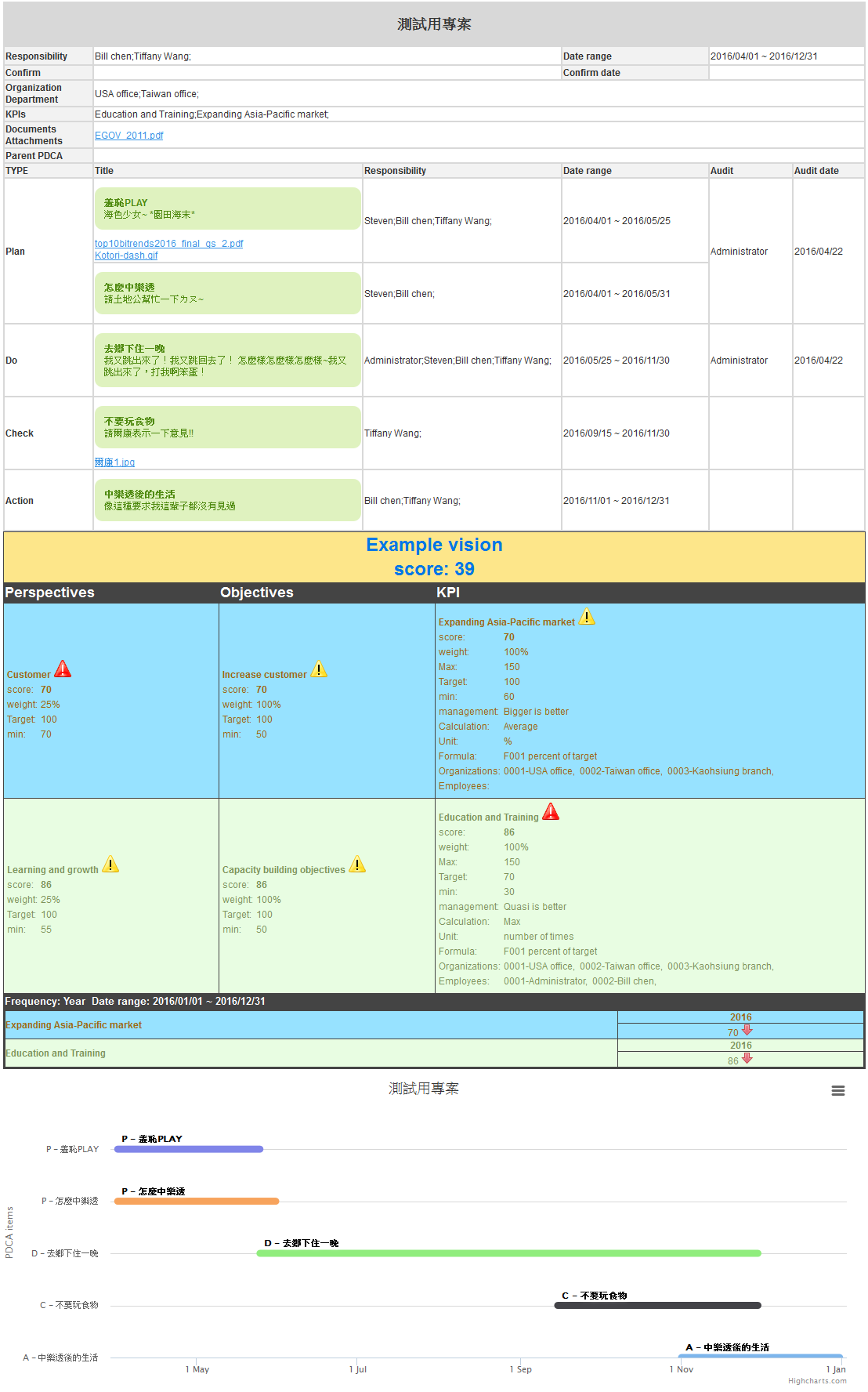
14 PDCA Report.
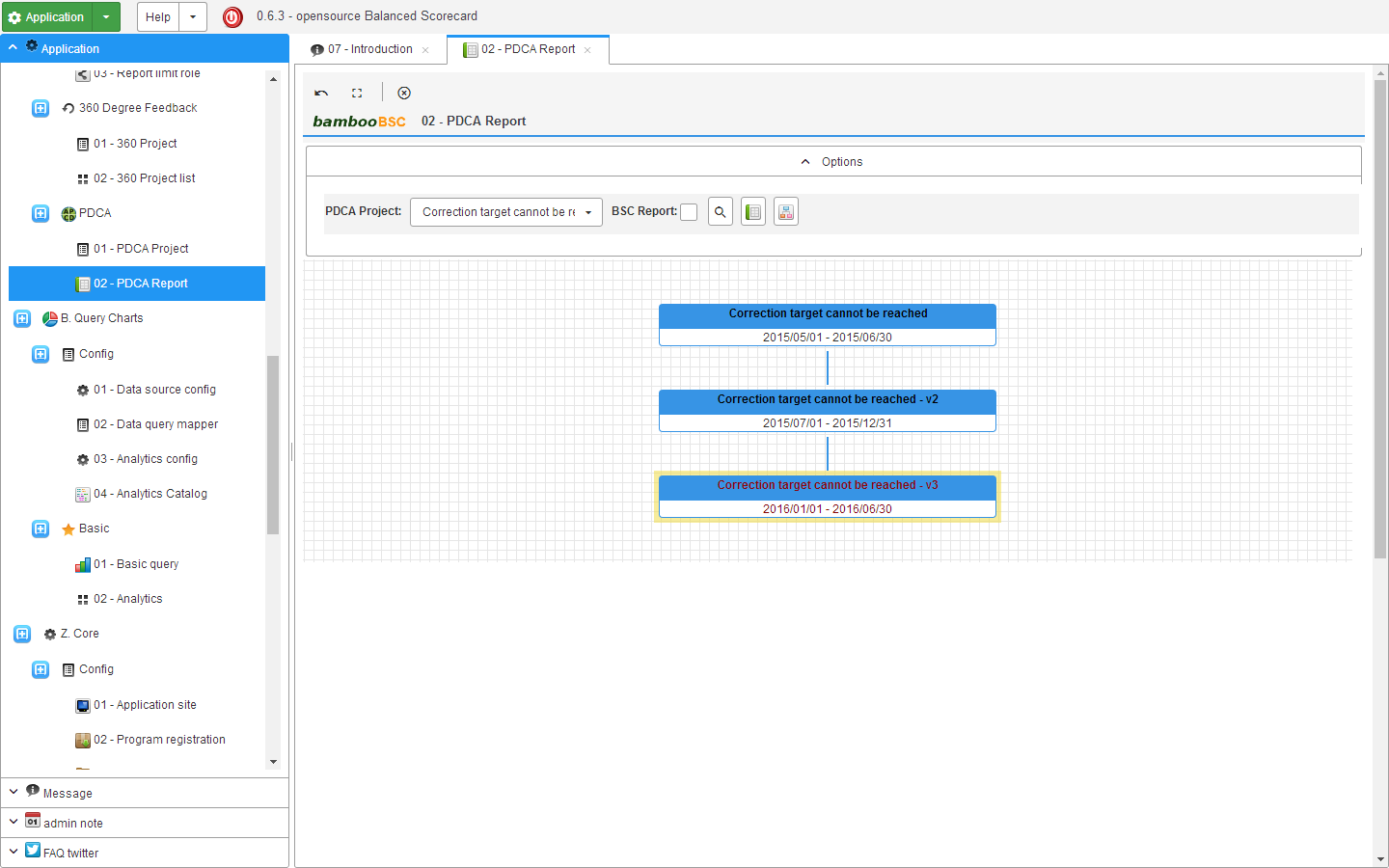
15 PDCA Project history.
Install on Linux
1. must first install the MySQL and JDK8
# apt-get install mysql-server
# apt-get install oracle-java8-jdk
# java -version
java version "1.8.0" Java(TM) SE Runtime Environment (build 1.8.0-b132) Java HotSpot(TM) Client VM (build 25.0-b70, mixed mode)
config MySQL root account's password
# mysqladmin -u root -p password
2. Config MySQL enable lower_case_table_names=1
# service mysql stop
# vi /etc/mysql/my.cnf
add lower_case_table_names=1
[mysqld]
lower_case_table_names=1
and save my.cnf
# service mysql restart
3. Get bambooBSC environment file
# cd /home
# wget --no-check-certificate https://github.com/billchen198318/bamboobsc/releases/download/v0.7.7/bamboobsc-0.7.7-RELEASE.7z
4. Install P7ZIP
# apt-get install p7zip
5. Extract the archive
# p7zip -d bamboobsc-0.7.7-RELEASE.7z
6. Import bbcore.sql to MySQL
# cd /home/bamboobsc-07/
# mysql -u root -p
mysql> create database bbcore;
mysql> exit;
# mysql bbcore -u root -p < bbcore.sql
7. Config applicationContext-dataSource.properties
config A ( CORE system ).
/home/bamboobsc-07/apache-tomcat-8.5.39/webapps/core-web/WEB-INF/classes/applicationContext/conf/applicationContext-dataSource.properties
config B (Balanced Scorecard system ).
/home/bamboobsc-07/apache-tomcat-8.5.39/webapps/gsbsc-web/WEB-INF/classes/applicationContext/conf/applicationContext-dataSource.properties
config C (Simple OLAP system ).
/home/bamboobsc-07/apache-tomcat-8.5.39/webapps/qcharts-web/WEB-INF/classes/applicationContext/conf/applicationContext-dataSource.properties
config D (Mobile web ).
/home/bamboobsc-07/apache-tomcat-8.5.39/webapps/gsbsc-mobile-web/WEB-INF/classes/applicationContext/conf/applicationContext-dataSource.properties
settings dataSource.user and dataSource.password
dataSource.user is MySQL account
dataSource.password is MySQL password
example:
dataSource.user=root
dataSource.password=password
8. The need to create the directory folder, for upload and report source file need.
# cd /var
# mkdir gsbsc gsbsc/upload gsbsc/jasperreport
9. Run bambooBSC
# cd /home/bamboobsc-07/apache-tomcat-8.5.39/bin
# chmod a+x catalina.sh
# chmod a+x shutdown.sh
# chmod a+x startup.sh
add JAVA_OPTS="-Xmx2048M -XX:+UseG1GC -Djava.awt.headless=true -Dfile.encoding=UTF-8 -Duser.language=en -Duser.country=US" to catalina.sh
# ./startup.sh
Wait a few minutes,
Use google Chrome or Firefox browser (no support IE) input url ( [IP-Address]:[Port]/core-web/index.action ) example (if server IP-Address is 192.168.1.100) :
192.168.1.100:8080/core-web/index.action
the log file on /tmp/
Install on Amazon EC2 Failed to get local InetAddress for VMID
cannot connect to MySQL database
Please refer to:
http://stackoverflow.com/questions/603351/can-we-set-easy-to-remember-hostnames-for-ec2-instances
Build development environments
System required
A. JDK8
B. Eclipse4 or later version
C. Apache Tomcat8
1. Download archives file
click "Download ZIP" button

2. Unzip the archive file bamboobsc-master.zip
Unzip to C:\home\git\

3. Open eclipse
workspace dir input C:\home\git\bamboobsc-master

4. Configure eclipse
settings Text file encoding to UTF-8

5. Import project
a. core-persistence
b. core-lib
c. core-base
d. core-web
e. gsbsc-standard
f. gsbsc-web
g. qcharts-standard
h. qcharts-web
i. gsbsc-mobile-web
j. gsbsc-persistence
k. qcharts-persistence


config tomcat7 server


config core-lib project "ThirdPartyLib" user libraries
add External JARs: all jar file on C:\home\git\bamboobsc-master\core-web\WEB-INF\lib\

config core-base project "CORE-LIB" user libraries
add External JARs: "core-persistence.jar" and "core-lib.jar" on C:\home\git\bamboobsc-master\core-export-lib\

config gsbsc-standard project "CORE-BASE" user libraries
add External JARs: "core-base.jar", "gsbsc-persistence.jar" on C:\home\git\bamboobsc-master\core-export-lib\

5. Clean Java Problems ( if found Java Problem on Markers )
- Clean all project
- Restart
no found Java Problem, Environment Setup Complete

bambooBSC development manual
05 - Program registration and Menu settings
06 - Role and authority settings
Extension points exported contracts — how you extend this code
Core symbols most depended-on inside this repo


Shape
Languages
Modules by API surface
Datastores touched
For agents
$ claude mcp add bamboobsc \
  -- python -m otcore.mcp_server <graph>