hub / github.com/betomoedano/expo-ui-playground
github.com/betomoedano/expo-ui-playground @main
Chat with this repo
59 symbols
136 edges
35 files
0 documented · 0%
● updated 2mo ago★ 2483 open issues
Browse by type
What it actually does AI analysis from the code graph — generated when you open this
loading…
README
🧪 Expo UI Playground
An experimental playground for exploring and showcasing Expo UI components with comprehensive examples and real-world implementations.
🎥 Video Tutorial
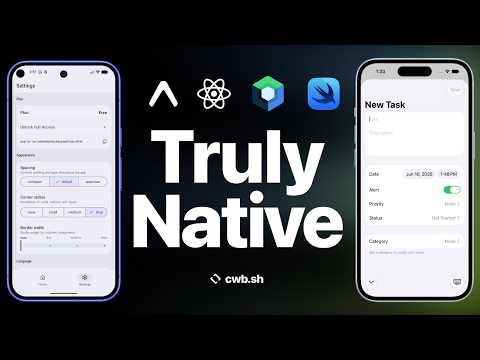
🎯 What's Inside
This playground demonstrates a complete productivity app interface built entirely with Expo UI Swift components, featuring:
📱 Core Components Showcase
- Profile Management with dynamic avatar and theme customization
- Button Variants - All 7 button styles (default, bordered, plain, glass, etc.)
- Dashboard Metrics with interactive gauges and sliders
- Task Management with filtering, completion tracking, and priority systems
- Context Menus with nested submenus, switches, and destructive actions
- Date & Time Pickers with multiple display styles and configurations
- Settings Management with disclosure groups and advanced controls
🏗️ Architecture Features
- React Context State Management using the new
use()hook - TypeScript Integration with comprehensive type definitions
- Real-time Interactivity - all components update dynamically
- Realistic Data Flow - meaningful interactions between components
- Modular Component Structure - well-organized and reusable sections
🎨 UI Components Demonstrated
Button(7 variants)Gauge(6 types: circular, capacity, linear, etc.)Sliderwith real-time value updatesSwitchwith various configurationsPicker(segmented and menu variants)ColorPickerwith opacity supportDateTimePickerwith multiple display modesDisclosureGroupfor expandable contentContextMenuwith nested submenusContentUnavailableViewfor empty statesSectionand layout components (VStack,HStack)
🚀 Getting Started
- Install dependencies
bash
   npm install
- Start the development server
bash
   npx expo start
- Open on your preferred platform
- iOS Simulator (recommended for full Expo UI support)
- Android Emulator
- Physical device with Expo Go
Note: Some Expo UI components require iOS 16+ and work best on iOS simulators or physical iOS devices.
📂 Project Structure
app/
├── _layout.tsx              # Root native tabs layout (Home, Basic, Settings)
├── index.tsx               # Root redirect
├── home/
│   ├── _layout.tsx         # Home tab layout
│   └── index.tsx           # Main playground (liquid-glass-example)
├── basic/
│   ├── _layout.tsx         # Basic examples layout
│   ├── index.tsx           # Basic usage examples
│   └── modifiers.tsx       # Modifiers examples
└── settings.tsx            # Settings tab

components/
├── liquid-glass/           # Main playground components
│   ├── AppContext.tsx      # React Context with use() hook
│   ├── types.ts            # TypeScript definitions
│   ├── ProfileSection.tsx  # Profile management
│   ├── DashboardSection.tsx # Interactive gauges & metrics
│   ├── TaskManagementSection.tsx # Task filtering & completion
│   ├── ContextMenuSection.tsx # Context menus & submenus
│   ├── DateTimeSection.tsx # Date/time pickers
│   ├── ButtonsSection.tsx  # Button variants showcase
│   └── SettingsSection.tsx # App settings
└── screens/
    ├── liquid-glass-example.tsx # Main playground screen
    ├── basic-usage-video.tsx    # Basic usage examples
    ├── basic-usage.tsx         # Alternative basic examples
    └── habit-tracker.tsx       # Additional demo screen
🎮 Interactive Features
Profile Section
- Dynamic Avatar with theme color customization
- Profile Settings with expandable disclosure groups
- Size Controls for profile image scaling
Dashboard Metrics
- 6 Gauge Types showcasing different visualization styles
- Interactive Sliders with real-time value updates
- Action Buttons for testing different states
- Performance Tracking with meaningful metrics
Task Management
- Real Task Data with priorities, due dates, and descriptions
- Interactive Filtering (all, pending, completed)
- Task Completion with immediate UI updates
- Priority Visualization with color-coded indicators
Context Menu System
- Nested Submenus up to 3 levels deep
- Mixed Content - buttons, switches, destructive actions
- Real Actions that affect app state
- State Persistence across interactions
Date & Time Controls
- Multiple Picker Styles (compact, graphical, wheel)
- Different Modes (date, time, date+time)
- Live Updates showing current selections
🔧 Technical Implementation
- State Management: React Context with
use()hook (React 19 feature) - TypeScript: Full type safety with interface definitions
- Modular Architecture: Separated concerns with dedicated sections
- Real Data Flow: Components interact with shared state
- Performance Optimized: Efficient re-renders and state updates
📚 Learning Resources
This playground serves as a comprehensive reference for:
- Expo UI Component Usage - practical examples of every component
- Modern React Patterns - Context with
use()hook - TypeScript Integration - proper typing for Expo UI components
- State Management - complex state interactions
- iOS Design Patterns - native iOS UI paradigms
🤝 Contributing
This is an experimental playground! Feel free to:
- Add new component examples
- Improve existing implementations
- Suggest new interactive features
- Report issues or bugs
📖 Learn More
Extension points exported contracts — how you extend this code
Habit (Interface)
(no doc)
components/screens/habit-tracker.tsx
Task (Interface)
(no doc)
components/liquid-glass/types.ts
UserProfile (Interface)
(no doc)
components/liquid-glass/types.ts
AppSettings (Interface)
(no doc)
components/liquid-glass/types.ts
AppState (Interface)
(no doc)
components/liquid-glass/types.ts
browse all types & interfaces →
Core symbols most depended-on inside this repo
Shape
Languages
TypeScript100%
Modules by API surface
app/home/_layout.tsx10 symbols
components/screens/habit-tracker.tsx7 symbols
components/liquid-glass/AppContext.tsx7 symbols
components/liquid-glass/types.ts4 symbols
components/ui/TabBarBackground.ios.tsx2 symbols
components/screens/liquid-glass-example.tsx2 symbols
components/screens/home.tsx2 symbols
components/liquid-glass/TaskManagementSection.tsx2 symbols
components/liquid-glass/ContextMenuSection.tsx2 symbols
components/ContextMenu.ios.tsx2 symbols
scripts/reset-project.js1 symbols
hooks/useThemeColor.ts1 symbols
For agents
$ claude mcp add expo-ui-playground \
  -- python -m otcore.mcp_server <graph>