hub / github.com/bcicen/grmon
github.com/bcicen/grmon @v0.1 sqlite
67 symbols
134 edges
11 files
3 documented · 4%
README
grmon
Command line monitoring for goroutines
Install
go get -u github.com/bcicen/grmon
Usage
Simply import and call grmon.Start() somewhere in your code:
import "github.com/bcicen/grmon/agent"
...
grmon.Start()
alternatively, you may just start the pprof server directly:
import (
    "net/http"
    _ "net/http/pprof"
)
...
go http.ListenAndServe(":1234", nil)
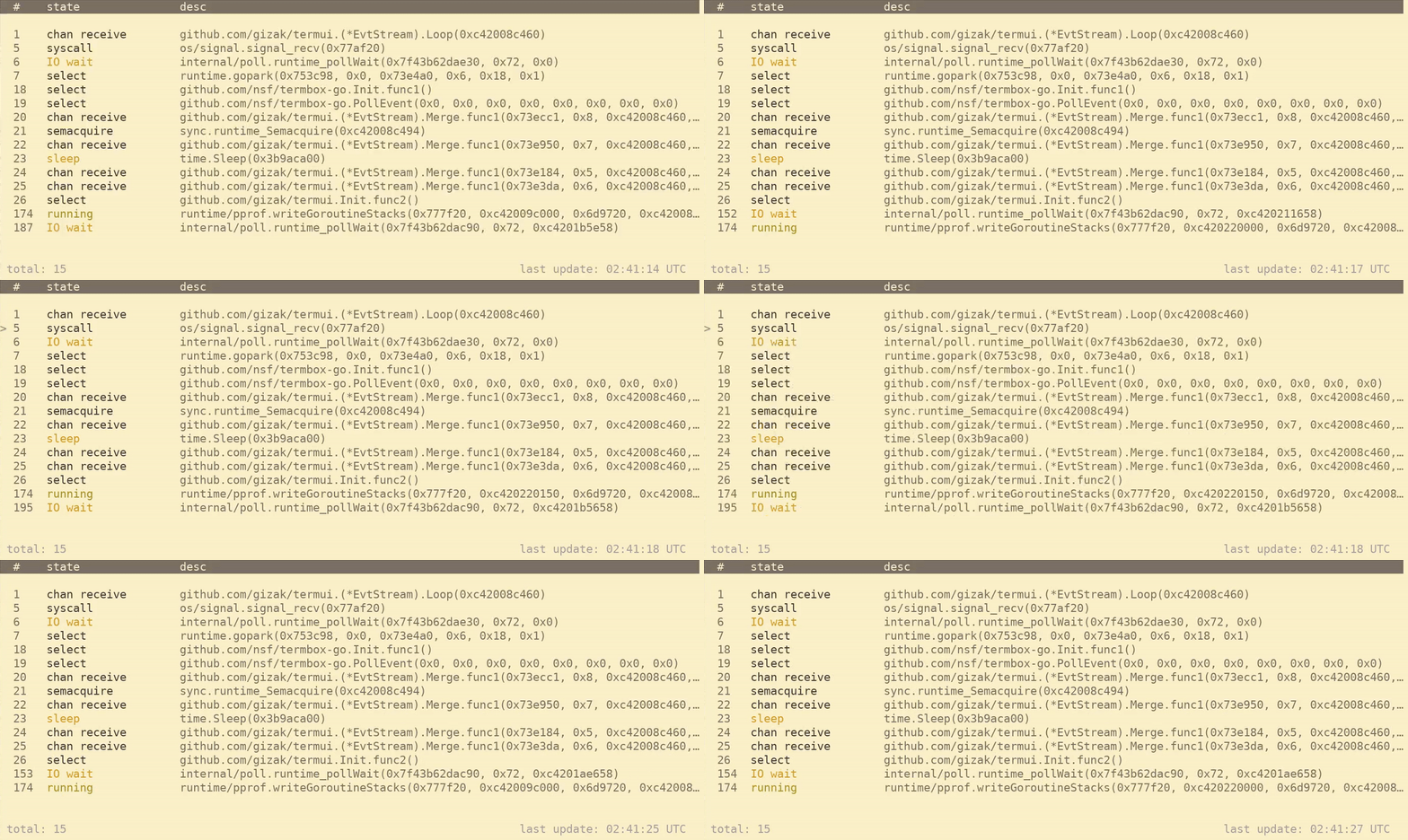
now grmon can connect to the running program:
grmon
By default, grmon will automatically refresh every 5s. Pause automatic refresh(p) to enable the cursor and expand the full trace for a selected goroutine(<enter>).
Keybindings
| Key | Action |
|---|---|
| r | manually refresh |
| p | pause/unpause automatic updates |
| s | toggle sort column and refresh |
| f | filter by keyword |
| \<up>,\<down>,j,k | move cursor position |
| \<enter>,o | expand trace under cursor |
| t | open trace in full screen mode |
| q | exit grmon |
Options
| Option | Description | Default |
|---|---|---|
| -i | time in seconds between refresh, 0 to disable | 5 |
| -host | target host | localhost:1234 |
| -endpoint | target endpoint path | /debug/pprof |
Roadmap
- Hierarchal/tree display
Extension points exported contracts — how you extend this code
Column (Interface)(no doc) [2 implementers]
widgets.go
Core symbols most depended-on inside this repo
HandleKeyscalled by 7
keys.go
Render
called by 6
main.go
Clear
called by 4
grid.go
RebuildRows
called by 4
main.go
SetY
called by 3
widgets.go
Height
called by 3
widgets.go
newCol
called by 3
widgets.go
Refresh
called by 3
main.go
Shape
Languages
Go100%
Modules by API surface
widgets.go18 symbols
parse.go10 symbols
input.go8 symbols
grid.go8 symbols
main.go6 symbols
footer.go6 symbols
header.go4 symbols
dialog.go3 symbols
client.go2 symbols
keys.go1 symbols
agent/main.go1 symbols
Dependencies from manifests, versioned
github.com/bcicen/termuiv0.0.0-2018030422580 · 1×
github.com/davecgh/go-spewv1.1.1 · 1×
github.com/maruel/panicparsev1.0.2 · 1×
github.com/maruel/utv1.0.2 · 1×
github.com/mattn/go-runewidthv0.0.2 · 1×
github.com/mitchellh/go-wordwrapv0.0.0-2015031417033 · 1×
github.com/nsf/termbox-gov0.0.0-2018030315245 · 1×
github.com/stretchr/testifyv1.7.0 · 1×
For agents
$ claude mcp add grmon \
  -- python -m otcore.mcp_server <graph>