github.com/bbugyi200/funky @v3.5.5
Chat with this repoWhat it actually does AI analysis from the code graph — generated when you open this
README
funky 
Funky takes shell functions to the next level by making them easier to define, more flexible, and more interactive.









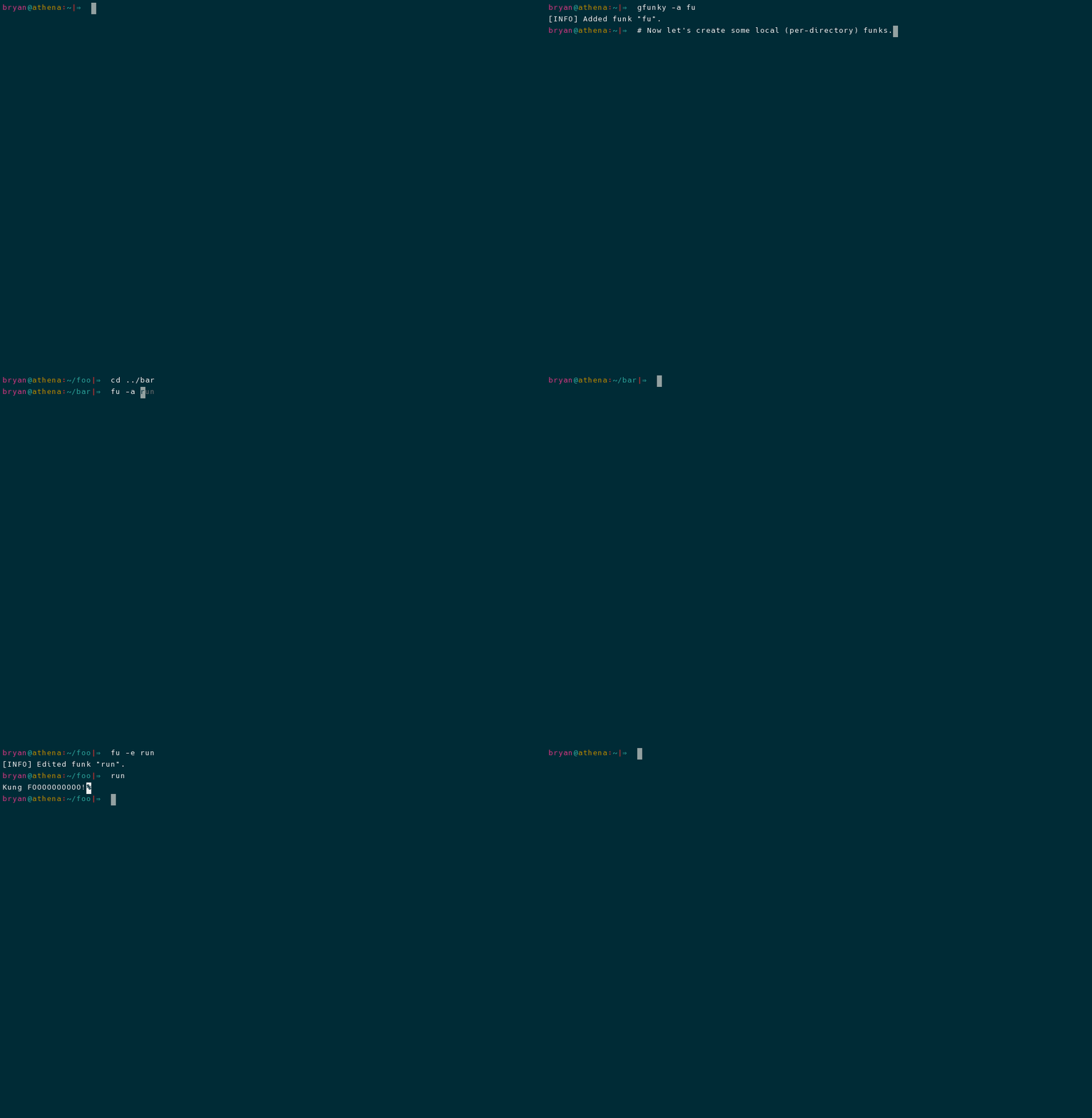
Table of Contents
- Usage
- Local vs Global
- Funk Definition Shortcuts
- Articles / Blog Posts
- Installation
- Using pip to Install
- Building from Source
- Similar Projects
- Contributions
Usage
Funks are manipulated using the funky and gfunky commands. These commands have the same user interface, which is specified in the Command-line Interface section. The difference between the two commands is treated in the Local vs Global section.
Local vs Global
Local funks are stored using a hidden database file that is located in the same directory where the funk was created. These can be manipulated using the action command options described above. Once created, a local funk can be used just like any other command or normal funk---as long as you have activated the provided shell extension (see Additional Install Steps) and are inside of the directory where the local funk was originally defined.
Global funks, on the other hand, are stored in your home directory (/home/<user>) and can
be used from any directory. Local funks can be used to override global funk definitions.
Local and global funks can be manipulated (created, removed, edited, renamed, etc.) by using the
funky and gfunky commands, respectively.
Funk Definition Shortcuts
Normally when defining a funk, the provided raw definition (the final contents of the temp file) is inserted directly into the generated function definition. However, funky does try to make some alterations to the original funk definition when doing so is convenient. These funky definition shortcuts can make defining funks faster:
Special cd Funks
A funk definition of the form @./relative/path/to/directory will be automatically changed to
cd /absolute/path/to/directory/"$@" || return 1
Simulate Shell Variables
A funk definition of the form "Some string here..." will be automatically changed to
echo "Some string here..." "$@"
This allows you to use funks to simulate shell variables via command substitution.
The "$@" Special Parameter
This project originally used aliases. The decision to migrate to shell functions was made based on the fact that shell functions are far more capable than aliases. Moreover, there is very little benefit to using aliases over shell functions.
With that said, actual aliases do have one appeal over shell functions. When you use an alias, any
arguments that you pass to it are automatically passed to the command definition (at runtime,
aliases are just substituted with their definitions). For the purpose of emulating this behavior
when it would typically be desired, a funk defined using a single-line command definition
that does NOT already contain argument variables (e.g. does not contain $0, $1, ...,
$9, $*, or $@) will automatically have the "$@" special parameter appended to its
definition. This allows for the same automatic argument handling that you would expect from an
alias.
See the official Bash docs for more information on Bash's special parameters.
Articles / Blog Posts
With the goal of listing alternative sources of documentation / tutorials, this section will be used to track any articles or blog posts which mention funky:
- 6 Command Line Tools for Productive Programmers (2021-07-23)
Installation
Using pip to Install
To install funky, run the following commands in your terminal (replace SHELL
with either bash or zsh):
python3 -m pip install --user pyfunky  # install funky
python3 -m funky --setup-shell SHELL  # hook funky into your shell
This is the preferred method to install funky, as it will always install the most recent stable release.
If you don't have pip installed, this Python installation guide can guide you through the process.
Building from Source
You can either clone the public repository:
$ git clone git://github.com/bbugyi200/funky
Or download the tarball:
$ curl -OL https://github.com/bbugyi200/funky/tarball/master
Once you have a copy of the source, you can install funky by running:
make install
The last thing you need to do is hook funky into your shell of choice, which
can be accomplished with the following command (replace SHELL with either
bash or zsh):
python3 -m funky --setup-shell SHELL
Similar Projects
- desk - A lightweight workspace manager for the shell.
- smartcd - Alter your bash (or zsh) environment as you cd.
- direnv - is an extension for your shell. It augments existing shells with a new feature that can load and unload environment variables depending on the current directory.
Contributions
Pull requests are welcome. See CONTRIBUTING.md for more information.
Core symbols most depended-on inside this repo
format_docstringShape
Languages
Modules by API surface
For agents
$ claude mcp add funky \
  -- python -m otcore.mcp_server <graph>