github.com/ascoders/syntax-parser @v1.0.15
Chat with this repoWhat it actually does AI analysis from the code graph — generated when you open this
README
<h2 align="center">syntax-parser</h2>


    <i>
        syntax-parser is a parser using pure javascript, so it can both run in browser and nodejs.
    </i>


    <i>
        <a href="https://travis-ci.org/syntax-parser/syntax-parser">
          <img src="https://img.shields.io/travis/syntax-parser/syntax-parser/master.svg?style=flat" alt="CircleCI Status">
        </a>
        <a href="https://www.npmjs.com/package/syntax-parser">
          <img src="https://img.shields.io/npm/v/syntax-parser.svg?style=flat" alt="NPM Version">
        </a>
        <a href="https://codecov.io/github/syntax-parser/syntax-parser">
          <img src="https://img.shields.io/codecov/c/github/syntax-parser/syntax-parser/master.svg" alt="Code Coverage">
        </a>
    </i>
syntax-parser supports:
- lexer.
- parser.
Lexer
createLexer can help you create a lexer.
Example
import { createLexer } from 'syntax-parser';

const myLexer = createLexer([
  {
    type: 'whitespace',
    regexes: [/^(\s+)/],
    ignore: true
  },
  {
    type: 'word',
    regexes: [/^([a-zA-Z0-9]+)/]
  },
  {
    type: 'operator',
    regexes: [/^(\+)/]
  }
]);

myLexer('a + b');
// [
//   { "type": "word", "value": "a", "position": [0, 1] },
//   { "type": "operator", "value": "+", "position": [2, 3] },
//   { "type": "word", "value": "b", "position": [4, 5] }
// ]
type
Token type name, you can use any value here, and you will use it in the parser stage.
regexes
Regexes that use to be matched for each Token type.
ignore
The matching Token will not be added to the Token result queue.
In general, whitespace can be ignored in syntax parsing.
Parser
createParser can help you create a parser. Parser requires a lexer.
import { createParser, chain, matchTokenType, many } from 'syntax-parser';

const root = () => chain(addExpr)(ast => ast[0]);

const addExpr = () =>
  chain(matchTokenType('word'), many(addPlus))(ast => ({
    left: ast[0].value,
    operator: ast[1] && ast[1][0].operator,
    right: ast[1] && ast[1][0].term
  }));

const addPlus = () =>
  chain('+', root)(ast => ({
    operator: ast[0].value,
    term: ast[1]
  }));

const myParser = createParser(
  root, // Root grammar.
  myLexer // Created in lexer example.
);

myParser('a + b');
// ast:
// [{
//   "left": "a",
//   "operator": "+",
//   "right": {
//     "left": "b",
//     "operator": null,
//     "right": null
//   }
// }]
chain
Basic grammatical element, support four parameters:
string
String means match token:
chain('select', 'table'); // Match 'select table'
array
Array means 'or':
chain('select', ['table', 'chart']); // Match both 'select table' and 'select chart'
matchTokenType
matchTokenType allow you match Token type defined in lexer.
chain('select', matchTokenType('word')); // Match 'select [any word!]'
function
It's easy to call another chain function:
const a = () => chain('select', b);
const b = () => chain('table');
many/optional
Just as literal meaning:
const a = () => chain('select', optional('table')); // Match both 'select' and 'select table'
const b = () => chain('select', many(',', matchTokenType('word'))); // Match both 'select' and 'select a' and 'select a, b' .. and so on.
optionalmanycan also usechainas parameter.many(chain(..))
The last callback allow partial redefin of local ast:
chain('select', 'table')(
  ast => ast[0] // return 'select'
);
Tests
npm test
Monaco Editor Sql Editor
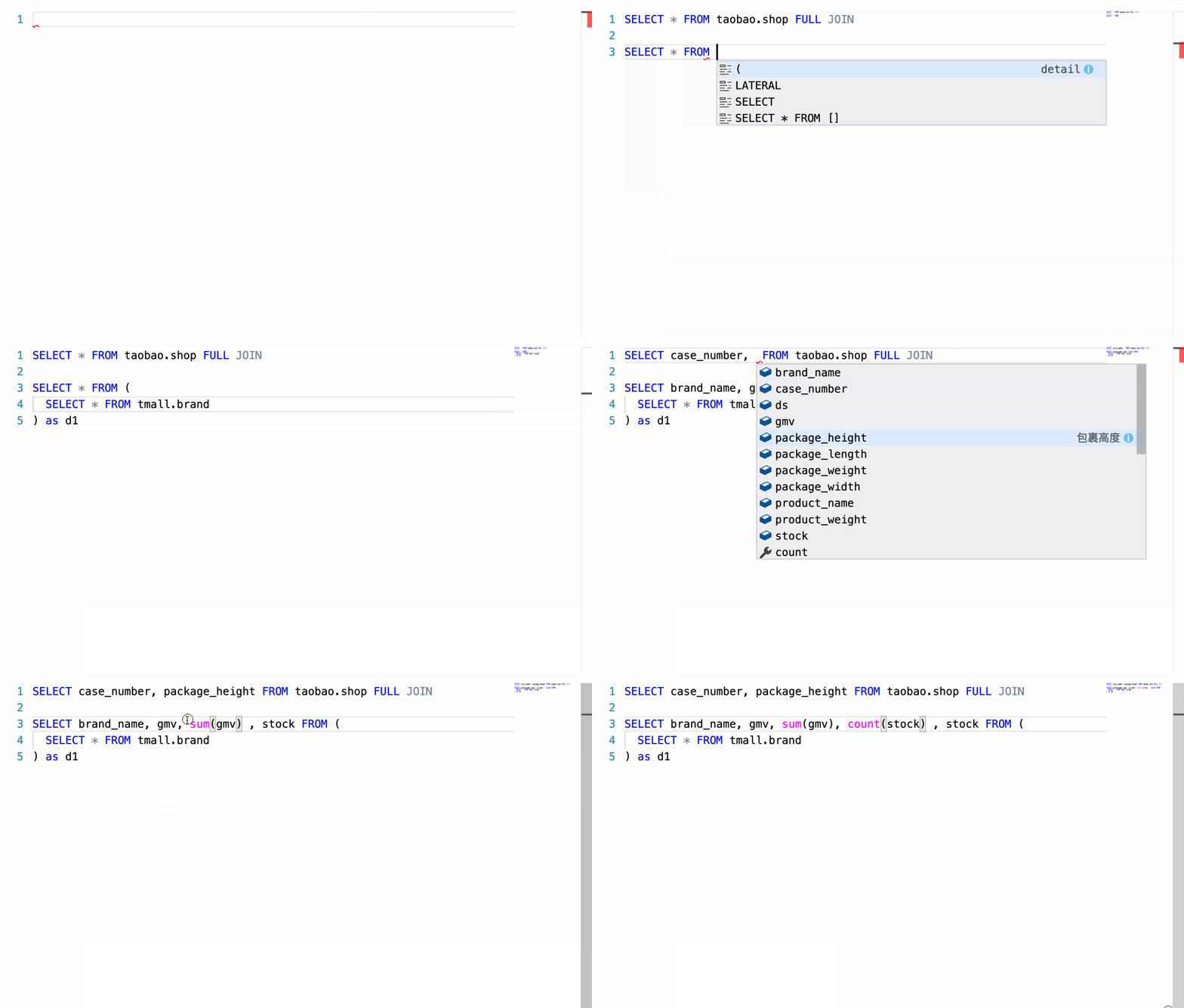
If you want to see this demo, run this command:
npm run docs
Then select demo Monaco Editor.
Extension points exported contracts — how you extend this code
ILexerConfig (Interface)Core symbols most depended-on inside this repo
chainShape
Languages
Modules by API surface
For agents
$ claude mcp add syntax-parser \
  -- python -m otcore.mcp_server <graph>