github.com/apideck-libraries/portman @v1.35.0
Chat with this repoWhat it actually does AI analysis from the code graph — generated when you open this
README
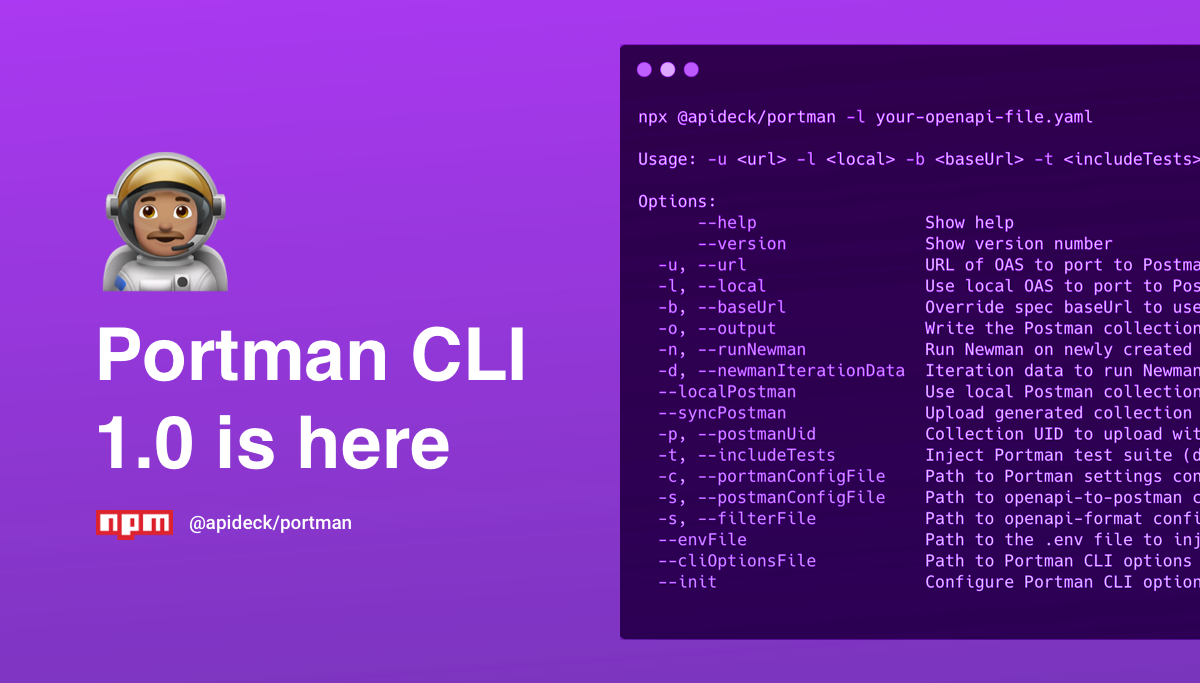


Portman 👨🏽🚀
Port OpenAPI Spec to Postman Collection, with contract & variation tests included!
Portman leverages OpenAPI documents, with all its defined API request/response properties, to power your Postman collection. Let Portman do all the work and inject contract & variation tests with a minimum of configuration. Customize the Postman requests & variables with a wide range of options to assign & overwrite variables.
[!IMPORTANT]
Important Change: If you are using version 1.28.0 with a custom Postman config file specified by the--postmanConfigFileflag, please ensure that theparametersResolutionoption is set to either "Example" or "Schema". The optionsrequestParametersResolutionandexampleParametersResolutionare deprecated openapi-to-postman options.
Why use Portman?
Convert your OpenAPI spec to Postman, generate contract & variation tests, upload the Postman collection & run the tests through Newman. Include the Portman CLI as part of an automated process for injecting the power of Portman directly into your CI/CD pipeline.
Features
With Portman, you can:
- [x] Convert an OpenAPI document to a Postman collection
- [x] Support for OpenAPI 3.0
- [x] Support for OpenAPI 3.1
- Extend the Postman collection with capabilities
- [x] Inject Postman Contract Tests - learn more
- [x] Assign collection variables - learn more
- [x] Inject Postman Variation Tests - learn more
- [x] Inject Postman Integration Tests
- [x] Inject Postman with Pre-request & Tests scripts on a collection or operation level - learn more
- [x] Modify Postman requests - learn more here and here
- [x] Fuzz Postman requests - learn more
- [x] Upload the Postman collection to your Postman app - learn more
- [x] Test the Postman collection with Newman - learn more
- [x] Split the configuration into multiple files using $ref
- [x] Manage everything in config file for easy local or CI/CD usage - learn more
Getting started
- Install Portman
- Initialize Portman CLI configuration by running:
$ portman --init
OR
- Install Portman
- Copy
.env.exampleto.envand add environment variables you need available to your collection - Copy/rename and customize each of the ____.default.json config files in the root directory to suit your needs
- Start converting your OpenAPI document to Postman
OR
If you have an existing OpenAPI specification, try running Portman without any special setup to see how it can generate a Postman collection with contract tests with it's default configuration.
- Install Portman
- Run portman on your OpenAPI spec, ie:
npx portman -l my-openapi-spec.yaml- (if your spec is hosted use the
-uparameter, ie: npx portman -u https://petstore3.swagger.io/api/v3/openapi.json
This will generate a postman collection that contains a request for every method:endpoint combination defined in your spec, and include a set of "Contract Tests" for each one. You can learn more about contract tests, and how to examine the generated collection here.
(Running portman with no explicit configuration is the same as running it with this configuration file)
All configuration options to convert from OpenAPI to Postman can be found in the openapi-to-postman package documentation. All configuration options to filter flags/tags/methods/operations/... from OpenAPI can be found in the openapi-format package documentation or using the online openapi-format playground.
Installation
Local Installation (recommended)
You can add the Portman CLI to the node_modules by using:
$ npm install --save @apideck/portman
or using yarn:
$ yarn add @apideck/portman
Note that this will require you to run the Portman CLI with npx @apideck/portman -l your-openapi-file.yaml or, if
you are using an older version of npm, ./node_modules/.bin/portman -l your-openapi-file.yaml.
Global Installation
$ npm install -g @apideck/portman
NPX usage
To execute the CLI without installing it via npm, use the npx method.
$ npx @apideck/portman -l your-openapi-file.yaml
CLI Usage
Usage: -u <url> -l <local> -b <baseUrl> -t <includeTests>

Options:
 --help                     Show help                                                                        [boolean]
 --version                  Show version number                                                              [boolean]
 --url,-u                   URL of OAS to port to Postman collection                                         [string]
 --local, -l                Use local OAS to port to Postman collection                                      [string]
 --baseUrl, -b              Override spec baseUrl to use in Postman                                          [string]
 --output, -o               Write the Postman collection to an output file                                   [string]
 --oaOutput                 Write the (filtered) OpenAPI file to an output file                              [string]
 --runNewman, -n            Run Newman on newly created collection                                           [boolean]
 --newmanRunOptions         JSON stringified object to pass options for configuring Newman                   [string]
 --newmanOptionsFile        Path/URL to Newman options file to pass options for configuring Newman           [string]
 --newmanIterationData, -d  Iteration data to run Newman with newly created collection                       [string]
 --localPostman             Use local Postman collection, skips OpenAPI conversion                           [string]
 --syncPostman              Upload generated collection to Postman (default: false)                          [boolean]
 --syncPostmanCollectionIds Synchronises the IDs of newly created postman collections with those already
                            on Postman, useful when you want to use Postman pull request (default: false)    [boolean]
 --postmanFastSync          Postman sync creates new collection (new UID),instead of update (default: false) [boolean]
 --postmanRefreshCache      Postman sync will refresh all local cached Postman API data (default: false)     [boolean]
 --postmanUid, -p           Postman collection UID to upload with the generated Postman collection           [string]
 --postmanWorkspaceName     Postman Workspace name to target the upload of the generated Postman collection  [string]
 --includeTests, -t         Inject Portman test suite (default: true)                                        [boolean]
 --bundleContractTests      Bundle Portman contract tests in a separate folder in Postman (default: false)   [boolean]
 --portmanConfigFile, -c    Path/URL to Portman settings config file (portman-config.json)                   [string]
 --postmanConfigFile,-s     Path to openapi-to-postman config file (postman-config.json)                     [string]
 --filterFile               Path/URL to openapi-format config file (oas-format-filter.json)                  [string]
 --envFile                  Path to the .env file to inject environment variables                            [string]
 --collectionName           Overwrite OpenAPI title to set the Postman collection name                       [string]
 --cliOptionsFile           Path/URL to Portman CLI options file                                             [string]
 --ignoreCircularRefs       Ignore circular references in OpenAPI spec (default: false)                      [boolean]
 --logAssignVariables       Toggle logging of assigned variables (default: true)                             [boolean]
 --warn/--no-warn           Toggle warnings for missing openApiOperationIds (default: true)                  [boolean]
 --init                     Configure Portman CLI options in an interactive manner                           [string]
 --extraUnknownFormats      Add extra unknown formats to json schema tests                                   [array]
Environment variables as Postman variables
Portman uses dotenv to not only access variables for functionality, but you can also add environment variables that you'd like declared within your Postman environment.
Simply prefix any variable name with PORTMAN_, and it will be available for use in your Postman collection as the camel-cased equivalent. For example:
PORTMAN_CONSUMER_ID=test_user_id
will be available in your collection or tests by referencing:
{{consumerId}}
It is possible to set a spec-specific .env file, that lives next to your config files. The path can be passed in via envFile cli option.
This is useful if you have Portman managing multiple specs that have unique environment requirements.
By default, Portman will leverage any ENVIRONMENT variable that is defined that starts with PORTMAN_.
Another option to set variables is by configuring them as collectionVariables in the globals section of your Portman configuration.
CLI Options
Initialize Portman CLI configuration
portman --init
The init option will help you to configure the cliConfig options and put the default config, env file in place to kick-start the usage of Portman.
Pass in the remotely hosted spec
portman -u https://specs.apideck.com/crm.yml
Overwrite the baseUrl in spec and run Newman
portman -u https://specs.apideck.com/crm.yml -b http://localhost:3050 -n true
Path pass to a local data file for Newman to use for iterations
portman -u https://specs.apideck.com/crm.yml -b http://localhost:3050 -n true -d ./tmp/newman/data/crm.json
Pass the path to a local spec (useful when updating your specs) and output Postman collection locally
portman -l ./tmp/specs/crm.yml -o ./tmp/specs/crm.postman.json
Skip tests and just generate collection
portman -l ./tmp/specs/crm.yml -t false
Filter OpenAPI and generate collection
portman -u https://specs.apideck.com/crm.yml --filterFile examples/cli-filtering/oas-format-filter.json
For more details, review the cli-filtering example.
Add extra forms to Json schema validation
portman -l ./tmp/specs/crm.yml -o ./tmp/specs/crm.postman.json --extraUnknownFormats ulid one two
This makes the schema validation more lenient, and solves problems with unknown formats
Upload newly generated collection to Postman, which will upsert the collection, based on the collection name
portman -l ./tmp/specs/crm.yml --syncPostman
Upload newly generated collection to Postman using the collection UID to overwrite the existing.
portman -l ./tmp/specs/crm.yml --syncPostman -p 9601963a-53ff-4aaa-92a0-2e70a8a2a748
When a collection gets large, the Postman API will compare all the requests when updating the collection. This can take some time even result in 5xx errors.
To overcome this, you can use the --postmanFastSync option. This option will sync your collection to Postman by using "delete" and "create" operations instead of the "update".
REMARK: Using --postmanFastSync will result in a new Postman collection and Postman UID for each sync.
portman -l ./tmp/specs/crm.yml --syncPostman --postmanFastSync
Portman caches a set of Postman API data to facilitate faster lookups and uploads, preventing unnecessary connecting to the Postman API.
In case you need to reset the cache you simply remove the .portman.cache.json file or set the --postmanRefreshCache option when running the Postman sync.
portman -l ./tmp/specs/crm.yml --syncPostman --postmanRefreshCache
Pass custom paths for config files
All configuration options to convert from OpenAPI to Postman can be on the openapi-to-postman package documentation.
Portman provides a default openapi-to-postman configuration postman-config.default.json, which will be used if no custom config --postmanConfigFile is passed.
Portman configuration file in JSON format:
portman -u https://specs.apideck.com/crm.yml -c ./tmp/crm/portman-config.json -s ./common/postman-config.json
Portman configuration file in YAML format:
portman -u https://specs.apideck.com/crm.yml -c ./tmp/crm/portman-config.yaml -s ./common/postman-config.json
Pass all CLI options as JSON/YAML file
All the CLI options can be managed in a separate configuration file and passed along to the portman c
Extension points exported contracts — how you extend this code
IPostmanParser (Interface)Core symbols most depended-on inside this repo
getTestsShape
Languages
Modules by API surface
Used by 1 indexed graphs manifest dependencies, hub-wide
For agents
$ claude mcp add portman \
  -- python -m otcore.mcp_server <graph>