github.com/ant-design/pro-editor @v1.3.0
Chat with this repoWhat it actually does AI analysis from the code graph — generated when you open this
README

ProEditor
编辑器领域 UI 框架与前端组件解决方案










English・简体中文・Changelog . Report Bug · Request Feature

目录
目录
📦 安装
[!IMPORTANT]\ 该包仅支持 ESM。
要安装 @ant-design/pro-editor,请运行以下命令:
$ pnpm install @ant-design/pro-editor
使用 Next.js 进行编译
[!NOTE]\ 为了正确使用 Next.js SSR,请在
next.config.js中添加transpilePackages: ['@ant-design/pro-editor']。例如:
const nextConfig = {
  transpilePackages: ['@ant-design/pro-editor', 'leva', 'zustand'],
};
🔨 使用
import { SmileOutlined } from '@ant-design/icons';
import { ActionIcon } from '@ant-design/pro-editor';

export default () => (
  <ActionIcon
    title={'功能按钮描述'}
    icon={<SmileOutlined />}
    onClick={() => {
      alert('触发动作');
    }}
  />
);
✨ 特性
[!NOTE]
前端组件库已经彻底改变了开发方式,极大地提高了效率,提升了用户体验。在各大组件库都趋于成熟的 2023 年,我们为什么要推出 ProEditor ?
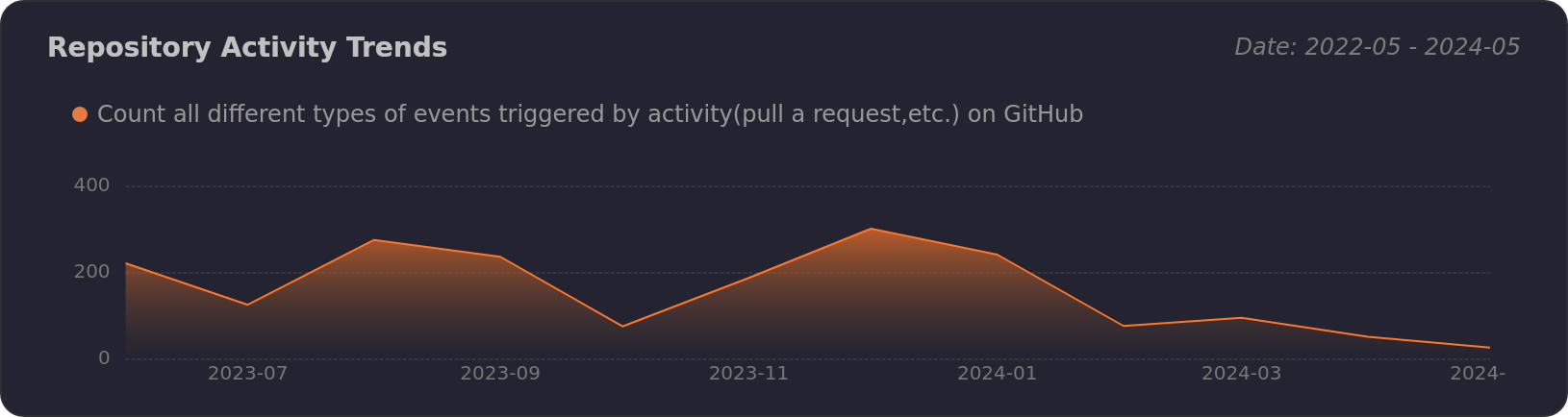
ProEditor 的强大功能
[!NOTE]
我们将 ProEditor 视为编辑组件的基础库,类似于 antd,使开发人员能够轻松创建具有内在卓越用户体验的复杂交互式组件。这就是
ProEditor名称的理念所在。
我们对 ProEditor 的原则:
- 🖐️ 自然编辑:支持用户最自然的交互,包括但不限于鼠标多选、反选、快捷键等。
- ✨ 默认精致:在 antd 基础组件上更进一步,交互体验上达到默认精致。
- 🔧 灵活开放:所有能力均支持原子化输出,包括但不限于组件、hooks、工具函数等。
编辑器领域 UI 框架与前端组件解决方案:
[!TIP]
推动了可能性的边界,并增强了开发人员用于创建复杂、交互式和用户友好的 Web 应用程序的工具包,例如:
- 📦 DraggablePanel:允许可调整大小和可移动的面板,增强用户界面的交互性。
- 📝 ColumnList:提供用户友好的可排序列表,通过列定义进行管理,简化了复杂的列表交互。
- 🎨 FreeCanvas:提供类似于 Sketch 或 Figma 的可缩放画布,为用户提供创意设计的广阔空间。
- 🔍 IconPicker:一个与 iconfont 兼容的图标选择工具,使集成各种图标到设计中更加容易。
- 👥 在线协作:利用 yjs 和 zustand store 等技术,融合多用户功能,实现实时协作编辑和交互。
框架架构
ProEditor 的架构大致如下:

👀 展示
让我们展示一些 ProEditor 的标志性组件:
| DraggablePanel | ColumnList |
|---|---|
| 可调整大小和可移动的面板 | 基于列定义的用户友好可排序列表 |
 |
 |
| FreeCanvas | IconPicker |
| 无限缩放画布,类似于 Sketch 或 Figma | 与 iconfont 兼容的图标选择工具 |
 |
 |
| 在线协作 | |
| 融合了 yjs 和 zustand store 的多用户功能。 | |
 |
🖥 浏览器兼容性
[!NOTE]
 |
 |
 |
 |
 |
|---|---|---|---|---|
| Edge | 最近 2 个版本 | 最近 2 个版本 | 最近 2 个版本 | 最近 2 个版本 |
⌨️ 本地开发
您可以使用 Github Codespaces 进行在线开发:

或者克隆它进行本地开发:
$ git clone https://github.com/ant-design/pro-editor.git
$ cd pro-editor
$ pnpm install
$ pnpm dev
🤝 贡献
[!IMPORTANT]
加入我们的协作生态系统。您的贡献是我们项目的心脏。以下是您如何成为我们充满活力的社区的重要组成部分:
- 整合和创新:将 Ant Design Pro、umi 和 ProEditor 整合到您的项目中。您的实际使用和反馈对我们至关重要。
- 发表您的见解:遇到了问题?有疑问?您的观点很重要。通过提交问题来分享它们,帮助我们提升用户体验。
- 塑造未来:有代码增强或功能想法吗?我们邀请您提出拉取请求,直接为我们的代码库发展做出贡献。
每一次贡献,无论大小,都值得庆祝。加入我们,共同致力于完善和提升开源企业 UI 组件的世界。 😃

|
|
|
|---|---|
|
|
|
🛣️ 生态系统
- ProComponents - 专为企业级应用设计,像专业人士一样使用 Ant Design!
- ProEditor - 编辑器领域 UI 框架与前端组件解决方案。
- ProFlow - 基于 React-Flow 的流程编辑器框架。
- ProChat - 用于快速构建 LLM 聊天界面的组件库。
📝 License
Copyright © 2023 - present AFX & Ant Digital.
This project is MIT licensed.
Extension points exported contracts — how you extend this code
ErrorBoundaryProps (Interface)Core symbols most depended-on inside this repo
setStateShape
Languages
Modules by API surface
For agents
$ claude mcp add pro-editor \
  -- python -m otcore.mcp_server <graph>