github.com/angular-architects/nx-ddd-plugin @22.0.0
Chat with this repoWhat it actually does AI analysis from the code graph — generated when you open this
README
DDD Plugin for Angular Nx Monorepos
Versions
The package versions are aligned with the Angular version.
- for Nx < v19 and NG v17 use v17.0.5.
- for Nx < v20 and NG v18 use v18.0.1.
- for Nx >= v20 and NG v18 use v18.1.1.
- for Nx >= v20 and NG v19 use v19.0.7.
- for Nx >= v21.2 and NG v20 use v20.0.1.
- for Nx >= v21.2 (Nx v21-22) and NG v21 use v21.0.0.
- for Nx >= v21.7 (Nx v21-23) and NG v22 use v22.0.0.
Breaking change in v18.1.0:
The naming of the Nx includePaths has changed to only use one "/".
Until v18.0.1, the generated includePaths were like this, which is illegal in npm:
  "@org/booking/domain": ["libs/booking/domain/src/index.ts"],
"@org/booking/feature-test": ["libs/booking/feature-test/src/index.ts"]
Starting with v18.1.0, the generated includePaths are using dashes instead:
  "@org/booking-domain": ["libs/booking/domain/src/index.ts"],
"@org/booking-feature-test": ["libs/booking/feature-test/src/index.ts"]
About
This plugin installs some schematics which automate slicing your Nx workspace into domains and layers according to Nrwl's best practices and our ideas about client-side DDD with Angular:
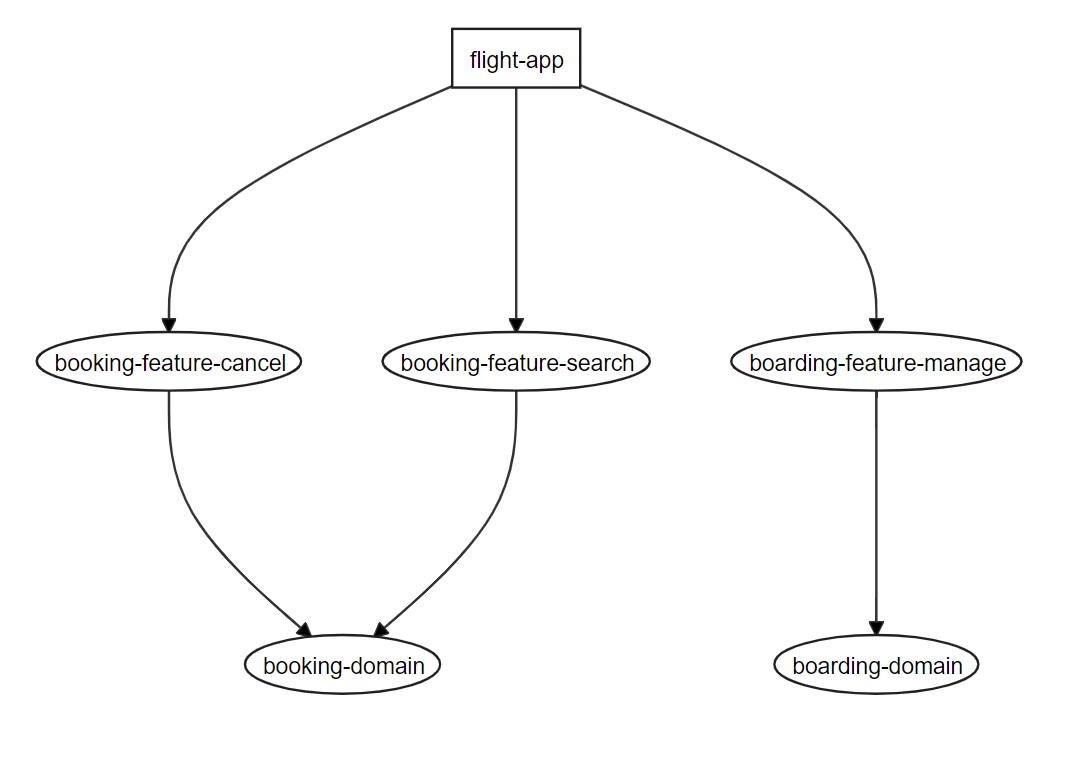
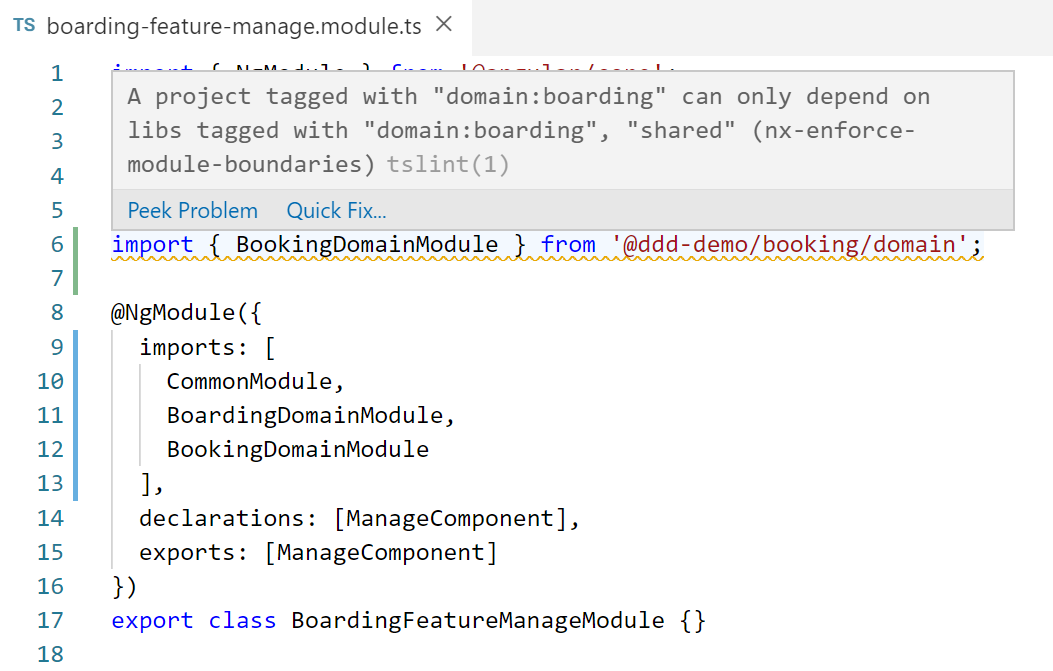
The generated access restrictions prevent unwanted access between libraries respecting layers and domains:
Features
- 🗺️ Generating domains with domain libraries including a facades, models, and data services
- ⚙️ Generating feature libraries including a feature components using the facades
- 🙅♂️ Adding linting rules for access restrictions between domains as proposed by Nrwl
- 🙅♀️ Adding linting rules for access restrictions between layers as proposed by Nrwl (supports tslint and eslint)
- 🔥 Optionally generates skeleton for NGRX and integrates it into the DDD design (
--ngrxswitch, needs @ngrx/schematics) - 💥 Supports Standalone Components
Features Overview Video

Usage
Add this plugin to a Nx workspace:
npm i @angular-architects/ddd
nx g @angular-architects/ddd:init
Instead, you can also use ng add, however, Nx currently emits a warning when using ng add:
nx add @angular-architects/ddd
Add domains and features manually:
nx g @angular-architects/ddd:domain booking --addApp
nx g @angular-architects/ddd:domain boarding --addApp
nx g @angular-architects/ddd:feature search --domain booking --entity flight
nx g @angular-architects/ddd:feature cancel --domain booking
nx g @angular-architects/ddd:feature manage --domain boarding
For NGRX support, just add the --ngrx switch:
nx g @angular-architects/ddd:domain luggage --addApp --ngrx
nx g @angular-architects/ddd:feature checkin --domain luggage --entity luggage-list --ngrx
[...]
This example assumes that you have an app flight-app in place.
These schematics also wire up the individual libs. To see the result, create a dependency graph:
npm run dep-graph
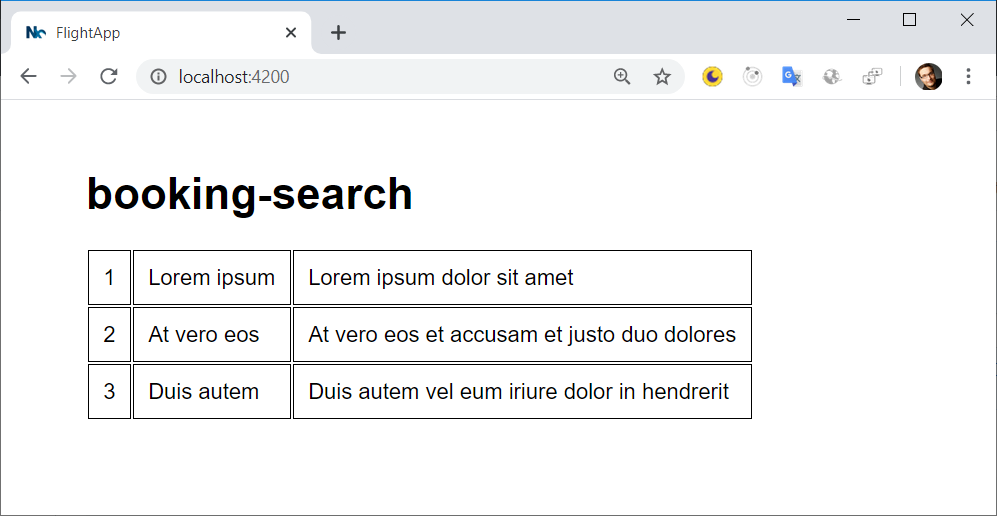
To see that the skeleton works end-to-end, call the generated feature component in your app.component.html:
<booking-search></booking-search>
You don't need any TypeScript or Angular imports. The plugin already took care about that. After running the example, you should see something like this:
Standalone Components
All generators have a switch --standalone to support Standalone Components:
nx g @angular-architects/ddd:domain booking --addApp --standalone

nx g @angular-architects/ddd:feature search --domain booking --entity flight --standalone
Don't mix Standalone Components and traditional ones within the same domain.
Since version 19, standalone defaults to true.
Generated Structure
The included schematics generate a folder for each domain. This folder contains feature libs as well as a library with the domain logic:
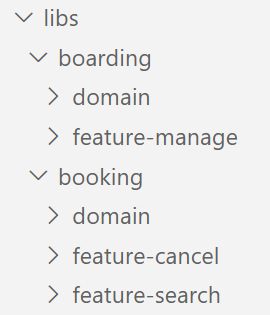
The domain layer is subdivided into three parts:
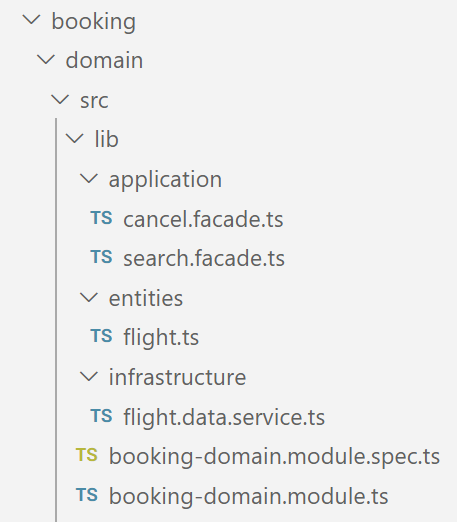
Generated Structure for Domain Library
- application: Contains application services. This is a DDD term for what we call facades in Angular nowadays. They orchestrate everything for a use case given so that a feature component only needs to communicate with one such facade. Also, it hides details for state management. While the generates facades just use a
BehaviorSubject, feel free to add a library like NGRX underneath. As such a modifications changes nothing from the component's perspective, you can use facades to introduce NGRX later on demand. - entities: Client-side data model including logic operating on it (like validations).
- infrastructure: Services for communicating with the backend.
Consider Automatically Checking Access Restrictions
As the access restrictions defined with Nx use linting, you can check against them at the command line too. Hence, you might consider including this into your automated build process.
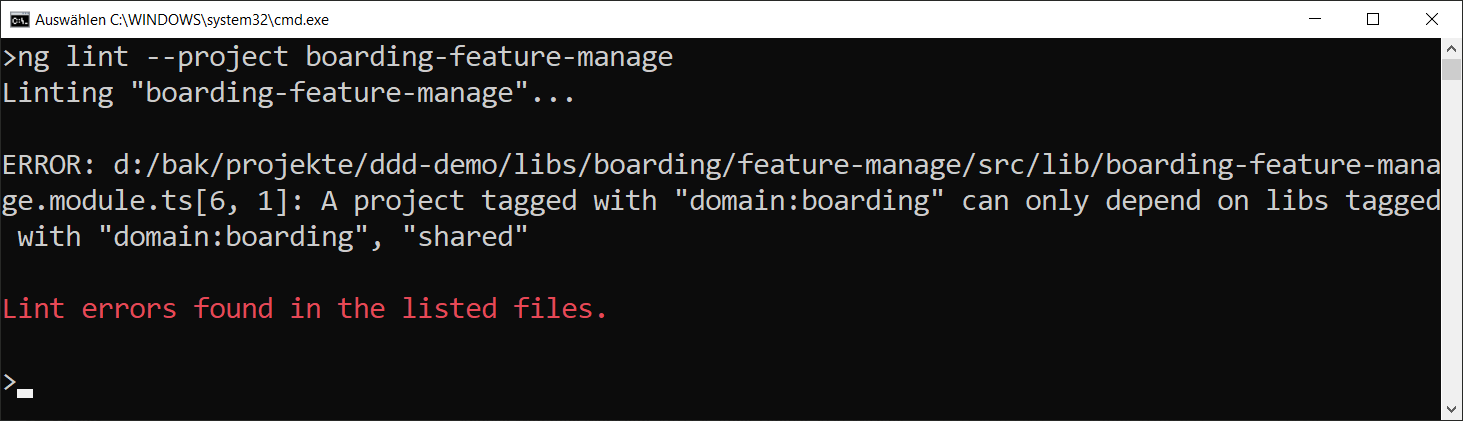
Demo Application
see https://github.com/angular-architects/ddd-demo
Resources
- Blog: All about DDD for Angular & Frontend Architectures
- Nx
- Nrwl's eBook about monorepos and best practices
- Recording of session about this architecture
- Article series about DDD with Angular
- Our eBook on Enterprise Angular
More Architecture
Get in touch with authors
Extension points exported contracts — how you extend this code
Chainable (Interface)Core symbols most depended-on inside this repo
addImportToTsModuleShape
Languages
Modules by API surface
For agents
$ claude mcp add nx-ddd-plugin \
  -- python -m otcore.mcp_server <graph>