github.com/amyasnikov/validity @3.5.2
Chat with this repoWhat it actually does AI analysis from the code graph — generated when you open this
README
<a href="https://validity.readthedocs.io"><img src="https://raw.githubusercontent.com/amyasnikov/validity/master/docs/images/validity_logo.png" alt="Click to view Validity docs"/></a>
<h1>Validity: vendor-agnostic configuration compliance</h1>


    <img src="https://github.com/amyasnikov/validity/actions/workflows/ci.yml/badge.svg" alt="CI">
    <img src="https://img.shields.io/endpoint?url=https://gist.githubusercontent.com/amyasnikov/9e518ae8babd18b7edd8ee5aad58146b/raw/cov.json" alt="Coverage">
    <img src="https://img.shields.io/badge/Python-3.12+-blue.svg" alt="Python version">
    <img src="https://img.shields.io/badge/NetBox-4.4|4.5|4.6-blue.svg" alt="NetBox version">
What?
Validity is the NetBox plugin to write "auto tests" for your network devices. You define compliance tests and Validity checks device state or configuration against these tests. The two most obvious use cases for such a functionality include:
- Configuration compliance. You can make sure your devices are provisioned properly, and their config follows the rules you have defined via tests.
- Pre- / post-configuration checks. You can make sure your network is in the expected state before or/and after configuration changes have been made. You can use Validity API to include these checks into your automation pipelines.
Validity usage workflow:
-
Gather state/config of your devices. Pull it from Git repository or poll the devices directly.
-
Define serialization method (the way to translate your raw data into JSON-like structure).
-
Write compliance test as a Python expression, e.g.
device.config["ntp-servers"] == ["1.2.3.4", "5.6.7.8"]
or
device.state.sh_ospf_neighbors["10.1.1.1"]["state"] == "Up"
- Apply created test to specific devices and get the results per device (passed or failed).
Why?
Validity helps you to concentrate on what really matters - defining the criteria of healthy and valid network and following these criteria.
Validity completely separates compliance test code from all the other things like data collection, parsing and storage. It encourages you to write short, clean and understandable compliance tests together with the mandatory description.
Key Features
- Truly vendor-agnostic. You can easily integrate any vendor config format using TTP or a bunch of other serialization options
- Writing compliance tests using Python expressions and JQ
- Gathering configuration or state info directly from the devices via SSH, Telnet, Netconf or REST API.
- Configuration Backups. Save your device configs to Git or AWS S3 servers.
- Concept of dynamic pairs. With dynamic pair you can compare 2 different devices between each other (e.g. compare the configuration of 2 MC-LAG members).
- Test result explanation. When some test fails, you can get the explanation of the calculation process step by step. It helps to identify the cause of the failure.
- ORM access inside the test. You have full access to the device properties. For instance, you may leverage Configuration Contexts NetBox feature to store your desired configuration and compare it with the config collected from the device.
- Reports and webhooks. After execution of some bunch of tests you can get the report with passed/failed statistics grouped by some Location/Site/Manufacturer/etc. Moreover, you can provision the webhook to notify an external system when compliance report is generated.
- Test extensibility. You can define your own python functions or classes to reuse the code between multiple compliance tests.
- Possibility to store all heavy text-based entities (like compliance tests or TTP Templates) in a Git repository
NetBox Support Policy
Unlike many other plugins, Validity supports multiple NetBox versions inside one single release.
Validity aims to support the latest 3 major/minor releases of NetBox.
For example, if latest NetBox version is 4.1, then latest Validity is going to support NetBox 4.1, 4.0 and 3.7.
Check out compatibility matrix for the details.
Download and Install
You can download Validity via pip
pip install netbox-validity
After that follow the installation guide to correctly add Validity to your NetBox.
Documentation
Read the full documentation on validity.readthedocs.io
Quick Start
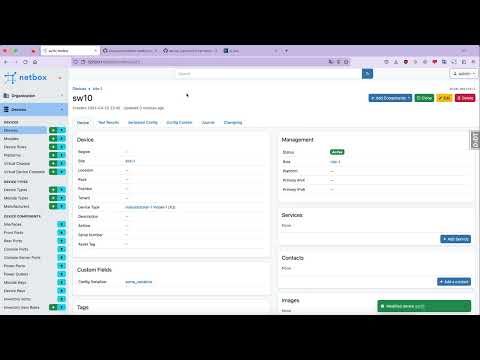
A short video about first steps with Validity:
Contributing
Feel free to ask a Question, report an Issue or even make a PR. Read more about contribution in the CONTRIBUTING guide.
Screenshots


Core symbols most depended-on inside this repo
allShape
Languages
Modules by API surface
For agents
$ claude mcp add validity \
  -- python -m otcore.mcp_server <graph>