github.com/alxrm/presento @0.1
Chat with this repoWhat it actually does AI analysis from the code graph — generated when you open this
README
Presento
The simplest possible cross-platform remote control for the presentations
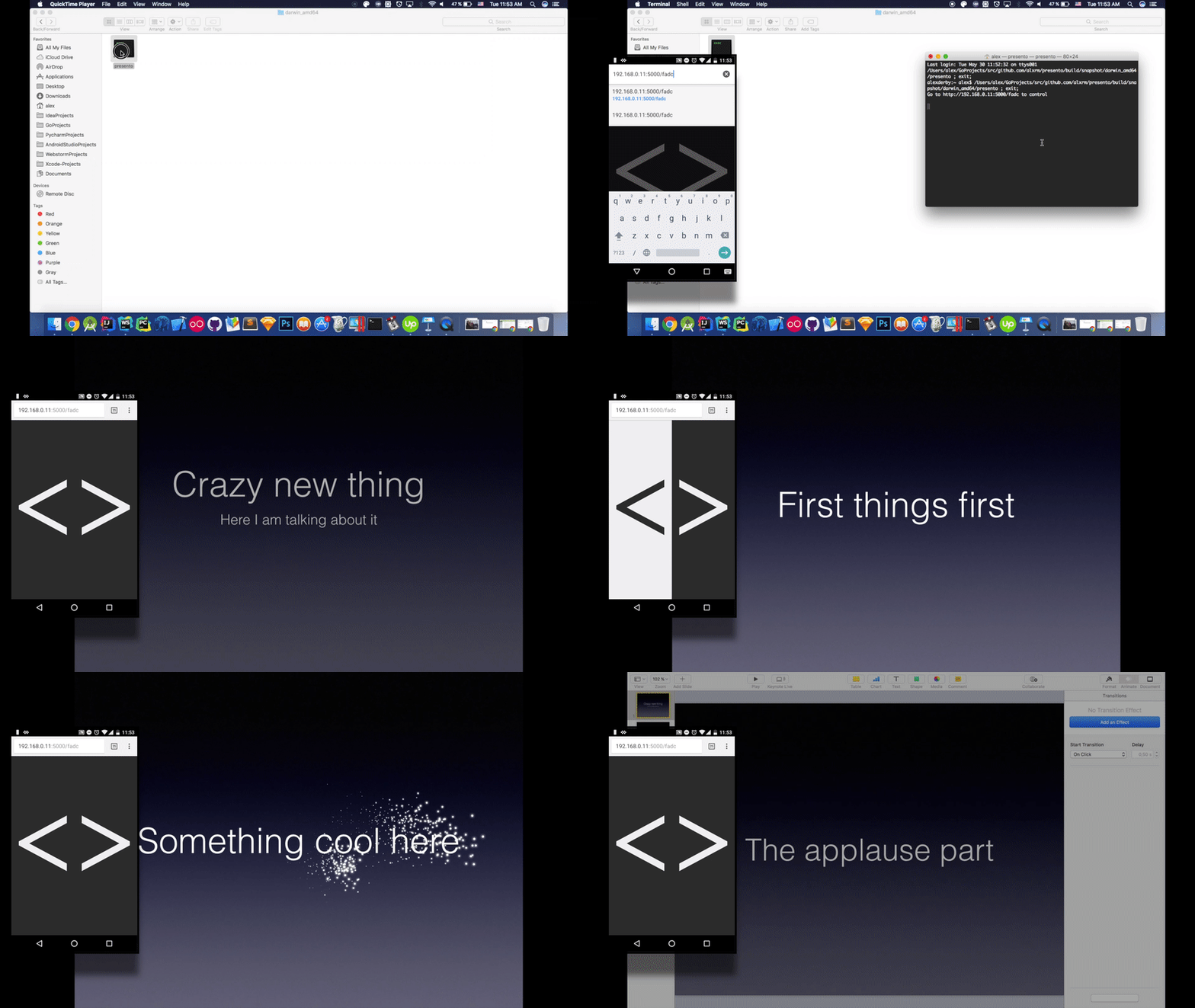
Current version with prompter looks like this:


Setup
Precompiled binaries
If you simply need the working product, just go here and download executable binary file for your platform
Install
For those who want to install it as a tool for terminal. Presento is written in Go so you'll need to install Go first. Once that's done, you can install the thing. Just run this:
$ go get github.com/alxrm/presento
That's it! Now you can always access it in terminal:
$ presento
Usage
NOTE: The only requirement is your cellphone has to be in the same Wi-fi network as your laptop, it simply would not work otherwise
As you can(or cannot) see on the GIF above, the flow is pretty simple:
1) You launch the executable file(or run it from terminal if you istalled it), it will open the command line app with this text in it:
Go to http://192.168.0.**:5000/**** to control
The link is generated with the 4-letter random sequence in the end
This was made because there might be those cases when someone sitting in the room might know the local address and try to spoil your presentation, so this should prevent such situations from happening
2) Open the presentation on the fullscreen
3) The link should be opened in your cellphone's browser, and by clicking on those huge buttons you can simulate keyboard press on the left/right buttons on the laptop that is showing the presentation thus changing the slides
4) Look cool
Prompter
Sometimes it might be useful to have some lyrics while you're doing your keynote.
To add one, all you need to do is just to create a file prompter.md in the directory where your presento binary's been started from.
It'll just read the contents and render it as html, like in those screenshots above, nice and simple.
Reason
So most of the time, when I need to show a presentation it goes like this: - I launch it from my laptop, which is connected to the projector - I run to my laptop to change the slide (repeat this part)
Then this thought came:
"Well it would be nice to have the ability to change the slides, like all those guys I usually see on the conferences"
Contribution
Presento has some problems with building for Linux with goxc on the OS X, whilst it seems to be fine for the Windows/OS X. The problem comes from this awesome library, so if you can help it, you're more than welcome!
That html file, which is served via static server is also included in the binary, just use $ go generate before build everytime you change the html file, more on that here
License
MIT License. See the LICENSE file for more information.
Core symbols most depended-on inside this repo
killWithMessageShape
Languages
Modules by API surface
For agents
$ claude mcp add presento \
  -- python -m otcore.mcp_server <graph>