github.com/almariah/embed-code-file @1.2.0
Chat with this repoWhat it actually does AI analysis from the code graph — generated when you open this
README
Embed Code File (Obsidian Plugin)
This plugin allows to embed code files from Obsidian vault or remote file (eg., GitHub). It works better with live preview feature of Obsidian.
Settings
The plugin include multiple language by default (c,cpp,java,python,go,ruby,javascript,js,typescript,ts,shell,sh,bash). You can include any needed language to the comma separated list.
How to use
First you need to activate the plugin from Community Plugins. Then you can embed the code as follow:
```embed-<some-language>
PATH: "vault://<some-path-to-code-file>" or "http[s]://<some-path-to-remote-file>"
LINES: "<some-line-number>,<other-number>,...,<some-range>"
TITLE: "<some-title>"
```
Examples:
Vault File:
```embed-cpp
PATH: "vault://Code/main.cpp"
LINES: "2,9,30-40,100-122,150"
TITLE: "Some title"
```
Remote File:
```embed-cpp
PATH: "https://raw.githubusercontent.com/almariah/embed-code-file/main/main.ts"
LINES: "30-40"
TITLE: "Some title"
```
where PATH, LINES and TITLE properties are set as YAML key-value pairs:
-
The
PATHshould be a code file in the vault or remote. If you have used GitHub for example, make sure to usehttps://raw.githubusercontent.com/... -
The
LINESwill include only the specified lines of the code file. Every set of included lines either range or explicit line will append dots (...) to included line in a newline. If you want to get rid of dots, minimize the number of sets by using one range as much as you can. -
If
TITLEis not set, then the title of the code block will bePATHvalue.
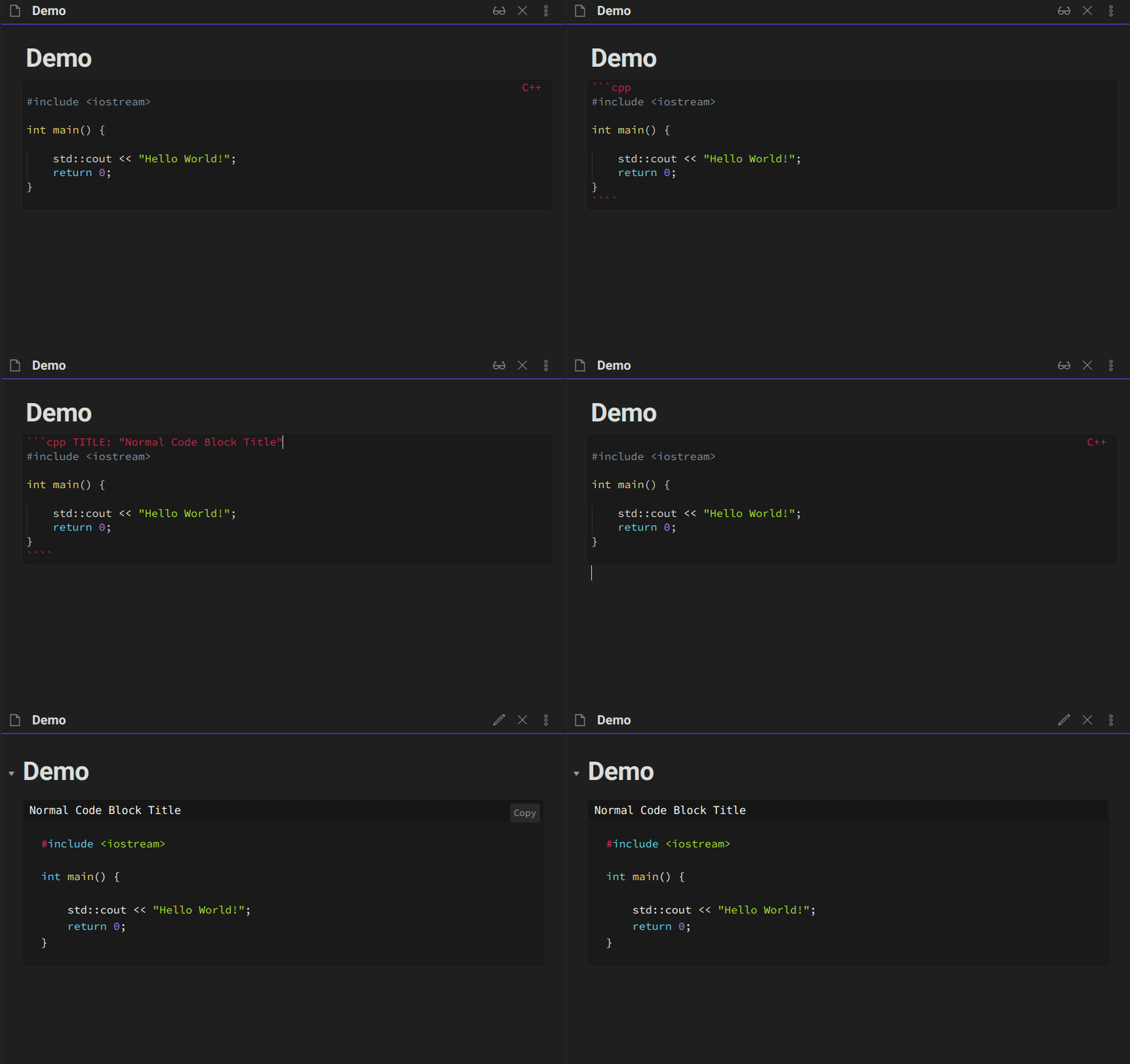
You can use also TITLE with normal code block (without embed-), but make sure that the title value is set with double quotes:
```cpp TITLE: "Some title"
// some code
...
```
Using live preview feature will enhance the embedding experience.
Demo
Embed code file
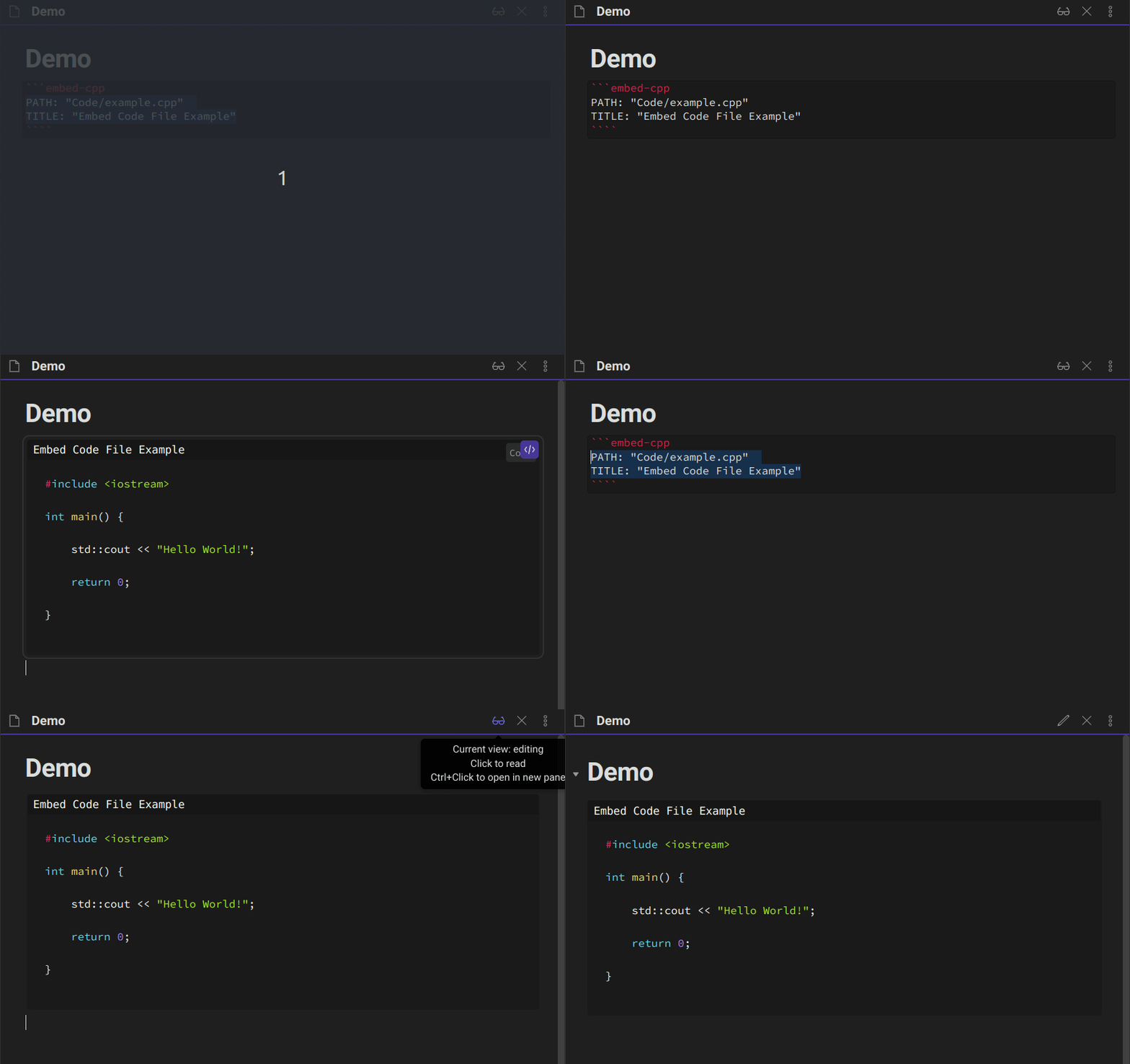
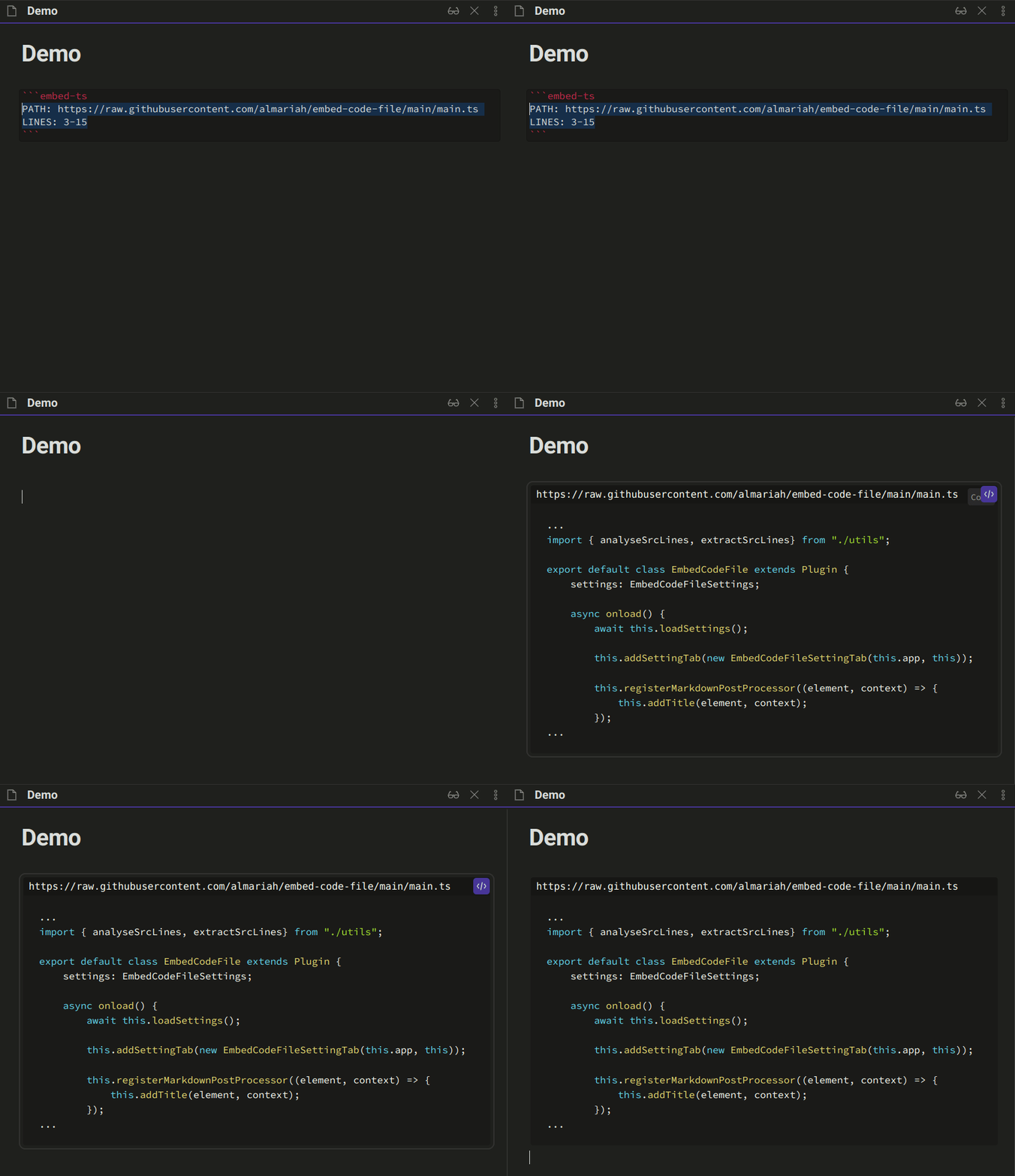
Embed lines from code file

Embed lines from remote file (eg., GitHub)
Add title to normal code block
Extension points exported contracts — how you extend this code
EmbedCodeFileSettings (Interface)Core symbols most depended-on inside this repo
saveSettingsShape
Languages
Modules by API surface
For agents
$ claude mcp add embed-code-file \
  -- python -m otcore.mcp_server <graph>