github.com/alisen39/TrWebOCR @v1.0.4
Chat with this repoWhat it actually does AI analysis from the code graph — generated when you open this
README
TrWebOCR-开源的离线OCR
介绍
TrWebOCR,基于开源项目 Tr 构建。
在其基础上提供了http调用的接口,便于你在其他的项目中调用。
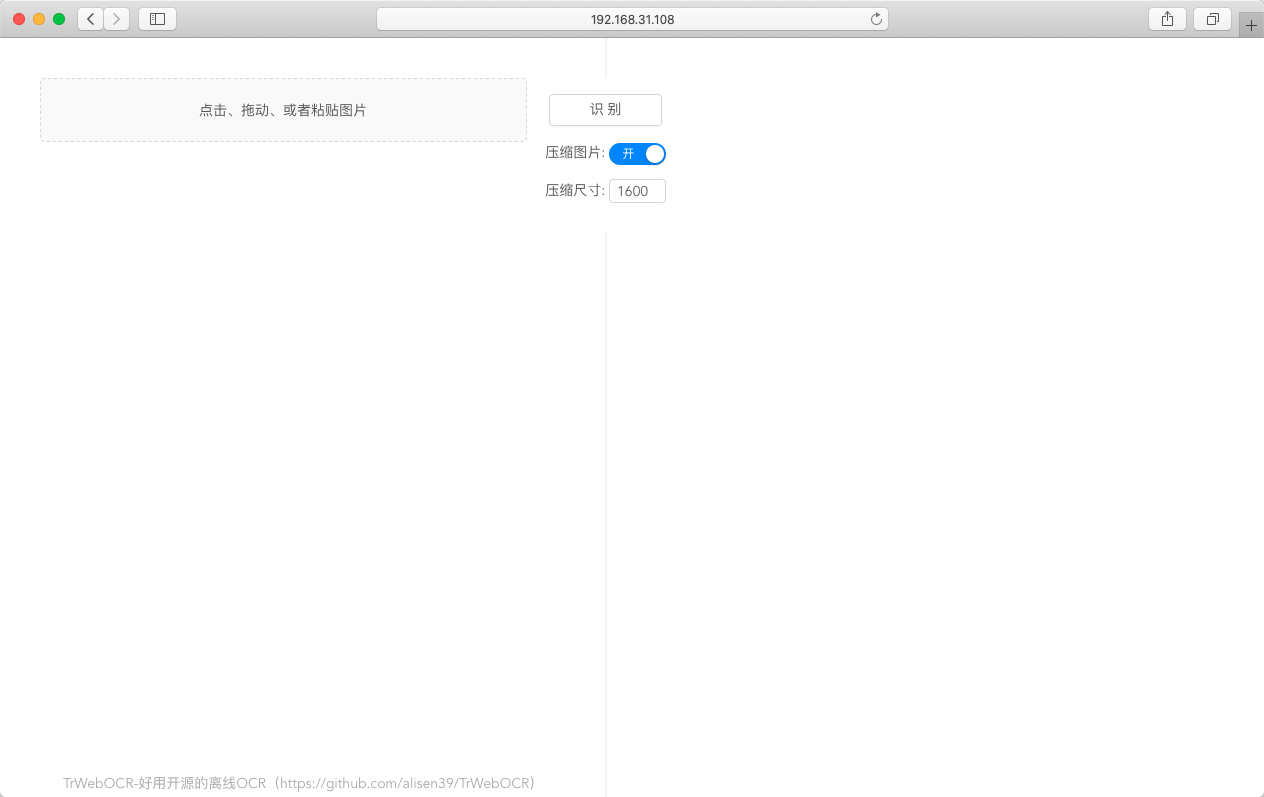
并且提供了易于使用的web页面,便于调试或日常使用。
特性
-
中文识别
快速高识别率 -
文字检测
支持一定角度的旋转 -
并发请求
由于模型本身不支持并发,但通过tornado多进程的方式,能支持一定数量的并发请求。具体并发数取决于机器的配置。
安装需求
运行平台
- ✔ Python 3.6+
- ✔ Ubuntu 16.04
- ✔ ️Ubuntu 18.04
- ✔ CentOS 7
- ✔ Docker
Windows和MacOS系统下可通过构建Docker镜像来使用,暂不支持直接部署使用
其他Linux平台暂未测试,可自行安装测试
最低配置要求
- CPU: 1核
- 内存: 2G
- SWAP: 2G
安装说明
服务器部署
-
安装python3.7
推荐使用miniconda -
安装依赖包
``` shell script pip install -r requirements.txt
3. 运行
项目默认运行在8089端口,默认不开启gpu:
``` shell script
python backend/main.py [--port=8089][--open_gpu=0]
# --port 指定运行时端口号 默认是8089
# --open_gpu 是否开启gpu 默认是0(不开启),可设置为1(开启)
看到以下输出则代表安装成功: ```shell script tr 2.3.0 https://github.com/myhub/tr Server is running: http://192.168.31.95:8089 Now version is: cpu
### Docker部署
使用 Dockerfile 构建 或者直接 Pull镜像
```shell script
# dockerfile 构建
docker build -t trwebocr:latest .

# 运行镜像
docker run -itd --rm -p 8089:8089 --name trwebocr trwebocr:latest
```shell script
从 dockerhub pull
docker pull mmmz/trwebocr:latest
运行镜像
docker run -itd --rm -p 8089:8089 --name trwebocr mmmz/trwebocr:latest
这里把容器的8089端口映射到了物理机的8089上,但如果你不喜欢映射,去掉run后面的`-p 8089:8089` 也可以使用docker的IP加`8089`来访问

## 接口文档
接口文档的内容放在了本项目的wiki里:
[接口文档](https://github.com/alisen39/TrWebOCR/wiki/%E6%8E%A5%E5%8F%A3%E6%96%87%E6%A1%A3)

## 接口调用示例
* Python 使用File上传文件
``` python
import requests
url = 'http://192.168.31.108:8089/api/tr-run/'
img1_file = {
    'file': open('img1.png', 'rb')
}
res = requests.post(url=url, data={'compress': 0}, files=img1_file)
- Python 使用Base64
import requests
import base64
def img_to_base64(img_path):
    with open(img_path, 'rb')as read:
        b64 = base64.b64encode(read.read())
    return b64

url = 'http://192.168.31.108:8089/api/tr-run/'
img_b64 = img_to_base64('./img1.png')
res = requests.post(url=url, data={'img': img_b64})
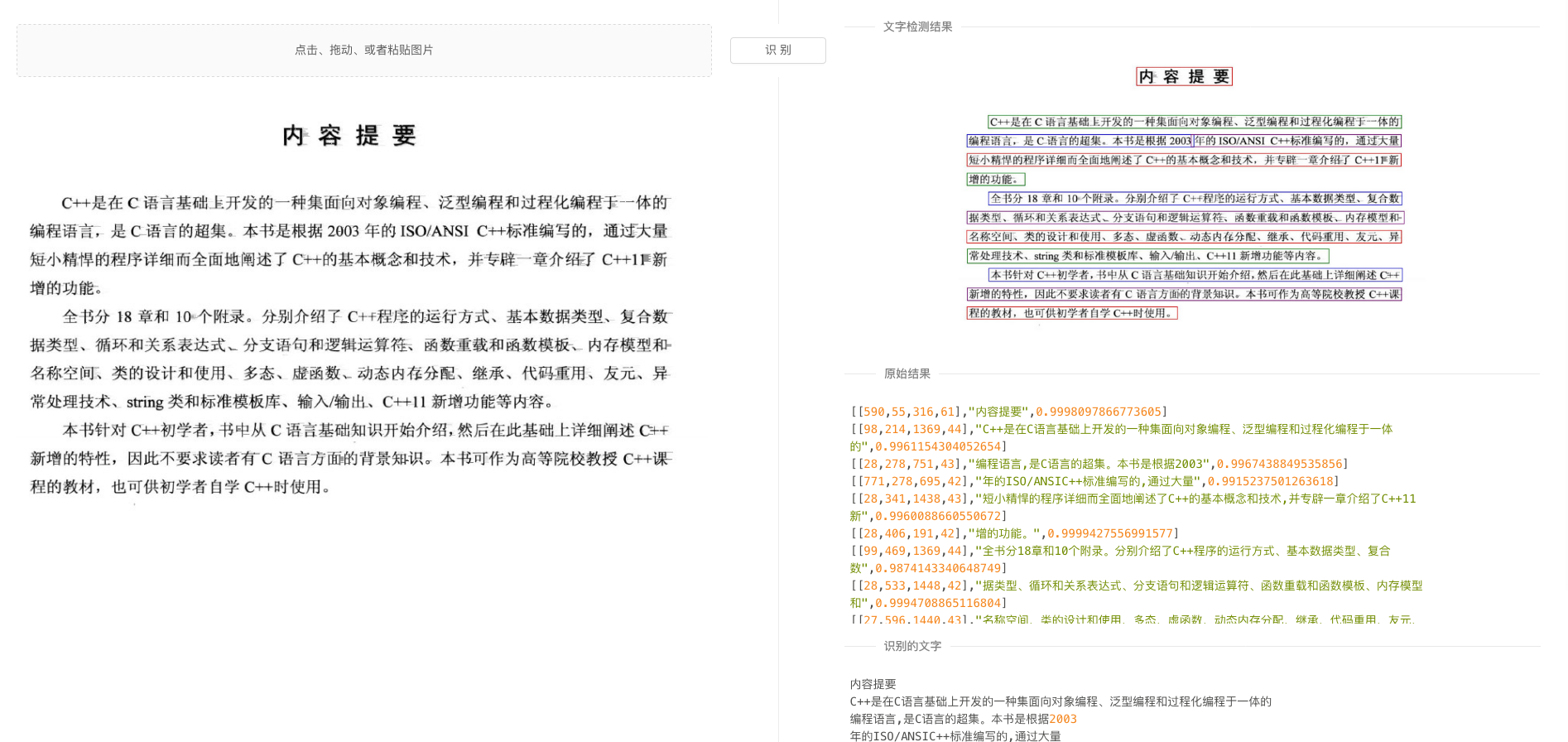
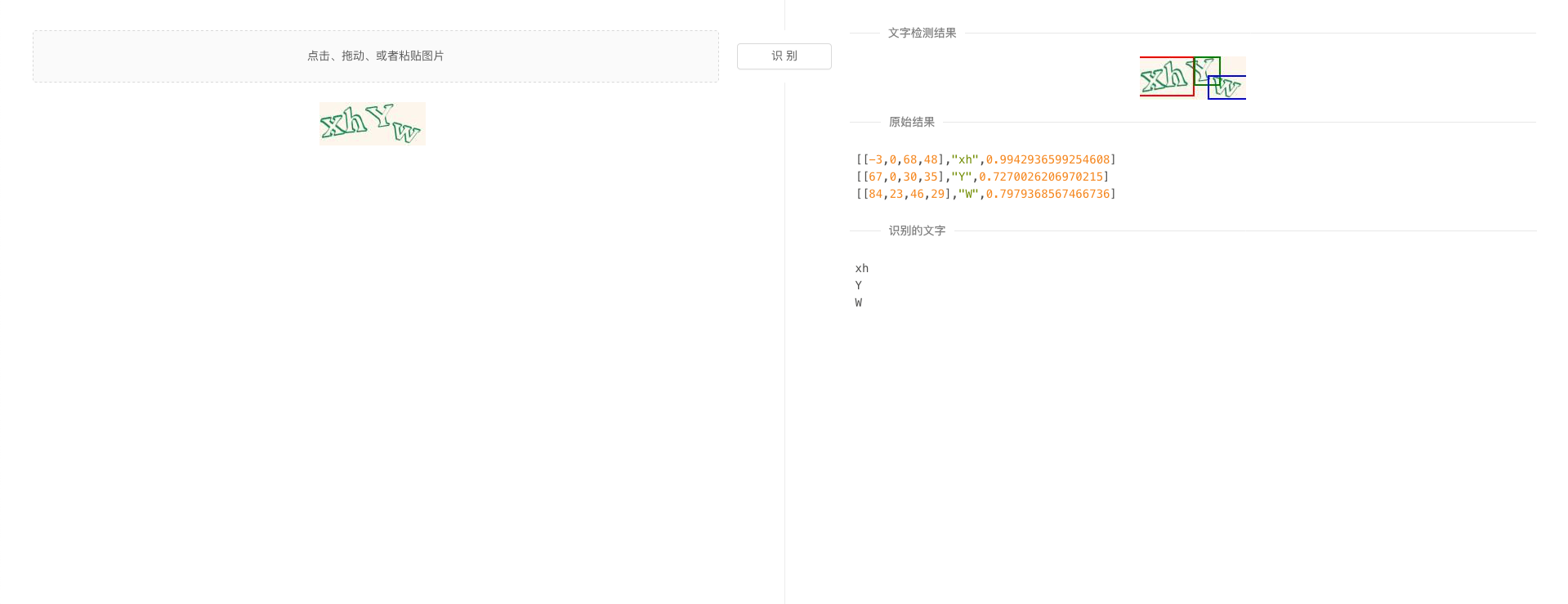
效果展示
更新记录
- 2022年01月23日
更新tr2.3.1版模型
> 模型本身支持多线程了~~现在直接可以打满CPU了!所有核! -
2022年01月16日
更新接口,增加不返回图片参数 -
2020年08月17日
更新Dockerfile,docker镜像支持tr2.3 -
2020年07月30日
支持启动命令选择GPU/CPU
License
Apache 2.0
鸣谢
最后
项目在 GitHub 和 码云 上同步更新,国内朋友可以通过码云clone项目~
如果你也喜欢这个项目,不妨给个star (^.^)✨
Core symbols most depended-on inside this repo
c_ptrShape
Languages
Modules by API surface
For agents
$ claude mcp add TrWebOCR \
  -- python -m otcore.mcp_server <graph>