github.com/alessandrofrancesconi/gimp-plugin-bimp @v2.6
Chat with this repoWhat it actually does AI analysis from the code graph — generated when you open this
README
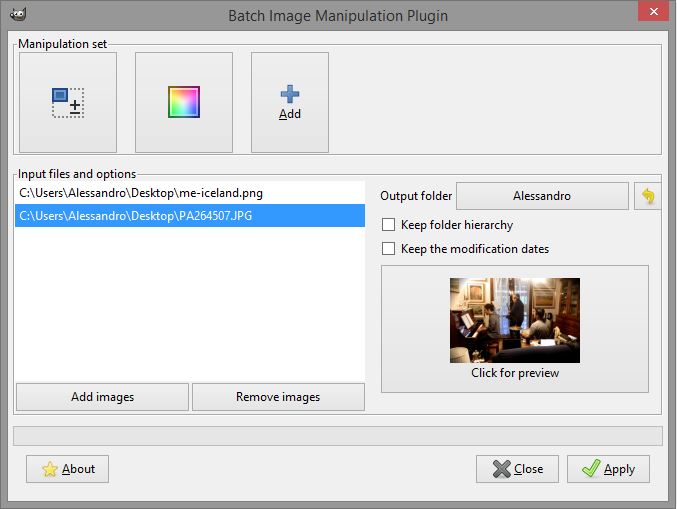
BIMP. Batch Image Manipulation Plugin for GIMP.
With BIMP you can apply a set of GIMP manipulations on groups of images. Documentation @ http://www.alessandrofrancesconi.it/projects/bimp
Installing on Windows
BIMP can be easily installed on your Windows 32/64bit machine with the
official installer: https://github.com/alessandrofrancesconi/gimp-plugin-bimp/releases/latest/
then download gimp-plugin-bimp_win32.exe
Note for GIMP Portable users: If you experience strange things like missing buttons or totally white windows, first ensure you have installed the latest version of the GTK+ runtime (download it from here).
Compiling and installing on Linux
You must have gimptool installed in order to have the full set of libraries and dependences needed to compile BIMP (names can differ depending on the distro).
For Debian-based (Ubuntu, Linux Mint, ...)
sudo apt-get install libgimp2.0-dev libgegl-dev
For Fedora:
sudo dnf install gimp-devel-tools
Extract the archive containing the BIMP's sources and get into the extracted folder with cd. Then:
make && make install
Or:
make && sudo make install-admin
to make and install for every user in the system (needs root privileges).
For Mac OSX users
Starting from BIMP 2.5, the MacOS version is available in the Release page: https://github.com/alessandrofrancesconi/gimp-plugin-bimp/releases. Please note: it may not work in every GIMP/MacOS version. See the release page for details.
For those interested in remaining on the cutting edge, the instructions to compile are as follows:
- Install MacPorts
- Install prerequisites:
sudo port install coreutils - Add
/opt/local/libexec/gnubinto yourPATHto make them the GNU tools the default:PATH=/opt/local/libexec/gnubin:$PATH(You can also add this to your login profile if you want the change to be permanent). - Install GIMP with MacPorts:
sudo port install gimp +quartz(You can leave off the+quartzif you prefer GIMP to run in the X11 environment instead of natively.) - Follow the build and install instructions for Linux.
- Look at the output for the install command. If your plug-in directory contains a space in its name (as would happen if it is in the
Application Supportfolder), then there will be a copy command which failed listed. You will need to perform that copy command manually with the destination directory properly wrapped in quotes. I.e. if you see
cp ./bin/bimp /Users/NAME/Library/Application Support/GIMP/2.8/plug-ins
cp: target 'Support/GIMP/2.8/plug-ins' is not a directory
then you need to do cp ./bin/bimp "/Users/NAME/Library/Application Support/GIMP/2.8/plug-ins".
Note: Even though you have to install GIMP from MacPorts in order to build the binaries for BIMP, they should work just fine with the self-contained GIMP build from gimp.org. In fact, you could probably uninstall the MacPorts version once the binaries are built, but you'll need to reinstall it each time you want to update BIMP.
Support this project
Visit http://github.com/alessandrofrancesconi/gimp-plugin-bimp/issues and post alerts for bugs or enhancements. Make it better!
Core symbols most depended-on inside this repo
bimp_show_error_dialogShape
Languages
Modules by API surface
For agents
$ claude mcp add gimp-plugin-bimp \
  -- python -m otcore.mcp_server <graph>