github.com/ahrm/sioyek @v2.0.0
Chat with this repoWhat it actually does AI analysis from the code graph — generated when you open this
README
Sioyek
Sioyek is a PDF viewer with a focus on textbooks and research papers.
Contents
Install
Official packages
There are installers for Windows, macOS and Linux. See Releases page.
Homebew Cask
There is a homebrew cask available here: https://formulae.brew.sh/cask/sioyek. Install by running:
brew install --cask sioyek
Third-party packages for Linux
If you prefer to install sioyek with a package manager, you can look at this list. Please note that they are provided by third party packagers. USE AT YOUR OWN RISK! If you're reporting a bug for a third-party package, please mention which package you're using.
| Distro | Link | Maintainer |
|---|---|---|
| Flathub | sioyek | @nbenitez |
| Alpine | sioyek | @jirutka |
| Arch | AUR sioyek | @goggle |
| Arch | AUR Sioyek-git | @randomn4me |
| Arch | AUR sioyek-appimage | @DhruvaSambrani |
| NixOS | sioyek | @podocarp |
| openSUSE | Publishing | @uncomfyhalomacro |
| openSUSE | Factory | @uncomfyhalomacro |
Documentation
You can view the official documentation here.
Feature Video Overview
For a more in-depth tutorial, see this video:
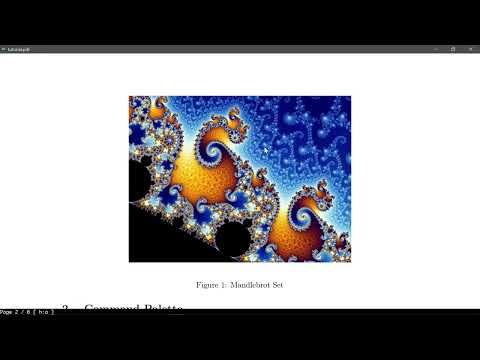
Features
Quick Open
https://user-images.githubusercontent.com/6392321/125321111-9b29dc00-e351-11eb-873e-94ea30016a05.mp4
You can quickly search and open any file you have previously interacted with using sioyek.
Table of Contents
https://user-images.githubusercontent.com/6392321/125321313-cf050180-e351-11eb-9275-c2759c684af5.mp4
You can search and jump to table of contents entries.
Smart Jump
https://user-images.githubusercontent.com/6392321/125321419-e5ab5880-e351-11eb-9688-95374a22774f.mp4
You can jump to any referenced figure or bibliography item even if the PDF file doesn't provide links. You can also search the names of bibliography items in google scholar/libgen by middle clicking/shift+middle clicking on their name.
Overview
https://user-images.githubusercontent.com/6392321/154683015-0bae4f92-78e2-4141-8446-49dd7c2bd7c9.mp4
You can open a quick overview of figures/references/tables/etc. by right clicking on them (Like Smart Jump, this feature works even if the document doesn't provide links).
Mark
https://user-images.githubusercontent.com/6392321/125321811-505c9400-e352-11eb-85e0-ffc3ae5f8cb8.mp4
Sometimes when reading a document you need to go back a few pages (perhaps to view a definition or something) and quickly jump back to where you were. You can achieve this by using marks. Marks are named locations within a PDF file (each mark has a single character name for example 'a' or 'm') which you can quickly jump to using their name. In the aforementioned example, before going back to the definition you mark your location and later jump back to the mark by invoking its name. Lower case marks are local to the document and upper case marks are global (this should be very familiar to you if you have used vim).
Bookmarks
https://user-images.githubusercontent.com/6392321/125322503-1a6bdf80-e353-11eb-8018-5e8fc43b8d05.mp4
Bookmarks are similar to marks except they are named by a text string and they are all global.
Highlights
https://user-images.githubusercontent.com/6392321/130956728-7e0a87fa-4ada-4108-a8fc-9d9d04180f56.mp4
Highlight text using different kinds of highlights. You can search among all the highlights.
Portals (this feature is most useful for users with multiple monitors)
https://user-images.githubusercontent.com/6392321/125322657-41c2ac80-e353-11eb-985e-8f3ce9808f67.mp4
Suppose you are reading a paragraph which references a figure which is not very close to the current location. Jumping back and forth between the current paragraph and the figure can be very annoying. Using portals, you can link the paragraph's location to the figure's location. Sioyek shows the closest portal destination in a separate window (which is usually placed on a second monitor). This window is automatically updated to show the closest portal destination as the user navigates the document.
Configuration
https://user-images.githubusercontent.com/6392321/125337160-e4832700-e363-11eb-8801-0bee58121c2d.mp4
You can customize all key bindings and some UI elements by editing keys_user.config and prefs_user.config. The default configurations are in keys.config and prefs.config.
Build Instructions
Linux
Fedora
Run the following commands to install dependencies, clone the repository and compile sioyek on Fedora (tested on Fedora Workstation 36).
sudo dnf install qt5-qtbase-devel qt5-qtbase-static qt5-qt3d-devel harfbuzz-devel
git clone --recursive https://github.com/ahrm/sioyek
cd sioyek
./build_linux.sh
Generic distribution
-
Install Qt 5 and make sure
qmakeis inPATH.Run
qmake --versionto make sure theqmakein path is using Qt 5.x. 2. Installlibharfbuzz:
sudo apt install libharfbuzz-dev
- Clone the repository and build:
git clone --recursive https://github.com/ahrm/sioyek
cd sioyek
./build_linux.sh
Windows
- Install Visual Studio (tested on 2019, other relatively recent versions should work too)
- Install Qt 5 and make sure qmake is in
PATH. - Clone the repository and build using 64 bit Visual Studio Developer Command Prompt:
git clone --recursive https://github.com/ahrm/sioyek
cd sioyek
build_windows.bat
Mac
- Install Xcode and Qt 5.
- Clone the repository and build:
git clone --recursive https://github.com/ahrm/sioyek
cd sioyek
chmod +x build_mac.sh
./build_mac.sh
Donation
If you enjoy sioyek, please consider donating to support its development.

Core symbols most depended-on inside this repo
Shape
Languages
Modules by API surface
For agents
$ claude mcp add sioyek \
  -- python -m otcore.mcp_server <graph>