hub / github.com/ahmadawais/ramadan-cli
github.com/ahmadawais/ramadan-cli @6.2.0
Chat with this repo
139 symbols
331 edges
20 files
0 documented · 0%
● updated 30d ago6.2.0 · 2026-03-10★ 6016 open issues
What it actually does AI analysis from the code graph — generated when you open this
loading…
README
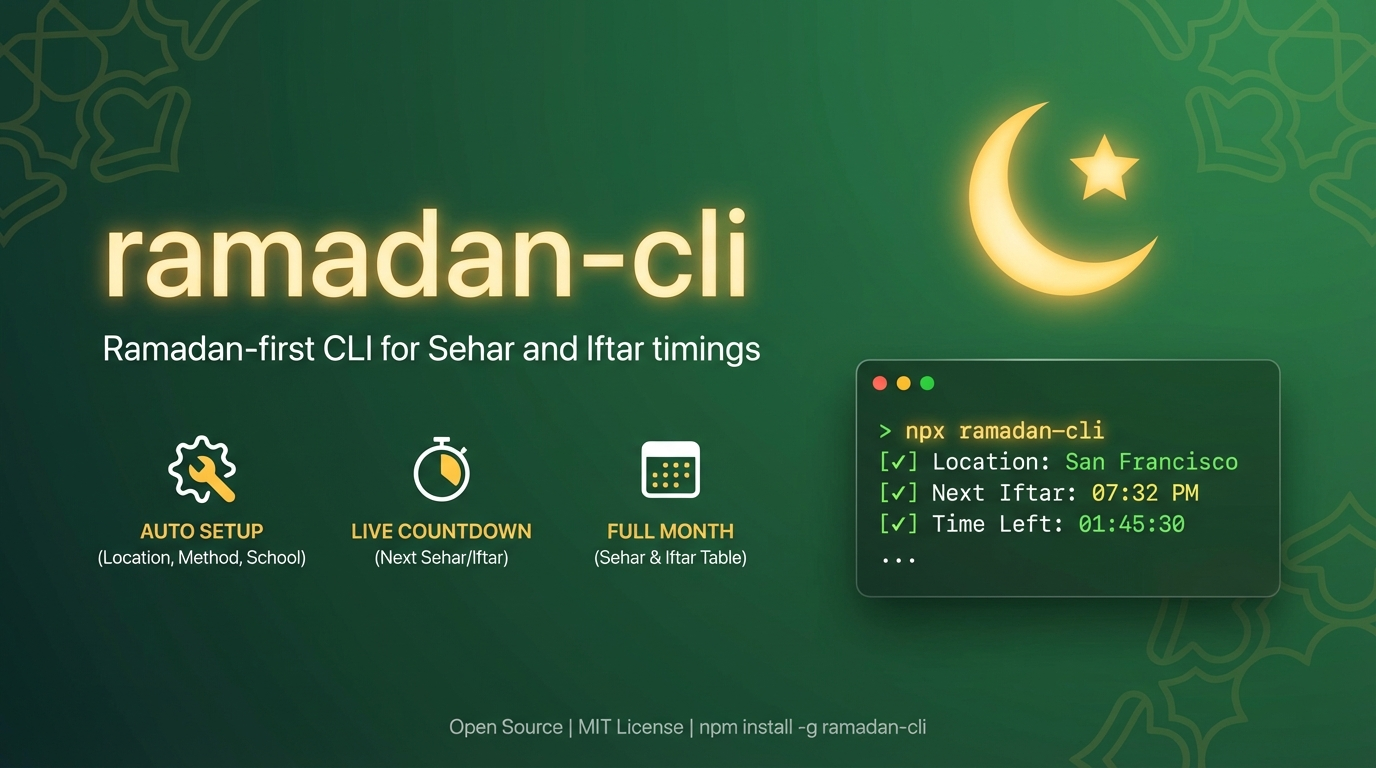
ramadan-cli 🌙



Ramadan-first CLI for Sehar and Iftar timings in your terminal.
Built for humans and agents.
Why You'll Like It
- 🌙 Ramadan-only output focused on Sehar/Iftar
- 📍 Auto first-run setup (city, country, method, school, timezone)
- 🌐 Auto-detect location via IP provider fallbacks
- 🧭 Auto-recommend method and school by country
- ⏱ Auto timezone detection for accurate countdowns
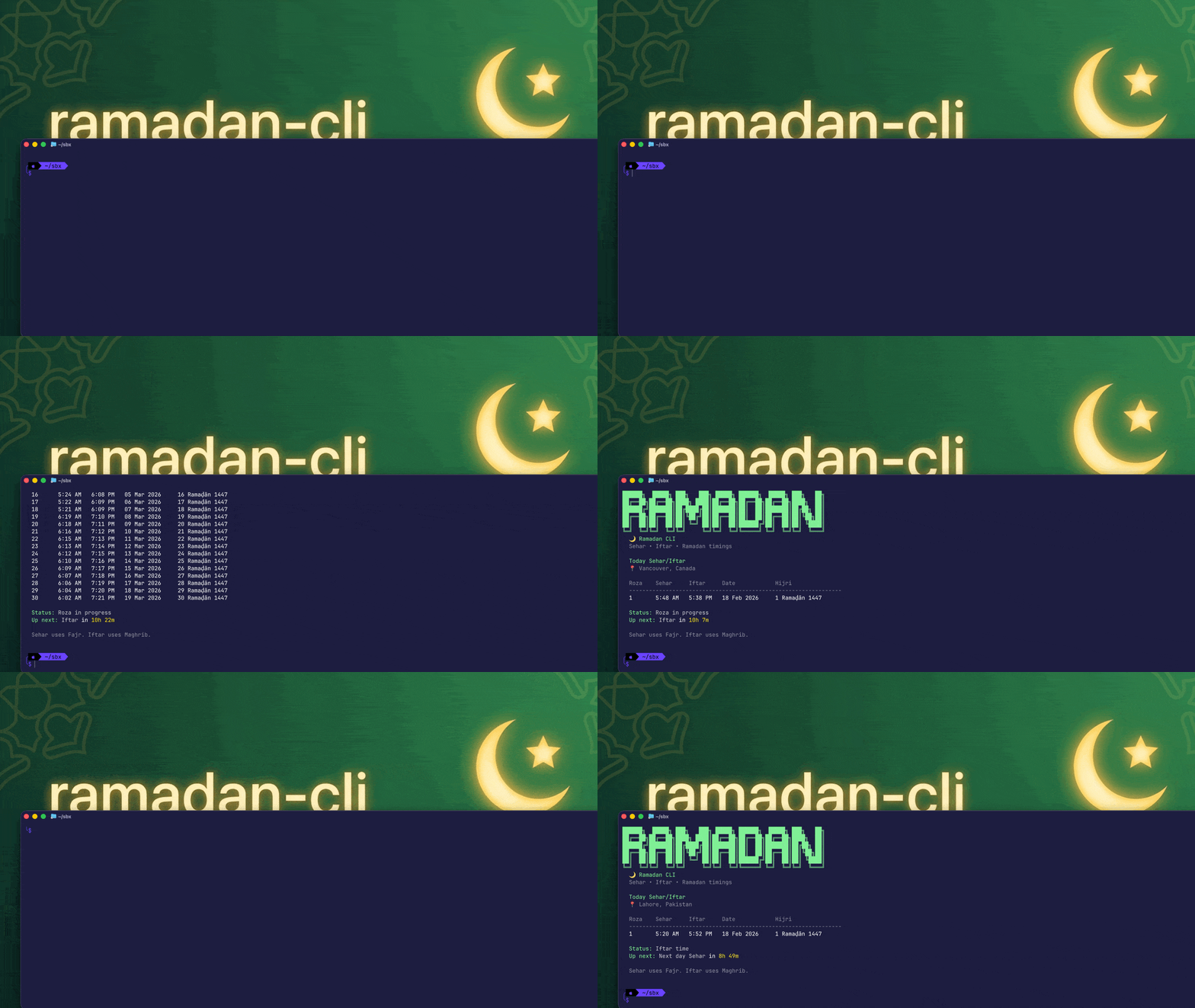
- ✨ Highlights current + next Sehar/Iftar with countdown
- 🗓
-a, --allfor complete Ramadan month - 🔢
-n, --numberfor a specific roza day - 📟
-s, --statussingle-line next event for status bars and coding agents - 🧪 Custom first roza override (
--first-roza-date) - 🧹 One-command reset (
reset)
Video intro
Install
npx ramadan-cli

# or install globally and use alias
npm install -g ramadan-cli@latest
roza
Agent Usage
Install this repo as an agent skill package:
npx skills add ahmadawais/ramadan-cli
Usage
# Show Sehar and Iftar times for today.
npx ramadan-cli
roza

# City examples.
npx ramadan-cli sf
npx ramadan-cli "San Francisco"
npx ramadan-cli lahore
npx ramadan-cli vancouver

# Full Ramadan month.
npx ramadan-cli sf --all
roza "San Francisco" -a

# Specific roza.
roza -n 10
roza "dera ghazi khan" -n 10

# Status line (next event only — for status bars, coding agents).
roza -s
roza --status
roza -s --city Lahore

# Set custom first roza date (stored).
roza --first-roza-date 2026-02-19

# Clear custom first roza date.
roza --clear-first-roza-date

# Reset saved config (location + settings + overrides).
roza reset

# Non-interactive config (no prompts).
ramadan-cli config --city "San Francisco" --country "United States" --method 2 --school 0 --timezone "America/Los_Angeles"
ramadan-cli config --show
ramadan-cli config --clear
CLI Surface
ramadan-cli [city] [options]
ramadan-cli reset
ramadan-cli config [options]
Notes:
- No
todaysubcommand; default run is today view. - Passing a city is one-off and does not replace saved default location.
Output Semantics
Sehar=FajrIftar=Maghrib- Time output is 12-hour (
AM/PM)
Flags and Arguments
Global/main command flags (ramadan-cli [city]):
| Flag | Type | Default | Behavior |
|---|---|---|---|
[city] |
string |
saved location | One-off lookup; does not overwrite saved default |
-c, --city <city> |
string |
none | Same as city arg |
-a, --all |
boolean |
false |
Show all Ramadan rows |
-n, --number <1-30> |
number |
none | Show specific roza |
-p, --plain |
boolean |
false |
Plain text output without ASCII banner |
-j, --json |
boolean |
false |
JSON-only output for scripts |
-s, --status |
boolean |
false |
Single-line next event output for status bars and coding agents |
--first-roza-date <YYYY-MM-DD> |
string |
stored/API | Persist custom first roza date |
--clear-first-roza-date |
boolean |
false |
Clear custom first roza date and use API Ramadan date |
-v, --version |
boolean |
n/a | Print version only |
-h, --help |
boolean |
n/a | Show help |
Config flags (ramadan-cli config):
| Flag | Type | Behavior |
|---|---|---|
--city <city> |
string |
Save city |
--country <country> |
string |
Save country |
--latitude <latitude> |
number |
Save latitude (-90..90) |
--longitude <longitude> |
number |
Save longitude (-180..180) |
--method <id> |
number |
Save method (0..23) |
--school <id> |
number |
Save school (0=Shafi, 1=Hanafi) |
--timezone <timezone> |
string |
Save timezone |
--show |
boolean |
Print saved config |
--clear |
boolean |
Clear saved config |
Reset command:
ramadan-cli resetclears saved location, method, school, timezone, and custom first roza date.
Aliases
roza(same CLI)ramadan-cliramzanramazanramadan
I/O Contract
stdout:- primary data output (table/plain/json)
- version output (
-v) prints version only stderr:- runtime and validation errors
--json:- prints structured JSON only to
stdouton success - prints structured JSON error payload to
stderron failure:{"ok":false,"error":{"code":"...","message":"..."}}
- Exit codes:
0success1runtime/validation/network/data failure- invalid usage parsing is handled by Commander defaults
Interactivity and Safety
- On first run (TTY), CLI launches interactive setup with Clack prompts.
- If
--jsonor--statusis used and no config exists, interactive setup is skipped. - Config changes are explicit via
config,reset, and first-roza flags. - No stdin input contract yet. Input is args/flags only.
Config and Precedence
Data sources:
- flags/args (
city,--first-roza-date,--clear-first-roza-date, mode flags) - saved config (from first-run setup or
ramadan-cli config) - IP geolocation fallback when no saved config
Resolution behavior:
- One-off city arg/flag wins for that invocation but is not persisted.
--clear-first-roza-datetakes precedence over--first-roza-dateif both are provided.- Recommended method/school are auto-applied when using default/unset settings.
RAMADAN_CLI_CONFIG_DIRcontrols where config is stored (useful for agent/test isolation).
Development
pnpm install
pnpm typecheck
pnpm test
pnpm build
pnpm lint
API
Powered by Aladhan Prayer Times API
License
MIT - Ahmad Awais
Extension points exported contracts — how you extend this code
RamadanConfigStore (Interface)(no doc)
src/ramadan-config.ts
GeoLocation (Interface)
(no doc)
src/geo.ts
SelectOption (Interface)
(no doc)
src/setup.ts
PrayerTimings (Interface)
(no doc)
src/api.ts
RootOptions (Interface)
(no doc)
src/cli.ts
RamadanCommandOptions (Interface)
(no doc)
src/commands/ramadan.ts
StoredLocation (Interface)
(no doc)
src/ramadan-config.ts
CityCountryGuess (Interface)
(no doc)
src/geo.ts
Core symbols most depended-on inside this repo
fetchAndParsecalled by 10
src/api.ts
getRecommendedMethod
called by 7
src/recommendations.ts
toRamadanRow
called by 7
src/commands/ramadan.ts
ramadanGreen
called by 7
src/ui/theme.ts
handleCancelledPrompt
called by 6
src/setup.ts
fetchTimingsByAddress
called by 6
src/api.ts
to12HourTime
called by 6
src/commands/ramadan.ts
getErrorMessage
called by 6
src/commands/ramadan.ts
Shape
Languages
TypeScript100%
Modules by API surface
src/commands/ramadan.ts49 symbols
src/api.ts29 symbols
src/ramadan-config.ts22 symbols
src/setup.ts14 symbols
src/geo.ts8 symbols
src/commands/config.ts8 symbols
src/cli.ts3 symbols
src/ui/theme.ts2 symbols
src/recommendations.ts2 symbols
src/ui/banner.ts1 symbols
src/__tests__/ramadan.test.ts1 symbols
For agents
$ claude mcp add ramadan-cli \
  -- python -m otcore.mcp_server <graph>