github.com/Yohann0617/tgNetDisc @v1.0.2
Chat with this repoWhat it actually does AI analysis from the code graph — generated when you open this
README
tgNetDisc
🤖Use the Telegram interface (requires a VPS that can connect to the Internet), ♾️️ unlimited capacity, no limits on file formats, no limits on file content😏, takes up very little memory and disk space📁, lightweight and convenient. Files are stored on Telegram☁️ side, with good security🔒 and sustainability. Large files will be uploaded in parts (not fast), but uploading very large files is not supported. Successful upload will generate external links in the form of HTML, Markdown, and BBCode🔗, which can be used as image beds and file download URLs. Test address:☞tgNetDisc☜ Original Author's Address:https://github.com/csznet/tgState, On this basis, some modifications are made.
Docker One-click deployment (recommended 🏆)
TOKENis the robot token.DOMAINis the domain name and does not need to be configured.PASSis the password and does not need to be configured.CHANNELcan be the channel address or chatId (can be obtained through the robot @getidsbot). If it is a channel, you need to make the channel public, pull the robot into the channel, and set it as an administrator. The channel address format is such as:@yohannChannl. Reference the file (for fragmented files, reference thefileAll.txtfile) and reply toget. If theDOMAINdomain name parameter is configured, the complete URL will be returned. Otherwise, the file id (base64 encoding) will be returned. PassDomain name+/d/+File idcan directly download the file, and if it is a picture, it can be viewed directly.
Pull the personal registry image and start the container:
docker run -d --network=host \
--name netdisc \
-e TOKEN=xxx \
-e CHANNEL=xxx \
-e MODE=pan \
-e PASS=yohann \
-e DOMAIN=https://hh.abc.com \
yohannfan/yohann-netdisc:latest
The binary executable starts
./tgState -token xxxx -channel @xxxx
Replace xxxx with your bot token and @xxxx with the channel address or personal ID (for personal IDs, only use numbers without @).
To customize the port, use the -port parameter, for example:
-port 8888
If you don't need the homepage and only want the API and image display page, use the -index parameter, like this:
./tgState -token xxxx -channel @xxxx -port 8888 -index
To enable password protection, use the -pass parameter, for example, to set the password as csznet:
./tgState -token xxxx -channel @xxxx -port 8888 -pass csznet
For cloud storage mode, use the -mode pan parameter, like this:
./tgState -token xxxx -channel @xxxx -port 8888 -mode pan
Page preview
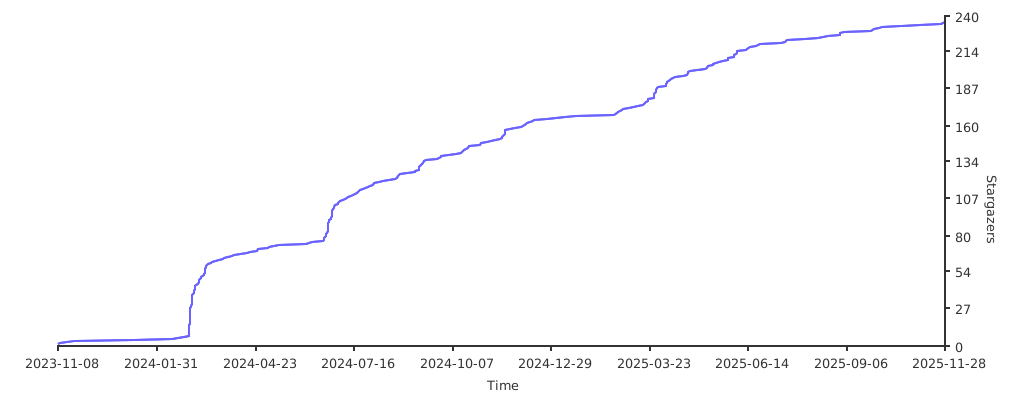
Stargazers over time
Core symbols most depended-on inside this repo
errJsonMsgShape
Languages
Modules by API surface
For agents
$ claude mcp add tgNetDisc \
  -- python -m otcore.mcp_server <graph>