github.com/YitianShi/MetaIsaacGrasp @main
Chat with this repoBrowse by type
What it actually does AI analysis from the code graph — generated when you open this
README
MetaIsaacGrasp: IsaacLab for Supervised / Reinforcement learning (Support IsaacLab 2.0 and IsaacSim 4.5)
A data generation engine and test bench for grasp learning, powered by IsaacLab and MetaGraspNetv2 (MGN) including:
- Data generation
AIR-v0-Data - Policy evaluation
AIR-v0-Grasp - Teleoperation
AIR-v0-Tele - Reinforcement learning
AIR-v0-SB3,AIR-v0-SKRL
New features:
- RL support with
stable baseline3withAIR-v0-SB3,AIR-v0-SKRL - Support IsaacLab 2.0 and IsaacSim 4.5.0
- Both single-shot grasp execution and continuous learning supported
- Teleoperation environment
AIR-v0-Tele - Remote grasp agent to work around the environment conflict (see vMF-Contact))

Grasp learning data collection and test bench

Reinforcement learning with stable baseline3
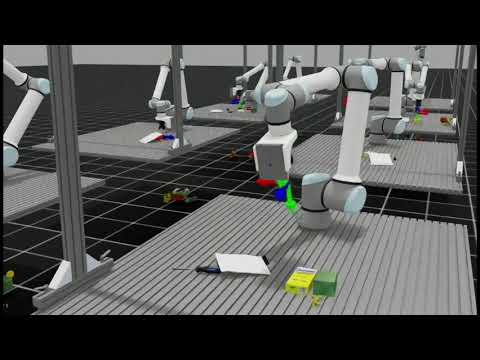
Demo video (Inference with remote agent functionality by vMF-Contact)
(*Click to watch, all the successfully grasped objects will be put under the table.)
Teleoperation
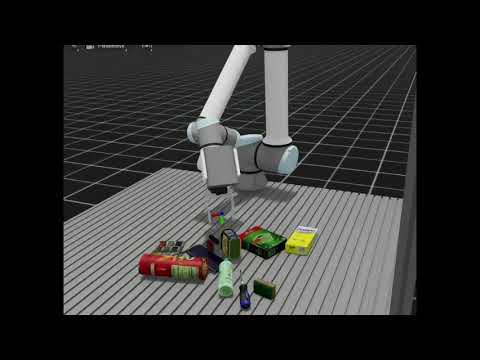
Our teleoperation may also supported by vMF-Contact to reach objects:
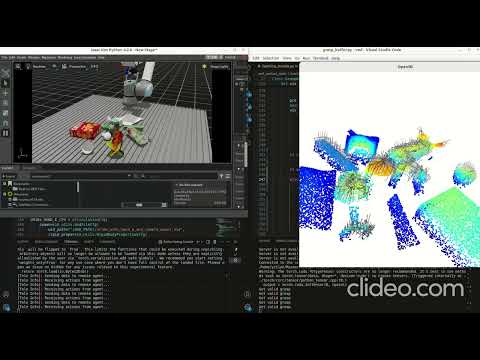


Captured images: RGB, Segmentation, Depth, Normals
Getting started
Make sure you already installed the Isaac-Sim in proper manner.
Install Isaac Lab following the installation tutourial. Please make sure that is under your home directory: ~/IsaacLab and following environment variables are added into .bashrc:
# Isaac Sim python executable
export ISAACSIM_PYTHON_EXE="${ISAACSIM_PATH}/python.sh"
# Add Isaac Lab's sh path for convenience when runing: isaaclab -p *.py
alias isaaclab=/home/{user_name}/IsaacLab/isaaclab.sh
MetaGraspNet objects available
Objects are now adapted from models. Unzip under the same directory and run isaaclab -p urdf_converter.py to convert all URDF files into USD files (!!! Please use isaaclab 1.4 version for urdf conversion since this is now out-of-date for isaaclab 2.0!). We don't use original USD files since all the collision meshes are in convex hall, which are unrealistic.
VSCode development
We provide the vscode debugging setup and setting file in ´.vscode´, please replace ´home/yitian´ with your home path.
Potential Issues
If you cause core dump due to camera setting please run following command:
sudo prime-select nvidia
in case your
sudo prime-select query
returns on-demand
Citation
Please cite our paper which uses the whole framework for reference:
@article{shi2024vmf,
  title={vMF-Contact: Uncertainty-aware Evidential Learning for Probabilistic Contact-grasp in Noisy Clutter},
  author={Shi, Yitian and Welte, Edgar and Gilles, Maximilian and Rayyes, Rania},
  journal={arXiv preprint arXiv:2411.03591},
  year={2024}
}
Core symbols most depended-on inside this repo
Shape
Languages
Modules by API surface
For agents
$ claude mcp add MetaIsaacGrasp \
  -- python -m otcore.mcp_server <graph>