github.com/YashMarmat/FullStack_Ecommerce_App @main
Chat with this repoBrowse by type
What it actually does AI analysis from the code graph — generated when you open this
README
FullStack_Ecommerce_App
A FullStack Ecommerce App built with Django and React.

Checkout the site in action here Deployed App (short note below)
(Note: The website can take upto 30 seconds (hosted on Heroku free tier services), as the project has no clients, its just for learning, please refer the source code to run locally).
Table of contents
- About_this_App
- App_Overview
- Products_List_Page
- Product_Details_Page
- Product_Edit_Page
- Add_Product_Page
- Checkout_Page
- Payment_Confirmation_Page
- Payment_successfull_Page
- Orders_Page_For_User
- Orders_Page_For_Admin
- Address_Settings_Page
- Address_Create_Page
- Address_Edit_Page
- Card_Settings_Page
- Card_Update_Page
- Login_Page
- Register_Page
- User_Account_Page
- Update_User_Account_Page
- Delete_User_Account_Page
- Other_Functionalities
- Installation
- Backend
- Frontend
About_this_App
An Ecommerce app where users can purchase products by using their stripe card. Users are allowed to visit our website and free to look any product details. User needs to create an account on our website to proceed with the payment section. If a user want they can also delete their account anytime (NOTE: With the deletion of a user account all their info like Account details, Address details, Card details will be deleted as well)
The website also provides the flexibility to create a new stripe card if they do not have one, the user can also pay with other user stripe card (if they provide the right email address linked with the card and other card details like Card Number, Exp Month, Exp Year and CVC). The user can also detete their stripe card if they like (Caution: With the deletion of their stripe card their account related to that card will also be deleted as well).
App_Overview
Products_List_Page
This page displays all the available products on the website.
Product_Details_Page
This page displays the details of the Product which user has selected from the products list page. Here, the user can see all the info of the Product such as product name, description, in stock or out of stock and pay with stripe button. For Admins, the website provides two more functionalities such as Updating the product and secondly deleting the product.

Product_Edit_Page
Only admins can visit this page, the page handles the editing of the Product in terms of image, name , description, price and in stock status.
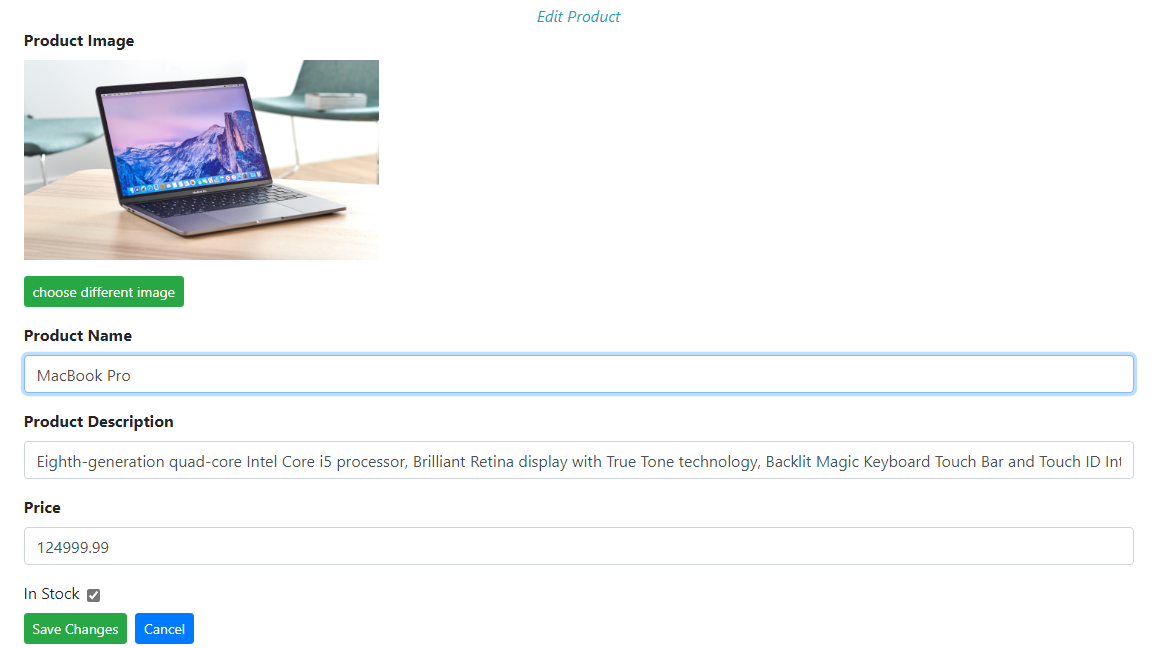
Add_Product_Page
Only admins can visit this page, the pages handles the creation of product (requires product name, image, description, price and in stock status.

Checkout_Page
This page displays the info of the product which user has selected for the purchase. The page Contains the product information and provides pay with stripe card option. The user can also save their card for future payments. The user can also select or edit their address from the page.

Payment_Confirmation_Page
The page displays total amount info, the address selected by the user for delivery and the card number used for the purchase. The user can also select a different card and address from the same page if something wents wrong.

Payment_Successfull_Page
The Page displays the confirmation of the product purchase. Also, provides info like which product is bought and how much amount was paid for it. Go to orders page is also provided to see the order details.
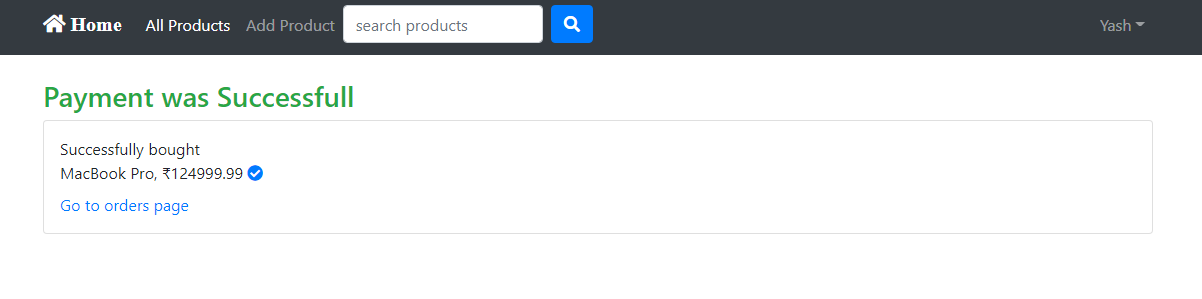
Orders_Page_For_User
The page displays the list of all the orders made by user, with the details like their name, card number used, date of purchase, address etc.
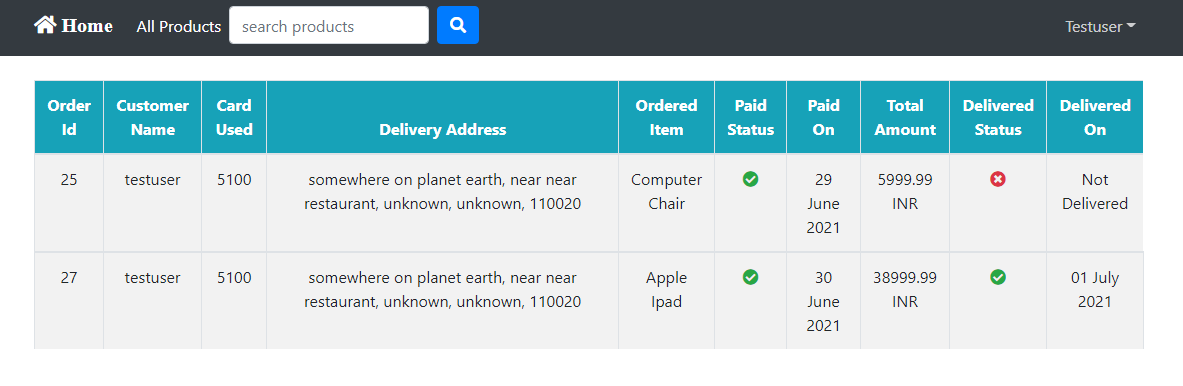
Orders_Page_For_Admin
For admin user the page display the list of all users order information. The admin can change the status of product delivery status as well. A search bar is also provided to locate the orders with more flexibility (can search the orders by customer name, address and product name)

Address_Settings_Page
Here, the user can view their addresses, the page also provides creation of new address and can edit or delete it as well.

Address_Create_Page
Here, the user can create their new address.

Address_Edit_Page
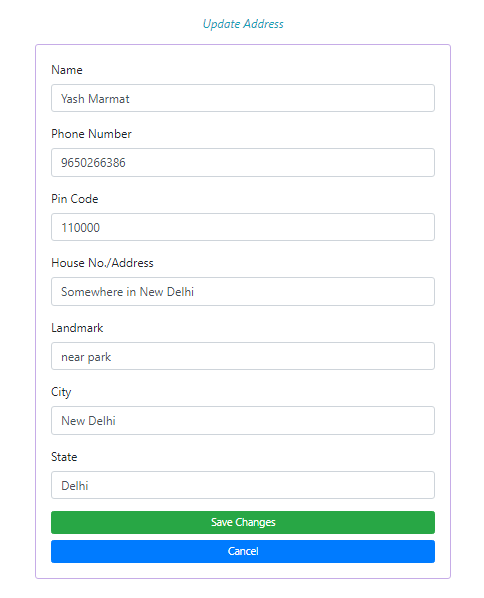
Here, the user can edit their address.
Card_Settings_Page
Here, the user can view all their card details. The Page also provides updation and deletion of Card.

Card_Update_Page
Here, the user can update their card.

Login_Page
Requires an Account on the Website

Register_Page

User_Account_Page
Here, the user can see their details like their Name, Email and Admin Priviledges.

Update_User_Account_Page
Here, the user can update their account details like username, email and can also reset their password.
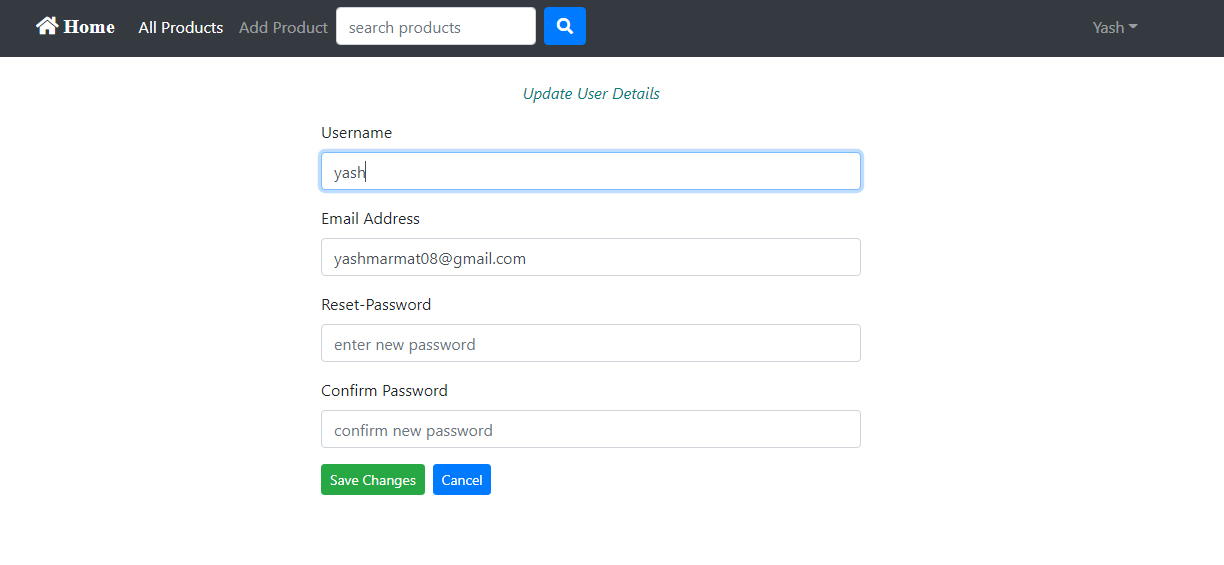
Delete_User_Account_Page
Here, the user can Delete their account (requires password confirmation)

Other_Functionalities
- Used JSON web tokens to achieve the authentication checks in the website.
- Strict Security Checking behind the scenes during the Card Creation and Payment Process.
- JSON Token gets checked for every single request made on the website (except products list and product details page)
Installation
after downloading/cloning the repository code follow below steps: * (NOTE: your need to mention your own stripe secret api key and publishable key in django to run the project)
Backend
- (for both linux and windows) 1) Move in backend folder through terminal and run following commands,
python3 -m venv env (for windows --> python -m venv env)
source env/bin/activate (for windows --> env\scripts\activate)
pip install -r requirements.txt (same for both)
python manage.py runserver (same for both)
Frontend
- (for both linux and windows) 2) Move in frontend folder through terminal and run follwing commands
npm i
npm start
All set ! Happy coding :)
Core symbols most depended-on inside this repo
Shape
Languages
Modules by API surface
For agents
$ claude mcp add FullStack_Ecommerce_App \
  -- python -m otcore.mcp_server <graph>