github.com/WhatDreamsCost/WhatDreamsCost-ComfyUI @main
Chat with this repoBrowse by type
What it actually does AI analysis from the code graph — generated when you open this
README
Overview
This will be a collection of free resources for ComfyUI.
Hopefully it will make creating cool stuff easier!
Also if you want to support this project or my channel, I did make a Ko-fi due to popular demand lol (anything helps!)

▶️ YouTube Tutorial Videos
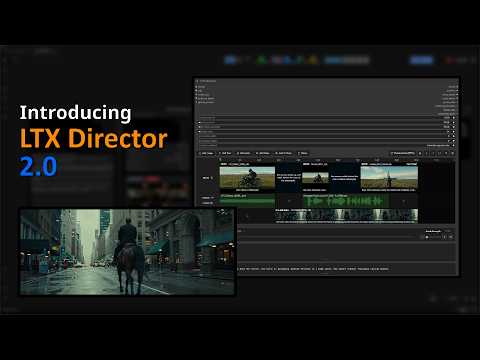
LTX Director 2.0 Trailer
|
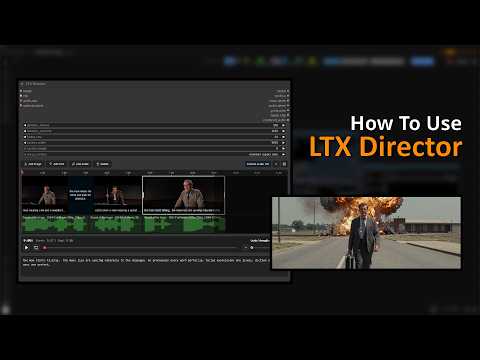
LTX Director 1.0 Tutorial
|
❓ How to install nodes
- Navigate to your
/ComfyUI/custom_nodes/ folder - Run
git clone https://github.com/WhatDreamscost/WhatDreamsCost-ComfyUI - Or download through the ComfyUI Manager.
❗❗IMPORTANT❗❗
If you don't see the latest version (v2.0.0) yet in the manager then just download the nightly version (or fetch the updates to update the list to see the latest version). Also you will need to update ComfyUI-LTXVideo and ComfyUI-KJNodes to the latest version as well. You cannot use this node without updating ComfyUI-LTXVideo!
🔄 Recent Updates
v2.0.4 * LTX Director - Reference Image Support: Now supports the LTX Ingredients IC-LoRA, and adding images on the IC-LoRA track. If you're wondering why I chose the ingredient IC-LoRA over other methods, it's simply because i've found it to be the most stable and consistent solution after trying the others (such as MSR and BFS). I will be sharing my findings soon on how to make the most use of it. - Multiple Optimizations (potential 1.5-3x speed up (yes the range is that big) depending on your hardware/what parameters you are using): 1. Model Caching: Allows subsequent runs to reuse patched models. This not only prevents the model from needing to be reloaded every run (which can be a huge speed-up in itself), but also optimizes CPU overhead. 2. Faster generations that don't use Prompt Relay: Normal t2v/i2v/v2v generations will no longer use prompt relay. Now generations that don't use prompt relay will run at the same speed as other workflows 3. Improved SageAttention / Triton compatibility. 4. Multiple Video Loading optimizations - Quality of Life changes 1. Added multiple options to the right-click menu for IC-LoRA segments 2. Smoother Timeline Scrubbing: Seeking through video now shows more thumbnails (basically meaning you can more accurately trim/edit videos on the timeline) * Load Video UI - Fixed drag and dropping files onto the node - Added dropdown for selecting files - Added support for scanning both the input and whatdreamscost workspace folder for videos - Added full Nodes 2.0 Support (now renders properly in both litegraph and 2.0) - Added filename output (heavily requested) * Load Audio UI - Fixed drag and dropping files onto the node - Added support for scanning both the input and whatdreamscost workspace folder for audio - Added full Nodes 2.0 Support (now renders properly in both litegraph and 2.0) - Added filename output (heavily requested)
v2.0.0 * Massive Update to LTX Director. I will add the full list of changes later.
-
Complete Video Support: Edit Videos with AI all inside the node. Videos can be extended using a combination of prompts, keyframes, and audio. Trim, Split, and combine videos all within the timeline.
-
IC-LoRA Support: Take full advantage of IC-LoRA's to take your generations to the next level. Simply drag and drop videos onto the IC-LoRA track to quickly setup IC-LoRA videos. Compatible with prompt relay, keyframe, and custom audio features within the node.
-
Audio Inpainting: Seamlessly blend imported audio with generated audio. Not only can audio be extended, but can also be prompted alongside your imprted audio to really bring your generations to life.
-
Retake Mode (Beta): Redirect what happens within a shot. Allows you to select a segment within a video, and re-generate what happens in that segment. An early working experiment.
-
Timeline Saving/Loading: You can now save your timeline and settings to a json file. It will keep any videos/audio/images you have imported into the node and every setting you have changed.
-
UI Overhaul: Huge update to the UI, dozens of big changes such as a new side bar, redesigned prompt boxes, a bunch of new settings and redesigned menus, and more.
-
Quality of Life Improvements: Snapping, in/out points, multi-select, mark selection, workspace folder, more HUD options, resizable prompt boxes, new hotkeys, labels, filename preview options, "split at playhead" functionality, end frames (convert any keyframe into a end/last frame), toggleable tracks, NAG Support, tons of bug fixes and more!
Click to view older Updates
v1.3.9 * Fixed recent updates not showing in the manager
It took like 5 tries but I finally got it working 🤦♂️
v1.3.3 * LTX Director Hotfix 2 - Fixed duration_seconds input issue. - Made both duration widgets visible at all times now - Implemented audio latent fix to improve compatibility
v1.3.2 * LTX Director Hotfix - Fixed epsilon input overlapping custom_width input - Fixed invisible widgets in nodes 2.0 when toggling widget visibility through settings menu
If anyone finds anymore bugs or has idea for improvements please let me know!
v1.3.1 * LTX Director Example Workflow Fix - Minor fix to the example workflow (i forgot to set the clip loader type to ltxv lol)
v1.3.0 * New nodes: LTX Director and LTX Director Guide - A complete timeline editor that can do almost everything. It's my most ambitious node so far and the successor to LTX Sequencer/Multi Image Loader.
v1.2.9 * Fixed every known issue with Multi Image Loader and added text output to Speech Length Calculator
- Removed the completely useless drag and drop animations (now it's snappy and no longer finicky)
- Fixed the node resizing on nodes 2.0
- Updated grid logic to fit images better
- Added ablity to right click images to copy/open/save images
- Fixed the "invisible hitbox" underneath node issue (actually this time).
Also added a text output to the Speech Length Calculator node (can't believe i didn't do this initially)
v1.2.8 * Updated Load Video UI and Color Conversion * Added crop mode, a simple interface to crop videos. It also include various aspect ratio presets. * Updated color conversion to ensure colors are as accurate as possible. Will first check metadata for colorspace, and if metadata is missing then it will guess the colorspace based on video dimensions. * Updated display mode toggle UI to be more understandable
v1.2.7 * New Node: Load Video UI
Custom Node to Trim, Resize, and Preview Videos in Realtime
v1.2.6 * Updated Speech Length Calculator UI
Also added duration output to the Load Audio UI node
v1.2.5 * Updated Load Audio UI Node * Added Duration Setting * Made the whole selection bar draggable * Fixed Trimmed UI to show centiseconds
v1.2.4 * New Node: Load Audio UI
Overhaul of the load audio node. Features a simple interface to easily trim audio. Also allows dragging and dropping files (fixes the original node that doesn't allow dropping in videos). Also compatible with nodes 2.0.
v1.2.3 * Workflow Update + Minor Bug Fix * Added new workflow that is compatible with the latest ComfyUI version (as of 4/27/26). The new workflow also included an option to include custom audio, and has minor improvements of the previous workflows. * Fixed minor bug with Multi Image Loader that blocked mouse input in a small area under the node 🤷♂️
v1.2.0 * New Node: Speech Length Calculator
Automatically output in realtime how long a video should be based on the dialouge.
v1.1.0 * Added resize_method to the Multi Image Loader node for more resize options * Added insert_mode which allows you to enter in seconds instead of frames on the LTX Sequencer node * Updated workflows with more notes * Re-added tiny vae to workflows * Fixed various bugs * more things i can't rememeber
This update will change the node layouts, so be sure to update your workflows or else they won't work properly.
❗❗❗ New Tutorial on using these nodes available: https://www.youtube.com/watch?v=aXDIr8eNovI ❗❗❗
⚙️ Custom Nodes
LTX Director 2.0
A Complete Timeline Editor For LTX 2.3. This is the sucessor of my previous nodes, and has loads of features in it. It was originally based off of Kijai's Prompt Relay node and my LTX Sequencer/Multi Image Loader nodes.
Main Features: - Fully Functional Timeline Editor: I spent hours studying various video editors and ended up with this design. If anyone has ideas for improvements let me know! I will adding documentation on all the functions soon. - Prompt Relay integrated: This unlocks the ability to have granular control over video generation. For more information on Prompt Relay go here, https://gordonchen19.github.io/Prompt-Relay/ - First, Middle, Last Frame Support: This has by far the easiest method of creating first/last frames videos. It supports any number of keyframes, and will be the successor of my previous nodes. - Custom Audio Support: Import, trim, and combine your own audio clips in this node. Enabling custom audio is as simple as clicking 1 button. It is also compatible with every other feature in the node, include first/last frames, t2v, i2v, and prompt relay. - Image to Video: Part of the goal of this node was to make it easier to do everything, including Image to Video. It has built in resize functionality, and of course all the benifits of the prompt relay and custom audio integration. - Text to Video: Use text segments to create T2V videos. Compatible with all other features of the node.
LTX Director 2.0 Update Main Features - Complete Video Support: Edit Videos with AI all inside the node. Videos can be extended using a combination of prompts, keyframes, and audio. Trim, Split, and combine videos all within the timeline.
- IC-LoRA Support: Take full advantage of IC-LoRA's to take your generations to the next level. Simply drag and drop videos onto the IC-LoRA track to quickly setup IC-LoRA videos. Compatible with prompt relay, keyframe, and custom audio features within the node.
Special Thanks to https://nghtdrp.com for vibe coding the inital implementation of IC-LoRA support.
-
Audio Inpainting: Seamlessly blend imported audio with generated audio. Not only can audio be extended, but can also be prompted alongside your imprted audio to really bring your generations to life.
-
Reference Image Support: Now supports the LTX Ingredients IC-LoRA, and adding images on the IC-LoRA track. If your wondering why I chose the ingredient IC-LoRA over other methods, it's simply because i've found it to be the most stable and consistent solution after trying the others (such as MSR and BFS). I will be sharing my findings soon on how to make the most use of it.
-
Retake Mode (Beta): Redirect what happens within a shot. Allows you to select a segment within a video, and re-generate what happens in that segment. An early working experiment.
-
Timeline Saving/Loading: You can now save your timeline and settings to a json file. It will keep any videos/audio/images you have imported into the node and every setting you have changed.
-
UI Overhaul: Huge update to the UI, dozens of big changes such as a new side bar, redesigned prompt boxes, a bunch of new settings and redesigned menus, and more.
-
Quality of Life Improvements: Snapping, in/out points, multi-select, mark selection, workspace folder, more HUD options, resizable prompt boxes, new hotkeys, labels, filename preview options, "split at playhead" functionality, end frames (convert any keyframe into a end/last frame), toggleable tracks, NAG Support, tons of bug fixes and more!
Download workflows here: https://github.com/WhatDreamsCost/WhatDreamsCost-ComfyUI/tree/main/example_workflows
Tutorial videos and documentation coming soon
Multi Image Loader
An Image loader that features a built in gallery, allowing your to easily rearrange images and output them seperately or batched together. It also combines the image resize node and LTXVPreprocess node to reduce clutter in LTX workflows.
LTX Sequencer
An overhaul of the LTXVAddGuideMulti node. It allows you to quickly create FFLF (First Frame Last Frame) videos, shot sequences, supports any number of middle frames.
Connect the Multi Image Loader node's multi_output to automatically update the node's widgets.
It also has a sync feature that syncs all LTX Sequencer nodes together in realtime, removing the need to edit every single node manually every time you want to make a change to something.
LTX Keyframer
<img width="1082" height="608" alt="LTX Keyframer Wide" src="https://
Core symbols most depended-on inside this repo
Shape
Languages
Modules by API surface
For agents
$ claude mcp add WhatDreamsCost-ComfyUI \
  -- python -m otcore.mcp_server <graph>