github.com/Wemino/EchoPatch @4.2.0
Chat with this repoBrowse by type
What it actually does AI analysis from the code graph — generated when you open this
README

Modernizes F.E.A.R. and its expansions with HUD scaling, high-framerate optimizations, controller support, and other quality-of-life enhancements. It aims to be as non-intrusive as possible, applying runtime patches only, with no gameplay changes by default.
How to Install
[!NOTE]
Compatible with F.E.A.R. Ultimate Shooter Edition (Steam) and F.E.A.R. Platinum (GOG).
All features are compatible with Extraction Point and Perseus Mandate.Download: EchoPatch.zip
Extract the contents of the zip file into the game's folder, in the same directory as theFEAR.exefile.
On first launch, EchoPatch will prompt to apply a LAA patch if needed to prevent loading issues.
This prompt will not appear for the GOG version, as the LAA patch is already applied there.[!WARNING] The GOG version defaults to a 60 FPS cap.
To unlock higher framerates, modify thedxwrapper.inifile by settingLimitPerFrameFPSfrom 60 to 0.
This change enables compatibility with theHighFPSFixesoptimizations, ensuring smooth performance at framerates up to 300 FPS.[!WARNING] Windows Defender Controlled Folder Access (rare): If saves or settings are not persisting, Windows Defender may be blocking access to the save folder. Go to Windows Defender > Controlled Folder Access > Add an allowed app and add the game executable.
Steam Deck/Linux Specific Instructions (Windows users can skip this)
[!WARNING] On Steam Deck, change the controller configuration to
Gamepad With Joystick Trackpadfor controller support.
Features
HUD Scaling
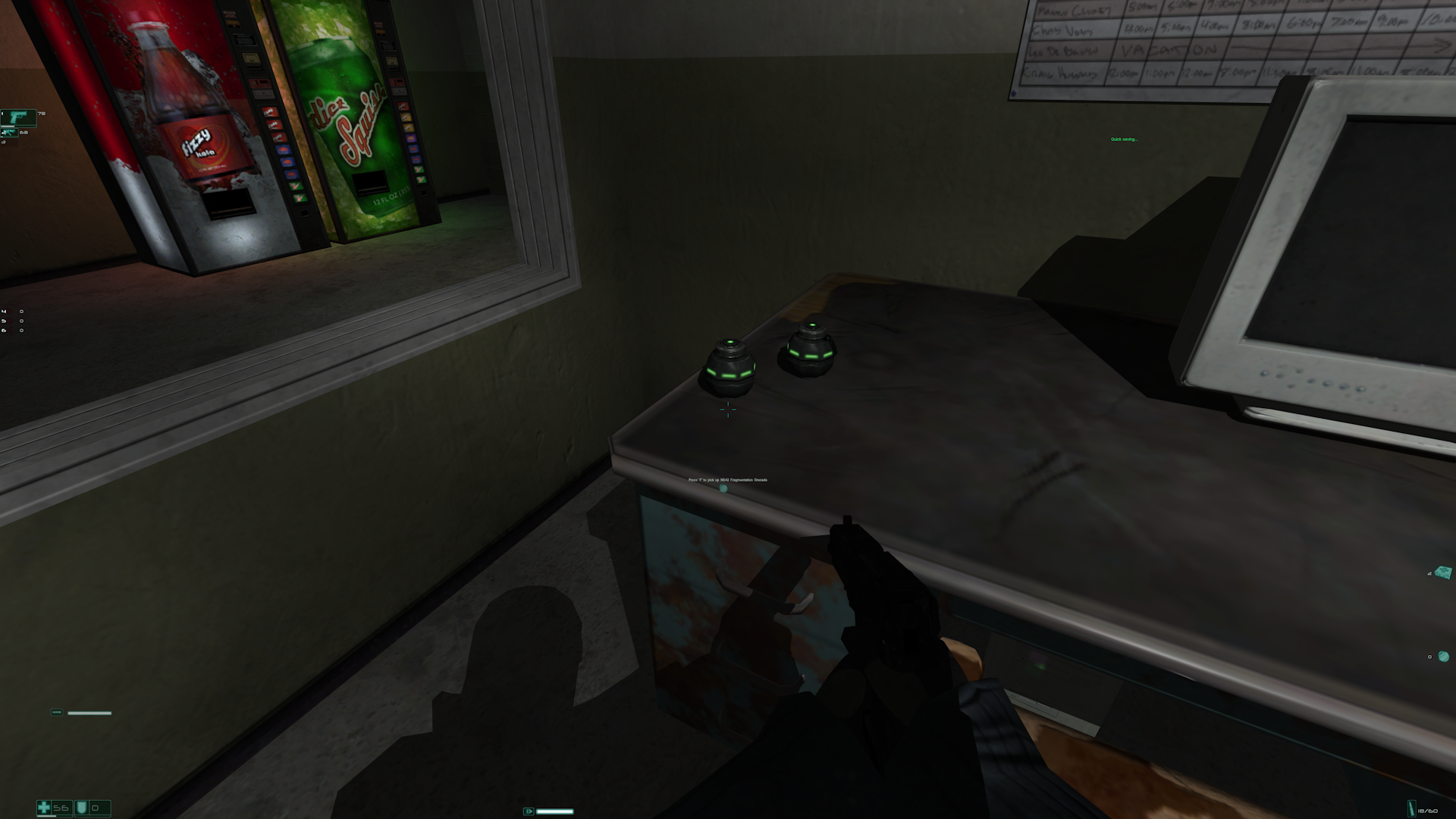
- Dynamically scales HUD elements (texts, crosshair, icons) relative to screen resolution.
- Adjust
HUDCustomScalingFactorinEchoPatch.inito customize overall HUD scaling. - Adjust
SmallTextCustomScalingFactorfor independent scaling of smaller text (e.g., subtitles).
 |
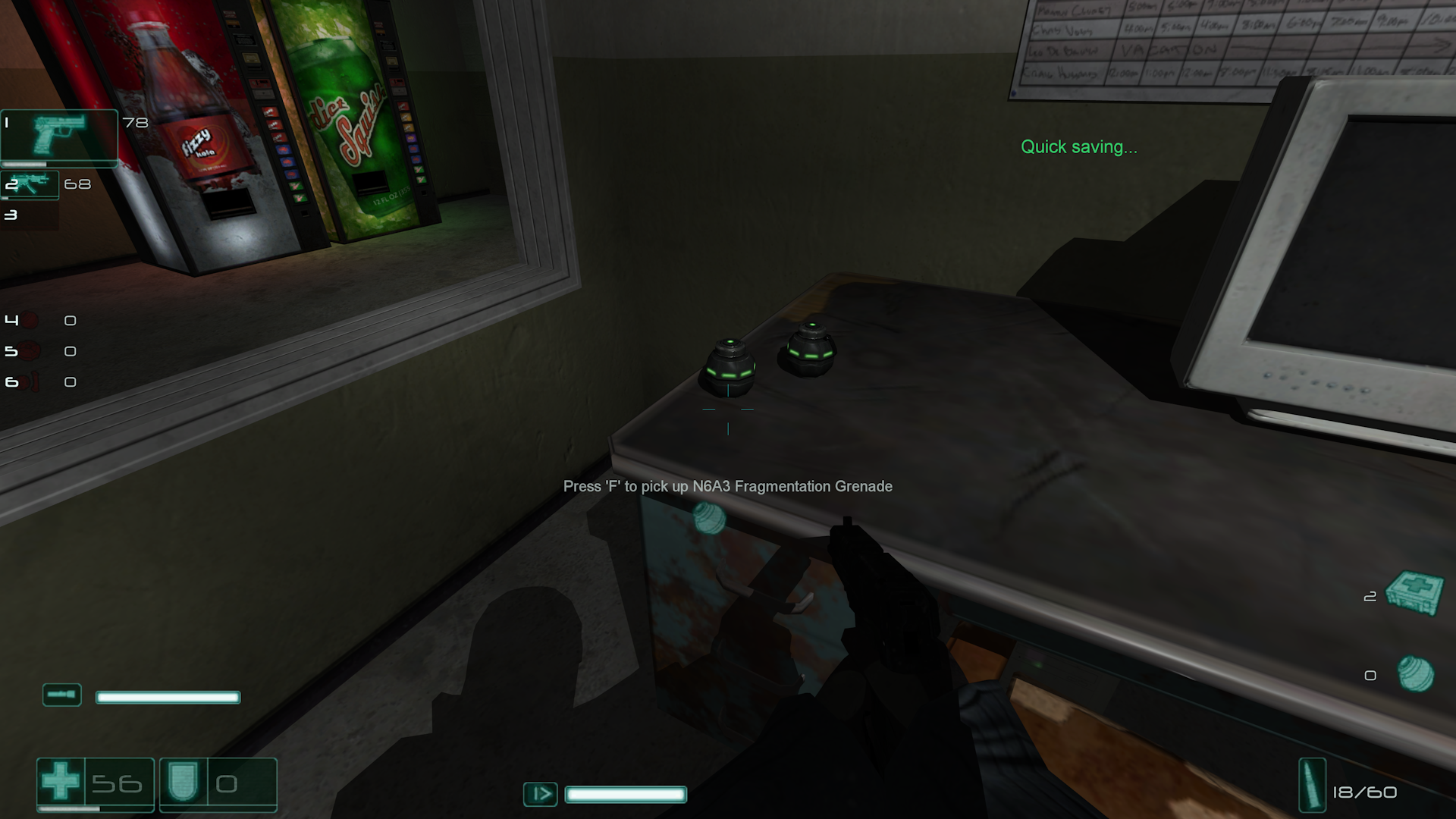 |
| 4K Vanilla | 4K EchoPatch |
Note: The base resolution (1024×768) is used as the reference for scaling, ensuring the HUD retains its original proportions and appearance on all higher resolutions.
High FPS Fixes
Resolves multiple issues at high framerates, designed and optimized for smooth gameplay at up to 300 FPS (particularly when using Slow-Mo): - Havok ragdoll physics instability. - Water physics instability. - Excessive water splash effect repetitions. - Frozen FX effects. - Oversized particles. - Overly dampened velocity when jumping out of water. - Velocity dampening when jumping and landing. - Walking animation prematurely reverting to idle, causing camera stutter. - Inability to perform a jump kick. - Excessive sliding on sloped surfaces. - Slow-motion charge and timer desynchronization.
Optimized Save Performance
Dramatically reduces save times by buffering file operations in memory instead of writing directly to disk.
The game performs hundreds of thousands of individual WriteFile calls per save (over 220,000 for a typical 2MB save file), causing multi-second delays even on high-end hardware.
Fast VRAM Detection
Replaces the slow legacy DxDiag VRAM scan with instant DXGI detection, speeding up startup and performance settings access.
Input & Frame Drop Fixes
- FPS Drop Fix: Prevents framerate drops by stopping the game from initializing all HID devices as controllers.
- Input Lag Fix: Disables the
SetWindowsHookExcall to reduce input lag.
Nvidia Rendering Fix
Resolves rendering issues such as shadow flickering and inversion on Nvidia GPUs.
This issue appeared in Nvidia drivers released after 2015 and persists in modern drivers, with a small performance trade-off for correct shadow rendering.
Note: Can be disabled by setting
FixNvidiaShadowCorruption = 0inEchoPatch.iniif wanted.
Framerate Limiter
Prevents the game from running too fast by capping the maximum framerate.
- MaxFPS (MaxFPS in EchoPatch.ini): Set the maximum framerate. A value of 0 disables the limiter, any other value enables it. The default value of 300 is recommended, as minor glitches may occur at uncapped framerates.
- Dynamic VSync (DynamicVsync in EchoPatch.ini): When enabled (1), VSync synchronizes frame updates to your monitor's refresh rate, reducing screen tearing. VSync will only be enabled if your monitor's refresh rate is lower than MaxFPS, otherwise it remains off. Set to 0 to disable.
Weapon Fixes
Addresses several weapon-related issues: - Fix Aim/Zoom not working when loading a save during a cutscene. - Automatic weapons stuck in firing animation when loading a save made mid-fire. - Weapon cycling not working when there's an empty slot between two weapons. - Weapon model position not updating correctly after reloading a save with the same weapon equipped.
Note: These issues were partially fixed in the Extraction Point and Perseus Mandate expansions.
Controller Support
Supports Xbox, PlayStation, and Nintendo Switch controllers via SDL3.
| Controller Input | Action |
|---|---|
| Left Analog Stick | Move |
| Right Analog Stick | Aim |
| Left Analog Stick (Press) | Use Health Kit |
| Right Analog Stick (Press) | Toggle Flashlight |
| South (A / Cross) | Jump |
| East (B / Circle) | Crouch |
| West (X / Square) | Reload / Interact |
| North (Y / Triangle) | Toggle Slow-Motion |
| RT / R2 / ZR | Fire |
| LT / L2 / ZL | Aim / Zoom |
| RB / R1 / R | Melee |
| LB / L1 / L | Throw Grenade |
| D-Pad Up | Next Weapon (Hold: Drop Weapon) |
| D-Pad Down | Next Grenade (Hold: Holster Weapon) |
| D-Pad Left | Lean Left |
| D-Pad Right | Lean Right |
| Back / Share / − | Mission Status (Hold: Quick Save) |
| Start / Options / + | Pause Menu (Hold: Quick Load) |
| Share / Capture | Holster Weapon |
| Right Paddle 1 | Center View |
Note: Buttons support hold actions for secondary commands. Configure hold bindings and duration via
EchoPatch.ini. See COMMANDS.md for the full list of command IDs.
Rumble
Supports controller vibration feedback.
Enable with RumbleEnabled = 1 in EchoPatch.ini.
Gyro Aiming
Enables motion-controlled aiming using the controller's gyroscope for supported controllers (DualShock 4, DualSense, Switch Pro Controller).
Configurable in the [Controller] section of EchoPatch.ini:
- GyroEnabled: Set to 1 to enable gyro aiming.
- GyroAimingMode: Determines when gyro is active (0 = Always On, 1 = Aiming Only, 2 = Hip Fire Only).
- GyroCalibrationPersistence: Set to 1 to save calibration data for automatic loading on reconnect if the controller has a unique serial number.
Note: If you experience gyro drift, place the controller on a stable surface for a few seconds to calibrate.
Additional Feature (PlayStation controllers)
- Touchpad: Mouse cursor control (DualShock 4/DualSense)
Customizable alongside sensitivity settings within the [Controller] section of EchoPatch.ini.
Note: Hotplugging is supported, connect or disconnect controllers at any time without restarting the game.
Some controller settings from EchoPatch.ini can also be adjusted directly in-game via a custom menu accessible from Options → Controls → Configure joystick/gamepad.
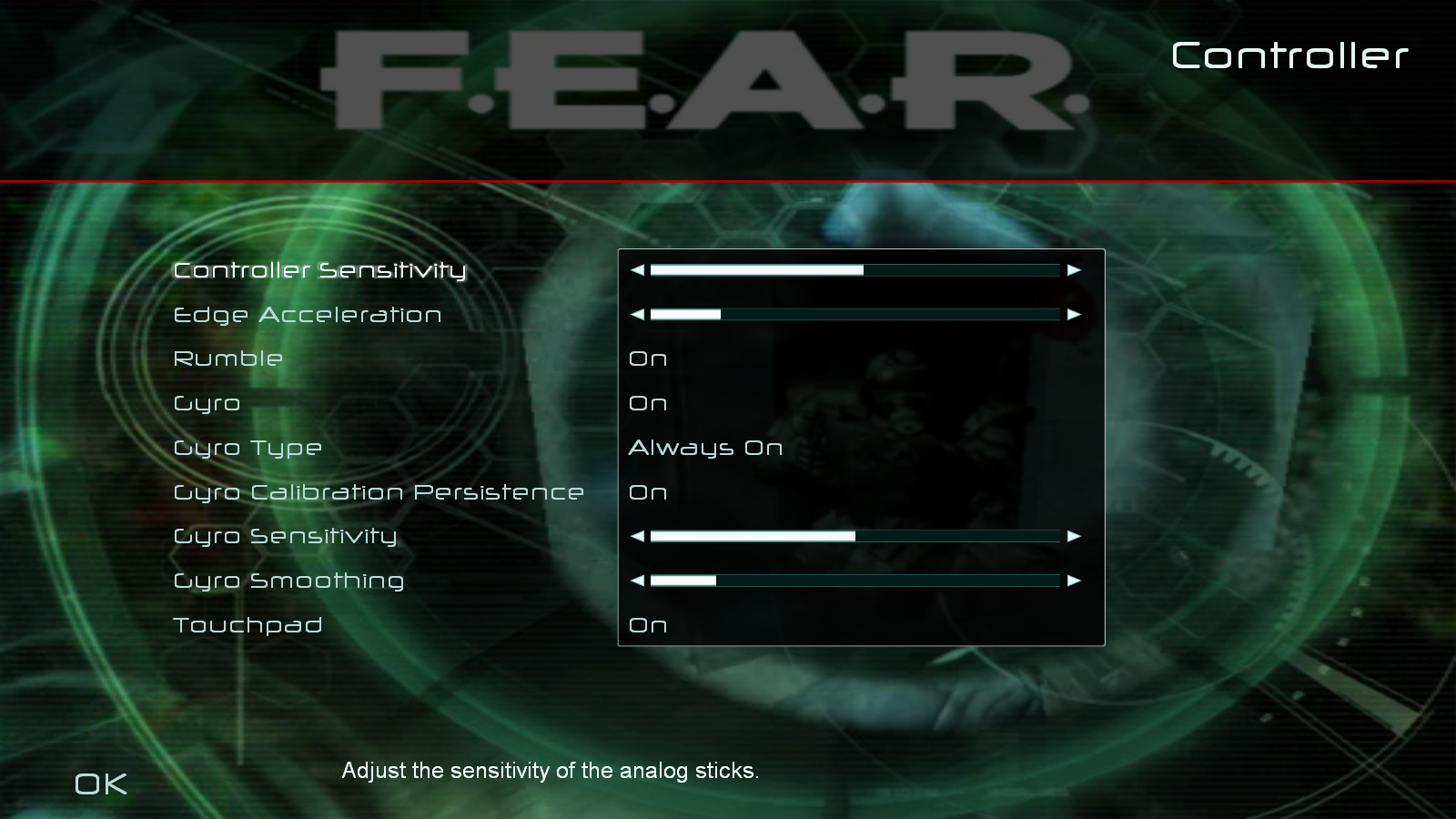 |
| Controller Settings Menu |
Keyboard Input Fix
Corrects key mapping on non-English layouts by using hardware scan codes and fixing misreported DirectInput key names. Prevents "[unassigned]" entries on first launch, after resetting controls, or when reassigning keys.
Widescreen Resolution Support for Extraction Point
Removes 4:3 restriction so all widescreen resolutions are available.
LAA Patcher
Applies a Large Address Aware patch to allow up to 4 GB of memory (default 2 GB), which can resolve loading issues such as the "Disconnected from server" error.
The behavior of this option can be edited by setting CheckLAAPatch in the [Fixes] section of EchoPatch.ini.
Persistent World State
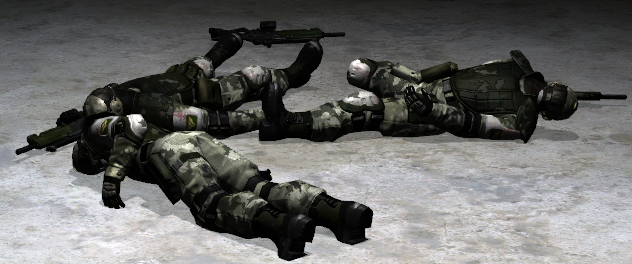
Keeps objects (bodies, blood stains, debris, bullet holes, shell casings, glass shards…) from despawning.
Supersampling (SSAA)
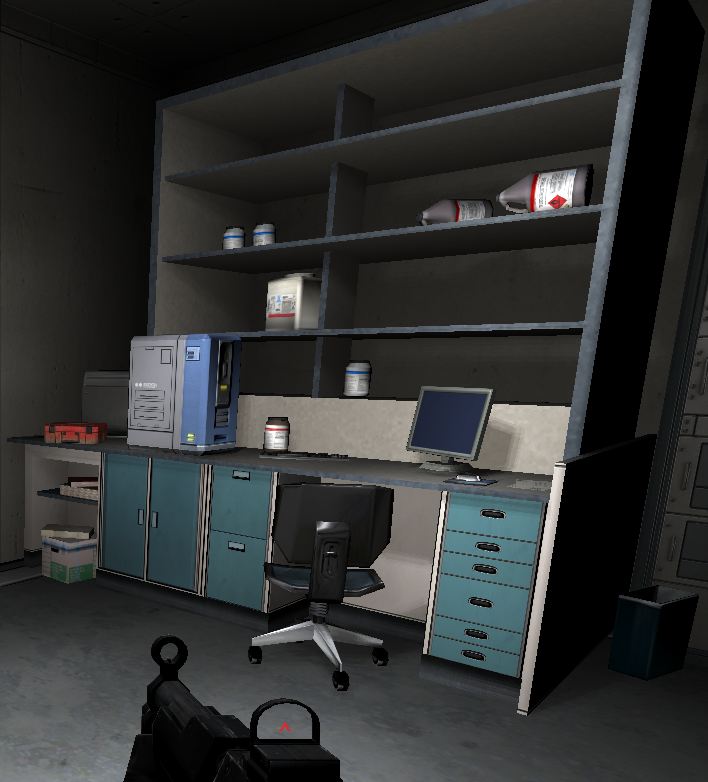
Renders the 3D scene at a higher internal resolution and downscales it to the display resolution, providing high-quality anti-aliasing.
Unlike the in-game FSAA option, which cannot be combined with soft shadows, SSAA is fully compatible with them, allowing both to be enabled at the same time.
- SSAAScale (
SSAAScaleinEchoPatch.ini): Internal resolution scale factor. The default value of1.0renders at native resolution (equivalent to disabled), any other value enables supersampling.
 |
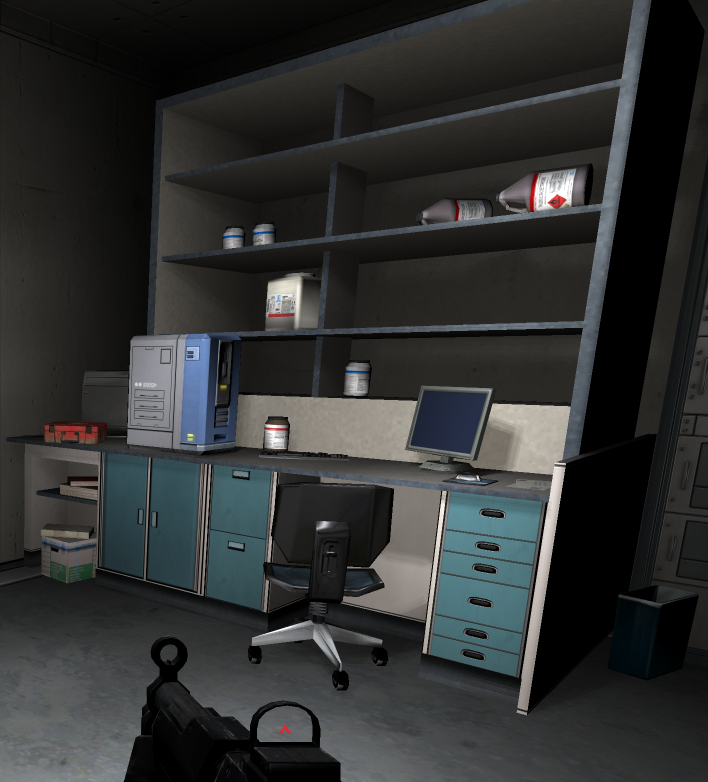 |
| Vanilla | SSAA 2.0 |
Note: FSAA is automatically turned off when supersampling is enabled, as the two are incompatible. Supersampling has a significant performance cost, a value of
2.0renders 4x as many pixels.
HD Reflections & Displays
Improves resolution quality of reflective surfaces and displays.
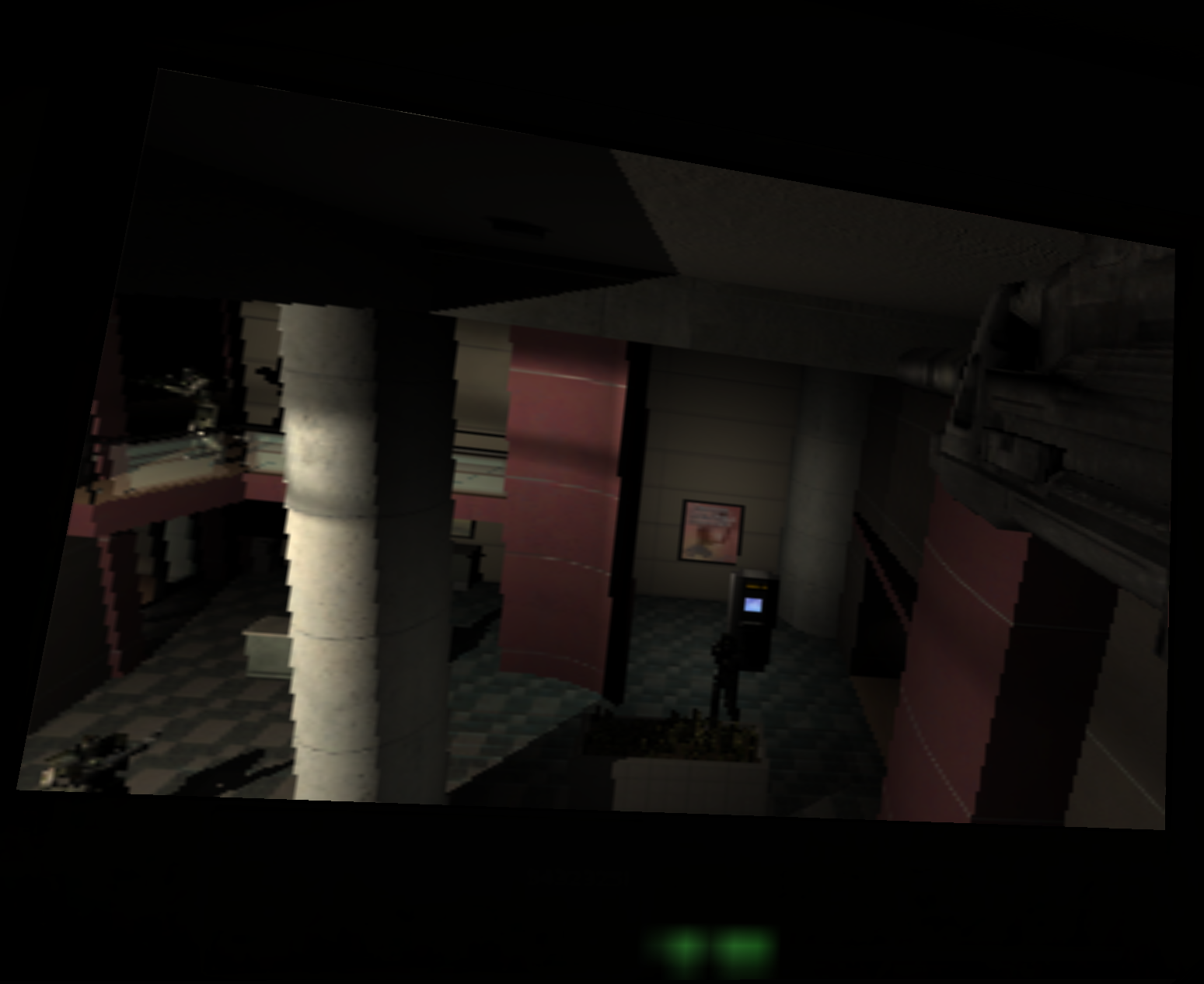 |
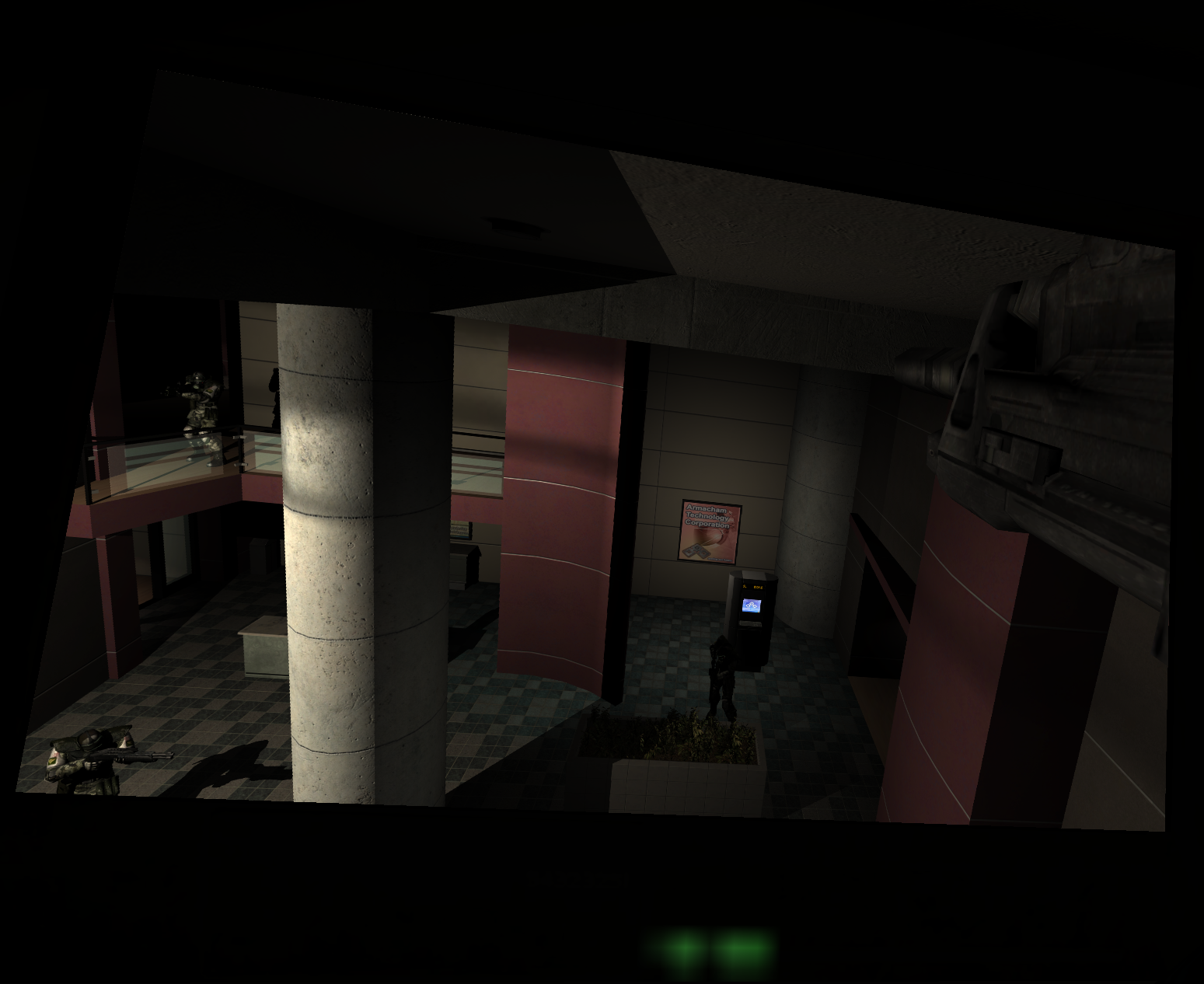 |
| Vanilla | HD Display |
Aspect Ratio Blur Fixes
Corrects post-process blur effects that were hardcoded for a 4:3 aspect ratio.
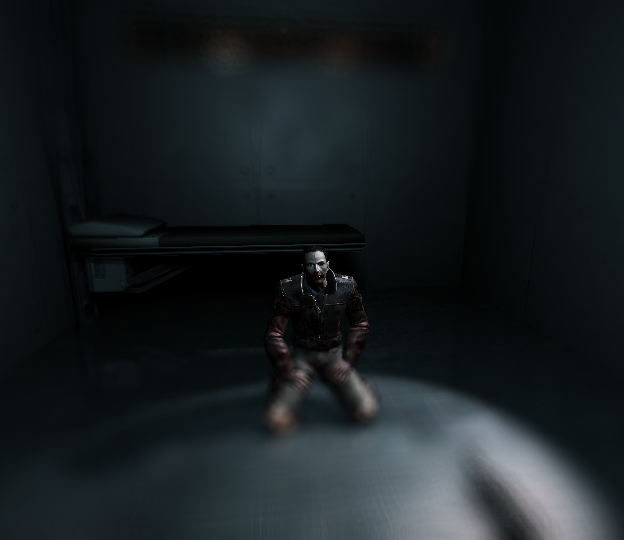
On the original shaders the blur kernel size does not scale with the display resolution, so the effect stretches horizontally as the aspect ratio widens, becoming increasingly smeared at 16:9 and severe at ultrawide resolutions. The fixed shaders derive the kernel from the actual resolution, keeping the blur consistent at any aspect ratio.
This applies to: - Soft shadow blur: the blur pass used to soften dynamic shadows. - Screen blur: the blur material applied to objects seen through blurred surfaces.
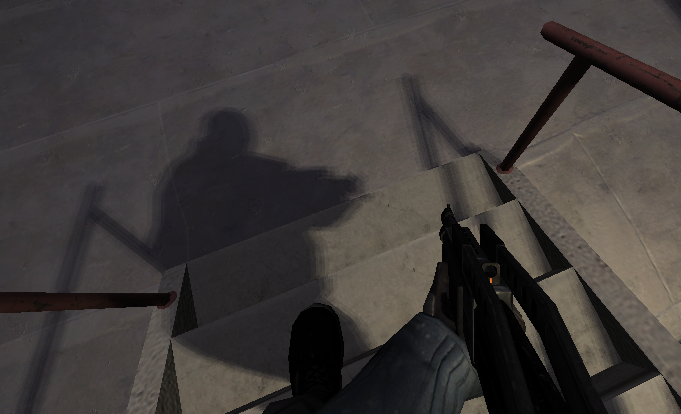 |
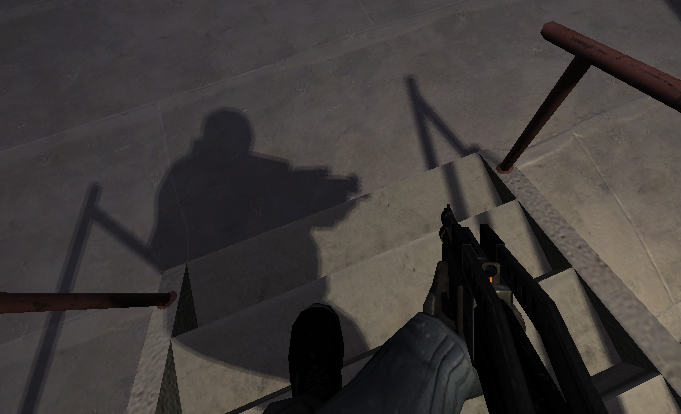 |
| Vanilla 32:9 | Fixed Soft Shadow Blur |
 |
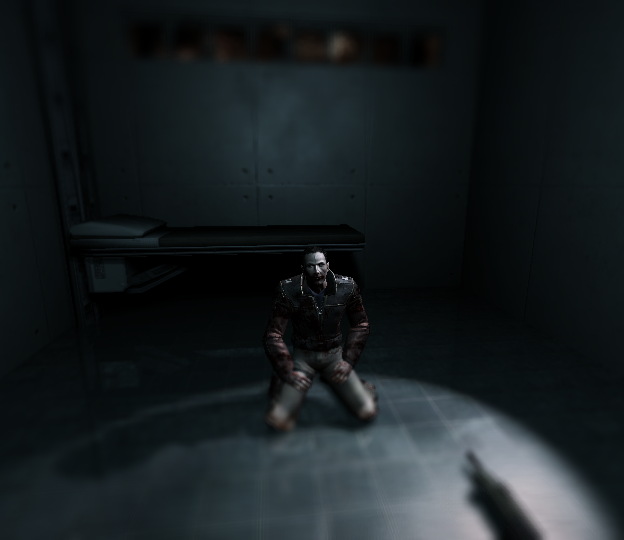 |
| Vanilla 32:9 | Fixed Screen Blur |
No Model LOD Bias
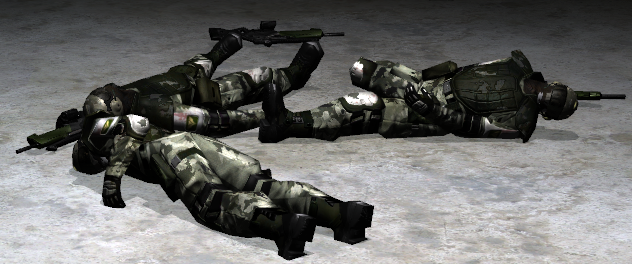
Disable LOD bias to render models at full quality at any distance.
 |
 |
| Vanilla | No Model LOD Bias |
Improved Mipmap Bias
Improves texture sharpness at a distance by reducing mipmap bias. Certain textures such as characters, FX effects, and vehicles are rendered at hi
Core symbols most depended-on inside this repo
Shape
Languages
Modules by API surface
For agents
$ claude mcp add EchoPatch \
  -- python -m otcore.mcp_server <graph>