github.com/TensorPy/TensorPy @v1.6.1
Chat with this repoWhat it actually does AI analysis from the code graph — generated when you open this
README

TensorPy



Easy Image Classification with TensorFlow
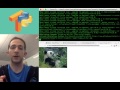
(Watch the 2-minute tutorial on YouTube)
Requirements:
- A Mac or Linux machine
- Python 3.5, 3.6, or 3.7
You can use TensorPy to classify images by simply passing a URL on the command line, or by using TensorPy in your Python programs. TensorFlow does all the real work. TensorPy also simplifies TensorFlow installation by automating several setup steps into a single script (See install.sh for details).
(Read how_tensorpy_works for a detailed explanation of how TensorPy works.)
Setup Steps for Mac & Ubuntu/Linux
(Windows & Docker users: See the Docker ReadMe for running on a Docker machine. Windows requires Docker to run TensorFlow.)
Step 1: Create and activate a virtual environment named "tensorpy"
If you're not sure how to create a virtual environment, follow these instructions to learn how.
Step 2: Clone the TensorPy repo from GitHub
git clone https://github.com/TensorPy/TensorPy.git
cd TensorPy
Step 3: Install TensorPy, TensorFlow, and ImageNet/Inception
Use install.sh to install everything you need.
./install.sh
Step 4: Run the examples
(NOTE: Run times may vary depending on your Internet connection and computer's CPU speed.)
Classify a single image from a URL:
classify "http://cdn2.hubspot.net/hubfs/100006/happy_animal.jpg"
Classify all images on a web page:
classify "https://github.com/TensorPy/TensorPy/tree/master/examples/images"
Classify a single image URL from a Python script: (See test_python_classify.py for details.)
python examples/test_python_classify.py
Classify an image from a local file path:
classify examples/images/cat_animal.jpg
Classify all images from a local folder:
classify examples/images/
Examples in Python programs:
Classify an image from a local file path using a Python script: (See test_python_file_classify.py for details.)
cd examples
python test_python_file_classify.py
Classify all images in a local folder using a Python script (Output = LIST): (See test_python_folder_classify.py for details.)
cd examples
python test_python_folder_classify.py
Classify all images in a local folder using a Python script (Output = DICTIONARY): (See test_python_folder_classify_dict.py for details.)
cd examples
python test_python_folder_classify_dict.py
Future Work:
Eventually, the headline will change from "Image Classification with TensorFlow made easy!" to "Machine Learning with TensorFlow made easy!" once I expand on TensorPy to make other features of TensorFlow easier too. Stay tuned for updates!
Core symbols most depended-on inside this repo
convert_image_file_to_jpgShape
Languages
Modules by API surface
For agents
$ claude mcp add TensorPy \
  -- python -m otcore.mcp_server <graph>