github.com/SidU/openclaw-a365 @main
Chat with this repoBrowse by type
What it actually does AI analysis from the code graph — generated when you open this
README
OpenClaw A365 Channel (alpha)
Native Microsoft 365 Agents (A365) channel for OpenClaw with integrated Graph API tools.
Alpha: This project is under active development. APIs and configuration may change between releases.
Demo
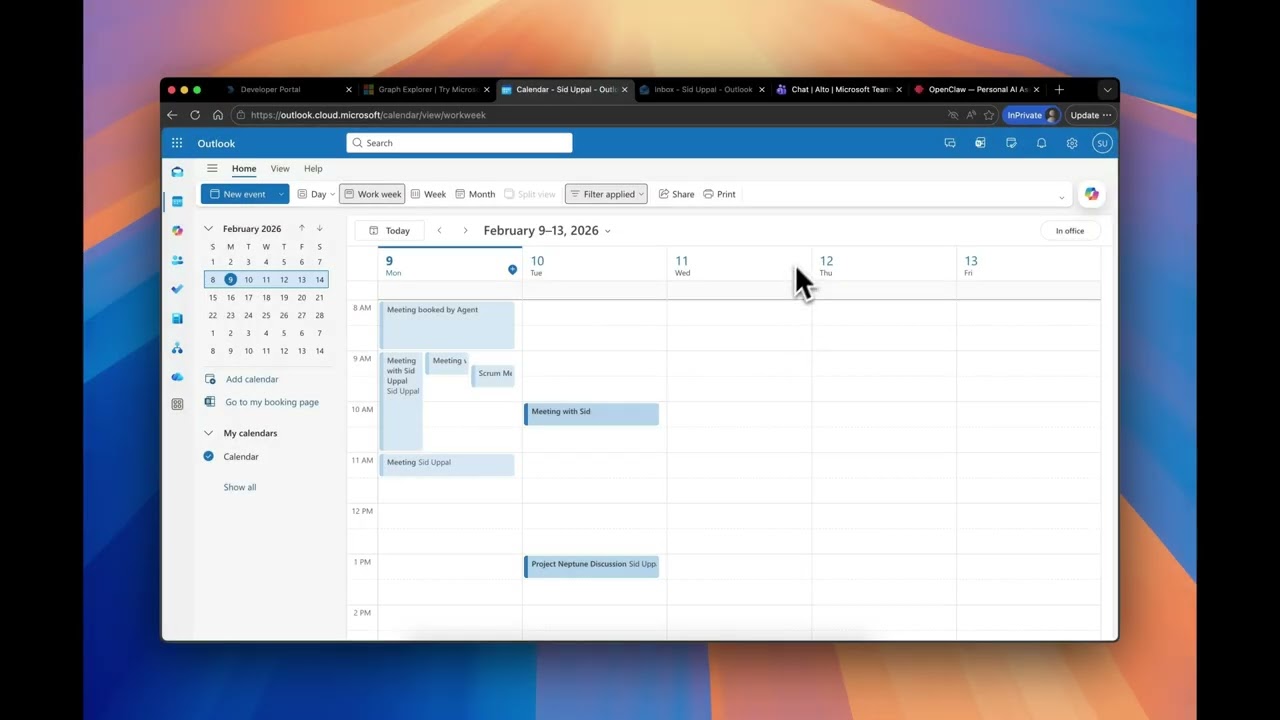
Features
- Native A365 Integration: Receives and sends messages through Microsoft 365 Agents
- Graph API Tools: Built-in tools for calendar, email, and user operations
- Agentic Identity: Agent has its own user account in the tenant for explicit, auditable access
- Multi-Model Support: Configure primary model and fallbacks (Anthropic, OpenAI, OpenRouter, Azure)
- Network Policy: Control agent's outbound network access (unrestricted, restricted, or allowlist)
- Role-Based Access: Distinguishes between Owner and Requester roles
- Enterprise-Ready: Supports single-tenant authentication, allowlists, and DM policies
Quick Start
Prerequisites
- Docker
- Microsoft Agent 365 registration with Agentic User identity
- API key for at least one LLM provider (Anthropic, OpenAI, etc.)
- Access to this repo (for pulling the private image)
1. Authenticate with GitHub Container Registry
# Create a GitHub Personal Access Token with `read:packages` scope
# Then login:
echo YOUR_GITHUB_TOKEN | docker login ghcr.io -u YOUR_GITHUB_USERNAME --password-stdin
2. Create your config file
Download the example and fill in your credentials:
curl -O https://raw.githubusercontent.com/SidU/openclaw-a365/main/.env.example
mv .env.example .env
# Edit .env with your credentials
Required environment variables:
| Variable | Description |
|---|---|
ANTHROPIC_API_KEY |
Anthropic API key (or use another provider) |
A365_APP_ID |
Agentic App ID |
A365_APP_PASSWORD |
Agentic App Password |
A365_TENANT_ID |
Azure AD Tenant ID |
AA_INSTANCE_ID |
Autonomous Agent Instance ID |
AGENT_IDENTITY |
Agent UPN (e.g., agent@contoso.com) |
OWNER |
Owner UPN (e.g., user@contoso.com) |
OWNER_AAD_ID |
Owner's AAD Object ID |
3. Run
docker run --cap-add=NET_ADMIN --env-file .env -p 3978:3978 ghcr.io/sidu/openclaw-a365:latest
Or run in background:
docker run -d --name openclaw-a365 --cap-add=NET_ADMIN --env-file .env -p 3978:3978 ghcr.io/sidu/openclaw-a365:latest
Note:
--cap-add=NET_ADMINis required for network policy enforcement. If you're usingNETWORK_MODE=unrestricted(default), you can omit it.
4. Configure A365
Point your A365 agent to https://your-host:3978/api/messages
Alternative: Build from source
If you prefer to build locally instead of using the pre-built image:
git clone https://github.com/SidU/openclaw-a365.git
cd openclaw-a365
cp .env.example .env
# Edit .env with your credentials
docker-compose up -d
Model Configuration
Configure which LLM model to use via environment variables:
# Primary model (default: anthropic/claude-opus-4-6)
OPENCLAW_MODEL=anthropic/claude-sonnet-4-20250514

# Fallback models (comma-separated, tried in order if primary fails)
OPENCLAW_FALLBACK_MODELS=openai/gpt-4o,openrouter/anthropic/claude-3-haiku
Supported providers:
- Anthropic: anthropic/claude-opus-4-6, anthropic/claude-sonnet-4-20250514
- OpenAI: openai/gpt-4o, openai/gpt-4-turbo
- OpenRouter: openrouter/anthropic/claude-3.5-sonnet, etc.
- Azure OpenAI: azure/gpt-4o (requires AZURE_OPENAI_* config)
Network Policy
Control what external network resources the agent can access. Since LLM agents can execute code that makes network requests, you may want to restrict outbound access.
Modes
| Mode | Description |
|---|---|
unrestricted |
No restrictions - agent can access any URL (default) |
restricted |
Only essential domains: Microsoft (auth, Graph) + your configured LLM provider |
allowlist |
Essential domains + custom domains you specify |
Configuration
# In your .env file:

# Option 1: No restrictions (default)
NETWORK_MODE=unrestricted

# Option 2: Locked down to essentials only
NETWORK_MODE=restricted

# Option 3: Essentials + specific domains
NETWORK_MODE=allowlist
NETWORK_ALLOWLIST=api.weather.gov,api.github.com,your-api.internal.com
Essential Domains
In restricted and allowlist modes, these domains are always allowed:
| Domain | Purpose |
|---|---|
login.microsoftonline.com |
Azure AD authentication |
graph.microsoft.com |
Microsoft Graph API (calendar, email) |
smba.trafficmanager.net |
Bot Framework message delivery |
*.botframework.com |
Bot Framework services |
| Your LLM provider | Auto-detected from API keys (Anthropic, OpenAI, etc.) |
How It Works
Network policy is enforced via iptables at the container level, which catches all outbound traffic - including shell commands, curl, wget, or any code the LLM might execute. At container startup:
- Essential domains are resolved to IP addresses
- If using
allowlistmode, your custom domains are also resolved - iptables rules are applied to allow only those IPs
- All other outbound traffic is dropped
Future: Dynamic approval flow where the agent can request access to new domains and the owner can approve/deny via Teams notification (Phase 2).
Running with Network Policy
When using restricted or allowlist mode, the container needs the NET_ADMIN capability:
# With docker run:
docker run --cap-add=NET_ADMIN --env-file .env -p 3978:3978 ghcr.io/sidu/openclaw-a365:latest

# docker-compose.yml already includes this capability
Note: In
unrestrictedmode (default),NET_ADMINis not required.
Why Agentic Identity?
Learn more: Microsoft Agent 365 Identity Documentation
A key design principle of A365 agents is that agents have their own user identity in the tenant (e.g., agent@contoso.com). This is fundamentally different from traditional "on behalf of user" OAuth flows. Microsoft calls this an "Agentic User" - a specialized identity that functions as a full member of your Microsoft 365 organization.
| Traditional Delegated Access | Agentic Identity |
|---|---|
| Agent acts as the user | Agent acts as itself |
| Access to everything user can access | Access only to explicitly shared resources |
| User must be online to refresh tokens | Agent operates autonomously 24/7 |
| Audit logs show "user did X via app" | Audit logs show "agent@contoso.com did X" |
Key Benefits
- Explicit Consent: Users share specific resources with the agent (e.g., "share my calendar with agent@contoso.com") just like sharing with a colleague
- Least Privilege: Agent only sees what's been explicitly shared, not the user's entire mailbox/files
- Auditability: All actions are clearly attributed to the agent's identity in compliance logs
- Familiar UX: Uses the same sharing model humans already understand
- Trust Boundaries: Clear separation between what the agent can access vs. full user access
This model treats the agent as a trusted assistant with its own identity, rather than a service wearing the user's credentials.
Authentication
The A365 channel uses Federated Identity Credentials (FIC) via the Agentic Blueprint to authenticate as the agent's identity.
T1/T2/Agent Token Flow
sequenceDiagram
    participant Agent as OpenClaw Agent
    participant Cache as Token Cache

(in-memory)
    participant CB as External Token

Callback Service
    participant AAD as Entra ID

(login.microsoftonline.com)
    participant Graph as Microsoft Graph API

    Agent->>Cache: Check token for username|scope
    alt Cache hit (expires > now + 5min)
        Cache-->>Agent: Cached access token
    else Cache miss or expired

        alt Token Callback configured
            Agent->>CB: POST {username, scope}

+ Bearer callbackToken
            CB-->>Agent: {access_token, expires_at}
            Note over Agent,CB: If callback fails,

falls through to T1/T2
        end

        rect rgb(240, 248, 255)
            Note over Agent,AAD: T1/T2/User FIC Flow (Federated Identity Credentials)

            Agent->>AAD: Step 1 — T1 Token

grant_type=client_credentials

client_id=blueprintClientAppId

client_secret=blueprintClientSecret

scope=api://AzureAdTokenExchange/.default

fmi_path=aaInstanceId
            AAD-->>Agent: T1 access_token

            Agent->>AAD: Step 2 — T2 Token

grant_type=client_credentials

client_id=aaInstanceId

client_assertion_type=jwt-bearer

client_assertion=T1 token

scope=api://AzureAdTokenExchange/.default
            AAD-->>Agent: T2 access_token

            Agent->>AAD: Step 3 — Agent Token

grant_type=user_fic

client_id=aaInstanceId

client_assertion=T1 token

username=agent@contoso.com

user_federated_identity_credential=T2 token

scope=https://graph.microsoft.com/.default
            AAD-->>Agent: User FIC access_token + expires_in
        end

        Agent->>Cache: Store token (key: username|scope)
    end

    Agent->>Graph: API call with Bearer token
    Graph-->>Agent: Response
The agent authenticates using its own identity (AGENT_IDENTITY), then accesses resources that have been shared with it (e.g., the owner's calendar).
The Agentic credentials (A365_APP_ID, A365_APP_PASSWORD) are used for both:
1. A365 message authentication
2. Graph API token acquisition (T1/T2 flow for agent identity)
Graph API Tools
The following tools are available to the LLM when Graph API is configured:
| Tool | Description |
|---|---|
get_calendar_events |
Get calendar events for a date range |
create_calendar_event |
Create a new calendar event |
update_calendar_event |
Update an existing event |
delete_calendar_event |
Delete a calendar event |
find_meeting_times |
Find available times for all attendees |
send_email |
Send an email via Microsoft Graph |
get_user_info |
Get user profile information |
Configuration Reference
Required Settings
| Variable | Description |
|---|---|
A365_APP_ID |
Agentic App ID |
A365_APP_PASSWORD |
Agentic App Password |
A365_TENANT_ID |
Azure AD Tenant ID |
AA_INSTANCE_ID |
Autonomous Agent Instance ID (for FIC) |
AGENT_IDENTITY |
Agent service account UPN |
OWNER |
Owner's email address |
OWNER_AAD_ID |
Owner's AAD Object ID |
Optional Settings
| Variable | Default | Description |
|---|---|---|
OPENCLAW_MODEL |
anthropic/claude-opus-4-6 |
Primary LLM model |
OPENCLAW_FALLBACK_MODELS |
- | Comma-separated fallback models |
BUSINESS_HOURS_START |
08:00 |
Business hours start |
BUSINESS_HOURS_END |
18:00 |
Business hours end |
TIMEZONE |
America/Los_Angeles |
Timezone |
DM_POLICY |
pairing |
DM policy: open, pairing, closed |
API Keys (at least one required)
| Variable | Description |
|---|---|
ANTHROPIC_API_KEY |
Anthropic API key |
OPENAI_API_KEY |
OpenAI API key |
OPENROUTER_API_KEY |
OpenRouter API key |
AZURE_OPENAI_API_KEY |
Azure OpenAI API key |
AZURE_OPENAI_ENDPOINT |
Azure OpenAI endpoint URL |
Identity & Roles
| Property | Description |
|---|---|
AGENT_IDENTITY |
The agent's own user account in the tenant (e.g., agent@contoso.com). This is a real Entra ID user that resources are shared with. |
OWNER |
Email of the person this agent supports (the "principal"). The owner should share their calendar/resources with AGENT_IDENTITY. |
OWNER_AAD_ID |
AAD Object ID of the owner (for role detection) |
Setup: Sharing Resources with the Agent
For the agent to access the owner's calendar, the owner must share it:
- In Outlook, go to Calendar → Share Calendar
- Add
agent@contoso.com(theAGENT_IDENTITY) - Grant appropriate permissions (e.g., "Can view all details" or "Can edit")
This explicit sharing model ensures the agent only accesses what the owner has consciously granted.
User Roles
When the owner interacts with the agent, they get UserRole: Owner. Others get UserRole: Requester.
Architecture
┌─────────────────┐    ┌─────────────────┐    ┌─────────────────────────┐
│ Microsoft Teams │───▶│  A365 Service   │───▶│    OpenClaw A365        │
│ Outlook/Email   │    │                 │    │    ┌───────────────┐    │
└─────────────────┘    └─────────────────┘    │    │  Claude/GPT   │    │
                                              │    │               │    │
        ┌─────────────────────────────────────│────│  Graph Tools  │    │
        │                                     │    └───────────────┘    │
        ▼                                     └─────────────────────────┘
   ┌─────────┐
   │ Graph   │  ◄── Agent authenticates as its own identity
   │ API     │      (accesses resources shared with it)
   └─────────┘
License
MIT
Core symbols most depended-on inside this repo
Shape
Languages
Modules by API surface
For agents
$ claude mcp add openclaw-a365 \
  -- python -m otcore.mcp_server <graph>