github.com/Shatur/optimus-manager-qt @1.6.9
Chat with this repoBrowse by type
What it actually does AI analysis from the code graph — generated when you open this
README
 Optimus Manager Qt


Optimus Manager Qt is an interface for Optimus Manager that allows to configure and switch GPUs on Optimus laptops using the tray menu.
Note: Please send all non-interface related issues to Optimus Manager repository.
Content
Screenshots
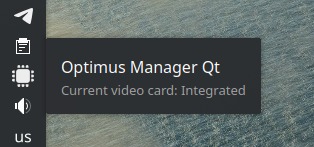
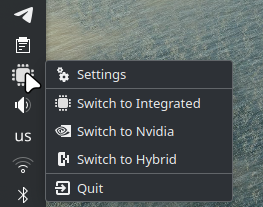
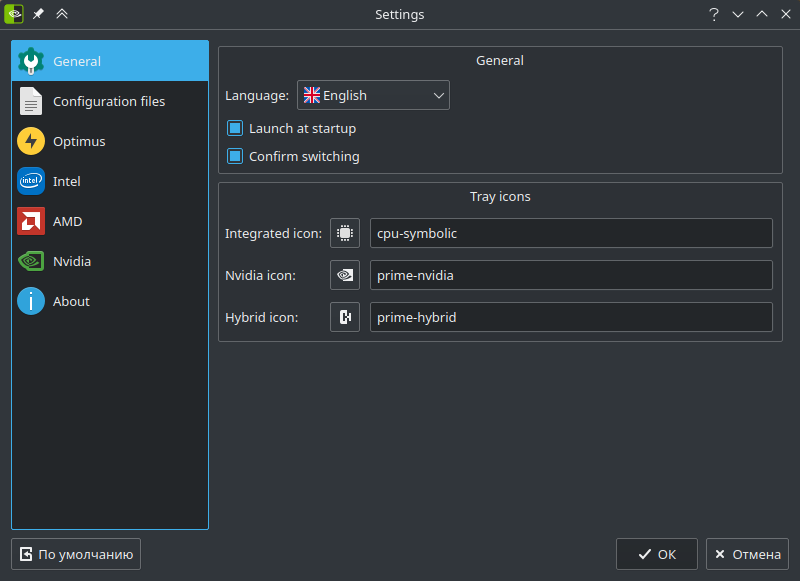
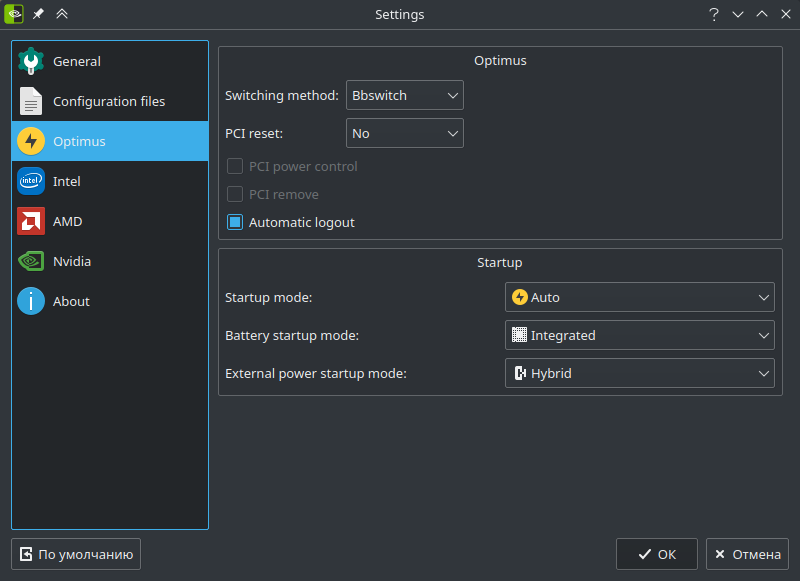
Features
- Display the current video card in the system tray
- Graphic menu for Optimus Manager configuration
- Switching video cards using the context menu
- Customizable tray icon
- Optional extended Plasma support (you can compile it with or without Plasma dependencies, see below)
Third-party
Libraries
This project uses SingleApplication (prevents launch of multiple application instances), which will be downloaded automatically at configure time using the built-in CMake FetchContent module.
Icons
circle-flags icons are used for flags.
Masalla icon theme is bundled to provide fallback icons.
Installation
Arch Linux and derivatives
You can install optimus-manager-qt or optimus-manager-qt-git from AUR.
Note: If you are using Plasma, it is recommended to replace in the PKGBUILD _plasma=false with _plasma=true to use additional KDE API feautures (this also adds additional dependencies).
Manual building
You can build Optimus Manager Qt by using the following commands:
mkdir build
cd build
cmake -D CMAKE_BUILD_TYPE=Release ..
cmake --build .
If you want to build with extended Plasma support you need to define WITH_PLASMA (the same as _plasma=true in the PKGBUILD):
mkdir build
cd build
cmake -D CMAKE_BUILD_TYPE=Release -D WITH_PLASMA ..
cmake --build .
You will then get a binary named optimus-manager-qt.
Localization
To help with localization you can use Crowdin or translate files in data/translations with Qt Linguist directly. To add a new language, write me on the Crowdin project page or copy data/translations/optimus-manager.ts to data/translations/optimus-manager_<ISO 639-1 language code>_<ISO 3166-1 country code>.ts, translate it and send a pull request.
Core symbols most depended-on inside this repo
Shape
Languages
Modules by API surface
For agents
$ claude mcp add optimus-manager-qt \
  -- python -m otcore.mcp_server <graph>