github.com/SequoiaSan/FlipperZero-WiFi-Scanner_Module @v.0.4
Chat with this repoWhat it actually does AI analysis from the code graph — generated when you open this
README
(WIP)
Supports FlipperZero's Dev Board v.1
FlipperZero WiFi Scanner Module
WiFi Scanner Module for FlipperZero based on ESP8266/ESP32 (results with ESP8266 much better than with ESP32)
This module will help you in finding specific access point physical location.
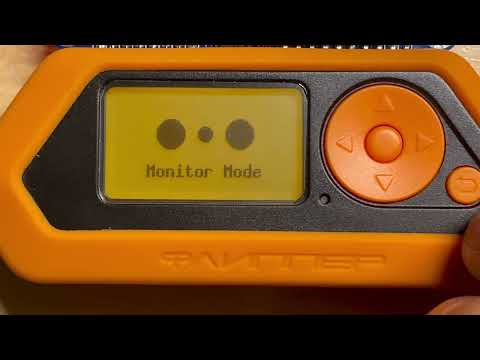
Proto WiFi scanner module
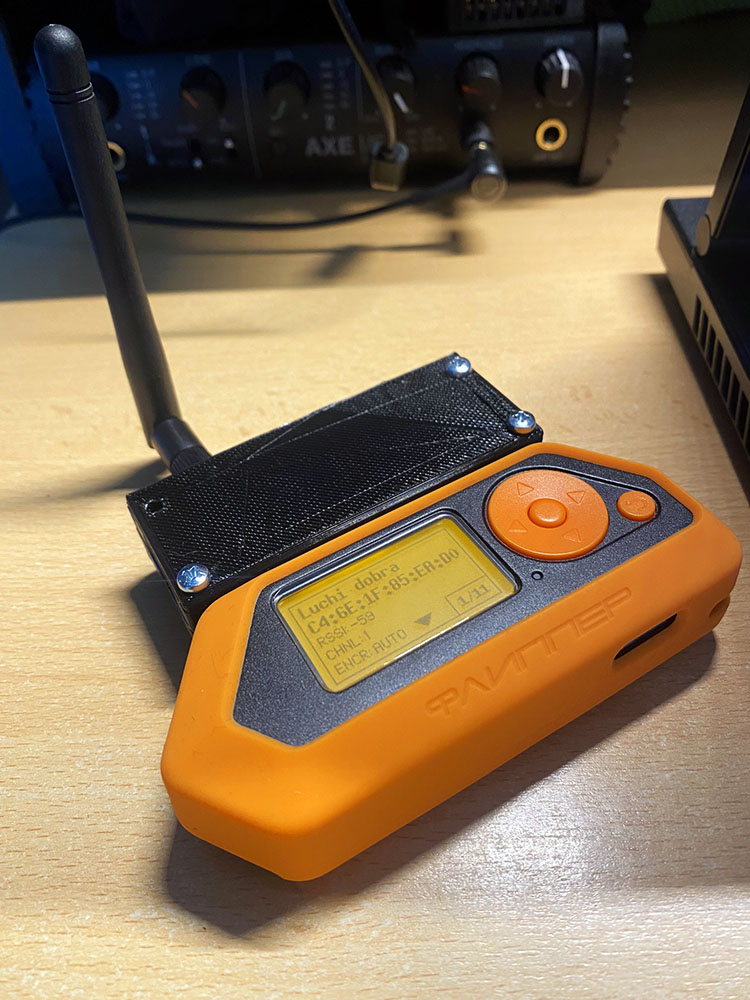
# Controls On scan page: * UP - move list up by one * DOWN - move list down by one * OK (short press) - enter monitor mode * OK (long press) - scan again * BACK - exit app
In monitor mode: * OK (long press) - scan again * BACK (short press) - return to scan page and scan again * BACK (long press) - exit app
# Help project Feel free to contact me with your proposals and improvements to this projects.
Fork and improve!
Donate if you want to support author 
# What do you need
- Wemos D1 Mini (or Mini Pro) or analog
- FlipperZero
How to
FlipperZero's Dev Board v.1
Flash firmware for Dev Board and firmware for FlipperZero from latest release
How To Update FlipperZero firmware (choose Install from file)
DIY Module
Precompiled .bin for ESP and firmware for FlipperZero can be found in latest release
How To Update FlipperZero firmware (choose Install from file)
Or compile firmwares on your own
Compile and flash firmware on Wemos D1 Mini
Install EPS8266 board version 2.7.4 for Arduino IDE. I had issues with higher versions.
Compile firmware for FlipperZero with new application
If you want compile for Dev Board then enable FLIPPERZERO_DEV_BOARD_V_1 in code. Same goes to ENABLE_MODULE_POWER, ENABLE_MODULE_DETECTION
Use next schematics to solder the WiFi Scanner board for FlipperZero
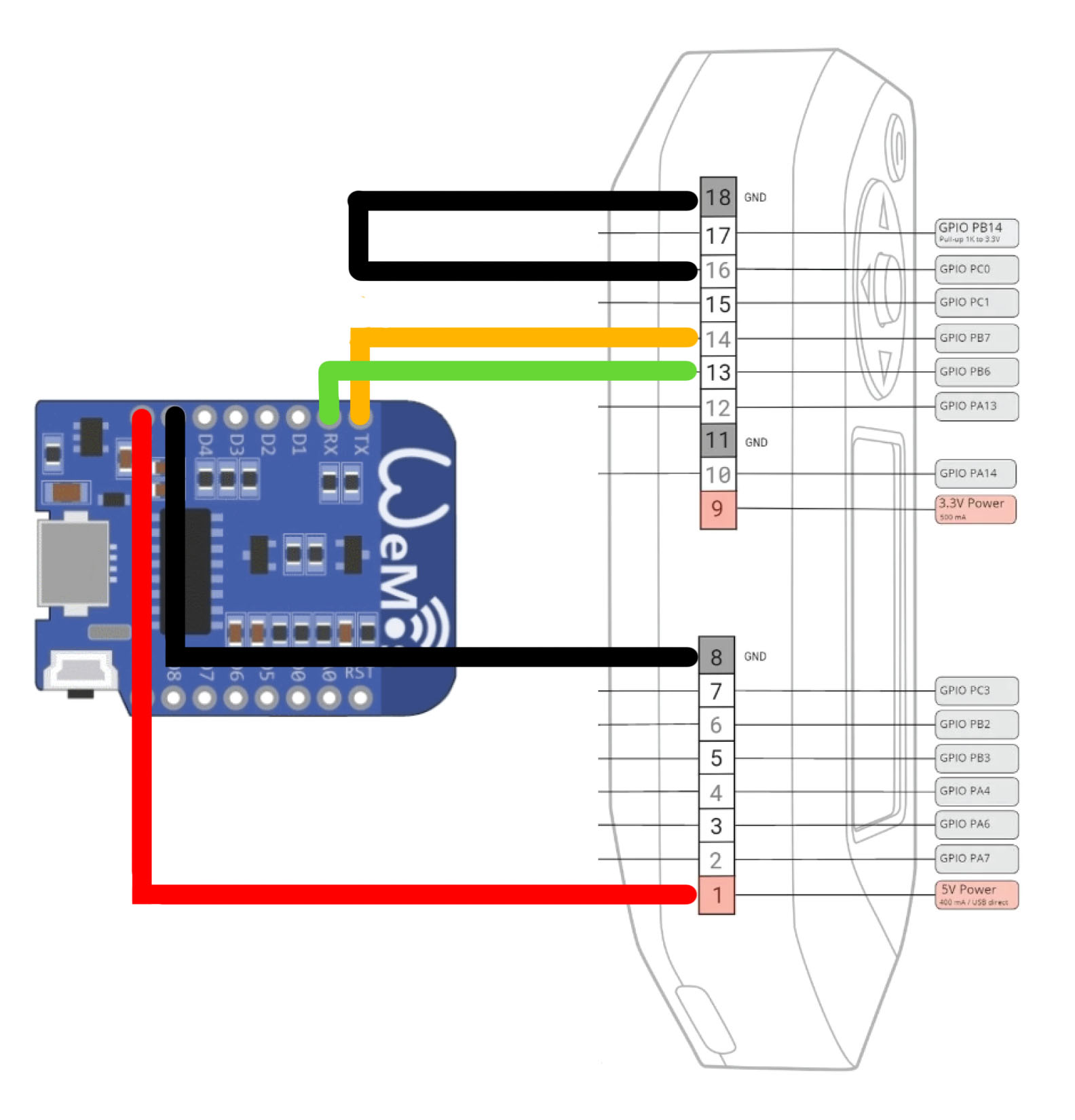
How to add new application on FlipperZero
- Copy folders and paste directly into root folder of original firmware.
- Add new applications category in /fbt_options.py my_apps for example
FIRMWARE_APPS = {
    "default": (
        "crypto_start",
        # Svc
        "basic_services",
        # Apps
        "basic_apps",
        "updater_app",
        "archive",

        # My Apps
        "my_apps",

        # Settings
        "passport",
        "system_settings",
        "about",
        # Plugins
        "basic_plugins",
        # Debug
        "debug_apps",
    ),
    "unit_tests": (
        "basic_services",
        "unit_tests",
    ),
}
- Add new apps category and our app into applications/meta/application.fam
App(
    appid="my_apps",
    name="My applications for main menu",
    apptype=FlipperAppType.METAPACKAGE,
    provides=[
        "wifi_scanner",
    ],
)
- Compile with any method provided by FlipperZero dev team
Issues
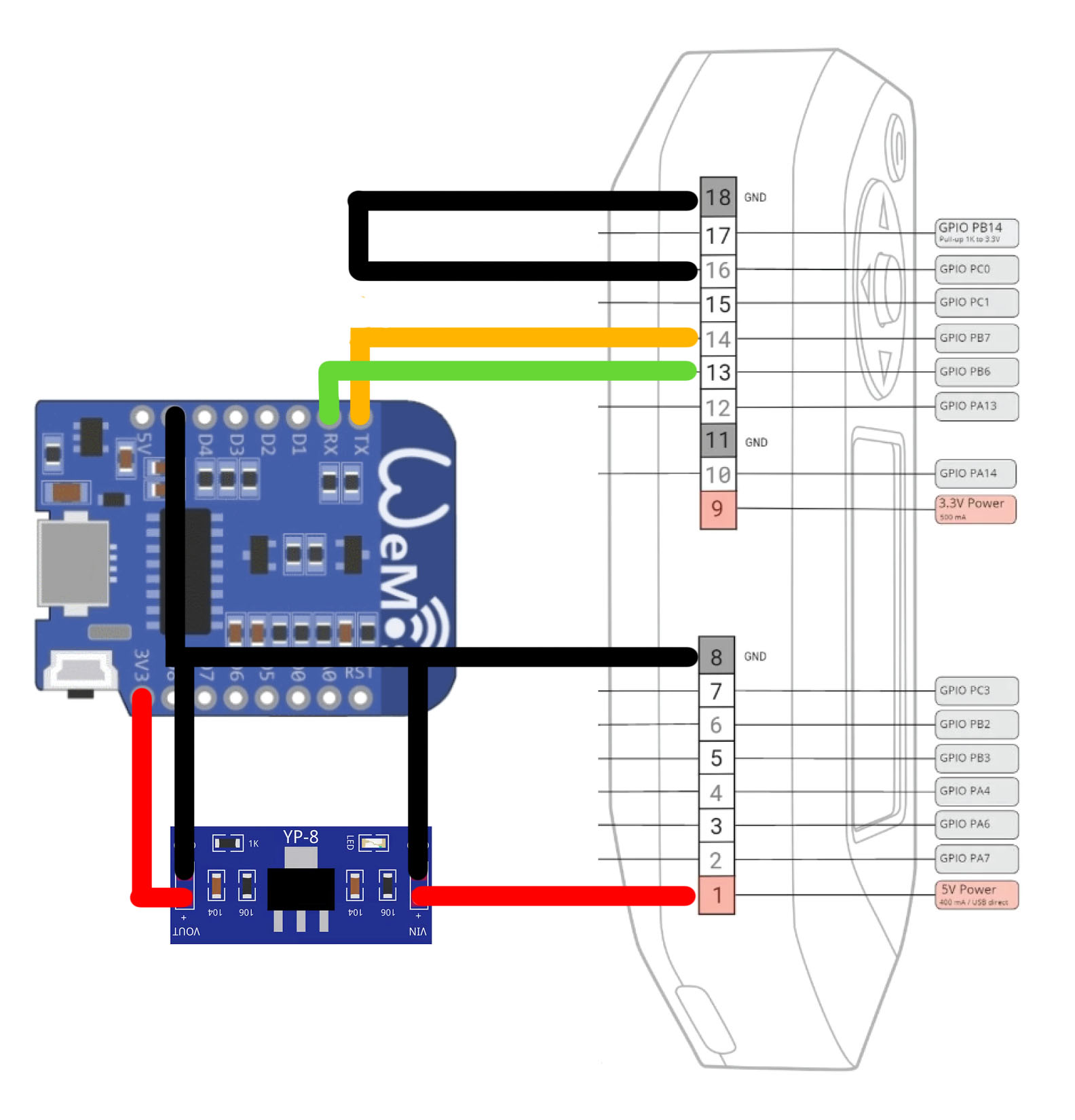
I tested all the things on a test bench with Wemos D1 and all was good. When I soldered protoboard with Wemos D1 mini pro I started to receive exceptions. It seems for some reason Wemos D1 mini doesn't run well on FlipperZero 5V. To fast solve the issue I've added an AMS1117 voltage regulator on 5V to drop it to 3V3 and feed the module.
Core symbols most depended-on inside this repo
send_serial_commandShape
Languages
Modules by API surface
For agents
$ claude mcp add FlipperZero-WiFi-Scanner_Module \
  -- python -m otcore.mcp_server <graph>