github.com/SecureAI-Tools/SecureAI-Tools @v0.0.4
Chat with this repoWhat it actually does AI analysis from the code graph — generated when you open this
README
SecureAI Tools
Private and secure AI tools for everyone's productivity.
Highlights
- Chat with AI: Allows you to chat with AI models (i.e. ChatGPT).
- Chat with Documents: Allows you to chat with documents (PDFs for now). Demo videos below
- Local inference: Runs AI models locally. Supports 100+ open-source (and semi-open-source) AI models through Ollama.
- Built-in authentication: A simple email/password authentication so it can be opened to internet and accessed from anywhere.
- Built-in user management: So family members or coworkers can use it as well if desired.
- Self-hosting optimized: Comes with necessary scripts and docker-compose files to get started in under 5 minutes.
Demos
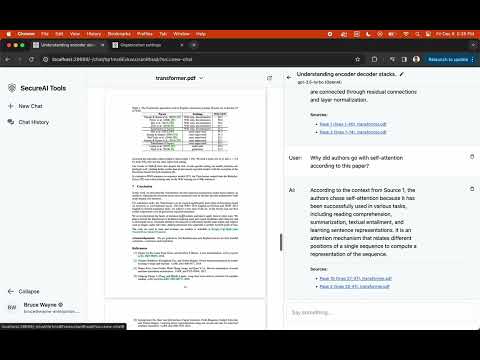
Chat with documents demo: OpenAI's GPT3.5
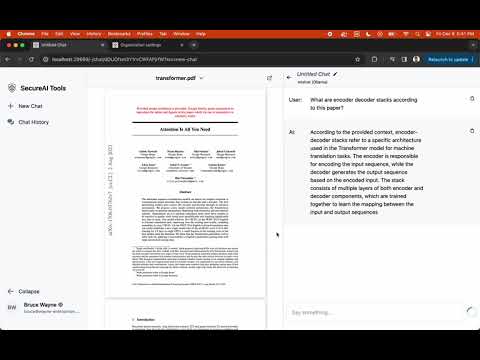
Chat with documents demo: Locally running Mistral (M2 MacBook)
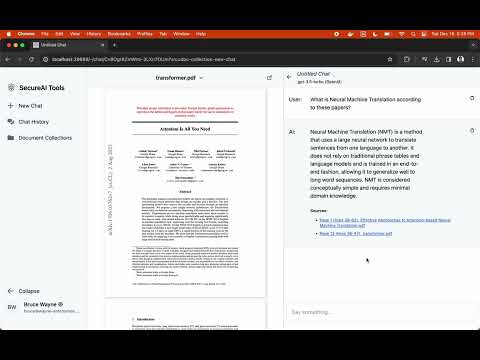
Document collections demo
Install
Docker Compose [Recommended]
1. Create a directory
mkdir secure-ai-tools && cd secure-ai-tools
2. Run set-up script
The script downloads docker-compose.yml and generates a .env file with sensible defaults.
curl -sL https://github.com/SecureAI-Tools/SecureAI-Tools/releases/latest/download/set-up.sh | sh
3. [Optional] Edit .env file
Customize the .env file created in the above step to your liking. If you want to use OpenAI LLMs, then please follow the steps outlined here.
4. [Optional] On Linux machine with Nvidia GPUs, enable GPU support
To accelerate inference on Linux machines, you will need to enable GPUs. This is not strictly required as the inference service will run on CPU-only mode as well, but it will be slow on CPU. So if your machine has Nvidia GPU then this step is recommended.
- Install Nvidia container toolkit if not already installed.
- Uncomment the
deploy:block indocker-compose.ymlfile. It gives inference service access to Nvidia GPUs.
5. Run docker compose
docker compose up -d
6. Post-installation set-up
-
Login at http://localhost:28669/log-in using the initial credentials below, and change the password.
bruce@wayne-enterprises.com* PasswordSecureAIToolsFTW!1. Set up the AI model by going to http://localhost:28669/-/settings?tab=ai 1. Navigate to http://localhost:28669/- and start using AI tools
Upgrade
To upgrade, please run the following command where docker-compose.yml file lives in your set-up (it should be in secure-ai-tools directory from installation step-#1).
docker compose pull && docker compose up -d
Hardware requirements
Running AI model (LLM) locally
- RAM: As much as the AI model requires. Most models have a variant that works well on 8 GB RAM
- GPU: GPU is recommended but not required. It also runs in CPU-only mode but will be slower on Linux, Windows, and Mac-Intel. On M1/M2/M3 Macs, the inference speed is really good.
Using remote OpenAI-compatible APIs
SecureAI Tools allows using remote OpenAI-compatible APIs. If you only use a remote OpenAI-compatible API server for LLM inference, then the hardware requirements are much lower. You only need enough resources to be able to run a few docker containers: a small web server, postgresql-server, rabbit-mq.
Features wishlist
A set of features on our todo list (in no particular order).
- ✅ Chat with documents
- ✅ Support for OpenAI, Claude etc APIs
- ✅ Reusable document collections
- ✅ Offline document processing
- Support for markdown rendering
- Chat sharing
- Mobile friendly UI
- Specify AI model at chat-creation time
- Prompt templates library
Guides
Use with OpenAI or OpenAI-compatible APIs
SecureAI Tools can be used with OpenAI APIs and any other provider that provides OpenAI-compatible APIs. Here are the steps to enable that for your instance:
- Set the
MODEL_PROVIDER_CONFIGSin.envfile as shown below. If you're using other providers that don't requireapiKeythen you can specify any dummyapiKeyvalue.
MODEL_PROVIDER_CONFIGS='[{"type":"OPENAI","apiBaseUrl":"http://127.0.0.1:5000/v1","apiKey":"sk-..."}]'
- Go to the organization settings page, select OpenAI model type, and provide the appropriate model name like
gpt3.5-turbo
Customize LLM provider-specific options
You can customize LLM provider-specific options like the number of layers to offload to GPUs, or stop words, etc. Specify these options in the MODEL_PROVIDER_CONFIGS environment variable. For example, below is how we can offload 30 layers to GPUs in Ollama.
MODEL_PROVIDER_CONFIGS='[{"type":"OLLAMA","apiBaseUrl":"http://inference:11434/","apiKey":"","options":{"numGpu":30}}]'
Please see here for more info on what options are available for which provider.
Extension points exported contracts — how you extend this code
ObjectStorageService (Interface)Core symbols most depended-on inside this repo
fromShape
Languages
Modules by API surface
For agents
$ claude mcp add SecureAI-Tools \
  -- python -m otcore.mcp_server <graph>