github.com/SamurAIGPT/ai-clipping-generator @main
Chat with this repoBrowse by type
What it actually does AI analysis from the code graph — generated when you open this
README
🚀 AICLIPS Studio — Viral Content Extraction Engine
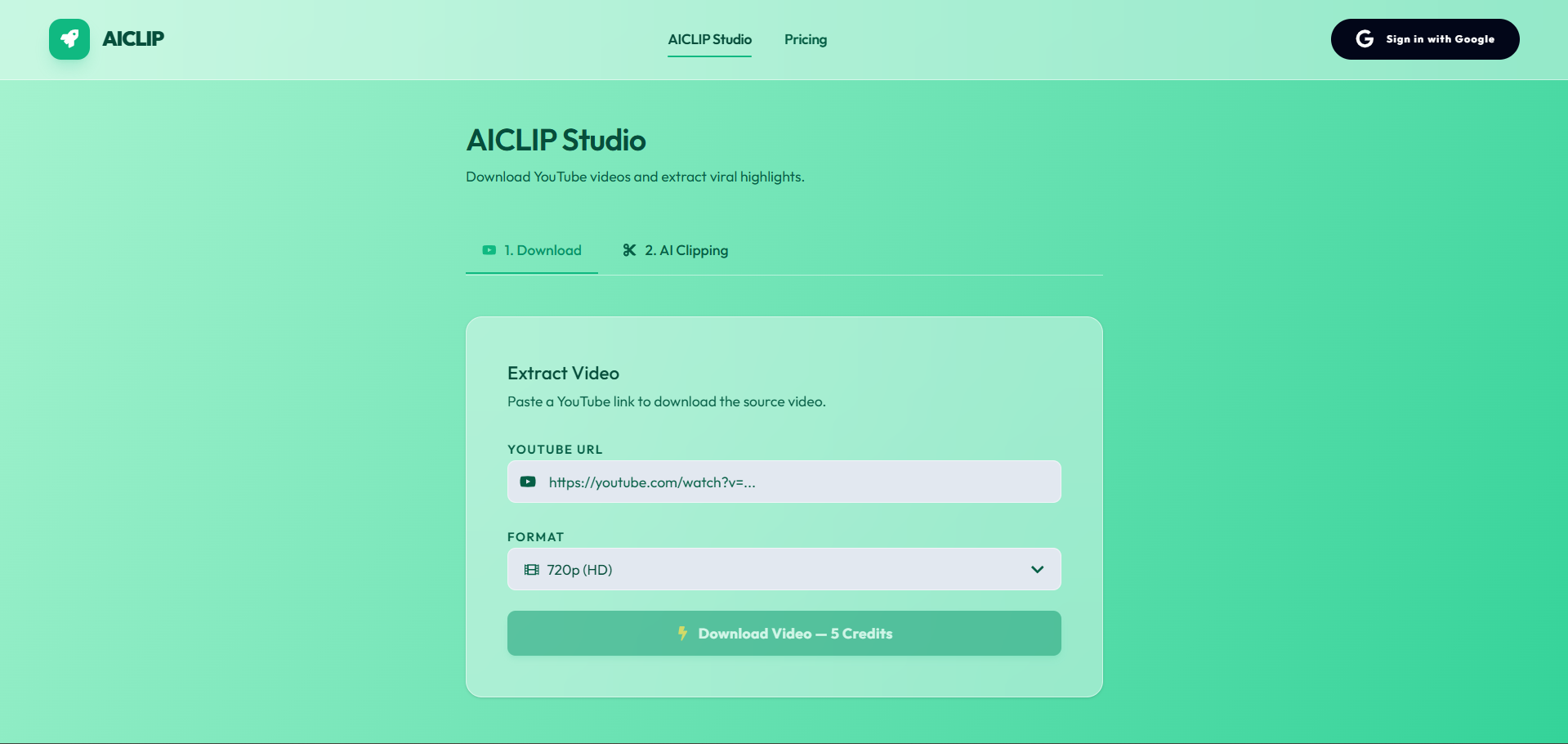
A beautifully designed, fully-integrated AI clipping studio. Built with Next.js, this platform serves as a complete SaaS boilerplate for downloading YouTube videos and automatically extracting viral highlights for TikTok, Reels, and Shorts.

https://github.com/user-attachments/assets/018738b8-af50-4a08-a7ac-1090b5b1f903
Related Projects
- MuAPI — Unified API for image, video, and audio generation across hundreds of AI models. Try AI Clipping and review the specialized apps docs.
- ai-clipping-comfyui — Same AI clipping capability as ComfyUI nodes
- AI-Youtube-Shorts-Generator — Full open-source YouTube Shorts generator with virality ranking
🌐 Live Manifestation
Experience the full glassmorphic, responsive interface here. Sign in with Google to explore the Video Studio, My Clips archive, and Credits dashboard directly from your browser.
AICLIPS Studio is a production-ready, highly-optimized AI web application. Out of the box, it seamlessly manages YouTube video extraction, asynchronous AI highlight detection, User Authentication, Credits & Billing, and Media Persistence using a sleek Next.js (App Router) architecture.
Why use AICLIPS Studio?
- Production-Ready SaaS — Complete with Google OAuth and Stripe Checkout workflows built-in.
- Viral Clipping Studio — Tailored UI for extracting viral highlights with custom Aspect Ratio tuning (9:16, 1:1, etc.).
- Smart Duration Detection — Client-side video probing for precise credit charging based on actual video length.
- Historical Archive — All creations are securely persisted to a PostgreSQL database for a customized user gallery.
- Premium Glassmorphic UX — Dynamic multi-theme support (Indigo, Emerald, Rose, Amber) with high-fidelity micro-animations.
- Event-Driven Architecture — Robust webhook-based status updates for reliable long-running AI tasks.
✨ Core Features
- YouTube Source Extraction — Seamlessly download source videos from YouTube by just pasting a link. Handles quality selection (720p, 1080p, etc.) and automatic link passing to the clipping tool.
- AI Highlight Engine — Automatically detect the most engaging moments in any video. Adjust the number of highlights (1 to 60) and aspect ratio to fit your social media platform.
- Dynamic Credit System — Fair pricing logic: 10 credits per minute of video + 10 credits per highlight. Real-time cost calculation on the generate button using built-in video probing.
- Secure My Clips Archive — A dedicated history vault for logged-in users. Track the status of your processing clips and view finished results in a detailed inspector modal.
- Asynchronous Webhook Sync — Built-in MuAPI webhook handler that updates your database automatically when generation is complete, ensuring your UI is always in sync.
⚡ Deployment: Vercel & Production
Deploying an instance of AICLIPS Studio requires minimal configuration. The architecture is engineered explicitly for Vercel serverless environments.
🔑 Required Environment Variables
To successfully deploy and run, you must populate the following environment variables in your Vercel project settings:
| Service | Variable | Description & Source |
|---|---|---|
| Database | DATABASE_URL |
PostgreSQL connection string (Supabase or Neon) |
DIRECT_URL |
Direct DB connection for Prisma migrations | |
| NextAuth / Google | NEXTAUTH_SECRET |
Secure random string generated via openssl rand -base64 32 |
NEXTAUTH_URL |
Your production domain (e.g. https://my-app.vercel.app) |
|
GOOGLE_CLIENT_ID |
Get from Google Cloud Console | |
GOOGLE_CLIENT_SECRET |
Get from Google Cloud Console | |
| Stripe Billing | STRIPE_SECRET_KEY |
Get from Stripe Dashboard |
NEXT_PUBLIC_STRIPE_PUBLISHABLE_KEY |
Get from Stripe Dashboard | |
STRIPE_WEBHOOK_SECRET |
Webhook secret for resolving credit purchases | |
| AI Generator | AICLIPS_API_KEY |
Your MuAPI Key for YouTube downloads and AI clipping services. |
WEBHOOK_URL |
The endpoint where MuAPI will send status updates (e.g., https://your-app.com/api/webhook/muapi) |
🛠️ Local Development
Prerequisites
- Node.js (v18 or higher)
- A local PostgreSQL instance or a free cloud Database URL.
Setup
# 1. Clone the repository
git clone https://github.com/SamurAIGPT/ai-clipping-generator
cd aiclips-generator

# 2. Install dependencies
npm install

# 3. Setup Environment
cp .env.example .env
# Open .env and insert your specific keys.

# 4. Initialize Database Schema
npx prisma generate
npx prisma db push

# 5. Start the Development Server
npm run dev
The graphical console should now be heavily responsive on http://localhost:3000.
AICLIPS Studio: A modular, mobile-ready, production-grade AI clipping workspace built for content creators.
Core symbols most depended-on inside this repo
Shape
Languages
Modules by API surface
For agents
$ claude mcp add ai-clipping-generator \
  -- python -m otcore.mcp_server <graph>