github.com/RoganDawes/P4wnP1 @main
Chat with this repoBrowse by type
What it actually does AI analysis from the code graph — generated when you open this
README
P4wnP1 by MaMe82
P4wnP1 is a highly customizable USB attack platform, based on a low cost Raspberry Pi Zero or Raspberry Pi Zero W (required for HID backdoor).
Important
The successor of P4wnP1 is called P4wnP1 A.L.O.A. and hosted here: https://github.com/mame82/P4wnP1_aloa
This repo isn't really suspended, but I'm using all of my time to work on P4wnP1's successor. The new Repo is still private, but information on progress are published via twitter, from time to time (@P4wnP1 or @MaMe82).
More important: Don't waste your time following complicated install instructions: A ready-to-go image of latest P4wnP1 version could be found on the release page: https://github.com/mame82/P4wnP1/releases (seems some of you missed it).
TL;TR
Official WiKi started by @jcstill and @Swiftb0y
There isn't a short summary of this README. If you want to handle this nice tool, I'm afraid you have to read this.
The most important sections: - Windows LockPicker - HID covert channel frontdoor - HID covert channel backdoor (this is the new main feature) - Getting started section
Introduction
Since the initial release in February 2017, P4wnP1 has come a long way. Today advanced features are merged back into the master branch, among others: - the Windows LockPicker (unlock Windows boxes with weak passwords, fully automated by attaching P4wnP1) - the HID covert channel backdoor (Get remote shell access on air gapped Windows targets tunneled only through HID devices, relayed to a WiFi hotspot with SSH access with a Pi Zero W. The target doesn't see a network adapter, serial or any other communication device.) - the HID covert channel frontdoor (Get access to a python shell on P4wnP1 from a restricted Windows host, tunneled through a raw HID device with low footprint. The target doesn't see a network adapter, serial or any other communication device.) - refined USB, modular USB setup
External Resources using P4wnP1
- Dan The IOT Man, Introduction + Install instructions "P4wnP1 – The Pi Zero based USB attack-Platform": Dan the IOT Man
- Black Hat Sessions XV, workshop material "Weaponizing the Raspberry Pi Zero" (Workshop material + slides): BHSXV
- ihacklabs[dot]com, tutorial "Red Team Arsenal – Hardware :: P4wnp1 Walkthrough" (Spanish): part 1, part 2, part 3
P4wnP1 Features (quick summary)
- WiFi Hotspot for SSH access (Pi Zero W only), support for hidden ESSID
- operate WiFi in client mode (Pi Zero W only), to relay USB network attacks through WiFi with internet access (MitM)
- the USB device features work in every possible combination with Windows Plug and Play support (class drivers)
- Support for device types
- HID covert channel communication device (see sections 'HID covert channel frontdoor' and 'HID covert channel backdoor')
- HID Keyboard
- USB Mass storage (currently only in demo setup with 128 Megabyte drive)
- RNDIS (Windows Networking)
- CDC ECM (MacOS / Linux Networking)
- Raspberry Pi LED state feedback with a simple bash command (
led_blink) - customizable bash based payload scripts (see
payloads/subfolder for examples) - includes Responder and a precompiled John the Ripper Jumbo version
- Auto attack: P4wnP1 automatically boots to standard shell if an OTG adapter is attached, the current payload only runs if P4wnP1 is connected as USB device to a target (without USB OTG adapter)
Payload descritions and video demos of included payloads
As it is a flexible framework, P4wnP1 allows to develop custom payloads only limited by the imagination of the pentester using it. To get a basic idea some payloads are already included and described here:
Payload: Windows LockPicker
This payload extends the "Snagging creds from locked machine" approach, presented by Mubix (see credits), to its obvious successor:
P4wnP1 LockPicker cracks grabbed hashes and unlocks the target on success, using its keyboard capabilities. This happens fully automated, without further user interaction.
Video demo
I'm still no video producer, so maybe somebody feels called upon to do a demo.
Here's my (sh**ty) attempt:
Here's a version of someone doing this much better, thanks @Seytonic

Attack chain (short summary):
- The USB network interface of P4wnP1 is used to bring up a DHCP which provides its configuration to the target client.
- Among other options, a WPAD entry is placed and static routes for the whole IPv4 address space are deployed to the target.
- P4wnP1 redirects traffic dedicated to remote hosts to itself using different techniques.
- Requests for various protocols originating from the target, are fetched by "Responder.py", which forces authentication and tries to steal the hashes used for authentication.
- If a hash is grabbed, P4wnP1 LED blinks three times in sequence, to signal that you can unplug and walk away with the hashes for offline cracking. Or...
- ... you leave P4wnP1 plugged and the hashes are handed over to John the Ripper, which tries to bruteforce the captured hash.
- If the ´password of the user who locked the box is weakly chosen, chances are high that John the Ripper will be able to crack it, which leads to...
- ... P4wnP1 ultimately enters the password, in order to unlock the box and you're able to access the box (the cracked password is stored in
collectedfolder, along with the hashes).
The payload Win10_LockPicker.txt has to be chosen in setup.cfg to carry out the attack. It is important to modify the payloads "lang" parameter to your target's language. If you attach a HDMI monitor to P4wnP1, you could watch the status output of the attack (including captured hash and plain creds, if you made it this far).
Payload: Stealing Browser credentials (hakin9_tutorial)
This payload runs a PowerShell script, typed out via P4wnP1's built-in keyboard, in order to dump stored credentials of Microsoft Edge or Internet Explorer. Fetched credentials are stored to P4wnP1's flashdrive (USB Mass Storage). As the name implies, this payload is the result of an hakin9 article on payload development for P4wnP1, which is yet unpublished. For this reason, the payload has RNDIS enabled, although not needed to carry out the attack. Its main purpose is to show how to store the result from a keyboard based attack, to P4wnP1's flashdrive, although the drive letter is only known at runtime of the payload.
Video demo
Backdooring Windows Lock Screen
This payload plants a backdoor which allows to access a command shell with SYSTEM level privileges from the Windows Lockscreen. Once planted, the shell is triggered by sticky keys.
The payload itself is purely keyboard based.
The widely known approach to achieve the payloads's goal, is to replace the sethc.exe file. Anyway, this payload does the change based on a registry hack (Debugger property of Image execution options). This means the attack is less noisy, as the filesystem doesn't get touched directly. Additionally the payload shows how to use P4wnP1's keyboard triggers. Pressing NUMLOCK multiple times plants the backdoor, while pressing SCROLLLOCK multiple times removes the backdoor again.
Last but not least, the attack demoes a simple UAC bypass, as the PowerShell session used has to be ran with elevated privileges.
The attack requires an unlocked target run by an Administrator account.
The payload demoed here isn't published yet.
Video demo
Payload: HID covert channel frontdoor
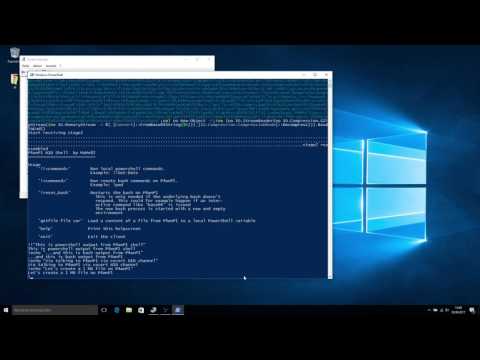
Video demo
HID frontdoor features
- Plug and Play install of HID device on Windows (tested on Windows 7 and Windows 10)
- Covert channel based on a raw HID device
- Pure in memory PowerShell payload - nothing is written to disk
- Synchronous data transfer with about 32KBytes/s (fast enough for shells and small file transfers)
- Custom protocol stack to handle HID communication and deal with HID data fragmentation
- HID based file transfer from P4wnP1 to target memory
- Stage 0: P4wnP1 sits and waits, till the attacker triggers the payload stage 1 (frequently pressing NUMLOCK)
- Stage 1: payload with "user space driver" for HID covert channel communication protocols is typed out to the target via USB keyboard
- Stage 2: Communications switches to HID channel and gives access to a custom shell on P4wnP1. This could be used to upload and run PowerShell scripts, which are hosted on P4wnP1, directly into memory of the PowerShell process running on the target. This happens without touching disk or using network communications, at any time.
Payload HID covert channel backdoor (Pi Zero W only)
Video demo

The video is produced by @Seytonic, you should check out his youtube channel with hacking related tutorials and various projects, if you're interested in more stuff like this (link in credits).
@Seytonic thanks for the great tutorial
HID backdoor features
- Payload to bridge an Airgap target, by relaying a shell over raw HID and provide it from P4wnP1 via WiFi
- Plug and Play install of HID device on Windows (tested on Windows 7 and Windows 10)
- Covert channel based on raw HID
- Pure in memory, multi stage payload - nothing is written to disk, small footprint (compared to typical PowerShell IOCs)
- RAT like control server with custom shell:
- Auto completition for core commands
- Send keystrokes on demand
- Excute DuckyScripts (menu driven)
- Trigger remote backdoor to bring up HID covert channel
- creation of multiple remote processes (only with covert channel connection)
- console interaction with managed remote processes (only with covert channel connection)
- auto kill of remote payload on disconnect
shellcommand to create remote shell (only with covert channel connection)- server could be accessed with SSH via WiFi when the
hid_backdoor.txtpayload is running
HID backdoor attack chain and usage
1. Preparation
- Choose the
hid_backdoor.txtpayload insetup.cfg(using the interactive USB OTG mode or one of the payloads with SSH network access, likenetwork_only.txt) - Attach P4wnp1 to the target host (Windows 7 to 10)
2. Access the P4wnP1 backdoor shell
- During boot up, P4wnP1 opens a wireless network called
P4wnP1(password:MaMe82-P4wnP1) - Connect to the network and SSH in with
pi@172.24.0.1 - If everything went fine, you should be greeted by the interactive P4wnP1 backdoor shell (If not, it is likely that the target hasn't finished loading the USB keyboard drivers). The SSH password is the password of the user
pi, which israspberryin the default configuration.
3. Ad-Hoc keyboard attacks from P4wnP1 backdoor shell (without using the covert channel), could be done from here:
- Entering
helpshows available commands - Use the
SetKeyboardLayoutto set the keyboard layout according to your target's language. This step is important and should always be taken first, otherwise most keyboard based attacks fail. - to print the current keyboard layout use
GetKeyboardLayout. The default keyboard language for the P4wnP1 backdoor shell could be changed inhidtools/backdoor/config.txt - use the
SendKeyscommand followed by an ASCII key sequence to send keystrokes to the target - As you will notice, the
SendKeyscommand is somehow restricted, no control keys could be sent, even a RETURN is problematic. So for more complex key sequences theFireDuckyScriptcommand comes to help. FireDuckyScriptaccepts the name of a script residing in theDuckyScript/folder. The folder is prefilled with some demo scripts. If you omit the script name behind theFireDuckyScriptcommand, you will be presented with a menue to choose a script. If you wonder why one would write a DuckyScript sending an<ALT> + <F4>only, you're thinking in the old world of RubberDucky. With P4wnP1 and its capbility to run DuckyScripts dynamically, such short scripts come in handy. If you don't know what I'm talking about run theP4wnP1_youtube.duckscript and you'll know where scripts likeAltF4_Return.duckare needed ;-)
So that's all
... no just joking. Four months without commits wouldn't have been passed if there isn't more. Up till here, there was no covert channel co
Core symbols most depended-on inside this repo
Shape
Languages
Modules by API surface
For agents
$ claude mcp add P4wnP1 \
  -- python -m otcore.mcp_server <graph>