github.com/RobotTelevision/CrowAssistant @main
Chat with this repoBrowse by type
What it actually does AI analysis from the code graph — generated when you open this
README
CrowAssistant
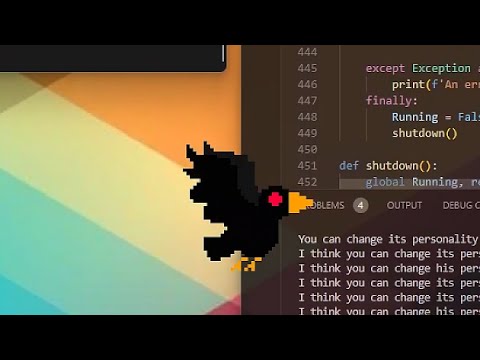
Crow is a Desktop AI Assistant
Features
- Pixel Art Crow desktop friend flys and lands on the bottom of whatever window you're focused on.
- Fast-Whisper Speech to Text and VAD pulled from: https://github.com/KoljaB/RealtimeSTT
- Piper Text to Speech with over 900 voices to choose from. https://github.com/rhasspy/piper
- Interuptable, by saying his name he can stop and listen.
- Audio Ducking, Lowers the volume while recording so you can play music while talking to Crow.
- Automaticaly pauses the conversation after a long silence and waits to hear his name to start the conversation again.
- Website Interface for conversation logs and settings
How to Use
Double Click on the Crow to open the web interface. Open the settings and get a free plan api key from groq. Setup your Mic and Speakers, Save the settings and then restart Crow. To start talking to Crow, just say his name and he should start listening.
When Crow is not in conversation he rests above the system tray.
Running the Code
you'll need to download a windows release of Piper: https://github.com/rhasspy/piper/releases Put the exe and other files right in the base directory... i know its a bit of a messy way to do things, but I'll try to clean it up in future releases.
You'll also need to grab the libritts_r onnx and json files for the voice to work: https://huggingface.co/rhasspy/piper-voices/tree/main/en/en_US/libritts_r/medium
And that should do it.
Core symbols most depended-on inside this repo
Shape
Languages
Modules by API surface
For agents
$ claude mcp add CrowAssistant \
  -- python -m otcore.mcp_server <graph>