hub / github.com/Raathigesh/fabulous
github.com/Raathigesh/fabulous @0.12.0
Chat with this repo
145 symbols
345 edges
57 files
1 documented · 1%
● updated 5y ago0.12.0 · 2019-06-10★ 1,00014 open issues
What it actually does AI analysis from the code graph — generated when you open this
loading…
README
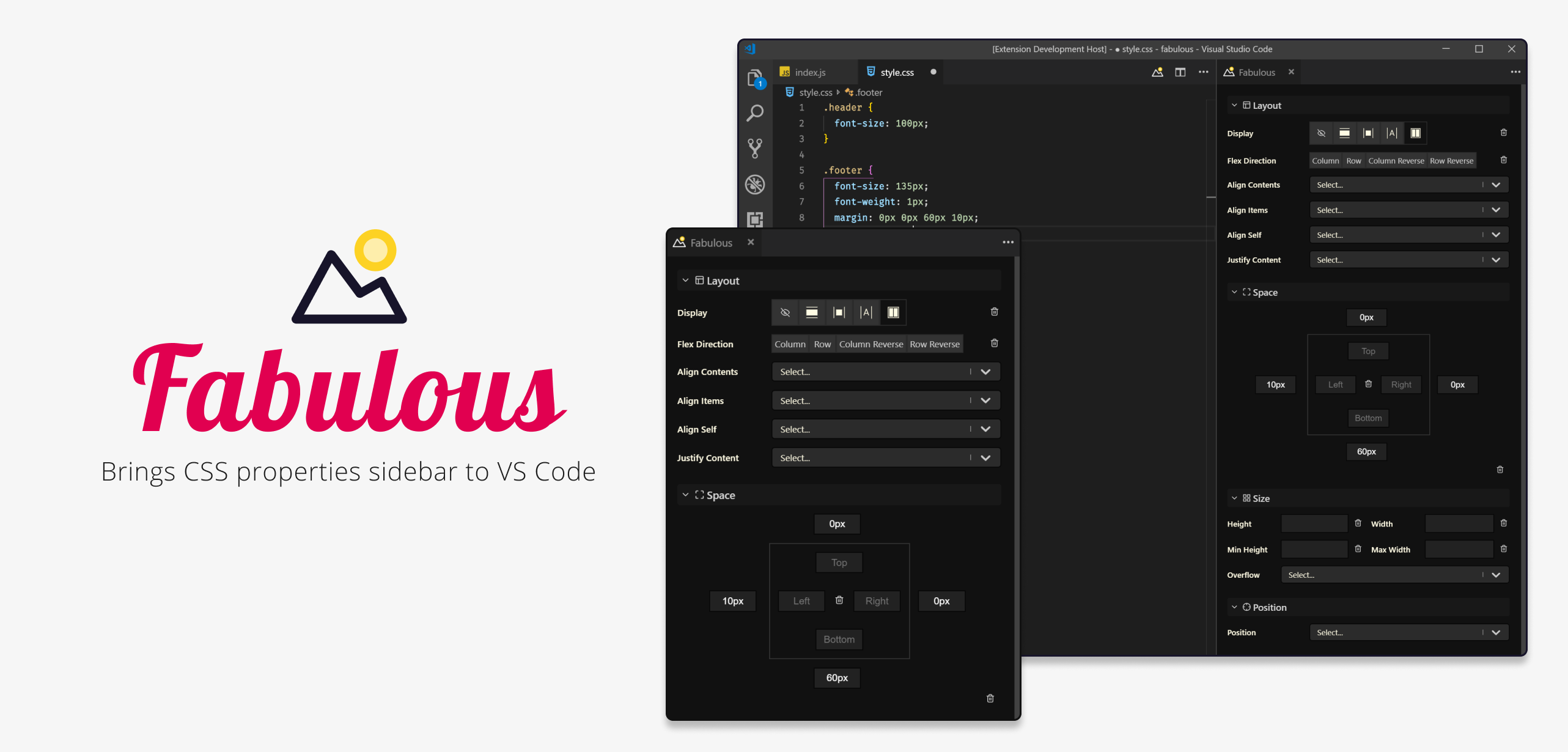
Fabulous introduces a CSS properties sidebar into Visual Studio Code.
Fabulous supports the followings
- 💅 CSS-in-JS libs which supports template literal (styled-components, emotion, linaria)
- 🎨 CSS rules from
.cssfiles - 🌈 CSS rules from
.scssfiles - 🌏 CSS rules from
.htmlfiles - these must be in a<style>tag and the style tag must be within the<head>tag - 🌛 CSS rules from
component.tsAngular component files that have inline styles within the@Component({ styles:[``] })decorator - 🌟 CSS rules from
.vuefiles that have a<style>tag in the root of the file - 💍 CSS rules from
.sveltefiles that have a<style>tag in the root of the file
Fabulous is still in Preview. Give it a try and let us know when things don't go well.
Getting started
- Install the Fabulous extension in VS Code
- After opening a
css,scss,js,jsx,tsx,component.ts,vueorsveltefile, click on the icon to toggle the side-bar
 - Place your cursor in a CSS rule or in a Styled component template literal
- You should see the sidebar controls become active
Help us make Fabulous better
Have a look at our contribution guide.
Contributors
Thanks goes to these wonderful people (emoji key):
 Sunil Pai
🤔
Sunil Pai
🤔 |  Raathi Kugarajan
🤔 💻 🎨
Raathi Kugarajan
🤔 💻 🎨 |  0xflotus
📖
0xflotus
📖 |  Austin Turner
⚠️ 💻 🚧 🐛 📖 🚇 👀
Austin Turner
⚠️ 💻 🚧 🐛 📖 🚇 👀 |  Ivan
💻
Ivan
💻 |
This project follows the all-contributors specification. Contributions of any kind welcome!
Extension points exported contracts — how you extend this code
ThemeColors (Interface)(no doc)
src/ui/theme.ts
TestCaseSetup (Interface)
(no doc)
src/extension/test/test-types.ts
Theme (Interface)
(no doc)
src/ui/theme.ts
Description (Interface)
(no doc)
src/extension/test/test-types.ts
Declarations (Interface)
(no doc)
src/ui/store.ts
LineCol (Interface)
(no doc)
src/extension/test/test-types.ts
State (Interface)
(no doc)
src/ui/store.ts
PropValType (Interface)
(no doc)
src/extension/test/test-types.ts
Core symbols most depended-on inside this repo
getPayloadForBlockcalled by 9
src/extension/Manager.ts
handleChange
called by 8
src/ui/knobs/space/index.tsx
getValue
called by 8
src/ui/knobs/space/index.tsx
getCursorPositionPosition
called by 8
src/extension/test/test-utils.ts
getThemeColors
called by 6
src/ui/theme.ts
updateActiveBlock
called by 5
src/extension/Manager.ts
updateProperty
called by 5
src/extension/file-handlers/utils.ts
handleChange
called by 4
src/ui/knobs/border-radius/index.tsx
Shape
Languages
TypeScript100%
Modules by API surface
src/extension/test/extension.test.ts11 symbols
src/extension/Manager.ts9 symbols
src/extension/file-handlers/types.ts7 symbols
src/extension/file-handlers/js.ts7 symbols
src/ui/knobs/space/index.tsx6 symbols
src/extension/test/test-types.ts6 symbols
src/extension/file-handlers/utils.ts6 symbols
src/ui/theme.ts5 symbols
src/extension/file-handlers/ts.ts5 symbols
src/extension/ContentProvider.ts5 symbols
src/ui/store.ts4 symbols
src/ui/primitives/color-picker/index.tsx4 symbols
For agents
$ claude mcp add fabulous \
  -- python -m otcore.mcp_server <graph>