github.com/Preloading/TwitterAPIBridge @1.0.6.2
Chat with this repoWhat it actually does AI analysis from the code graph — generated when you open this
README
A Twitter Bridge
from bluesky to twitter api v1
This is not affiliated with Twitter (now X) and Bluesky.
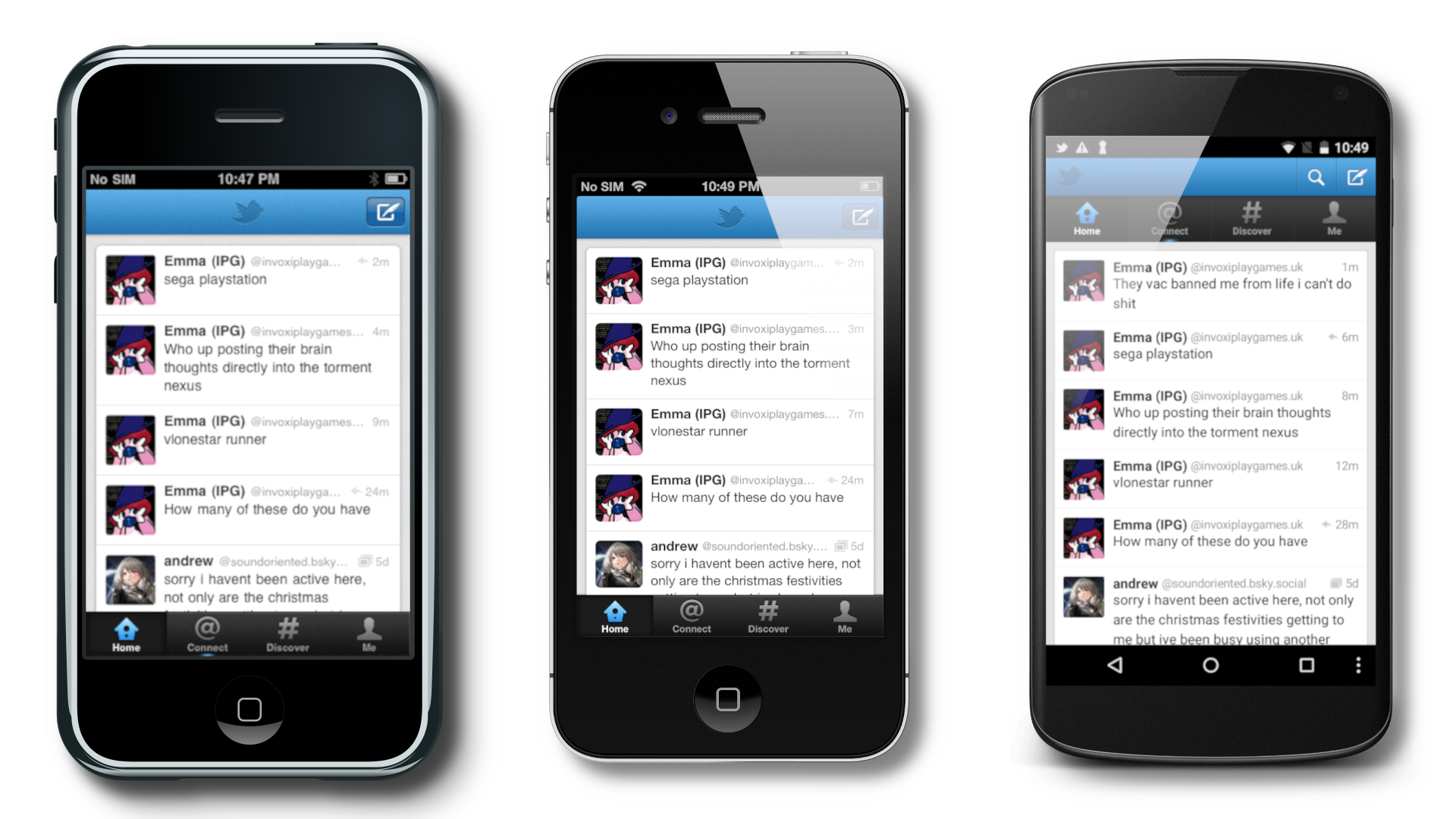
This custom server translates Twitter V1 requests to Bluesky for Twitter clients.
Compatibility
To see what devices and versions are compatible, look at the compatibility list
Public Instances
https://twb.preloading.dev HTTP & HTTPS, Based on Releases (my instance) (old url still works)
https://ttwb.preloading.dev HTTP & HTTPS, Based on commits (my instance) (old url still works)
Usage
iOS Official App
- Install the IPA of your choosing (you can find some here, along with android versions: https://loganserver.net/twitters/, also elon don't sue me pls). At present moment, recommended is 4.1.3, latest to work is 5.0.3 for offical iOS)
- Create a bluesky app password (assuming you have a bluesky account), menu > settings > privacy and security > app passwords. You will want to enable DMs for future DM compatibility.
- Open the Twitter app
- Click the login button
- Click the cog button
- Put your instance for both urls. You must include either
http://orhttps://at the beginning. Do not include a slash at the end. You can find these urls/servers in the Public Instances section above. - Type in your bluesky handle for the username, and your bluesky app password as the password. Usage of normal passwords is not recommended, and will be forbidden in the future
- Login
- Hopefully success
iOS Integration (+ image uploads on the app)
- Have a jailbroken iOS device running either iOS 5-6 (older versions don't have the twitter integration, and newer are incompatible with this server, but this will still make images work)
- Add to cydia either
http://cydia.bag-xml.comorhttp://cydia.skyglow.esto the sources tab - Find the
Bluetweetytweak, and install it. - Go to Settings > Bluetweety. (If it does not show up, check that you actually installed it.
- Input the server url you will use. DO NOT INCLUDE
http://ORhttps://AT THE BEGINING AND THE SLASH AT THE END!!! You can find a list of URLS in the Public Instances section - Reboot your phone.
- Go to Settings > Twitter. Type your bluesky handle in the Username field (example:
preloading.bsky.socialand your app password (can be the same from the app) in the respective areas. You can get an App Password here Or through BlueSky > Settings > Privacy and security > App passwords if you'd rather navigate to it yourself - Click Login
- Disable the ability for the twitter app to view twitter accounts.
- Hopefully success
Hosting instructions
For hosting, you can take two paths - 🐳 Docker - Quick & easy to deploy + easy updating - 🖥 Bare metal (recommended) - Useful when developing & debugging
🐳 Docker
Warning: Docker at present moment has some preformance issues, if anyone competent in docker has any idea why, please leave a github issue :)
I assume you have some competency in docker.
Docker Compose:
services:
  twitter-bridge:
    # image: ghcr.io/preloading/twitterapibridge:main # main = releases/stable
    image: ghcr.io/preloading/twitterapibridge:dev # dev=latest commits/test version
    environment:
      - TWITTER_BRIDGE_DATABASE_TYPE=sqlite
      - TWITTER_BRIDGE_DATABASE_PATH=/config/database/sqlite.db
      - TWITTER_BRIDGE_CDN_URL=http://127.0.0.1
      - TWITTER_BRIDGE_SERVER_PORT=3000
      - TWITTER_BRIDGE_TRACK_ANALYTICS=true
      - TWITTER_BRIDGE_DEVELOPER_MODE=false
    ports:
      - "80:3000"
    volumes:
      - '/opt/twitterbridge/sqlite:/config/sqlite' # Path where the SQLite DB is stored. It is safe to remove if you aren't using SQLite for your database.
| Env | Function | Default |
|---|---|---|
TWITTER_BRIDGE_DATABASE_TYPE |
They type of database to connect to. Options include sqlite, mysql, and postgres. | "sqlite" |
TWITTER_BRIDGE_DATABASE_PATH |
Changes where it looks for the database (Path/DSN) (see https://gorm.io/docs/connecting_to_the_database.html) | "/config/database/sqlite.db" |
TWITTER_BRIDGE_CDN_URL |
The CDN_URL is the URL where clients can access images from this server. Do not include a trailing slash. | "http://127.0.0.1:3000" |
TWITTER_BRIDGE_IMG_DISPLAY_TEXT |
The display URL shown in tweets for images. See config.sample.yaml for more info. | "pic.twitter.com/{shortblob}" |
TWITTER_BRIDGE_VID_DISPLAY_TEXT |
The display URL shown in tweets for videos. See config.sample.yaml for more info. | "pic.twitter.com/{shortblob}" |
TWITTER_BRIDGE_IMG_URL_TEXT |
The URL where the client will go when clicking an image link. See config.sample.yaml for more info. | "http://127.0.0.1:3000/img/{shortblob}" |
TWITTER_BRIDGE_VID_URL_TEXT |
The URL where the client will go when clicking an video link. See config.sample.yaml for more info. | "http://127.0.0.1:3000/img/{shortblob}" |
TWITTER_BRIDGE_SERVER_PORT |
The port where the server is running | 3000 |
TWITTER_BRIDGE_TRACK_ANALYTICS |
Enables tracking of analytics (at the moment the only way to view this is by looking at the database) | true |
TWITTER_BRIDGE_USE_X_FORWARDED_FOR |
Uses X_Forwarded_For when used thru a proxy. | false |
TWITTER_BRIDGE_DEVELOPER_MODE |
Enables extra loggging of data useful for debugging. WARNING!: DO NOT ENABLE ON A PUBLIC INSTANCE!!!! | false |
TWITTER_BRIDGE_MIN_TOKEN_VERSION |
Sets the minimum token version. If this is a new server, it should be set to 2. If you want to keep older users signed in, set it to 1 | 1 |
TWITTER_BRIDGE_SECRET_KEY |
The JWT secret key. KEEP THIS SECRET!!!! This follows everything that a normal JWT must be. | None |
TWITTER_BRIDGE_SERVER_IDENTIFIER |
A way for other services to know which server issued a token. Try to keep this unique across servers. | None |
TWITTER_BRIDGE_SERVER_URLS |
URLs your server can be accessesed, stored in the token. | None |
🖥 Bare metal (recommended)
This assumes you are somewhat competent
1. Clone the repo
git clone https://github.com/Preloading/TwitterAPIBridge.git
2. Duplicate and rename config.sample.yaml as config.yaml
3. Configure config.yaml (edit the file, you'll see decription of what each thing does)
4. Run/build
If you want to just run this in the directory when you found config.sample.yaml
go run .
If you want to build the project run this in the directory when you found config.sample.yaml
go build .
5. (if building) open the executable
6. (hopefully) success!
Accuracy
This server is no where close to 100% accurate. Most of the the time this accuracy is having more values responed than what should be, and it shouldn't affect clients using this.
Support
I give some support in bag's server under #bluetweety, https://discord.gg/bag-xml
Thanks to
@Preloading, I wrote the thing
@Savefade, Gave me info on some of the requests
@retrofoxxo, Helped with getting android working with this server
Core symbols most depended-on inside this repo
ReturnErrorShape
Languages
Modules by API surface
For agents
$ claude mcp add TwitterAPIBridge \
  -- python -m otcore.mcp_server <graph>