github.com/PacktPublishing/React-Application-Architecture-for-Production @main
Chat with this repoBrowse by type
What it actually does AI analysis from the code graph — generated when you open this
README
React Application Architecture for Production
React Application Architecture for Production , published by Packt
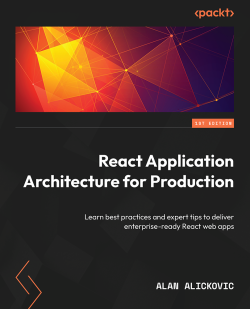
This is the code repository for React Application Architecture for Production, published by Packt.
Learn best practices and expert tips to deliver enterprise-ready React web apps
What is this book about?
Building large-scale React applications can be overwhelming with the amount of tooling choices and lack of cohesive resources. To address these challenges, this hands-on guide covers best practices and web application development examples to help you build enterprise-ready applications with React in no time.
This book is for intermediate-level web developers who already have a solid understanding of JavaScript, React, and web development in general and want to build large-scale React applications effectively. Beginner-level TypeScript experience, along with JavaScript and React, will be beneficial.
This book covers the following exciting features:
- Use a good project structure that scales well with your application
- Create beautiful UIs with Chakra UI and emotion
- Configure a base Next.js app with static code analysis and Git hooks
- Learn to mock API endpoints for prototyping, local development and testing
- Choose an optimal rendering strategy in Next.js based on the page needs
- Learn to choose the best state management solution for given problem
- Write unit tests, integration tests and e2e tests in your React Application
- Configure CI/CD with GitHub Actions
- Deploy your React applications on Vercel
If you feel this book is for you, get your copy today!

Requirements
-
Node.js version 16 or above and npm version 8 or above There are a couple of different ways to install node and npm.
-
VSCode (optional) is currently the most popular editor/IDE for JavaScript/TypeScript, so we will be using it. It is open source, has great integration with TypeScript, and we can extend its features via extensions. It can be downloaded from here: https://code.visualstudio.com/.
Installation
To start using the code files, the first step is to clone the repository locally on your machine.
If you are using the repository for the first time, once it is cloned locally, you need to do the following steps:
Install the dependencies:
to install the dependencies, run the following command:
npm install
Configure environment
To configure envirionment variables, create the .env file by copying the the content from .env.example:
cp .env.example .env
Usage
The setup has been configured to allow you to work on the code of a specific chapter. To do so, you need to select the chapter code you want to work on. The following commands are available:
Select a chapter code:
To select a chapter code, you need to run the following command:
npm run stage:switch
This command will prompt you with a list of stages for each chapter:
? What stage do you want to switch to? (Use arrow
 keys)
❯ chapter-02
 chapter-03
 chapter-03-start
 chapter-04
 chapter-04-start
 chapter-05
 chapter-05-start
(Move up and down to reveal more choices)
For example, if you want to follow along with the code of chapter 5, you need to select chapter-05-start. If you only want to see the final code of chapter 5, you can select chapter-05.
The files of the selected chapter will be copied to the main directory. You can now start working on the code.
Start the dev server:
To start the dev server, you need to run the following command:
npm run dev
The dev server will be started on port 3000. You can access the application on http://localhost:3000.
Save changes of the selected chapter code:
If you want to save the changes you made to the code of the selected chapter in the main directory, you need to run the following command:
npm run stage:save
Clear the chapter selection:
If you want to clear the chapter selection, you need to run the following command:
npm run stage:clear
We also provide a PDF file that has color images of the screenshots/diagrams used in this book. Click here to download it.
Related products
Get to Know the Author
Alan Alickovic is a software engineer, consultant, mentor, and open source enthusiast. During the years of his software engineering career, he has gained extensive experience in building applications of various scales for start-ups and large organizations in a variety of different industries. He also has plenty of experience in leading and mentoring engineers and helping them grow and progress in their careers.
Download a free PDF
If you have already purchased a print or Kindle version of this book, you can get a DRM-free PDF version at no cost.
Simply click on the link to claim your free PDF.
Core symbols most depended-on inside this repo
Shape
Languages
Modules by API surface
For agents
$ claude mcp add React-Application-Architecture-for-Production \
  -- python -m otcore.mcp_server <graph>