github.com/OpenStitching/stitching @v0.6.1
Chat with this repoWhat it actually does AI analysis from the code graph — generated when you open this
README
stitching
A Python package for fast and robust Image Stitching.
Based on opencv's stitching module and inspired by the stitching_detailed.py python command line tool.

Installation
use the docker image
or pip to install stitching from
PyPI.
pip install stitching
Usage
Python CLI
The command line interface (cli) is available after installation
stitch -h show the help
stitch *.jpg stitches all jpg files in the current directory
stitch img_dir/IMG*.jpg stitches all files in the img_dir directory
starting with "IMG" and ending with ".jpg"
stitch img1.jpg img2.jpg img3.jpg
stitches the 3 explicit files of the current directory
Enable verbose mode with stitch *.jpg -v.
This will create a folder where all intermediate results are stored so that
you can find out where there are problems with your images, if any
Docker CLI
If you are familiar with Docker and don't feel like setting up Python and an environment, you can also use the openstitching/stitch Docker image
docker container run --rm -v
/path/to/data:/data openstitching/stitch:{version} -h
You can use the Python CLI as described above (read "current directory" as "/data directory").
Python Script
You can also use the Stitcher class in your script
from stitching import Stitcher
stitcher = Stitcher()
Specify your custom settings as
stitcher = Stitcher(detector="sift", confidence_threshold=0.2)
or
settings = {"detector": "sift", "confidence_threshold": 0.2}
stitcher = Stitcher(**settings)
Create a Panorama from your Images:
- from a list of filenames
panorama = stitcher.stitch(["img1.jpg", "img2.jpg", "img3.jpg"])
- from a single item list with a wildcard
panorama = stitcher.stitch(["img?.jpg"])
- from a list of already loaded images
panorama = stitcher.stitch([cv.imread("img1.jpg"), cv.imread("img2.jpg")])
The equivalent of the --affine cli parameter within the script is
from stitching import AffineStitcher
stitcher = AffineStitcher()
panorama = stitcher.stitch(...)
The equivalent of the -v/--verbose cli parameter within the script is
panorama = stitcher.stitch_verbose(...)
Questions
For questions please use our discussions. Please do not use our issue section for questions.
Contribute
Read through how to contribute for information on topics like finding and fixing bugs and improving / maintaining this package.
Tutorial
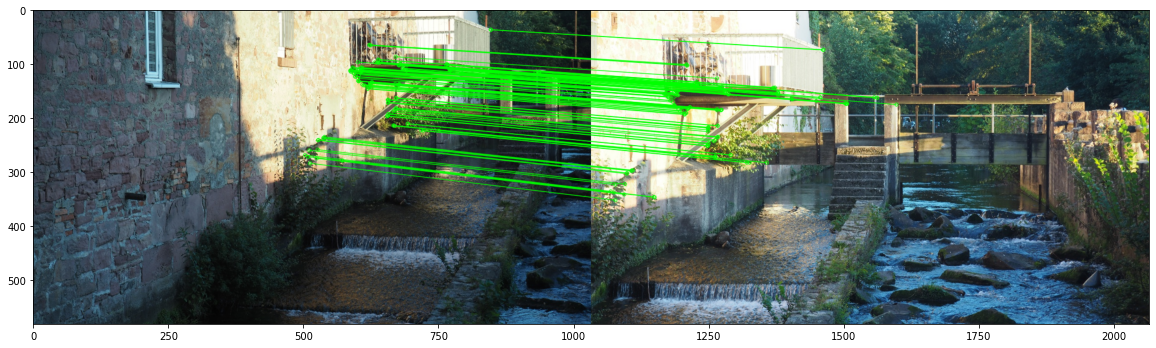
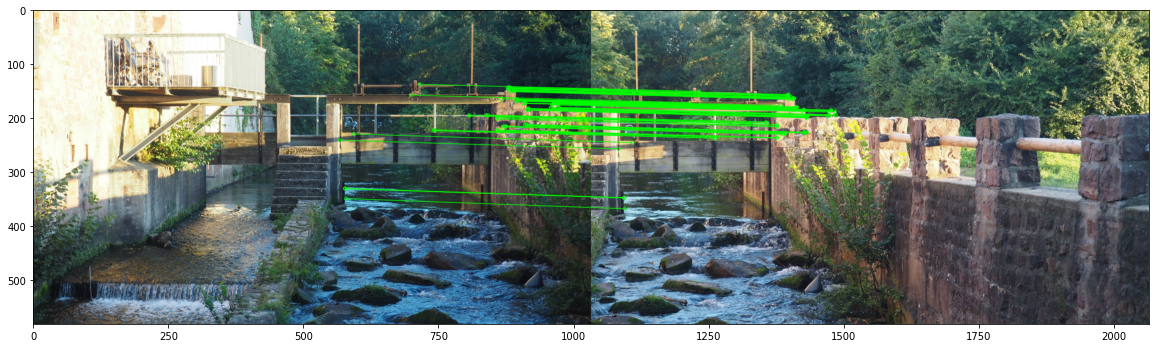
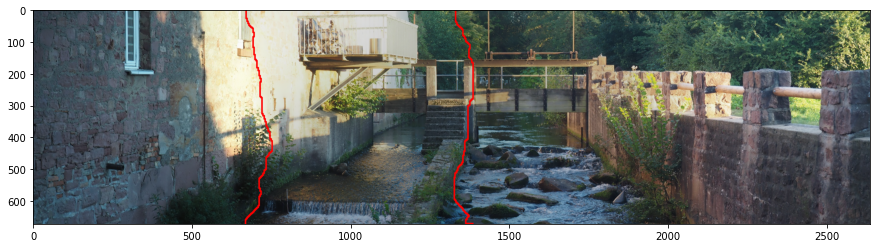
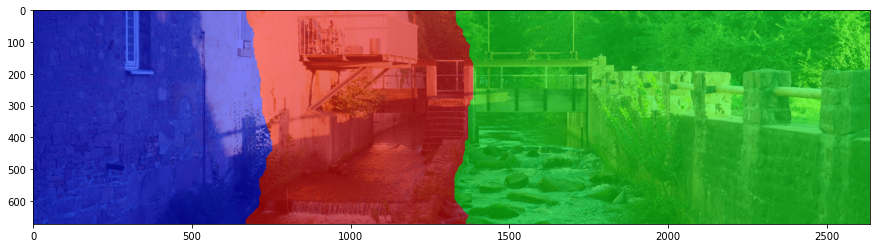
This package provides utility functions to deeply analyse what's happening behind the stitching. A tutorial was created as Jupyter Notebook. The preview is here.
You can e.g. visualize the RANSAC matches between the images or the seam lines where the images are blended:
Literature
This package was developed and used for our paper Automatic stitching of fragmented construction plans of hydraulic structures
License
Core symbols most depended-on inside this repo
resizeShape
Languages
Modules by API surface
For agents
$ claude mcp add stitching \
  -- python -m otcore.mcp_server <graph>