github.com/OpenNebula/one @release-7.2.0
Chat with this repoWhat it actually does AI analysis from the code graph — generated when you open this
README

Description
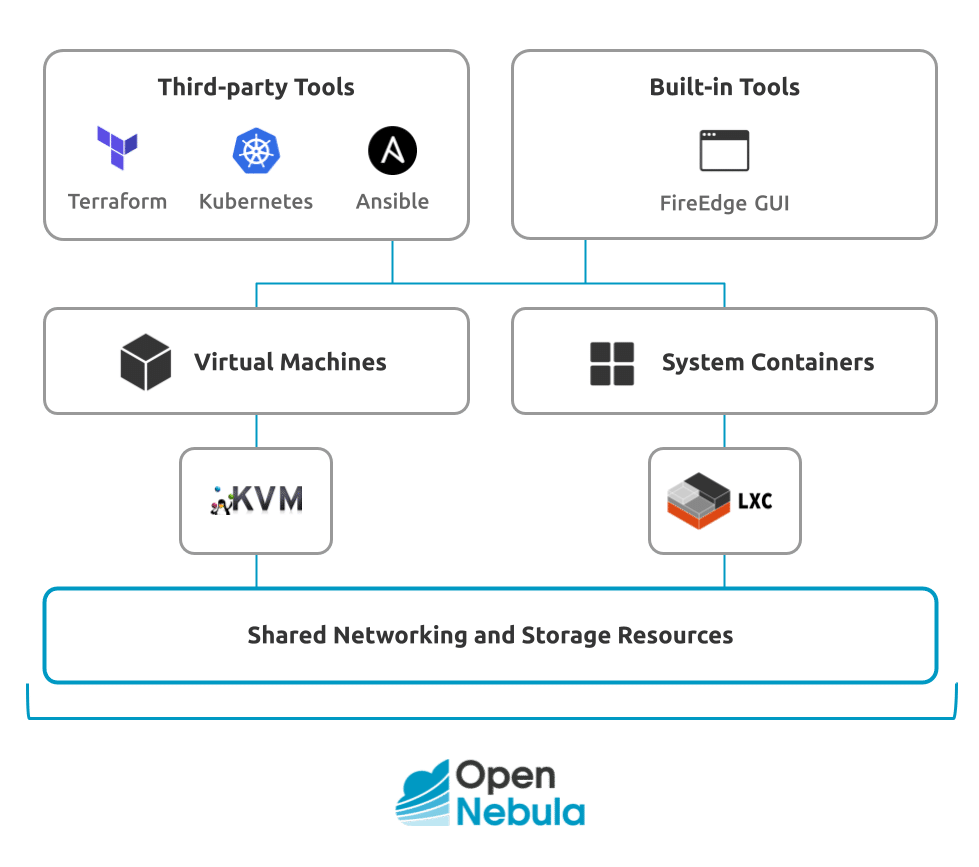
OpenNebula is an open source platform delivering a simple but feature-rich and flexible solution to build and manage enterprise clouds for virtualized services, containerized applications and serverless computing.
To start using OpenNebula
- Explore OpenNebula’s key features on our website.
- Have a look at our introductory datasheet.
- Browse our catalog of screencasts and video-tutorials.
- Download our technical white papers.
- See our Documentation.
- Join our Community Forum.
- Check our Quick Start Guide.
Contributing to OpenNebula
- Contribute to Development.
- Learn about our Add-on Catalog.
- Help us translate OpenNebula to your language.
- Report a security vulnerability.
Taking OpenNebula for a Test Drive
You can quickly and easily try out OpenNebula’s functionality by installing miniONE. Then, you can follow tutorials to quickly install an OpenNebula cloud.
Installation
For information on installing OpenNebula, please see this documentation section.
It is very useful to learn where log files of the main OpenNebula components are placed. Also check the reference about the main OpenNebula daemon configuration file.
Front-end Installation
The Front-end is the central part of an OpenNebula installation. This is the machine where the server software is installed and where you connect to manage your cloud. It can be a physical node or a virtual instance.
Please visit the official documentation for more details and a step-by-step guide. Using the packages provided on our site is the recommended method, to ensure the installation of the latest version and to avoid possible package divergences with different distributions. There are two alternatives here: you can add our package repositories to your system, or visit the software menu to download the latest package for your Linux distribution.
If there are no packages for your distribution, please check the build dependencies for OpenNebula and head to the Building from Source Code guide.
Node Installation
After the OpenNebula Front-end is correctly set up, the next step is preparing the hosts where the VMs are going to run. For details please refer to the installation guides for KVM Nodes and LXC Nodes.
Contact
License
Copyright 2002-2026, OpenNebula Project, OpenNebula Systems (formerly C12G Labs)
Licensed under the Apache License, Version 2.0 (the "License"); you may not use this file except in compliance with the License. You may obtain a copy of the License at http://www.apache.org/licenses/LICENSE-2.0
Unless required by applicable law or agreed to in writing, software distributed under the License is distributed on an "AS IS" BASIS, WITHOUT WARRANTIES OR CONDITIONS OF ANY KIND, either express or implied. See the License for the specific language governing permissions and limitations under the License.
Acknowledgements
Some of the software features included in this repository have been made possible through the funding of the following innovation projects: ONEnextgen, ONEedge5G, and SovereignEdge.Cognit.