github.com/OnionUI/Onion @20220404v3.55
Chat with this repoWhat it actually does AI analysis from the code graph — generated when you open this
README
Onion (and Eggs) V3: Definitive Edition
Download newest release here!
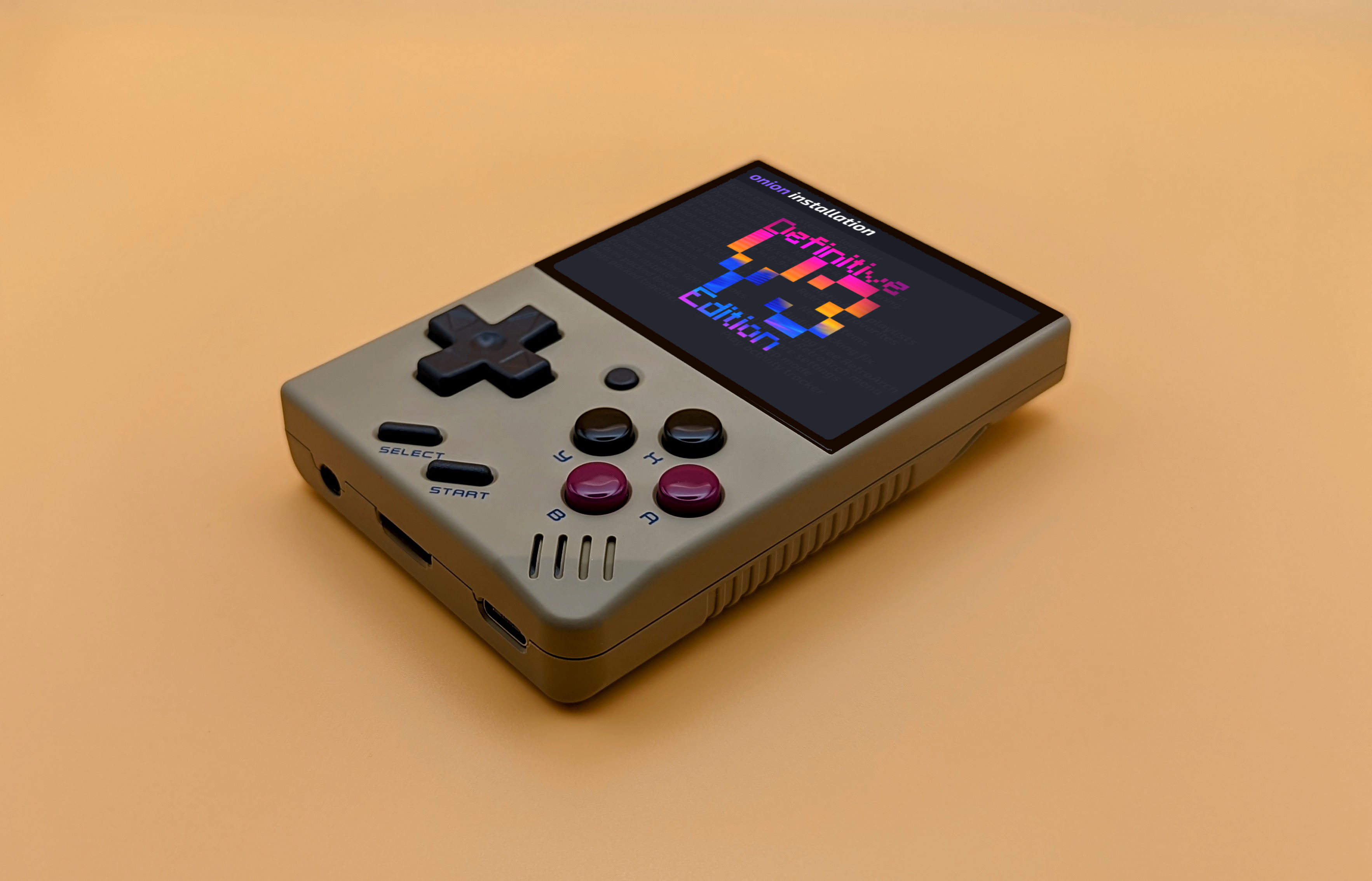
This release was made possible by PixelShift, Totofaki and the Onion community.
Installation
Installation (Fresh Install):
- Format your SD card as Fat32. (Use a fast, trusted brand not the one sent with the handheld)
- Unzip the ".tmp_update" folder and its content to the root of your SD.
- Boot up your Miyoo Mini and follow the on-screen instructions to get started.
- Your Mini will turn off after the installation is completed. (Don't delete the .tmp_update folder, it is now part of the Onion installation)
Installation (Upgrade):
- Backup your saves, states and scraped images
- Saves are located at /Retroarch/.retroarch/saves/corename
- States are located at /Retroarch/.retroarch/states/corename
- Delete all folders from your SD except "BIOS" and "Roms"
- Unzip the ".tmp_update" folder to the root of your SD.
- Boot up your Miyoo Mini and follow the on-screen instructions to get started.
- Restore your backed up saves and states.
- Optional: To restore your box art, copy each system's box art folder into the system's respective folder in /Roms/ and rename each folder to "Imgs"
Changelog and new features
Streamlined custom installer (Credit: Totofaki & PixelShift)
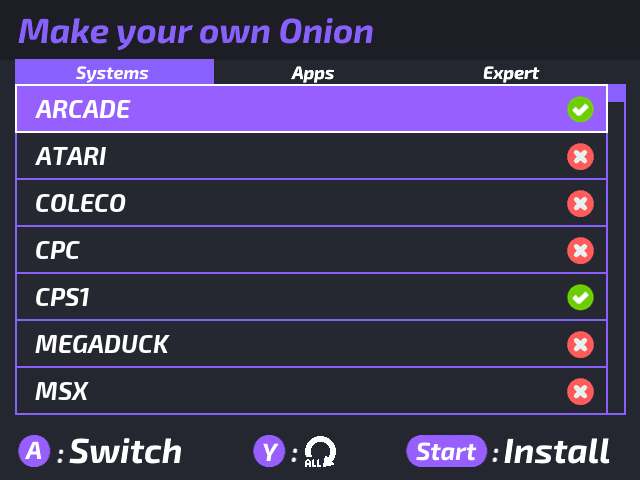
- Install only the systems and apps you need.
- Relaunch any time to add more.
- Community presets, homebrews and more!
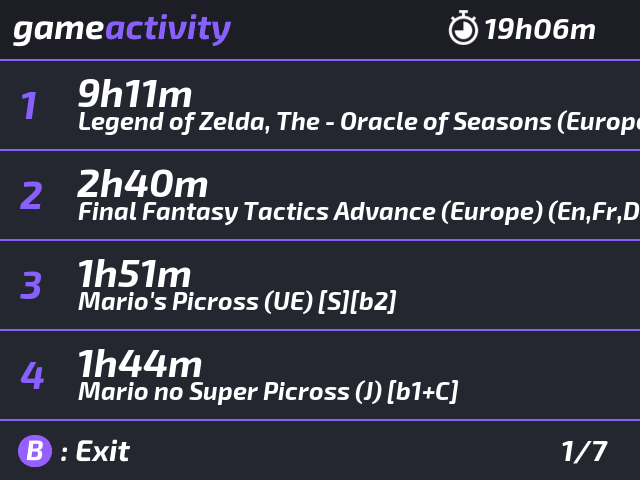
Play Activity & Onion Launcher (Credit: Totofaki)
- Track your game play times.
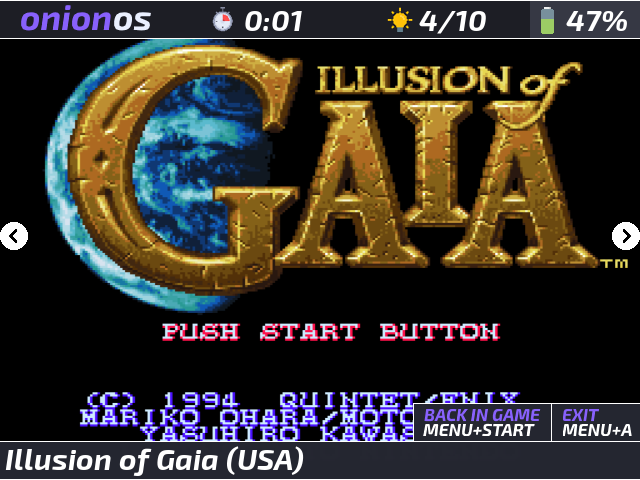
-
Quick launch any switch any game from your history
-
Reduced startup time by almost half to get you into your game without any hassle.
- Full overlay with accurate brightness and battery readings.
- Improved brightness curve for better low-light gaming.
- Improved Sleep mode with full game suspension.
- Custom charging screen that prevent screen burnings.
- Custom low battery notification, no more flickering icon.
- No more memory leaks or kernel panic!
- Low bat (<10%) big visual battery warning indicator.
- Your handheld will also rumble periodically in game to indicate that your battery is bellow 10%
- When the battery goes < 4%, the game is now saved to prevent loosing progression, and the handheld turned off.
Theme Switcher app (Credit: PixelShift and Totofaki)

- Preview and change themes on the fly, no reboot required.
- 26 themes from our community!
RetroArch UI improvements

- Crisp 640*480 resolution
- Lag free
- Now a game launcher (Cores embedded, Playlists unlocked, Favorites unlocked)
- Compiled from scratch by Eggs for incredible performances. Custom audio, display and input driver.
Others
- Experimental Arduboy support (Credit: JMARoeder)
- Updated PICO emulator to Fake08 standalone (Credit: Supergrom)
- Updated screenshot tool to v4 (Credit: eggs)
- Fixed Super Game Boy default config (Credit: Updog)
- Support for Icon Packs! Drag and drop your custom icons into the "Icons" folder at the root of your SD.
- Boxart moved to /Roms/systemname/Imgs for easier scraping
- Various bug fixes and optimizations.
Shortcuts
Menu + Start : Exit game
Menu + Select : Retroarch menu
Menu + R2 : Save state
Menu + L2 : Load state
Menu + R (Just R in GB games) : Fast forward
Menu + L : Rewind (If enabled)
Select + Start + R2 : Brightness up
Select + Start + L2 : Brightness down
Menu + Right : Save slot increase
Menu + Left : Save slot decrease
Menu + X : Toggle FPS display
(In launcher mode)
Menu : Toggle Game / launcher panel
Select : Play activity
A : Exit to Miyoo menu
Menu + Up : Brightness up
Menu + Down : Brightness down
Power button : Deep sleep
Menu + Power : Light sleep
Select + Start + R1 + R2 : Force shutdown
(In a Game boy game) R2/L2 : Change palette
Help us improve Onion here: https://docs.google.com/spreadsheets/d/1mocDiQFzC-b8hpWmhN-VQxWEf8hV14Jsit6P0_-DQNU/edit?usp=sharing
Core symbols most depended-on inside this repo
cJSON_DeleteShape
Languages
Modules by API surface
For agents
$ claude mcp add Onion \
  -- python -m otcore.mcp_server <graph>