github.com/OnedocLabs/react-print-pdf @main
Chat with this repoBrowse by type
What it actually does AI analysis from the code graph — generated when you open this
README
React Print
The new way to build documents.
High-quality, unstyled components for creating PDFs.
Fileforge Website · GitHub · Discord · Documentation




Demo Highlights 🎥
https://github.com/OnedocLabs/react-print-pdf/assets/33000377/0d8815a7-e858-4541-ba13-325d56f26c69
Key Features 🎯
- Easy to use: Build your first PDF with react-print-pdf in less than 5 minutes.
- Open source: Freedom is beautiful, and so is Fileforge. React-print-pdf is open source and free to use.
- Components & Templates: Kickstart your next document by using our list of components and template created by Fileforge's Team and the community.
- 100% Layout's control: Unlike other solutions, you have complete control over 100% of your layout, including margins, headers, footers, and more.
- Integrate dynamic data to your PDF: Streamline data from your database and integrate it seamlessly into your PDFs.
Introduction ℹ️
A collection of high-quality, unstyled components for creating beautiful PDFs using React and TypeScript. Forget about docx, latex, or painful outdated libraries. With react-print-pdf, embrace a new way to create PDFs, designed by and for developers.
Why❓
We believe documents are at the core of communication—invoices, contracts, resumes, brochures, etc. They are the primary method for exchanging information with others professionally. So, why do we continue to use decades-old technology to create them? We believe you deserve better. Document production needs to be modernized. Start today and create your next PDF the same way you build a web app. And yes, this includes automating data integration into your documents. Say hello to react-print-pdf.
How does it differ from other solutions? 🧐
Unlike other solutions, react-print-pdf gives you complete control over your documents, allowing you to design complex layouts with features like footnotes, headers, margins, and more. Additionally, it enables you to track and analyze specific parts of your document, and build and update charts using data from your database. And this is just the beginning—our team and the community will continue to develop great features to simplify the PDF generation process.
Getting started 🚀
1. Installation 💿
Get the react-print component library.
With npm
```sh npm npm install @fileforge/react-print
### With yarn

```sh yarn
yarn add @fileforge/react-print
With pnpm
```sh pnpm pnpm add @fileforge/react-print
## 2. Import component ↪️

Import the components you need to your PDF template from our list of pre-build components :

```javascript
import { PageTop, PageBottom, PageBreak } from "@fileforge/react-print";
3. Integrate in your document 📄
Integrate your components and include styles where needed.
export const Document = ({ props }) => {
  return (


      <PageTop>
        <span>Hello #1</span>
      </PageTop>


Hello #2


      <PageBottom>


Hello #3


      </PageBottom>
      <PageBreak />
      <span>Hello #4, but on a new page ! </span>


  );
};
4. Generate HTML 💻
import { compile } from "@fileforge/react-print";

const html = await compile(<Document />);
Components 🗂️
A set of standard components to help you build amazing documents without having to deal with the mess of creating complex layouts and maintaining archaic markup. Help us extend this list by actively contributing and adding your favorite components!
Browse all currently supported components →
[!NOTE] Help us extend this list by actively contributing and adding your favorite components!
Integrations 🔗
PDF designed with react-print-print can be generated, hosted (and more) with your preferred document management providers.
- Fileforge : HTML to PDF, cloud hosting, analytics and more.
Contributing 🫂
This project is open-source and is intended to be maintained and built by and for developers.
Wanna help ? Awesome! There are many ways you can contribute! Take a look at:
Authors 🧑💻
- Auguste L. (@thisisnotFranck)
- Pierre D. (@pierre_dge120)
- Titouan L. (@titouan325)
License 📜
Join the movement ! 🚀
Activity
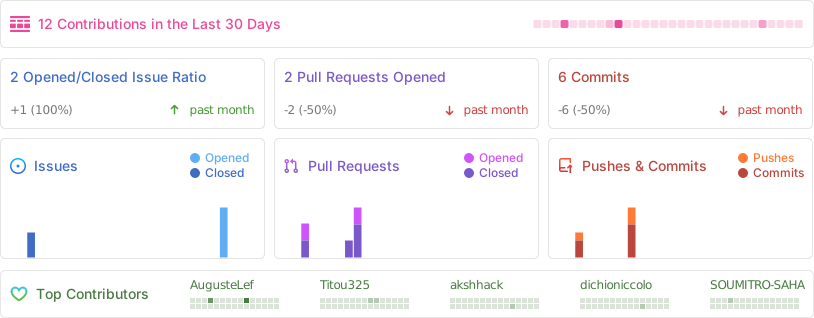
Contributors ✨
Star History 🌟
<img alt="Star History Chart" src="https://api.star-history.com/svg?repos=Onedoclabs/react-print&type=Date" />
Extension points exported contracts — how you extend this code
browse all types & interfaces →
Core symbols most depended-on inside this repo
Shape
Languages
Modules by API surface
For agents
$ claude mcp add react-print-pdf \
  -- python -m otcore.mcp_server <graph>