github.com/OcularEngineering/ocular @v1.0.2
Chat with this repoWhat it actually does AI analysis from the code graph — generated when you open this
README
<img alt="Ocular Logo" src="https://github.com/OcularEngineering/ocular/raw/v1.0.2/packages\ocular-ui\public\ocular-logo-official.svg" width="40%">
✨ ChatGPT meets Google Search ✨




The Open Core Enterprise Generative AI and Search Platform
AI Powered Search and Chat for Companies - Think ChatGPT meets Google Search but powered by your data.
Twitter | Join Our Slack | Report Bug | Request Feature
🚀 Introduction
Ocular is a set of modules and tools that allow you to build rich, reliable, and performant Generative AI-Powered Search Platforms without the need to reinvent Search Architecture.
We're help to you build you spin up customized internal search in days not months.

✨ Features
- Google Like Search Interface - Find what you need.
- App MarketPlace - Connect to all of your favorite Apps.
- Custom Connectors - Build your own connectors to propeitary data sources.
- Customizable Modular Infrastructure - Bring your own custom LLM's, Vector DB and more into Ocular.
- Governance Engine - Role Based Access Control, Audit Logs etc.
🔓 Open-source vs Paid
Repo is under Elastic License 2.0 (ELv2).
If you are interested in managed Ocular Cloud of self-hosted Enterprise Offering book a meeting with us:
Getting started
🐳 Running Ocular in Docker
To run Ocular locally, you'll need to setup Docker in addition to Ocular.
Prerequsites
First, make sure you have the Docker installed on your device. You can download and install it from here.
- Clone the Ocular directory.
sh
   git clone https://github.com/OcularEngineering/ocular.git && cd ocular
-
In the home directory, open
env.localadd the required OPEN AI env variables -
Required Keys
- Open AI Keys - To run Ocular an LLM provider must be setup in the backend . By default Open AI is the LLM Provider for Ocular so please add the Open AI keys in
env.local. - Support for other LLM providers is coming soon!
- Open AI Keys - To run Ocular an LLM provider must be setup in the backend . By default Open AI is the LLM Provider for Ocular so please add the Open AI keys in
-
Optional Keys
- Apps (Gmail|GoogleDrive|Asana|GitHub etc) - To Index Documents from Apps the Api keys have to be set up in the
env.localfor that specific app. Please read our docs on how to set up each app.
- Apps (Gmail|GoogleDrive|Asana|GitHub etc) - To Index Documents from Apps the Api keys have to be set up in the
-
Run Docker.
sh
   docker compose -f docker-compose.local.yml up --build --force-recreate
This command initializes the containers specified in the docker-compose.local.yml file. It might take a few moments to complete, depending on your computer and internet connection.
Once the docker compose process completes, you should have your local version of Ocular up and running within Docker containers. You can access it at http://localhost:3001/create-account.
Remember to keep the Docker application open as long as you're working with your local Ocular instance.
🤝 Contributing
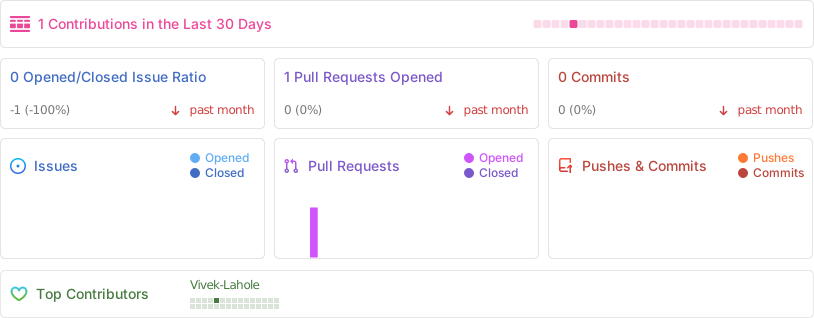
We love contributions. Check out our guide to see how to get started.
Not sure where to get started? You can:
- Join our Slack, and ask us any questions there.
📚 Resources
- Docs for comprehensive documentation and guides
- Slack for discussion with the community and Ocular team.
- GitHub for code, issues, and pull requests
- Roadmap - Coming Soon
⭐Star History
💻Core Team

|

|

|
✨Contributors
Extension points exported contracts — how you extend this code
ISearchApproach (Interface)Core symbols most depended-on inside this repo
cnShape
Languages
Modules by API surface
Datastores touched
For agents
$ claude mcp add ocular \
  -- python -m otcore.mcp_server <graph>