github.com/NodeJSmith/hassette @v0.47.0
Chat with this repoWhat it actually does AI analysis from the code graph — generated when you open this
README
Hassette


A simple, modern, async-first Python framework for building Home Assistant automations.
Documentation: https://hassette.readthedocs.io
✨ Why Hassette?
- Type Safe: Full type annotations with Pydantic models and comprehensive IDE support
- Async-First: Built for modern Python with async/await throughout
- Dependency Injection: Clean handler signatures with FastAPI style dependency injection
- Persistent Storage: Built-in disk cache for storing data across restarts, intelligent rate-limiting, and more
- Simple & Focused: Just Home Assistant automations - no complexity creep
- Web UI: Monitor and manage your automations from the browser
- Developer Experience: Clear error messages, proper logging, hot-reloading, and intuitive APIs
See the Getting Started guide for detailed instructions.
🖥️ Web UI
Hassette includes a web UI for monitoring and managing your automations: Apps (app status, health, and detailed per-app views), Handlers (registered event handlers across all apps), Logs (real-time log streaming with filtering), and Config (runtime configuration and diagnostics).
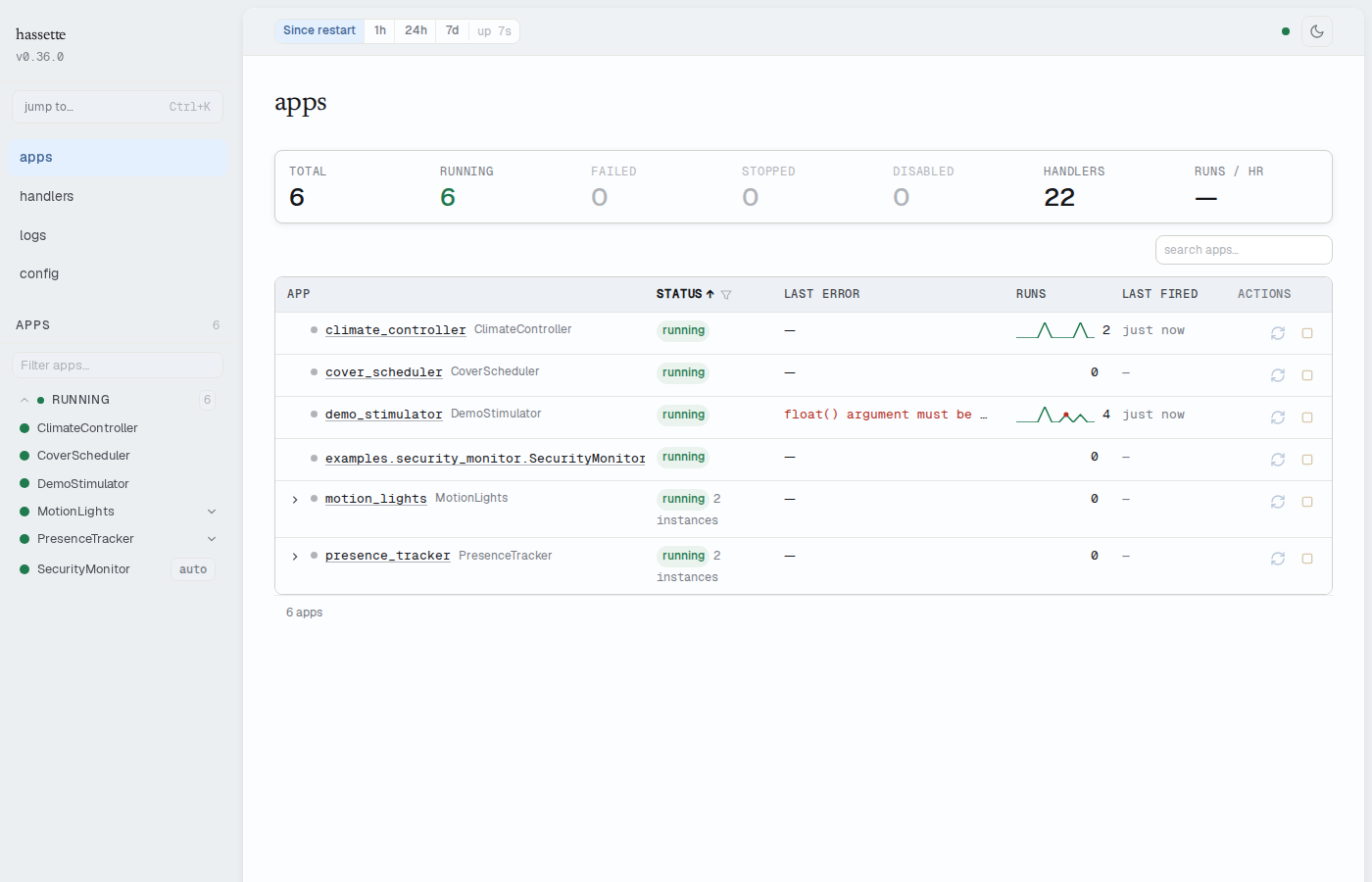
The web UI is enabled by default at http://<host>:8126/. See the Web UI documentation for details.
Terminal CLI
Query a running Hassette instance from the terminal — no browser required:
# Check system health
hassette status

# List all apps and their status
hassette app

# Investigate a specific app
hassette app health my-app
hassette listener --app my-app --since 1h
hassette log --app my-app --since 1h --limit 20

# Pipe structured output to jq
hassette listener --app my-app --json | jq '.[] | select(.failed > 0)'
See the CLI documentation for the full command reference, scripting patterns, and shell completion setup.
🤔 Is Hassette Right for You?
New to automation frameworks? - Is Hassette Right for You? - Decide if Hassette is right for your needs
Coming from AppDaemon? - AppDaemon Migration Guide - See what's different and how to migrate
📖 Examples
Check out the examples/ directory for complete working examples:
- motion_lights.py - Motion-activated lights with debounce
- climate_controller.py - Temperature monitoring with glob patterns
- cover_scheduler.py - Cron/daily scheduling for blinds
- presence_tracker.py - Dynamic subscription management
- security_monitor.py - Synchronous app with throttle
Configuration examples: - Docker Compose Guide - Docker deployment setup - HassetteConfig - Complete configuration reference
🛣️ Status
Hassette is under active development. We follow semantic versioning and recommend pinning a minor version (e.g., hassette~=0.x.0) while the API stabilizes.
Open an issue or PR if you'd like to contribute!
Recent Highlights
- Typed state models - Generated Python models for 45+ Home Assistant entity domains
- Entity classes - Rich entity objects with built-in async methods (e.g.,
await light.turn_on()) - Test harness -
AppTestHarnessfor writing tests against your automations with simulated state and time control
🤝 Contributing
Contributions are welcome! Whether you're:
- 🐛 Reporting bugs or issues
- 💡 Suggesting features or improvements
- 📝 Improving documentation
- 🔧 Contributing code
See CONTRIBUTING.md for guidelines on getting started.
⭐ Star History
📄 License
Extension points exported contracts — how you extend this code
LogStore (Interface)Core symbols most depended-on inside this repo
getShape
Languages
Modules by API surface
For agents
$ claude mcp add hassette \
  -- python -m otcore.mcp_server <graph>