github.com/Nightonke/BoomMenu @main
Chat with this repoBrowse by type
What it actually does AI analysis from the code graph — generated when you open this
README
BoomMenu


This README is only for version 1.0.9 or below. Strongly suggest to use new version
Tired of these menu buttons?

Why not try these:
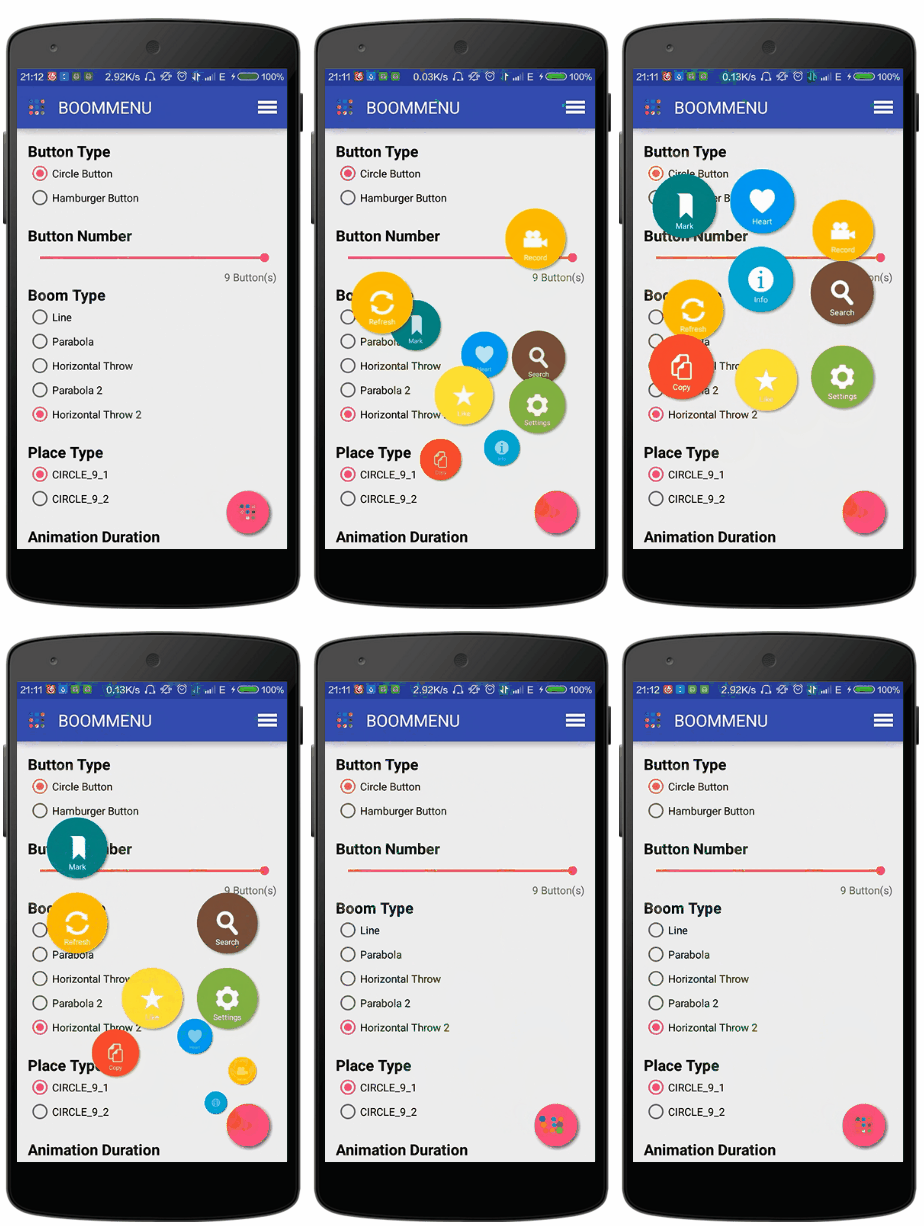
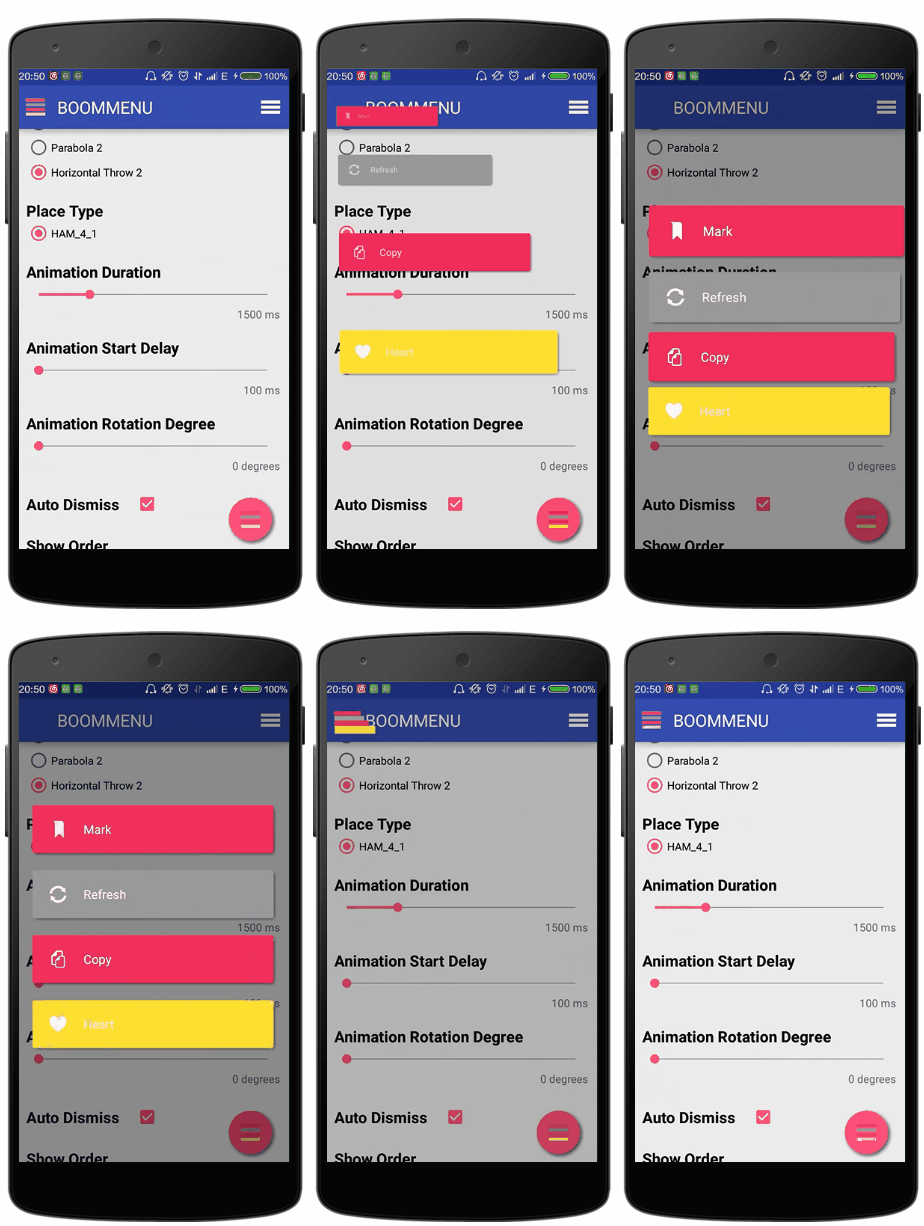

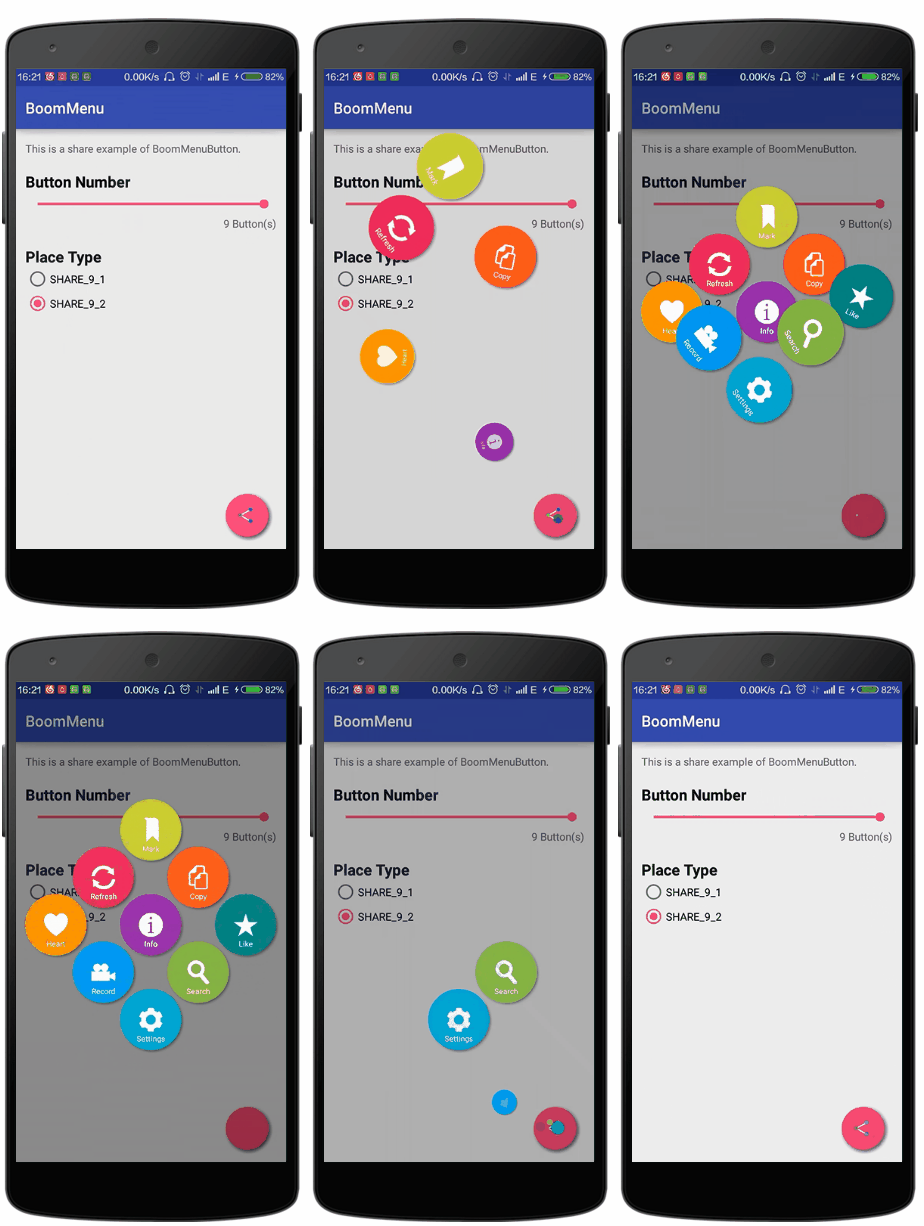
Yes, this library is about a menu which can ... BOOM!
Looking for iOS version? Check here
Guide
Usage
- Easy to Use in 3 Steps
- Use in Action Bar
- Use in Floating Action Button
- Use in List
- Use in Share Style
- Use with Builder
- Hamburger Button and Circle Button
- Number of Sub Buttons
- Boom Types
- Place Types
- Ease Types
- Boom Animation Duration
- Animation Start Delay
- Rotation Degree
- Auto Dismiss
- Cancelable
- Show Order and Hide Order
- Sub Buttons Click Listener
- Animation Listener
- Click Effects
- Sub Button Texts Color
- Dim Types
- Shadow of Sub Buttons and Boom Button
- Get States and Dismiss
- Get Sub Views of Sub Button
Gradle and Maven
Just add the "compile 'com.nightonke:BoomMenu:1.0.9'" in your build.gradle of your module.
dependencies {
    ...
    compile 'com.nightonke:boommenu:1.0.9'
    ...
}
Or maven:
<dependency>
  <groupId>com.nightonke</groupId>
  <artifactId>boommenu</artifactId>
  <version>1.0.9</version>
  <type>pom</type>
</dependency>
Note
- I use the ShadowLayout from dmytrodanylyk-ShadowLayout to create the shadow effect of the buttons.
- Boom menu button can be used in list since version 1.0.4.
Demo
You can check most of the options that you can set when using boom menu button in this demo. When you read the code of the demo, don't be afraid of the length of the code in MainActivity.class. Most of codes are for the logic of the RadioGroups.

Or by link:
Boom V1.0.9 in Github
Boom V1.0.9 in Fir
Usage
Easy to Use in 3 Steps
Check the code in EaseUseActivity and you will found out all to do are 3 steps:
1.Add BoomMenuButton in xml file:
<com.nightonke.boommenu.BoomMenuButton
    android:id="@+id/boom"
    android:layout_width="wrap_content"
    android:layout_height="wrap_content"
    android:layout_alignParentBottom="true"
    android:layout_alignParentRight="true"
    android:layout_alignParentEnd="true"
    android:layout_margin="20dp"
    app:boom_inActionBar="false"
    app:boom_button_color="@color/colorPrimary"
    app:boom_button_pressed_color="@color/colorPrimary"
    />
2.Get the view in xml in onCreate() method:
boomMenuButton = (BoomMenuButton)findViewById(R.id.boom);
3.Initialize the boom menu button in the onWindowFocusChanged() method in activity:
@Override
public void onWindowFocusChanged(boolean hasFocus) {
    super.onWindowFocusChanged(hasFocus);

    boomMenuButton.init(
            subButtonDrawables, // The drawables of images of sub buttons. Can not be null.
            subButtonTexts,     // The texts of sub buttons, ok to be null.
            subButtonColors,    // The colors of sub buttons, including pressed-state and normal-state.
            ButtonType.HAM,     // The button type.
            BoomType.PARABOLA,  // The boom type.
            PlaceType.HAM_3_1,  // The place type.
            null,               // Ease type to move the sub buttons when showing.
            null,               // Ease type to scale the sub buttons when showing.
            null,               // Ease type to rotate the sub buttons when showing.
            null,               // Ease type to move the sub buttons when dismissing.
            null,               // Ease type to scale the sub buttons when dismissing.
            null,               // Ease type to rotate the sub buttons when dismissing.
            null                // Rotation degree.
    );
}
Use in Action Bar
To add boom menu button in action bar just:
1.Create your own action bar layout, custom_actionbar.xml:
<?xml version="1.0" encoding="utf-8"?>
<RelativeLayout xmlns:android="http://schemas.android.com/apk/res/android"
    android:layout_width="match_parent"
    android:layout_height="match_parent"
    xmlns:app="http://schemas.android.com/apk/res-auto"
    android:background="@color/transparent">

    <com.nightonke.boommenu.BoomMenuButton
        android:id="@+id/boom"
        android:layout_width="56dp"
        android:layout_height="match_parent"
        android:layout_alignParentStart="true"
        android:layout_alignParentLeft="true"
        android:layout_centerVertical="true"
        android:background="?android:actionBarItemBackground"
        app:boom_inActionBar="true"
        />

    <TextView
        android:id="@+id/title_text"
        android:layout_width="wrap_content"
        android:layout_height="wrap_content"
        android:layout_centerVertical="true"
        android:textAllCaps="true"
        android:textAppearance="?android:attr/textAppearanceLarge"
        android:textColor="#fff"
        android:layout_toRightOf="@+id/boom"
        android:layout_toEndOf="@+id/boom"
        />

</RelativeLayout>
2.Custom the default action bar in onCreate() method:
@Override
protected void onCreate(Bundle savedInstanceState) {
    super.onCreate(savedInstanceState);
    setContentView(R.layout.activity_main);

    ActionBar mActionBar = getSupportActionBar();
    mActionBar.setDisplayShowHomeEnabled(false);
    mActionBar.setDisplayShowTitleEnabled(false);
    LayoutInflater mInflater = LayoutInflater.from(this);

    mCustomView = mInflater.inflate(R.layout.custom_actionbar, null);
    TextView mTitleTextView = (TextView) mCustomView.findViewById(R.id.title_text);
    mTitleTextView.setText(R.string.app_name);

    boomMenuButtonInActionBar = (BoomMenuButton) mCustomView.findViewById(R.id.boom);
    boomMenuButtonInActionBar.setOnSubButtonClickListener(this);
    boomMenuButtonInActionBar.setAnimatorListener(this);

    mActionBar.setCustomView(mCustomView);
    mActionBar.setDisplayShowCustomEnabled(true);

    ((Toolbar) mCustomView.getParent()).setContentInsetsAbsolute(0,0);
}
3.Initialize the boom menu button in the onWindowFocusChanged() method in activity. Just like what we do in the step3 in Easy to Use in 3 Steps
Use in Floating Action Button
Similar with above. But just add some params in xml:
<com.nightonke.boommenu.BoomMenuButton
    android:id="@+id/boom"
    android:layout_width="wrap_content"
    android:layout_height="wrap_content"
    app:boom_inActionBar="false"
    app:boom_button_color="@color/colorPrimary"
    app:boom_button_pressed_color="@color/colorPrimary"
    />
| Param | Type | What It Does |
|---|---|---|
| app:boom_inActionBar | boolean | true for boom menu button in action bar |
| app:boom_inList | boolean | true for boom menu button in list |
| app:boom_button_color | color | the color of the boom menu button, only work in floating action button |
| app:boom_button_pressed_color | color | the color when pressing the boom menu button, only work when the ClickEffect is normal |
Use in List
To add boom menu button in list just:
1.Create your list-item layout, notice that the app:boom_inList value should be true:
<?xml version="1.0" encoding="utf-8"?>
<LinearLayout xmlns:android="http://schemas.android.com/apk/res/android"
    xmlns:app="http://schemas.android.com/apk/res-auto"
    android:orientation="horizontal"
    android:layout_width="match_parent"
    android:layout_height="match_parent">

    <TextView
        android:id="@+id/text_view"
        android:layout_width="0dp"
        android:layout_height="56dp"
        android:layout_weight="1"
        android:layout_marginStart="15dp"
        android:layout_marginLeft="15dp"
        android:gravity="center_vertical"
        />

    <com.nightonke.boommenu.BoomMenuButton
        android:id="@+id/boom_circle"
        android:layout_width="56dp"
        android:layout_height="match_parent"
        app:boom_inList="true"
        />

    <com.nightonke.boommenu.BoomMenuButton
        android:id="@+id/boom_ham"
        android:layout_width="56dp"
        android:layout_height="match_parent"
        app:boom_inList="true"
        />

</LinearLayout>
2.Init the boom menu button with delays in adapter: ```java @Override public View getView(int position, View convertView, final ViewGroup parent) {
...

viewHolder.circleBoomMenuButton.postDelayed(new Runnable() {
    @Override
    public void run() {
        viewHolder.circleBoomMenuButton.init(
                circleSubButtonDrawables, // The drawables of images of sub buttons. Can not be null.
                circleSubButtonTexts,     // The texts of sub buttons, ok to be null.
                subButtonColors,          // The colors of sub buttons, including pressed-state and normal-state.
                ButtonType.CIRCLE,        // The button type.
                BoomType.PARABOLA,        // The boom type.
                PlaceType.CIRCLE_3_1,     // The place type.
                null,                     // Ease type to move the sub buttons when showing.
                null,                     // Ease type to scale the sub buttons when showing.
                null,                     // Ease type to rotate the sub buttons when showing.
                null,                     // Ease type to move the sub buttons when dismissing.
                null,                     // Ease type to scale the sub buttons when dismissing.
                null,                     // Ease type to rotate the sub buttons when dismissing.
                null                      // Rotation degree.
        );
        viewHolder.hamBoomMenuButton.setSubButt
Extension points exported contracts — how you extend this code
browse all types & interfaces →
Core symbols most depended-on inside this repo
Shape
Languages
Modules by API surface
For agents
$ claude mcp add BoomMenu \
  -- python -m otcore.mcp_server <graph>