hub / github.com/NYPDK/cs2go
github.com/NYPDK/cs2go @main
Chat with this repo
22 symbols
42 edges
2 files
0 documented · 0%
● updated 15mo ago★ 768 open issues
Browse by type
What it actually does AI analysis from the code graph — generated when you open this
loading…
README
-----This program is depricated-----
cs2go
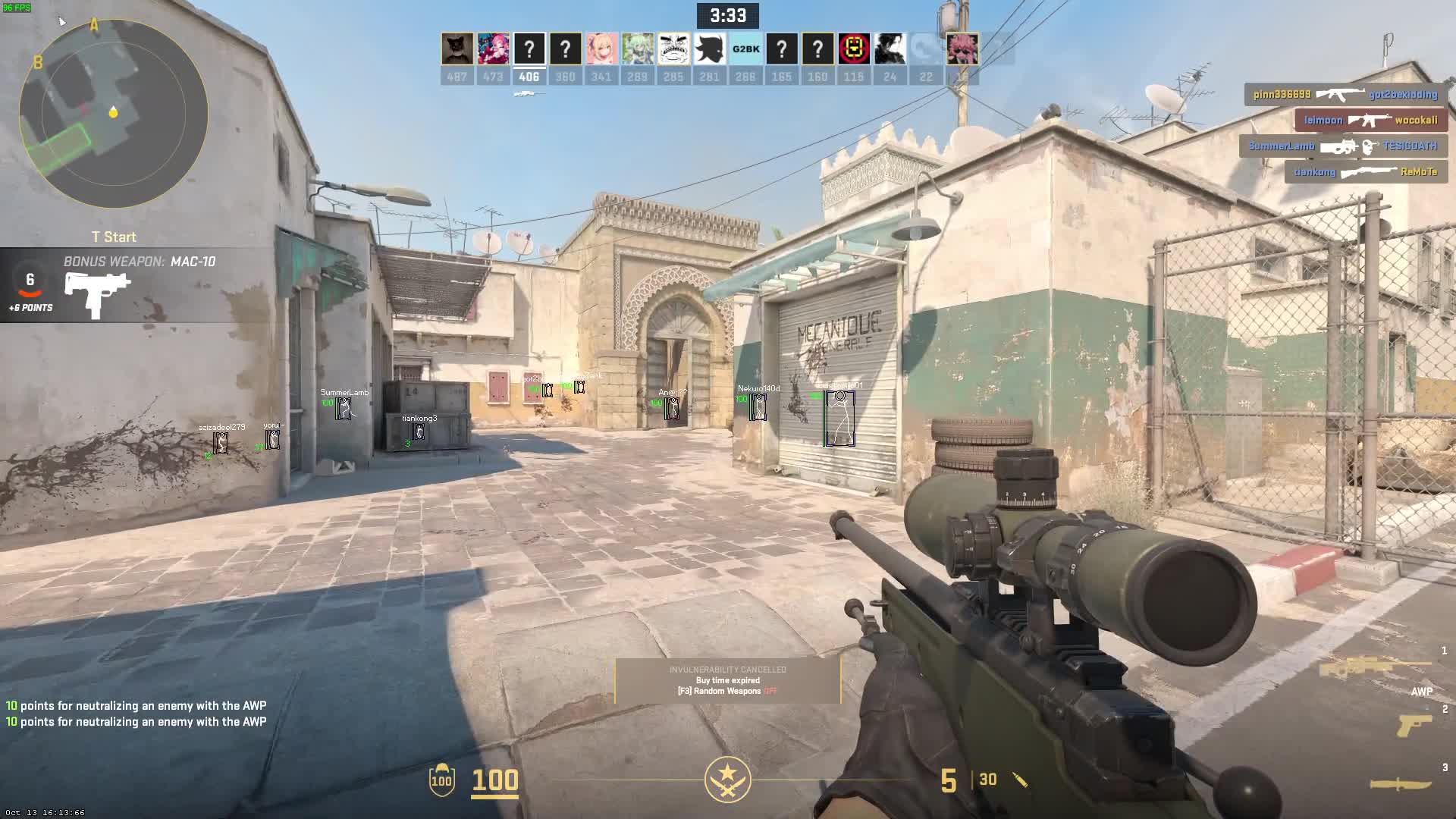
cs2go is a simple external ESP for Counter-Strike 2, written in Go.
Building the source code
To build this project, you will need to download and install Go from the official website: https://go.dev/doc/install.
Once you have installed Go, follow these steps:
- Download the source code and extract the ZIP file to a directory of your choice.
- Open the directory in your terminal or command prompt.
- Make sure your environment variables
GOOSis set towindowsandGOARCHis set toamd64. You can set these variables by running the following commands:set GOOS=windows set GOARCH=amd64 - Build the project using the following command:
go build -ldflags "-s -w"Theldflagsare optional and remove debugger functionality and strip the binary resulting in smaller file size. - Run the program while in a match to use.
If the compiler complains about not having "github.com/lxn/win", "golang.org/x/sys/windows", "golang.org/x/sys/windows" run go get github.com/lxn/win, go get golang.org/x/sys/windows, and go get golang.org/x/sys/windows | Finalize with go mod tidy
Example
Check out this video for an example of cs2go in action:
Issues
Esp lagging? Search for cs2go.exe in task manager, expand, right click the process click "go to details" Set your priority to High, this should fix it.
Thank you for using cs2go!
Core symbols most depended-on inside this repo
Shape
Languages
Go100%
Modules by API surface
main.go18 symbols
memory.go4 symbols
For agents
$ claude mcp add cs2go \
  -- python -m otcore.mcp_server <graph>